Best Coding Robots for Beginners UK 2026 — Top Picks for First-Time Buyers
The best first coding robots for kids in the UK. No experience needed — our picks are beginner-friendly, fun, and genuinely educational. Expert parent reviews.
Buying your child's first coding robot is one of those purchases that can genuinely change their relationship with technology. Done well, it sparks a lifelong love of problem-solving. Done badly — by choosing something too complex, too fiddly, or just plain boring — and it ends up at the back of the cupboard within a week.
This guide is for parents at the very beginning of that journey. You don't need to know anything about coding, and your child doesn't either. That's the point. Every product on this list is designed to be welcoming, intuitive, and genuinely fun from the moment you open the box — and every single one was checked on Amazon UK on the day of publication to confirm it's actually in stock with a working buy button.
We've focused on three core questions: Is it easy to set up? Can a complete beginner actually use it? Does it stay engaging once the novelty wears off?
Here are our top picks for the best coding robots for beginners in the UK in 2026.
At a Glance: Best Beginner Coding Robots UK 2026
| Robot | Best For | Age Range | Approx. Price | Coding Style |
|---|---|---|---|---|
| Makeblock mBot | First robot, ages 8–12 | 8–12 | £89.99 | Block-based app |
| Code & Go Robot Mouse | Budget pick, screen-free | 4–8 | £33.95 | Physical sequencing cards |
| Botley 2.0 Activity Set | Screen-free learning | 5–9 | £67.94 | Physical remote |
| Snap Circuits Jr. Plus SC-110 | Electronics + circuits | 8–12 | £46.95 | Physical building |
| Osmo Coding Starter Kit | iPad-owning families | 5–10 | £31.98 | Tangible blocks + app |
| Sphero Mini | Budget app-based ball robot | 8+ | £49.99 | Block + drive app |
| Sillbird 5-in-1 STEM Kit | Budget building kit | 6–13 | £44.99 | App + remote control |
| MatataStudio VinciBot | AI-powered first robot | 8–12 | £84.98 | Scratch, Python, AI |
| Cooper the STEM Robot | Screen-free gift set | 5+ | £54.33 | Physical coding cards |
| Makeblock Codey Rocky | Growing with your child | 6–12 | £121.00 | Block coding → Python |
1. Makeblock mBot — Best Overall First Robot
Age range: 8–12 | Approx. price: £89.99
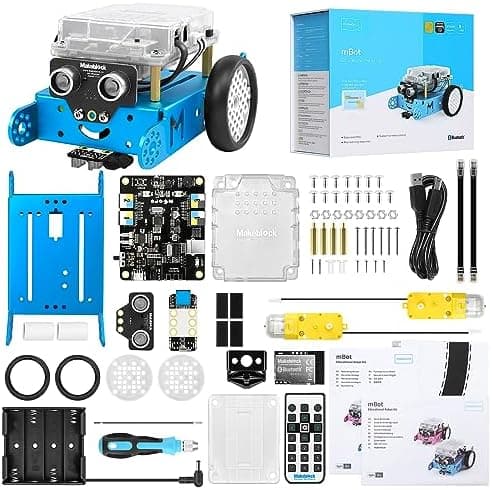
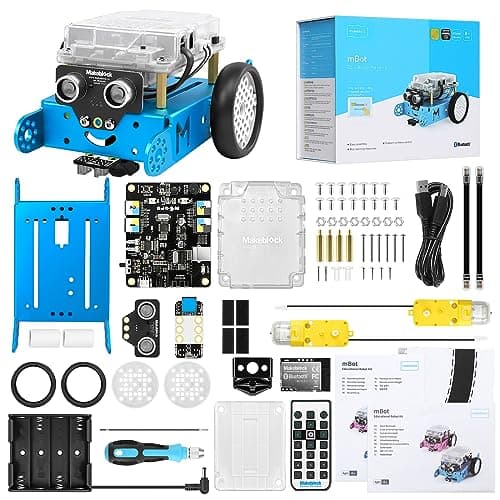
The mBot is a compact, buildable robot that rolls, avoids obstacles, follows lines, and lights up in colour — and it's one of the friendliest introductions to coding for primary school-age kids we've seen.
Unlike a pre-assembled toy, mBot ships as a snap-together kit that takes about 20 minutes to build with a screwdriver included in the box. That assembly step is deliberate: it gets children comfortable with the idea that the robot is a piece of engineering they made, not something that just arrived working. Once built, it pairs with the free mBlock app over Bluetooth, where children drag and drop colourful blocks to make it move, react to light, or follow a line drawn on paper.
What makes it beginner-friendly:
- Ships with everything needed in the box, including the screwdriver
- mBlock's block-based coding is genuinely accessible with no reading required for the youngest users
- Built-in line-following and obstacle-avoidance sensors give children something to actually experiment with, not just drive around
- Curriculum-aligned block coding maps closely to Scratch, which most UK primary schools already teach
- Sturdy enough to survive being dropped, driven into walls, and generally loved hard
The honest bit: the build step is a genuine step, not just marketing — younger children will need an adult's help assembling it the first time. It also needs a phone or tablet for programming, so it's not the pick for screen-free households.
Verdict: the most well-rounded first coding robot on this list. If your child is 8 or older and you're happy with a companion app, this is our top recommendation.
Around £89.99 — Check price on Amazon UK →
Read our full Makeblock mBot review for a hands-on breakdown.
2. Learning Resources Code & Go Robot Mouse — Best Budget Beginner Robot
Age range: 4–8 | Approx. price: £33.95
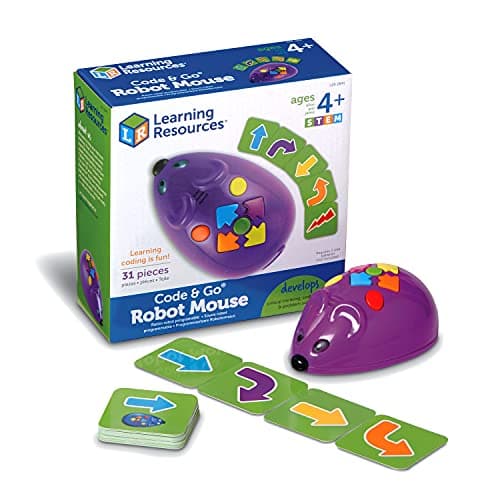
If your child is younger than mBot's target age, or you simply want the cheapest genuinely good coding toy on the market, the Code & Go Robot Mouse is very hard to beat. This little mouse — officially named Jack, per Learning Resources' own packaging — is programmed entirely with physical directional cards, no screen or app required at all.
Children arrange the coloured command cards (forward, turn left, turn right, and so on) in a sequence, then press the buttons on the mouse's back in that same order before letting it run the route. It's about as pure an introduction to sequencing as exists in toy form, and it's genuinely durable — this is the kind of thing that survives years in a classroom cupboard.
What makes it beginner-friendly:
- Zero screens required at any point
- Suitable from age 4, genuinely the youngest floor on this list alongside Cooper
- The core set is often paired with the separately-sold maze mat/activity set for a bigger challenge as skills grow
- Extremely low price point makes it an easy "try coding toys" first purchase
- Used in UK primary schools as a KS1 computing staple, alongside Bee-Bot
The honest bit: this specific set is the mouse itself and command cards — the full maze/activity floor mat is sold as a separate accessory set (LER 2831), so check the listing carefully if you want the bigger course from day one.
Verdict: the best-value, most screen-free way to introduce sequencing to a child under 8. A brilliant low-stakes first purchase.
Around £33.95 — Check price on Amazon UK →
Read our full Code & Go Robot Mouse review for the details, including what it doesn't include.
3. Botley 2.0 Activity Set — Best Screen-Free Option
Age range: 5–9 | Approx. price: £67.94
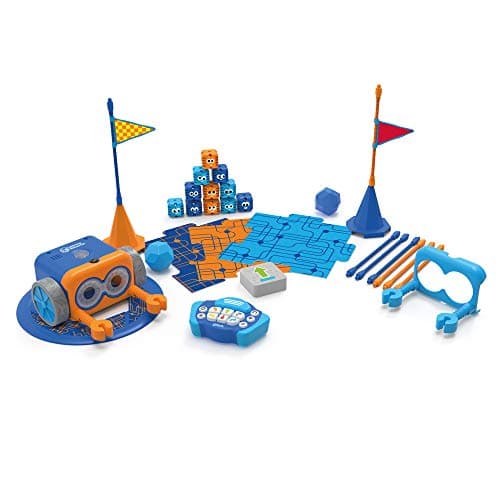
Botley 2.0 is the answer for parents who want their children to learn coding without adding yet another screen to the household. There are no apps, no tablets, no phones — programming Botley is done entirely through physical button presses on the included remote control.
Children send Botley commands — turn left, move forward three spaces, detect an object, play a sound — and Botley executes them in sequence. It's a genuinely tactile introduction to sequencing, loops, and conditionals, all communicated through buttons rather than a screen. The 2.0 version added a front-facing sensor that lets Botley detect and react to objects, plus an expanded obstacle-course set of accessories.
What makes it beginner-friendly:
- Zero screen time required — brilliant for families with screen time limits
- The concept of "sequences" clicks naturally through physical button presses
- Works on any flat surface — kitchen floor, living room carpet, the garden path
- No batteries to charge in the remote — it runs on AA batteries
- Suitable from age 5, with no adult guidance needed once set up
The honest bit: Botley is deliberately simple, which means older or more advanced children can outgrow it relatively quickly, and there's no built-in progression path to text-based coding.
Verdict: the cleanest screen-free introduction to coding on this list. Perfect for families who want to avoid tablets and for children who learn best through physical, hands-on play.
Around £67.94 — Check price on Amazon UK →
Read our full Botley 2.0 review for the complete rundown.
4. Snap Circuits Jr. Plus SC-110 — Best for Electronics Beginners
Age range: 8–12 | Approx. price: £46.95
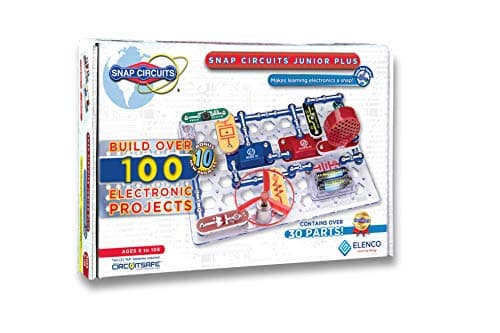
Snap Circuits takes a different approach: instead of a robot that moves around, it's a kit for building working circuits on a baseplate using snap-together components. Your child builds real electronics — radios, alarms, light sensors, fans — using colour-coded parts and a step-by-step project book.
It isn't a "coding robot" in the traditional sense, but it introduces the same foundational thinking: what happens if you change this component? What's the sequence of events in this circuit? Why does this sensor trigger that output? These are the mental models that make future programming much easier. The Jr. Plus SC-110 includes over 100 projects and components including LED lights, a motor, a photoresistor, and a speaker — nothing requires soldering, everything snaps together safely.
What makes it beginner-friendly:
- No software or screens required
- A clear instruction booklet with over 100 progressive projects
- Snap connectors are forgiving — mistakes don't cause damage and are easily reversed
- Introduces real electronics concepts (resistance, voltage, circuits) in an accessible way
- Excellent value — one of the most educational kits at this price point
The honest bit: it's not technically a robot — children who want something that moves and responds independently may find it less immediately exciting, and it requires a bit more parental involvement to get started than a plug-and-play robot.
Verdict: the best choice for children who are more interested in how things work than playing with a toy robot. A foundation in electronics that will pay dividends for years.
Around £46.95 — Check price on Amazon UK →
Read our full Snap Circuits Jr. Plus SC-110 review for more.
5. Osmo Coding Starter Kit — Best for iPad-Owning Families
Age range: 5–10 | Approx. price: £31.98
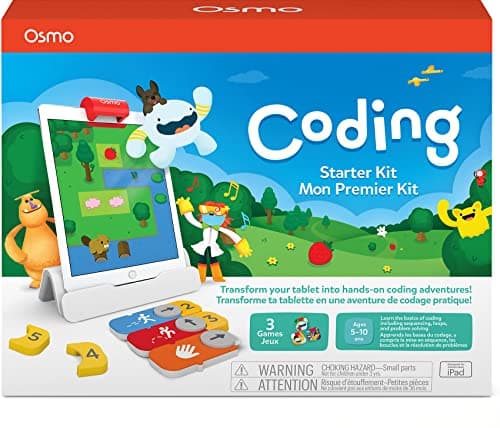
If your family already has a compatible iPad sitting around, Osmo's Coding Starter Kit is one of the most genuinely clever ways to introduce coding concepts without buying a robot at all. Children use physical, tangible blocks — Walk, Jump, Repeat, and more — that Osmo's base and reflector detect through the iPad's camera and translate into on-screen actions for a character called Awbie.
Three games are included: Coding Awbie (an adventure game teaching sequencing basics), Coding Jam (a music-composition game that layers in rhythm and pattern recognition), and Coding Duo (side-by-side puzzle solving that works solo or with a sibling). The tactile blocks make an abstract idea — that code is a sequence of instructions — feel completely physical.
What makes it beginner-friendly:
- No WiFi needed for gameplay — everything runs locally through the camera
- 31 physical coding blocks give children something to hold and rearrange, not just tap on a screen
- Three separate games mean the kit doesn't get boring after a week
- Designed for ages 5 upward, with room to grow into harder puzzles
- Compact and easy to pack away between sessions
The honest bit: you need a compatible iPad and, for newer models, an additional 2021 reflector — check Osmo's current compatibility list before buying, as some recent iPad generations require extra hardware.
Verdict: the best pick if your family already owns a compatible iPad and wants a genuinely tactile, screen-adjacent (rather than screen-heavy) coding introduction.
Around £31.98 — Check price on Amazon UK →
Read our full Osmo Coding Starter Kit review for compatibility notes.
6. Sphero Mini — Best Budget App-Based Robot
Age range: 8+ | Approx. price: £49.99
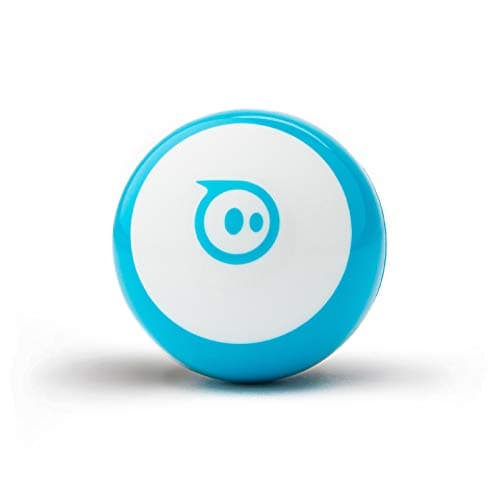
Sphero Mini shrinks the company's signature app-controlled ball robot down to a pocket-sized, pocket-priced package. It's driven and programmed entirely through the free Sphero Edu Jr and Sphero Edu apps, which start with simple driving controls and build up to drag-and-drop block coding.
Children can programme Mini to draw shapes, navigate obstacle courses, or react to being flicked and rolled — the built-in accelerometer and gyroscope make it responsive to physical play, not just app taps. Because it shares the same underlying Sphero Edu ecosystem as the company's pricier robots, a child who outgrows Mini has a clear, familiar next step rather than starting from scratch.
What makes it beginner-friendly:
- Genuinely accessible entry point — driving mode requires zero coding knowledge to enjoy
- Graduated progression from simple driving to block-based programming
- Small, light, and inexpensive enough to be a low-risk "does my child like this?" first purchase
- Pairs over Bluetooth in seconds
- Comes in several colours, which matters more to an 8-year-old than any spec sheet
The honest bit: the tiny size means tiny parts and a delicate shell — it's not as indestructible as some of the sturdier options here, and very young children may need supervision.
Verdict: the best budget way into the Sphero coding ecosystem, and a sensible starting point before considering a pricier Sphero robot down the line.
Around £49.99 — Check price on Amazon UK →
Read our full Sphero Mini review for the complete picture.
7. Sillbird 5-in-1 STEM Robot — Best Budget Building Kit
Age range: 6–13 | Approx. price: £44.99
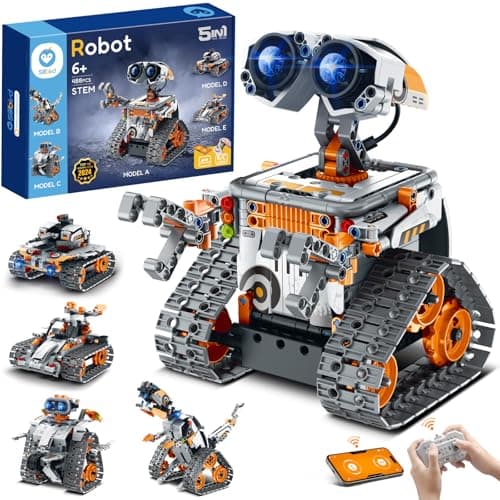
For families who want the building half of STEM alongside the coding half, Sillbird's 5-in-1 kit lets children assemble one of five different models — a wall-climbing robot, an explorer robot, a mech dinosaur, a tank, or a stunt car — from a single 488-piece set (only one model can be built at a time, so children choose their favourite each session).
Once built, the robot can be driven via a four-channel remote control (up to 20 metres range) or via a companion app, which adds path mode, gyro mode, and a simple programming mode on top of manual driving. The flexible joints and moving parts (a mouth, propellers, adjustable limbs) give the finished models genuine play value beyond just "drive it around".
What makes it beginner-friendly:
- Combines physical construction with coding-adjacent remote and app control
- Five build options from one kit means less pressure to get it "right" first time
- Rechargeable battery with a decent run time for extended play sessions
- Affordable entry point into building-and-coding combined kits
- A genuinely fun gift-box unboxing experience for a birthday or Christmas
The honest bit: assembly takes real time and patience — this is more of a guided-build weekend project than an instant-gratification unboxing, and younger children in the age range will need adult help with the build.
Verdict: the best pick for a child who enjoys building things as much as programming them, and wants a kit that changes shape rather than staying the same robot forever.
Around £44.99 — Check price on Amazon UK →
Read our full Sillbird 5-in-1 STEM Robot review for build-time notes.
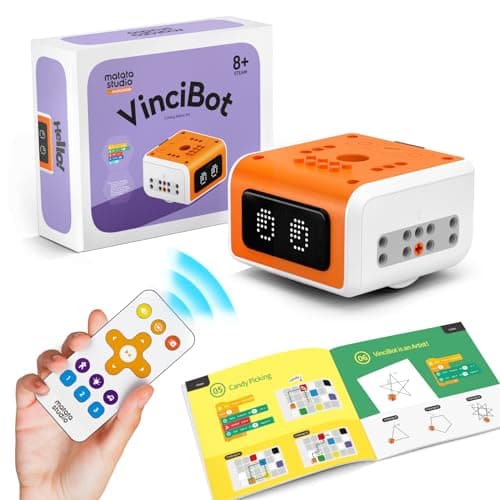
8. MatataStudio VinciBot — Best AI-Powered Robot for Beginners
Age range: 8–12 | Approx. price: £84.98
VinciBot is the pick for parents who specifically want their child's first robot to include genuine AI features, not just app-based remote control. Underneath the buildable shell sit eight sensors, a 16×8 LED matrix, and support for speech recognition, gesture recognition, colour recognition, and simple computer-vision tasks like object tracking — features usually reserved for much pricier educational robots.
Programming runs through MatataStudio's own graphical editor to start, with a clear path into Scratch and then real Python as children's confidence grows — meaning VinciBot doesn't just teach one style of coding and stop. It's also compatible with standard LEGO Technic pieces, so children can extend the physical build with parts they may already own.
What makes it beginner-friendly:
- Free online course materials guide complete beginners from first power-on to their first program
- Graphical block coding for day one, with Scratch and Python available as skills grow
- Genuine AI features (voice, gesture, and colour recognition) rather than marketing buzzwords
- LEGO-compatible design means the robot can be physically extended and customised
- Strong sense of progression — this is a robot that scales with a child for years, not months
The honest bit: the AI features are the headline, but a true beginner will spend their first weeks in the simpler graphical editor before touching Scratch or Python — set expectations accordingly, and budget time for the (free) online lessons.
Verdict: the most future-proof pick here if you want your child's introduction to coding to also be a genuine introduction to AI concepts.
Around £84.98 — Check price on Amazon UK →
Read our full MatataStudio VinciBot review for the AI features in depth.
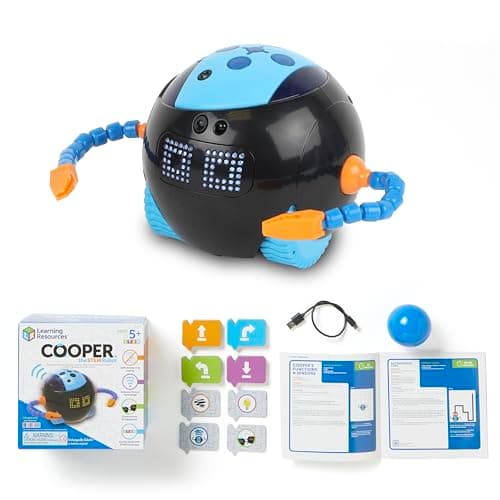
9. Cooper the STEM Robot — Best Screen-Free Gift Set
Age range: 5+ | Approx. price: £54.33
Cooper is Learning Resources' newer screen-free coding robot, programmed entirely with a deck of 40 physical coding cards rather than an app — a similar philosophy to Botley and Code & Go, but with a friendlier, more expressive robot personality. Cooper can sense light and objects, talk, sing, dance, and react to its surroundings, and the gift set includes a play ball for interactive games alongside the coding challenges.
A distinctive feature is that additional Coopers (sold separately as a classroom set) can be programmed to work together, which makes this a genuinely good option for siblings or a small group of friends who want to collaborate rather than each stare at their own screen.
What makes it beginner-friendly:
- 100% screen-free — programming is entirely card-based
- USB rechargeable, so no constant battery buying
- Interactive personality (lights, sounds, movement) keeps younger children engaged beyond the coding challenges themselves
- Designed with classroom durability in mind, so it holds up to enthusiastic home use too
- Multiplayer/collaborative potential if you add a second unit later
The honest bit: at 40 cards the challenge library is enough for many sessions, but it's not infinite — expect your child to invent their own house rules and games once they've worked through the included set, which is honestly part of the fun.
Verdict: a lovely, durable, screen-free option for a child who wants a robot with personality as much as a coding lesson.
Around £54.33 — Check price on Amazon UK →
10. Makeblock Codey Rocky — Best Robot to Grow With
Age range: 6–12 | Approx. price: £121.00
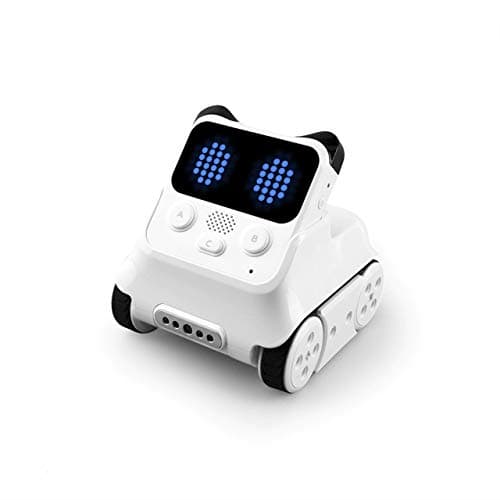
Most beginner robots have a ceiling. Once a child masters the basics, they hit the limits of the software and lose interest. Codey Rocky is designed specifically to avoid that problem by pairing two connected units — Codey (a programmable handheld controller with its own screen, buttons, and sensors) and Rocky (the mobile robot base) — with a coding path that runs from simple block programming all the way to real Python.
Codey's built-in microphone, speaker, light sensor, and small LED display mean it's genuinely useful and expressive on its own before it's even attached to Rocky, and the mBlock app scales its interface as a child's confidence grows, so the same robot can teach a 6-year-old sequencing and a 12-year-old Python without needing to be replaced.
What makes it beginner-friendly:
- Two-part design (handheld controller plus mobile base) gives more ways to play than a single-form robot
- mBlock's block-to-Python progression means there's no hard ceiling to grow into
- Built-in sensors (light, sound, infrared, colour) support increasingly ambitious projects
- Rechargeable via USB-C, with genuinely solid battery life for extended coding sessions
- Strong secondhand/community project library online for inspiration once the basics are mastered
The honest bit: it's the most expensive robot on this list, and the two-part system takes slightly longer to understand at first than a single robot — but that complexity is exactly what gives it staying power.
Verdict: if you're thinking long-term and want a robot your child won't outgrow within a year, Codey Rocky is the investment piece on this list.
Around £121.00 — Check price on Amazon UK →
Read our full Makeblock Codey Rocky review for the two-part system explained.
How to Choose Your Child's First Coding Robot
The biggest mistake parents make is choosing a robot that's too advanced. A child who can't make the robot do anything on day one will lose interest fast. Here's a simple framework:
By Age
| Age | Our Recommendation |
|---|---|
| 4–8 | Code & Go Robot Mouse (screen-free, physical cards) |
| 5+ | Cooper the STEM Robot (screen-free, expressive) |
| 5–9 | Botley 2.0 (screen-free physical coding) |
| 5–10 | Osmo Coding Starter Kit (tangible blocks + iPad) |
| 6–13 | Sillbird 5-in-1 (build-and-drive kit) |
| 6–12 | Makeblock Codey Rocky (grows into Python) |
| 8–12 | Makeblock mBot (app-based, buildable) |
| 8–12 | MatataStudio VinciBot (AI features + Python) |
| 8–12 | Snap Circuits Jr. Plus (electronics-focused) |
| 8+ | Sphero Mini (budget app-based ball robot) |
By Budget
- Under £40: Osmo Coding Starter Kit, Code & Go Robot Mouse
- Under £55: Snap Circuits Jr. Plus, Sillbird 5-in-1, Sphero Mini, Cooper the STEM Robot
- Under £90: Botley 2.0, VinciBot, Makeblock mBot
- Under £130: Makeblock Codey Rocky
Screen Time Preferences
If reducing screens is a priority, your options are Botley 2.0, Code & Go Robot Mouse, and Cooper the STEM Robot — all completely screen-free. Osmo sits in a middle ground, using an iPad as a camera rather than a game console. mBot, Sphero Mini, VinciBot, Sillbird, and Codey Rocky all require a phone or tablet for programming.
Do Coding Robots Actually Teach Coding?
This is the question parents ask most often. The honest answer: it depends on the robot and how you use it.
The best coding robots — like the ones on this list — teach computational thinking: the ability to break problems into steps, spot patterns, think in sequences, and work through errors methodically. These are the foundational skills that make programming intuitive later, whether the language is Scratch, Python, or JavaScript.
What they don't do, on their own, is teach syntax. A child who's mastered Botley won't automatically know how to write a Python script. But they'll understand why computers need precise instructions, why loops are useful, and why debugging matters. That conceptual foundation makes learning actual programming languages — like the Python path built into VinciBot and Codey Rocky — dramatically easier when the time comes.
Research from UK computing education bodies consistently shows that physical coding toys improve computational thinking scores and confidence in children aged 4–11, particularly when parents engage with the activities rather than leaving children to work through them alone.
What About Apps? Do I Need a Tablet?
Some robots on this list require a phone or tablet for programming (mBot, Sphero Mini, VinciBot, Sillbird, Codey Rocky), while others are entirely screen-free (Botley, Code & Go Robot Mouse, Cooper), or sit in between (Osmo, which uses an iPad purely as a camera and display rather than a full app experience).
If you don't have a spare device, Botley 2.0, Code & Go Robot Mouse, and Cooper the STEM Robot need nothing at all. If you do have an iPad or Android tablet, the app-based robots offer a richer, more structured learning path that scales up as your child's skills grow.
How we picked these
Every product here was checked against its live Amazon UK listing before publication: in stock, the listing matching the model we describe, and the price recorded at the time of writing. We read the manufacturer's own specifications for the figures quoted, and work through recent verified-purchase reviews looking for the same fault reported repeatedly rather than one-off complaints.
Picks are ordered by who each product actually suits — age, budget, and whether an app or subscription is involved — not by commission. AIToys.co.uk earns from qualifying purchases through the links on this page; that does not affect the order. The full process, including what we don't do, is on our how we choose page.
Frequently Asked Questions
What age should my child start with a coding robot?
With the right toy, children can start as young as 4. The Code & Go Robot Mouse and Cooper the STEM Robot are both designed for younger beginners and introduce sequencing through simple, physical play. For most families, 6–8 is the typical starting age for app-based robots like mBot.
Do I need to know how to code to help my child?
No. Every robot on this list is designed for children with zero prior experience, and parents with no coding knowledge can easily support and encourage their children. The apps and instruction materials are clear enough that most families don't need outside help.
Are coding robots worth the money?
The best ones genuinely are. A well-chosen coding robot at ages 6–8 can spark an interest in computing that shapes your child's educational trajectory. Compared to the cost of coding classes (typically £15–25/hour), even a £120 robot like Codey Rocky represents good value if your child engages with it regularly over several years.
How long will my child stay interested?
This varies hugely, but broadly: simpler screen-free options like Botley, Code & Go, and Cooper have a shorter engaged window before a child is ready for something more advanced. Robots with a genuine progression path — VinciBot and Codey Rocky in particular, thanks to their Scratch-to-Python routes — can hold a child's interest for several years as new challenges unlock.
Are these robots safe for children?
Yes — all products on this list are intended for children and sold as such on Amazon UK. Snap Circuits is not suitable for children under 8 due to small components, so always check the manufacturer's stated age range and supervise young children during initial use, particularly around charging cables and small accessories.
Our Final Recommendation
There's no single "best" beginner coding robot — it depends entirely on your child's age, personality, and your family's budget and screen time approach.
If we had to pick one for most families with primary school-age children, we'd choose the Makeblock mBot. It's a genuinely welcoming, well-built first robot, and the mBlock app ecosystem keeps children engaged for years.
For a completely screen-free start, the Code & Go Robot Mouse or Cooper the STEM Robot are wonderful, low-cost entry points for younger children. And if you specifically want your child's first robot to introduce real AI concepts, VinciBot is the standout choice on this list.
Whatever you choose, the most important factor is engagement. A robot your child actually wants to play with will teach them more than the "objectively best" robot gathering dust on a shelf.
Further Reading
Read next
Best mBot Alternatives UK 2026: Coding Robots Like the Makeblock mBot
Loved the Makeblock mBot? Here are the best alternatives in the UK for 2026 — coding robots across every budget, from £30 screen-free starters to advanced kits.
Best STEM Kits Under £100 UK 2026 — 9 Top Picks for Every Age
Looking for the best STEM kits under £100 in the UK? Our 2026 guide covers 9 top-rated coding robots and electronics kits for ages 4–16. Real picks, real…
Best Coding Robots Under £100 UK 2026 — 10 Top Picks for Every Age
The 10 best coding robots under £100 in the UK for 2026 — expert picks for ages 3 to 14. In-stock products, honest reviews, and where to buy.