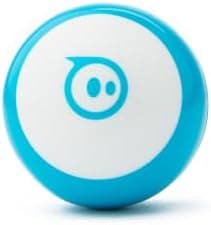
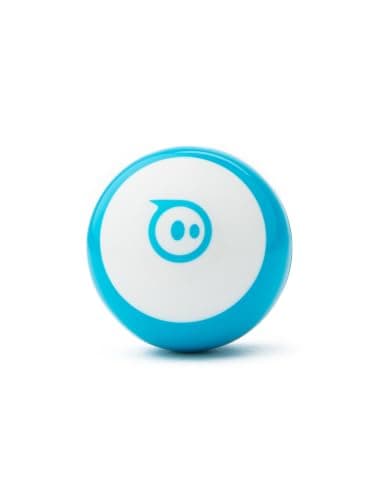
The Sphero Mini Blue is a pocket-sized, app-controlled robot ball for children aged 8 and up. It connects to a phone or tablet over Bluetooth. In the Sphero Play app a child can drive it. In Sphero Edu the same ball follows a drawn path, then block-based code, then JavaScript. The buyable colour on Amazon UK for this page is Blue, ASIN B072B6QVVW.
AIToys.co.uk selects and researches products from manufacturer specifications, Sphero's published app descriptions, the live Amazon UK listing and repeated owner reports. Prices and stock were checked on Amazon UK on 29 September 2026. Treat any figure as a snapshot and check the live listing before you buy. This is not a first-hand lab test, and this refresh does not invent a new score.
Where to buy it in the UK
The live Amazon UK product confirmed on 29 September 2026 is B072B6QVVW, Sphero Mini Blue Coding Robot Ball for Kids. The listing showed in stock but scarce ("Only 3 left in stock") at £53.10. About £53. That figure is the Amazon UK offer on that date. Check the live listing before you buy.
The Orange listing B072KYC19V showed currently unavailable on the same check. This page does not link it. If Blue sells out, look for another in-stock Mini colour on Amazon UK and confirm the offer yourself. Do not treat a dead listing as a substitute buy button.
Check price on Amazon UKAs an Amazon Associate, AIToys.co.uk earns from qualifying purchases.
As an Amazon Associate, AIToys.co.uk earns from qualifying purchases.
Around £53.10 for ASIN B072B6QVVW on 29 September 2026. Price correct as of that date. Offers and stock move.
Quick verdict
This page keeps the published editorial score of 4.0 out of 5. The 29 September 2026 update changed the buyable colour and the price note. It did not re-test the robot, and it does not add new category scores.
On published specs and owner reports, the Mini is a compact way into app driving and block coding. It suits a child who already has a phone or tablet in the house and wants something smaller than a Sphero BOLT+. It is a weaker buy if you want screen-free coding, a long battery, or a robot that displays text on its shell.
Worth buying when: the child is about 8 or older, you can spare a tablet for Sphero Edu, and the Blue listing is still in stock at a price you accept.
Think twice when: stock is down to a handful of units and you are not ready to order, the child is much younger than 8, or you wanted the larger BOLT sensor screen.
What the Sphero Mini is
The Sphero Mini is the small sibling of Sphero's app-controlled robot balls. It is about the size of a ping-pong ball, so it lives on a table or a smooth floor rather than in a garden. Sphero's materials describe a gyroscope, an accelerometer and LED lights inside a coloured shell. The Blue Amazon UK listing is the blue shell. Other colours, including the Orange ASIN above, are separate listings. This box is not a promise that every shell colour is included.
The ball does nothing useful until it is paired. A parent or child downloads Sphero Play or Sphero Edu, turns on Bluetooth, and connects. That is the whole setup path described by Sphero and by owner reports. There is no screen on the robot itself.
Video: Hubby Warehouse (Tristan), unboxing and review of the Sphero Mini. Spoken English. Not filmed by AIToys.
Features named by Sphero and the listing
- App control from a smartphone or tablet, using Sphero Play and Sphero Edu.
- Drive modes in Sphero Play, including joystick, tilt and a sling-style flick. Sphero also describes Face Drive, which maps head movement and facial expression to commands.
- Draw a path in Sphero Edu for early sequencing.
- Block coding (drag and drop) for loops, conditionals and simple sensor reactions.
- JavaScript in Sphero Edu for older or more confident learners.
- Games in Sphero Play that use the ball as a controller.
- LEDs that code and drive modes can change.
- Rechargeable battery with cable charging. Product descriptions for this generation refer to micro USB.
- Small accessories such as bowling pins and cones, which listing and owner descriptions include for tabletop courses.
Coding with Sphero Edu
Driving is the hook. The STEM case for the Mini is Sphero Edu, which Sphero publishes as a free app with a stepped path:
- Draw. A younger learner draws a route on the screen and the ball follows it. That is sequencing and spatial planning, not typed code.
- Blocks. Command blocks cover movement, lights, speed and waits. Sphero's own activities use loops, conditionals and variables without asking a child to type. The shape is familiar if the child has seen Scratch at school.
- JavaScript. The same app can show text code. That is a bridge toward a written language, not a full school computing course.
The useful part, from Sphero's activity design and from owner reports, is the short loop between a change on the tablet and a move on the table. A maze of books, a line of the included cones, or a run to a chair leg gives the code somewhere to go. An adult still needs to own the tablet session. The Mini will not code itself while the screen is in another room.
Check Sphero Mini Blue on Amazon UK
Play beyond the coding lessons
Sphero Play is the driving and games app. Published descriptions include arcade-style games where tilting the ball steers something on the screen, so the robot becomes a controller for a few minutes. That extends the toy when a child is not in the mood for blocks.
The small pins and cones are simple. Owner reports treat them as a tabletop bowling lane or a slalom, which is enough for a first challenge and not a whole playroom of track. If you want a larger classroom robot with a matrix or screen on the shell, read the Sphero BOLT review and the BOLT+ review instead of expecting the Mini to grow into that.
Battery, shell and where it should roll
Sphero does not sell the Mini as an outdoor crash ball. Published descriptions and owner reports describe a polycarbonate shell that copes with indoor bumps and small drops, and they also describe damage when it is repeatedly run on rough surfaces or dropped from height. Use it on a smooth indoor floor or a clear table. It is not a garden toy and it is not waterproof in the way some larger Sphero balls are marketed.
Battery life is the limit owners mention most often. Published figures for this generation put charging at about an hour and active play at roughly 45 to 60 minutes. Those are Sphero and listing figures, not a time we measured. Short coding sessions fit. A long afternoon of games means a recharge in the middle. Plan the cable before a birthday session.
Sphero Mini and Sphero BOLT
The Mini is the small, lower-priced way into the same app family. The Sphero BOLT and BOLT+ are larger balls with a tougher pitch: more sensors, infrared between robots on the BOLT line, and on BOLT+ a proper LCD rather than LEDs alone. Sphero's own positioning, and our BOLT+ review, treats that larger robot as the one you buy when a child is ready to stay with the platform.
Choose the Mini when you want to see whether app coding sticks, you need something that fits in a bag, and about £53 (while Blue is in stock) is the budget. Choose a BOLT when you already know the child will use sensors and a longer coding path, and you can pay the higher price. If the question is which coding robot to buy at all, start with Best AI robots for kids. For a screen-free line-follower with a different feel, see the Ozobot Evo review.
Who it suits, and what to watch
Age. The Amazon UK title and Sphero rate the Mini for ages 8 and up. Driving modes are readable for a child at the start of that range. Blocks suit later primary age. JavaScript is for an older or already keen coder, with an adult nearby. A younger child can watch and take turns on the joystick. The coding depth is not a reception-age toy.
Developmental fit. Cause and effect first, then a sequence, then loops and "if the ball hits something, change colour". That matches how UK primary computing introduces algorithms. It is a coding toy with a game layer, not a talking companion and not a substitute for school.
Parental involvement. Budget time for the app install, Bluetooth pairing, charging, and the first drive. After that, owner reports describe children running short challenges and calling an adult when a program fails. The tablet stays in the session.
Safety notes (listing age grade and product type, not a lab test). Small rolling ball, small pins and cones, and a charging cable. The stated age is 8+. Keep loose accessories away from toddlers. Supervise play near stairs, pets and sockets. Do not leave it charging overnight on a soft surface.
Privacy and screen time. Control and coding need a phone or tablet, Bluetooth, and the Sphero app. That is screen time, and a parent should own the account. This page does not claim the Mini has a camera or a microphone in the ball. Face Drive, where Sphero offers it, uses the device camera for expression control. Read the current app permission prompts before you enable that mode.
Frequently Asked Questions
What age is the Sphero Mini suitable for?
Sphero and the Amazon UK title say ages 8 and up. Basic driving is the easy end. Block coding in Sphero Edu fits this age band. JavaScript is the stretch for older children. It is not sold as a toddler toy, and the small accessories are a poor mix with younger siblings.
Is the Sphero Mini easy to set up?
Sphero's setup path is: install the app, enable Bluetooth, switch the Mini on, and connect. Owner reports describe that as a short job for an adult the first time. The ball has no onboard screen menu.
Can the Sphero Mini be programmed without a screen?
No. It needs a smartphone or tablet (iOS or Android, on a version the current Sphero app supports) and either Sphero Play or Sphero Edu. There is no remote control in the box and no screen-free coder.
What kind of coding does the Sphero Mini teach?
Draw-and-drive, then block-based programs, then an introduction to JavaScript, all inside Sphero Edu. The concepts Sphero's activities practise are sequencing, loops, conditionals and variables. It is an introduction, not a full programming course.
Is the Sphero Mini durable enough for children?
For its size, published descriptions and owner reports call it reasonable on smooth indoor floors and less happy on rough ground or after large drops. Treat it as a tabletop and hard-floor robot. The shell is not a licence to throw it.
Which Sphero Mini colour should I buy in the UK?
On 29 September 2026, Blue (B072B6QVVW) was the in-stock listing this page could confirm, at £53.10, with only 3 left. Orange (B072KYC19V) was currently unavailable. Buy the colour that has a live offer. The robot and the apps are the same idea across those colour listings.
Final verdict
The Sphero Mini is still a sensible first app robot when you want driving, a drawn path and block coding in one small ball. Battery life is short, it needs your tablet, and it is an indoor toy. Those limits are in the product, not a reason to skip it if they match how your child will actually play.
The published score on this page stays 4.0 out of 5. For a UK purchase on 29 September 2026, order Sphero Mini Blue (B072B6QVVW) while it is in stock. Expect about £53, and expect scarce stock. Check the live price on the day. The offer can move.