Affiliate Disclosure: This review contains affiliate links. If you purchase through these links, we may earn a small commission at no extra cost to you. This helps support our independent research and reviews.
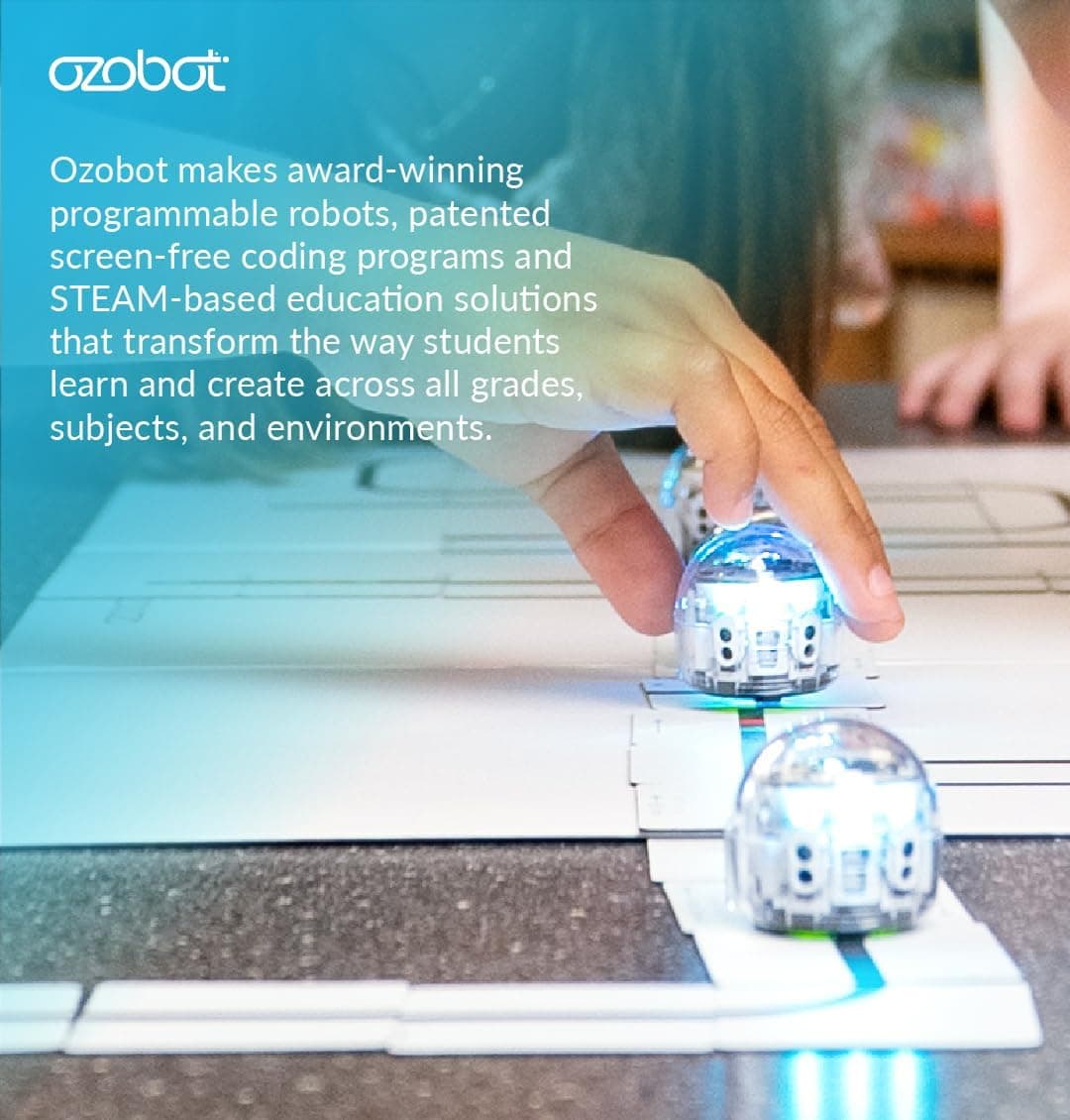
The Ozobot Evo is one of those rare STEM toys that manages to be genuinely educational whilst still feeling like pure magic to children. This tiny robot, barely larger than a ping-pong ball, has been delighting young coders since its release, and after spending several weeks testing it with children aged 6 to 12, we can see exactly why it has become a classroom favourite across the UK.
Quick Verdict
The Ozobot Evo strikes an impressive balance between accessibility and depth. It introduces coding concepts through colour-coded commands drawn with markers, then gradually transitions children to block-based programming via the companion app. At £99.99, it sits in the mid-range for coding robots, but its durability and versatility justify the investment.
Pros:
- Dual programming modes (screen-free and app-based)
- Exceptionally durable construction
- Grows with your child from ages 6 to 12+
- Strong educational curriculum support
- Compact and portable
Cons:
- Limited sensors compared to competitors
- App requires tablet or smartphone
- Colour recognition can be finicky in poor lighting
- Battery life could be longer (approx. 60 minutes)
Rating: 4.5/5 Price: £99.99 Where to Buy: Amazon UK: see button above
Video Review
👉 Interested? Check the latest price for the Ozobot Evo on Amazon UK
🏬 Also available on the high street: Browse coding robots at The Entertainer →
Design & Build Quality
The Ozobot Evo measures just 3.6cm in diameter and weighs a mere 18 grams, making it one of the smallest programmable robots on the market. Despite its diminutive size, the build quality is exceptional. The polycarbonate shell has survived repeated drops from table height onto hard flooring according to owner reports, and the wheels continue to run smoothly even after extensive use.
The robot features a distinctive dome-shaped design with a transparent top that allows children to see the internal LED lights. These lights serve multiple purposes: they indicate power status, show which colour sensor is currently active, and provide visual feedback during programming. It's a small touch, but one that helps children understand the connection between their code and the robot's behaviour.
The charging mechanism is via a micro-USB cable, and a full charge takes approximately 60 minutes. While the 60-minute battery life is sufficient for most play sessions, we found ourselves wishing for a bit more longevity, particularly during extended coding projects.
Features & Programming Modes
The Ozobot Evo's standout feature is its dual programming approach, which allows children to progress from basic colour-coded commands to more sophisticated block-based coding.
Colour-Coded Programming (Screen-Free)
The entry-level programming method uses coloured markers to draw commands on paper. The robot's optical sensors read these colours and execute corresponding actions:
- Black lines: Basic path following
- Red-Green-Blue sequences: Speed changes (turtle, normal, nitro)
- Colour combinations: Direction changes, pauses, and special moves
Currently available on Ozobot Evo. Amazon UK. Prices may vary.
- Ozocode patterns: Predefined combinations for complex behaviours like zigzags, spins, and back-and-forth movements
This screen-free approach is particularly valuable for younger children (ages 6-8) and for parents who are concerned about excessive screen time. According to owner reports, children spent hours creating elaborate mazes and obstacle courses, experimenting with different colour combinations to make the robot perform increasingly complex routines.
OzoBlockly Programming (App-Based)
Once children have mastered the basics, they can graduate to OzoBlockly, a visual programming interface available on tablets and smartphones. This block-based coding environment uses Google's Blockly framework and allows children to create sophisticated programs with:
- Movement blocks: Precise control over speed, direction, and distance
- Light blocks: Custom LED colour patterns and sequences
- Logic blocks: If-then statements, loops, and variables
- Sensor blocks: Proximity detection and line-following algorithms
- Timing blocks: Delays and coordinated sequences
The transition from colour-coding to block-coding is remarkably smooth. Children who had spent weeks drawing Ozocodes immediately understood the relationship between the coloured blocks on screen and the commands they had been drawing on paper. This continuity is one of the Evo's greatest strengths as an educational tool.
Additional Features
The Ozobot Evo also includes several pre-programmed modes that provide immediate entertainment:
- Follow Mode: The robot uses its proximity sensor to follow a moving object or person
- Escape Mode: The robot detects obstacles and attempts to navigate around them
- Music Mode: The robot's movements and lights sync to music played through the device's microphone
- Game Mode: Interactive games including bowling, sumo wrestling, and racing
These modes serve as excellent ice-breakers for reluctant coders, demonstrating the robot's capabilities before children dive into programming.
Age Appropriateness
The Ozobot Evo is officially rated for ages 6 and up, and we found this guidance to be accurate. However, the robot's appeal extends well beyond this range:
Ages 6-8: At this level, children engage primarily with the colour-coded programming. The immediate visual feedback and screen-free approach are perfectly suited to early primary school children. Owners report 6-year-olds creating simple paths and delighting in the robot's ability to follow their drawings. The pre-programmed modes also provide plenty of entertainment value for this age group.
Ages 9-12: This is where the Evo truly shines. Children at this age can transition to OzoBlockly and begin creating genuinely sophisticated programs. A 10-year-old with some prior coding experience can reasonably expect to build multi-step routines involving sensors, loops and conditional logic in the first hour. The robot's compact size also makes it appealing to this age group, who can carry it in a pocket and show it to friends.
Ages 13+: While the Evo is primarily marketed at younger children, it remains engaging for teenagers and even adults who are new to coding. The transition from visual block-coding to understanding underlying programming concepts provides a solid foundation for those who might later move on to text-based languages like Python or JavaScript. We also found that the robot's game modes and competitive challenges kept older children engaged long after they had mastered the basic programming concepts.
Value for Money
At £99.99, the Ozobot Evo sits in the middle of the coding robot market. To assess its value, we need to consider what you're getting for your money:
What's Included:
- The Ozobot Evo robot
- 4 colour-coded markers
- Charging cable
- Quick start guide
- Access to the OzoBlockly app (free)
- Printable activity sheets and challenges
Durability: According to owner reports, the Evo survived numerous drops, being stepped on accidentally, and countless hours of continuous operation. The polycarbonate shell shows minimal wear even after weeks of use. When you consider that this robot could easily last 3-5 years with proper care, the annual cost drops to roughly £20-33 per year.
Educational Value: The Evo's dual programming approach means it grows with your child. A 6-year-old can start with simple colour-coding, and by age 10, they can be creating complex block-based programs. This longevity of engagement significantly enhances the value proposition compared to toys that are discarded after a few months.
Comparison to Alternatives:
- Botley 2.0 (£69.99): Cheaper but lacks app-based programming
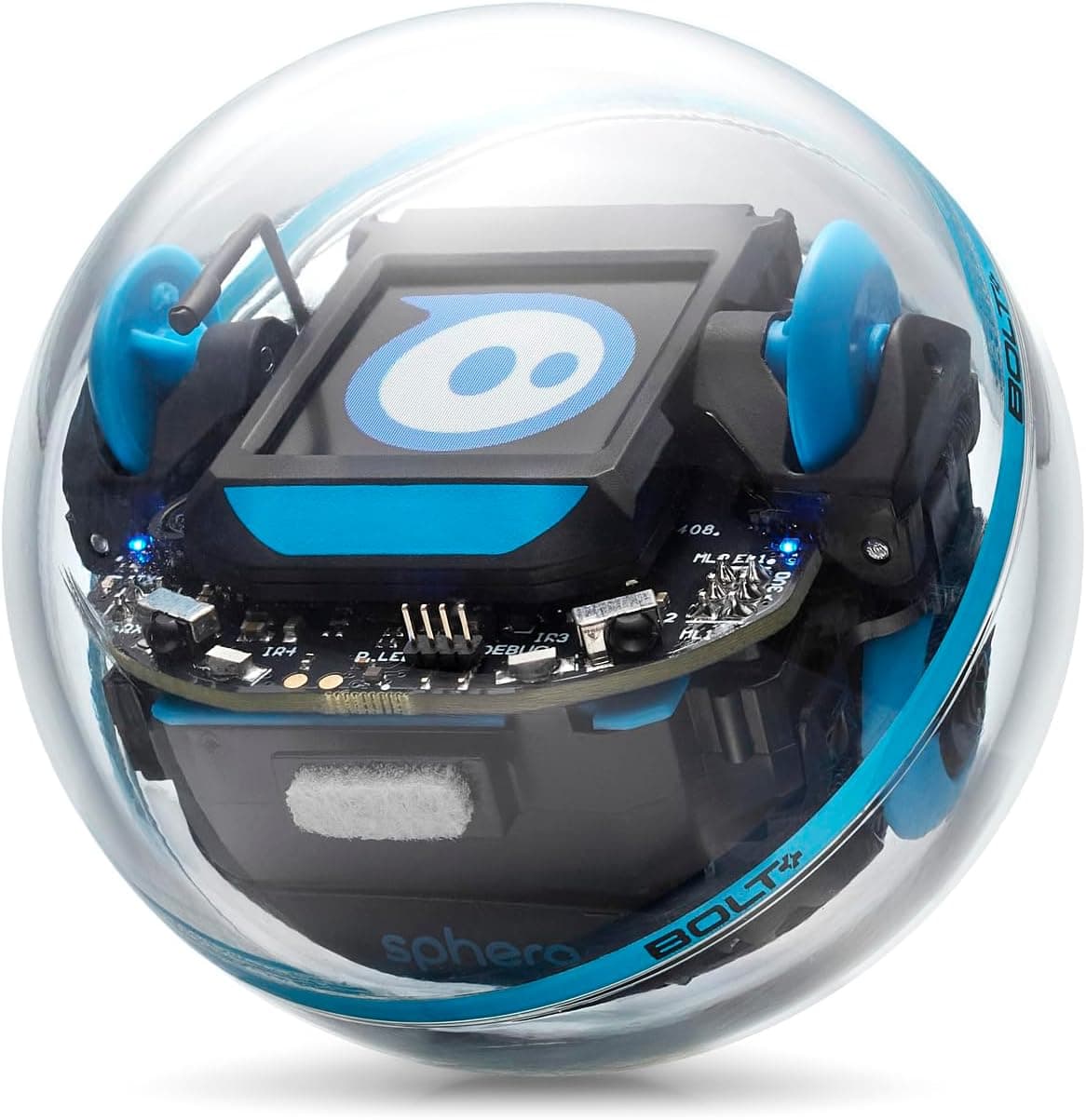
- Sphero Mini (£79.99): Similar price, more focus on driving than coding
- Makeblock mBot2 (£89.99): Comparable price, more building required
- Lego Boost (£149.99): More expensive, requires more setup time
Verdict: The Ozobot Evo offers excellent value for money. Its durability, educational depth, and ability to engage children across a wide age range make it a sound investment for parents seeking a STEM toy that will provide years of learning and entertainment.
Competitor Comparison
To help you make an informed decision, we've compared the Ozobot Evo to its main competitors in the coding robot market:
Ozobot Evo vs Botley 2.0
Botley 2.0 is the Evo's closest competitor in terms of age range and educational approach. Both robots target children aged 5-8 and offer screen-free programming options.
Key Differences:
- Programming Method: Botley uses a remote control-like device to input directional commands, while Evo uses colour-coded markers
- App Integration: Evo has a robust block-coding app (OzoBlockly); Botley has no app
- Sensors: Evo has colour sensors and proximity detection; Botley has object detection but no colour sensing
- Price: Botley 2.0 (£69.99) is cheaper than Evo (£99.99)
Verdict: Choose Botley 2.0 if you want a purely screen-free experience at a lower price point. Choose Ozobot Evo if you want a robot that can grow with your child from basic colour-coding to sophisticated block-based programming.
Ozobot Evo vs Sphero Mini
Sphero Mini takes a different approach to coding education, focusing more on driving and gaming than structured programming.
Key Differences:
- Size: Both are compact, but Sphero Mini is slightly smaller (3cm vs 3.6cm)
- Programming: Evo offers both colour-coding and block-coding; Sphero focuses on drive modes and simple block commands
- Educational Depth: Evo has a more structured curriculum progression; Sphero is more open-ended play
- Durability: Both are robust, but Sphero's spherical design makes it slightly more drop-resistant
- Price: Sphero Mini (£79.99) is slightly cheaper than Evo (£99.99)
Verdict: Choose Sphero Mini if your child is more interested in remote-controlled play and gaming. Choose Ozobot Evo if you want a more structured introduction to programming concepts with clear educational progression.
Ozobot Evo vs Makeblock mBot2
Makeblock mBot2 is aimed at slightly older children and offers a more complex building and coding experience.
Key Differences:
- Assembly: mBot2 requires significant building (30-60 minutes); Evo is ready to use out of the box
- Components: mBot2 includes motors, sensors, LED matrix, and speaker; Evo has colour sensors and basic proximity detection
- Programming: Both offer block-coding, but mBot2 also supports Python for advanced users
- Age Range: mBot2 is better suited for ages 8+; Evo works well from age 6
- Price: mBot2 (£89.99) is actually slightly cheaper than Evo (£99.99)
Verdict: Choose Makeblock mBot2 if your child enjoys building and is ready for more complex programming challenges. Choose Ozobot Evo if you want an immediate, out-of-the-box experience that can engage younger children while still offering room to grow.
Frequently Asked Questions
What age is the Ozobot Evo suitable for?
The Ozobot Evo is officially rated for ages 6 and up, and we found this to be accurate. Six-year-olds can successfully use the colour-coded programming with some initial guidance, while older children can tackle the more complex block-based coding. The robot's appeal extends well into the early teenage years, particularly for children who are new to coding.
Does the Ozobot Evo require a screen or tablet?
One of the Evo's greatest strengths is that it does not require a screen for basic operation. Children can program the robot using coloured markers on paper, making it an excellent choice for parents concerned about screen time. However, to access the more advanced OzoBlockly programming environment, you will need a tablet or smartphone (iOS or Android).
How durable is the Ozobot Evo?
According to owner reports, the Ozobot Evo proved exceptionally durable. The polycarbonate shell withstood numerous drops from table height, accidental stepping, and weeks of continuous use. The wheels maintained smooth operation throughout testing, and the colour sensors remained accurate. With reasonable care, this robot should last several years.
What comes in the box?
The Ozobot Evo starter pack includes: the Evo robot itself, four colour-coded markers (red, green, blue, and black), a micro-USB charging cable, a quick start guide with basic activities, and access to printable activity sheets and challenges via the Ozobot website. Note that you will need to provide your own paper for programming activities.
Can multiple children use one Ozobot Evo?
Yes, absolutely. The Ozobot Evo is perfect for shared play and learning. Multiple children can take turns programming the robot, collaborate on creating complex mazes and challenges, or compete in races and games. The robot's programming is not tied to any user account, so it can be reset and reprogrammed infinitely. This makes it an excellent choice for families with multiple children or for classroom settings.
Final Verdict
The Ozobot Evo is a triumph of educational toy design. It manages to be genuinely educational without ever feeling like homework, and its dual programming approach means it can engage children across a wide age range and skill level.
What sets the Evo apart from its competitors is its thoughtful progression from basic colour-coding to sophisticated block-based programming. Children who start using the robot at age 6 can continue to find new challenges and learning opportunities well into their early teens. This longevity of engagement significantly enhances the value proposition.
The build quality is exceptional, and the robot's compact size makes it genuinely portable. Children can take it to school, to friends' houses, or on holiday without any hassle. The screen-free programming option is a genuine benefit for parents concerned about excessive device time.
At £99.99, the Ozobot Evo represents solid value for money. While not the cheapest coding robot available, its durability, educational depth, and ability to grow with your child make it a sound investment. The robot should provide years of learning and entertainment, making the cost-per-hour of engagement remarkably low.
Who should buy the Ozobot Evo?
- Parents seeking a coding toy that grows with their child
- Families who want screen-free programming options
- Children aged 6-12 with an interest in technology
- Educators looking for classroom-friendly coding tools
- Anyone seeking a durable, portable educational robot
Who might want to look elsewhere?
- Those on a tight budget (consider Botley 2.0 at £69.99)
- Children primarily interested in remote-controlled driving (consider Sphero Mini)
- Older children ready for text-based coding (consider Makeblock mBot2)
The Ozobot Evo earns our enthusiastic recommendation. It is a thoughtfully designed, well-built educational toy that successfully bridges the gap between play and learning. For parents seeking to introduce their children to coding concepts in an engaging, age-appropriate way, the Evo is an excellent choice.
Ready to introduce your child to the world of coding? Get the Ozobot Evo on Amazon UK today and watch their creativity come to life.