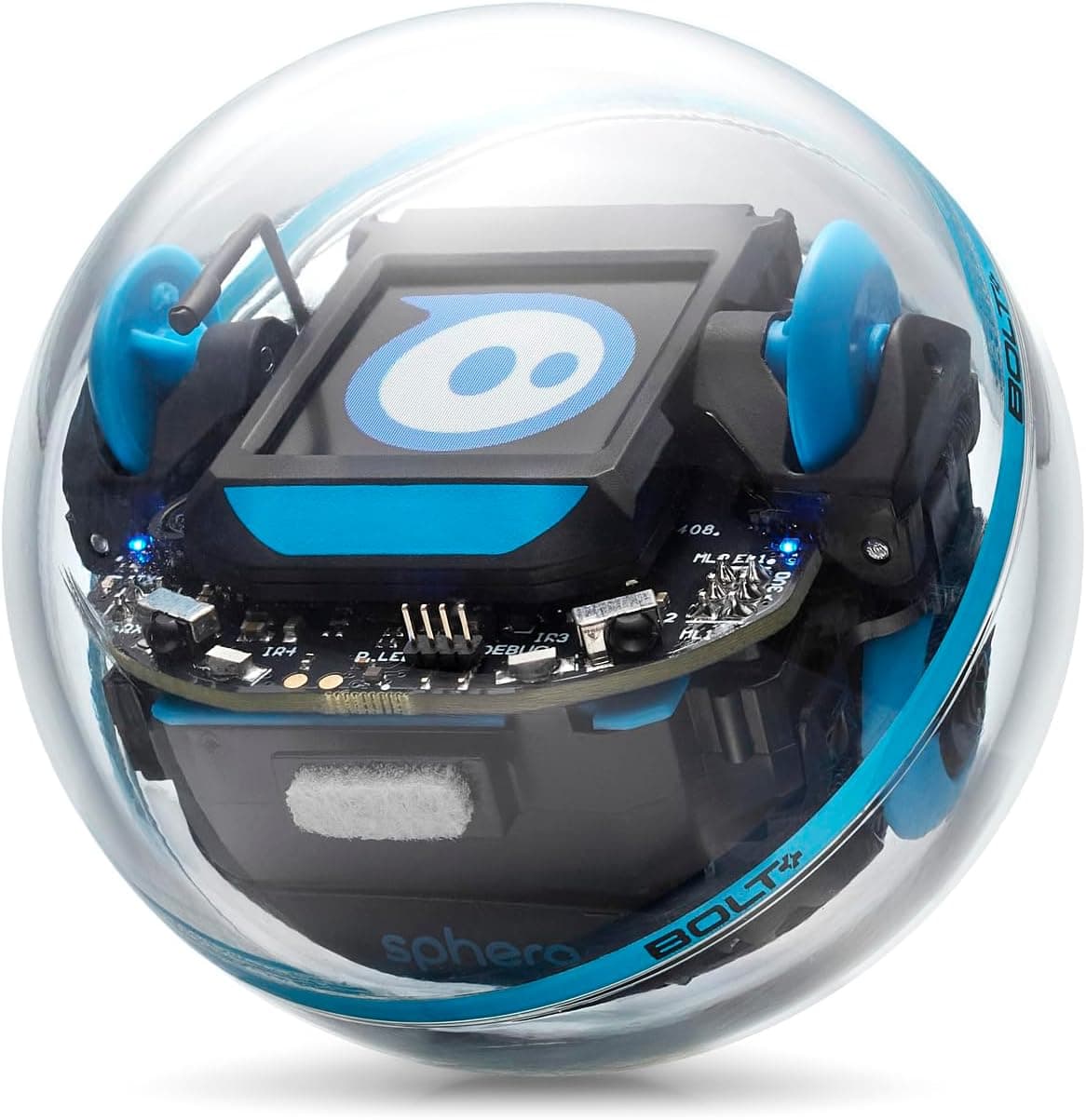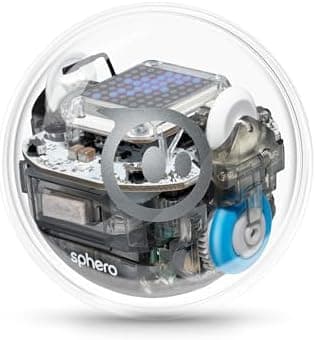
The Sphero BOLT is an app-enabled robotic ball: a clear sphere with a programmable 8×8 LED matrix, a published sensor pack, and coding in the free Sphero Edu app. This page covers the original BOLT on Amazon UK listing B07DLM5DL7, not the newer BOLT+ LCD model.
AIToys.co.uk selects products from manufacturer specifications, Sphero's pages, the live Amazon UK listing and owner reports. Prices and stock were checked on 9 September 2026. Treat any figure as a snapshot. This is not a first-hand lab test, and we do not invent ratings.
Quick answers for UK buyers
Is the Sphero BOLT still worth buying in 2026?
Yes, if you want a ready-made coding robot for a child of about 8 and up, you already have a tablet or phone, and you are happy to pay premium-robot money for a sealed ball that can grow from finger-drawn paths to JavaScript. It is a weaker buy if you wanted a screen-free starter such as Sphero indi or Botley 2.0, a pocket-money first ball such as the Sphero Mini, or the newer screen on the BOLT+.
What age is it for?
Sphero and the coding apps target ages 8+. That matches Draw-to-blocks-to-text, Bluetooth setup and the menus in Sphero Edu. A motivated seven-year-old can drive it with an adult on the account. Amazon's catalogue age field on this listing can show a lower band (the UK page has listed 36 months to 8 years). Treat that as messy retail metadata, not a reason to hand a connected coding robot to a toddler.
Developmental fit: sequencing, cause and effect, then block logic (loops, conditions, sensor events), then a first look at real syntax. It is a STEM coding toy, not a talking companion.
Parental involvement: an adult should create or approve the Sphero account, read the privacy wording, pair Bluetooth, and sit through the first charge and drive. After that, owner reports describe children leading the next challenge and calling a grown-up when the app will not see the ball.
Safety notes (manufacturer markings and listing copy, not a lab test): sealed plastic sphere, internal rechargeable pack, inductive charging base in the box. Sphero markets a waterproof shell. Keep charging gear away from younger siblings, and do not treat pool photos as a licence to leave it at the bottom of a pond. This is a connected toy: Bluetooth to a phone or tablet running Sphero's apps.
Where can I buy it in the UK?
The live Amazon UK product we confirmed on 9 September 2026 is B07DLM5DL7. The listing showed in stock but scarce ("Only 12 left in stock") at £186.00. Use a full product page with tag aitoys-21, not a search-results link.
Check the Sphero BOLT on Amazon UKAs an Amazon Associate, AIToys.co.uk earns from qualifying purchases.
As an Amazon Associate, AIToys.co.uk earns from qualifying purchases.
Around £186.00 for ASIN B07DLM5DL7 on 9 September 2026. Price correct as of that date. Offers move. We never claim to show the lowest price.
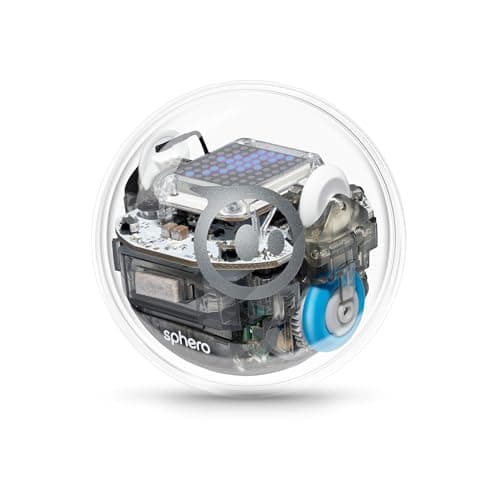
What the Sphero BOLT actually is
Sphero's UK listing describes an app-enabled STEM ball with a programmable LED matrix and Bluetooth. Manufacturer copy says you drive and program a sealed sphere: the 8×8 matrix can animate and show live data, via a drawn path, Scratch-style blocks, or JavaScript in Sphero Edu.
Video: Tech Advisor - useful unboxing and review (not filmed by AIToys).
The featured listing (part K002ROW) lists a roughly 7.3 cm sphere, about 500 g, and a charger in the box. No chassis to screw together. Charge on the inductive base, install an app, pair over Bluetooth, then drive or code.
Sphero's Amazon module talks about two apps: Sphero Play for joystick driving and games, and Sphero Edu for the coding ladder. Listing directions also mention a power control to wake the ball. Follow the card in the box; app labels change.
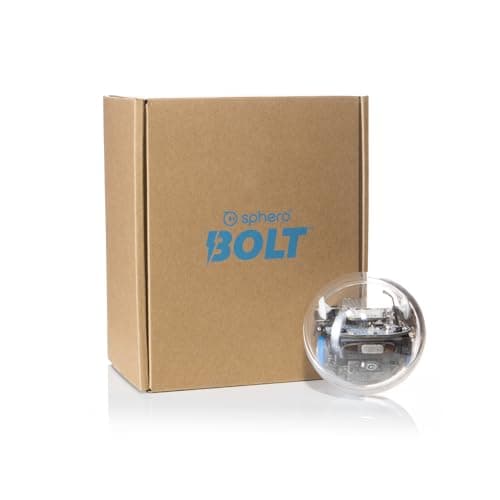
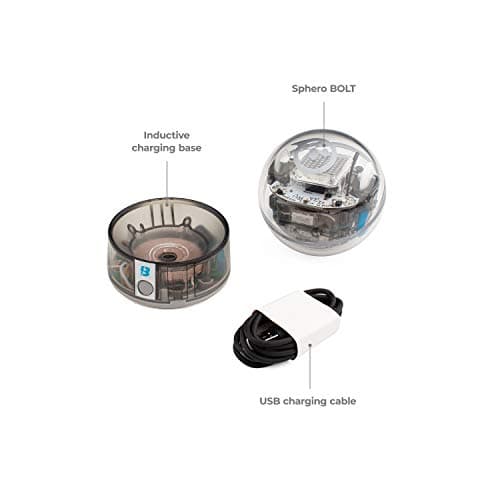
How the coding works
Programming lives in Sphero Edu, which Sphero publishes as a free app on iOS, Android, Chrome OS, macOS and Windows. You still need that device in the house. The ball is not a screen-free, button-only coder.
Sphero describes three routes on one robot:
- Draw. Trace a path on the screen and the ball follows it. Useful for direction, sequencing and "it moved because I drew that."
- Blocks. Drag-and-drop logic in the Scratch tradition: loops, waits, conditions, lights and sensor events. This is the everyday coding mode for most eight- to eleven-year-olds.
- Text. JavaScript in the same app. The Amazon title also mentions Swift Playgrounds compatibility and, on some Sphero pages, Python through the wider Edu platform. Treat JavaScript in Edu as the text path this listing actually sells; extra languages depend on Sphero's current app, not on a second robot.
A typical first week, from Sphero's activity list and owner reports: charge on the base, create a parent or educator account, pair Bluetooth, drive a square, light the matrix, then try a community challenge. The depth comes when a child starts changing the blocks, then peeking at the text.
UK owner reports mix "amazing robot ball" birthday stories with the honest tax: pairing can take a few tries on some Android phones, and the habit dies if the battery is flat when they next ask. Stay in the room for session one.
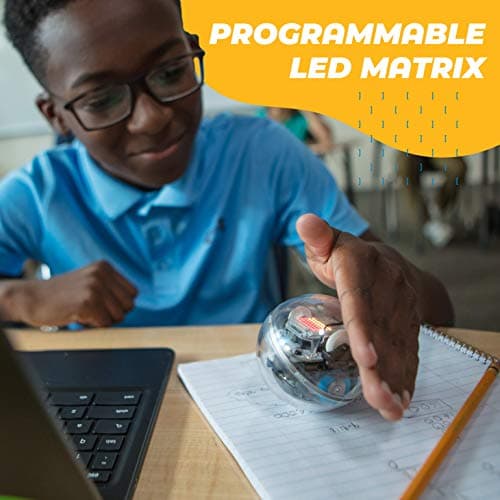
Sensors, lights and what you can actually program
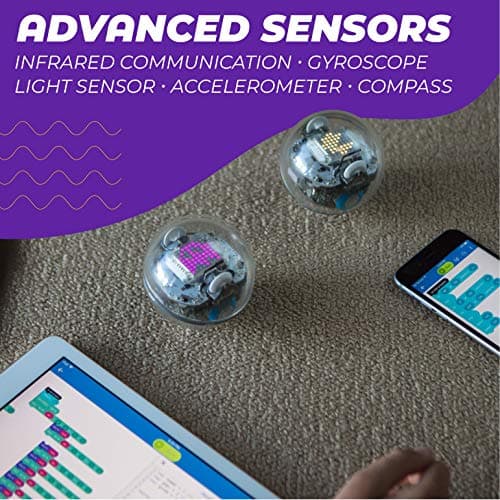
Sphero's listing and gallery copy name a published sensor suite: accelerometer, gyroscope, compass (magnetometer), light sensor, infrared communication and motor encoders. Manufacturer graphics on the Amazon page put infrared, gyroscope, light sensor, accelerometer and compass on one frame. Those are Sphero's specs, not measurements from this site.
What that means in practice, from Sphero's project library and owner write-ups:
- The 8×8 LED matrix can show a face, a letter, a score or a crude animation. It is the original BOLT's party trick. It is not the 128×128 LCD on the BOLT+.
- Infrared is how two BOLTs can notice each other for follow-the-leader or simple multi-robot games. You need more than one ball for that.
- Motion and heading sensors are how programs react to bumps, spins and "which way is forward" without you aiming the ball every time.
- A light sensor lets a program respond to brightness, which is how classroom write-ups turn the ball into a simple data logger.
The matrix is why families pay BOLT money instead of Mini money. If you only wanted a glowing drive-around ball, you are over-buying.
Age range, privacy and what parents still have to do
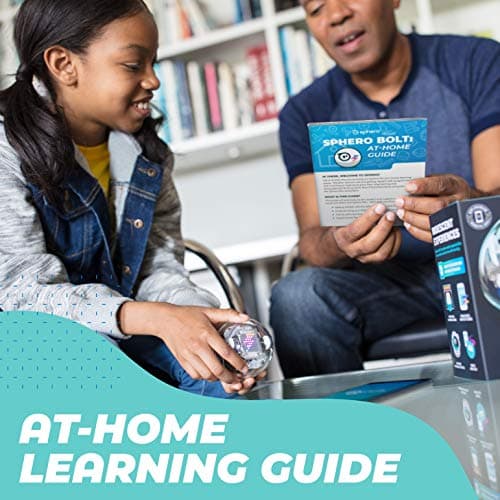
Sphero age: 8 and up for the coding path. Retail listing: the Amazon UK table on this check also showed a manufacturer-recommended band starting at 36 months. Do not buy this as a preschool toy. The useful stretch starts when a child can follow an app menu and change a block.
Parental involvement. Plan an evening, not a two-minute unwrap. An adult should:
- Charge the ball on the inductive base before the birthday morning rush.
- Install Sphero Edu (and Sphero Play if you want the games).
- Create or approve the account and read Sphero's privacy wording for child users.
- Pair Bluetooth and confirm the tablet is recent enough for the current app.
- Set a household rule for where the ball may roll (pets, stairs, roads).
Data privacy for a connected toy. BOLT talks to a phone or tablet over Bluetooth. Coding and many activities run through Sphero Edu, which expects an account. That is the usual connected-toy pattern: the robot is not uploading a camera feed, but the app can store programs, account details and usage on Sphero's side. Use a parent email, do not let a child reuse a school password, and check Sphero's current privacy policy and parental controls before you create the profile. If the household rule is no apps and no accounts, this is the wrong robot. Look at screen-free kits instead.
Safety. The listing describes a plastic sphere with an internal rechargeable battery (Amazon's table on this check said a rechargeable pack is included). There are no AA cells to lose. There is also no excuse to leave a charger or a small base where a toddler can chew it. Supervise younger siblings. Sphero's waterproof-shell marketing is about a sealed body and inductive charge, not about unsupervised water play.
Durability and the waterproof claim
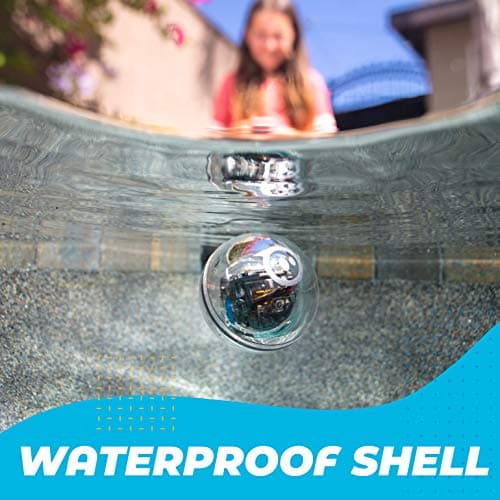
Sphero has sold this form for years: a clear, UV-coated shell, no exposed charge port, internals you can see. Manufacturer copy and the Amazon gallery use the words durable and waterproof. Owner reports over several years describe balls that survive kitchen tiles, garden paths and enthusiastic collisions, plus the occasional unit that is fussy to pair.
We are not claiming a drop test or a soak test. Attribute the water story to Sphero: sealed shell, inductive charging, marketed as waterproof. If you take that at face value, keep it to splashes and shallow play, dry the shell, and put it back on the charge base. Do not treat it as dive kit.
Sphero quotes 2+ hours of play on a charge. A verified UK owner review on the same listing called battery life "not great" while still recommending the coding. Budget a charge between sessions if the child wants a long afternoon.
What could be better
The price is the honest objection. £186.00 on 9 September 2026 is a serious sum for one ball, and the listing was already down to 12 units. We will not call that a deal. Check the live figure. If budget is the constraint, the Mini or a build-it-yourself car such as the classic Makeblock mBot teaches real sequencing for less.
You are tied to a device and an account. No tablet, no coding. Old phones can struggle. That is normal for connected toys and still a deal-breaker if you wanted something that works from buttons in the box.
Pairing and battery show up in owner reports: Android connect retries, and sessions that feel shorter than the brochure. Stay nearby for setup.
The matrix is charming, not a screen. If you already know you want animations and live numbers on the robot itself, the BOLT+ is the newer model. On this check it was £210.00 for B0DBLRXTHN with only one left. That is too scarce to lead on. Mention it, do not chase it.
Who it is for, and what else to consider
A good match if the child is about 8 to 14, likes making a machine do something they wrote, and you want one sealed robot that can last from Draw to JavaScript. It also fits a parent who will do the account and pairing, then step back.
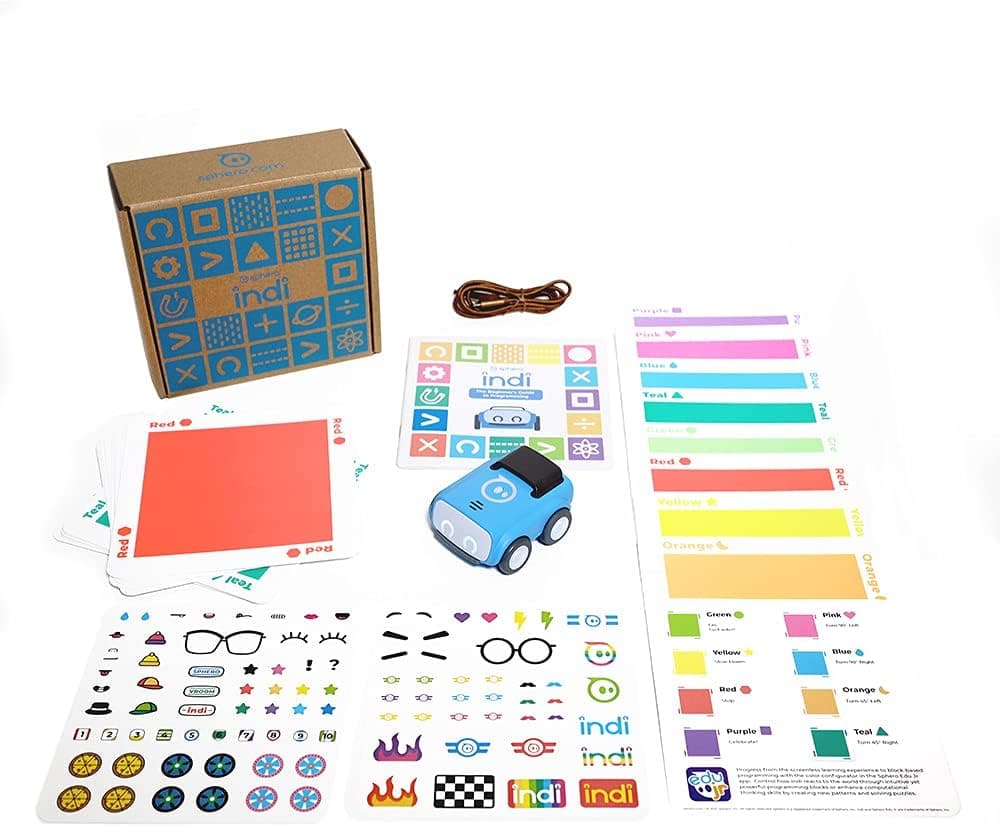
A weaker match if the child is under eight and you wanted no screens (Sphero indi is Sphero's screenless 4+ path), if you only wanted a cheap first ball, or if you already decided you want the BOLT+ LCD.
Also on Amazon UK the same day (separate ASINs; they do not replace the BOLT buttons on this page):
- Sphero Mini Red (
B07L6NMY3M), about £52.99, in stock. Longer notes in the Sphero Mini review. - Sphero Mini Activity Kit (
B07RDS2JJX), about £89.99, in stock. - Sphero indi (
B09BRK1QWX), about £124.99, scarce: screenless colour cards from about 4+. See the indi review. - BOLT+ (
B0DBLRXTHN), £210.00, one left. Too scarce to lead on. BOLT+ review if you specifically want the LCD.
Still choosing by age and screens? Start with how to choose a first coding robot, or browse coding robots for beginners and STEM toys UK 2026.
Value, without price promises
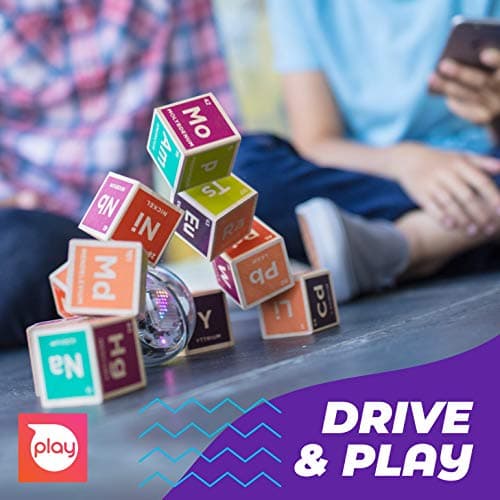
You are paying for a sealed, sensor-rich ball with a published Draw / blocks / JavaScript path, not a cheap RC marble. Against a Mini it gives up thrift. Against a kit car it gives up screws. Against the BOLT+ it gives up the newer screen. £186.00 and scarce stock on 9 September 2026 is a snapshot, not a deal claim.
See the latest Sphero BOLT price on Amazon UK
FAQ
What age is the Sphero BOLT for?
Sphero aims the Edu path at ages 8 and up. Younger children can drive with help. Amazon's age field can show a lower band; the practical coding age is still eight-plus.
Do I need a tablet or phone?
Yes. Sphero Edu and Sphero Play run on a phone, tablet or computer over Bluetooth. There is no meaningful standalone mode.
Is the Sphero BOLT waterproof?
Sphero markets a waterproof, sealed shell with inductive charging. That is manufacturer copy, not a dive rating. Dry it after splashes.
Can two BOLTs talk to each other?
Sphero specifies infrared for multi-robot activities. You need more than one ball.
BOLT vs BOLT+ vs Mini vs indi?
BOLT is the matrix ball with the Edu ladder. BOLT+ adds a 128×128 LCD. Mini is the cheaper entry ball. indi is screenless colour-card coding from about 4+.
Does it teach real coding?
It teaches sequence, loops, events and sensors, plus JavaScript in Edu. That is a first language path, not a GCSE. Some children later add a BBC micro:bit V2.
Where should I buy it in the UK?
Amazon UK had B07DLM5DL7 at £186.00 on 9 September 2026, with 12 left. Check the live page. Tag aitoys-21.
Verdict
The original Sphero BOLT remains a clear premium coding robot for UK families who want a sealed ball, a programmable 8×8 matrix, and a published Draw-to-JavaScript path without assembling a car. Manufacturer specs, the live Amazon UK listing and owner reports line up: Bluetooth, Sphero Edu, sensors, inductive charge, and a device in the house.
Budget an adult for the account, the privacy read and the first pair. Accept the price, the scarce stock, and owner reports of shorter-than-brochure battery life. A Mini or indi is the cheaper or screen-free door; BOLT+ is only if you specifically want the newer screen.
Amazon UK showed 4.6 from 1,286 ratings on B07DLM5DL7 on 9 September 2026. That is shoppers' feedback, not a new lab mark from us.
Check the Sphero BOLT on Amazon UK
Prices and Amazon UK availability correct as of 9 September 2026. As an Amazon Associate, AIToys.co.uk earns from qualifying purchases.
Age guidance reflects Sphero's recommended coding age of 8+. Always supervise younger children around chargers and connected apps.
Related reading:
- Sphero BOLT+ review: LCD step-up if you want the newer screen
- Sphero Mini review: cheaper entry ball
- Sphero indi review: screen-free colour-card coding from about 4+
- Makeblock mBot review: build-and-code car if you want screws and Scratch-to-Arduino
- How to choose a first coding robot
- Best STEM toys UK 2026