{/ Affiliate disclosure /}
Sphero BOLT+ Review UK 2026: The Upgraded App-Enabled Coding Robot for Kids
The clear robotic ball that taught a generation of children to code has just had its biggest upgrade in years. The Sphero BOLT+ keeps the rugged, roll-anywhere charm of the original but adds the one thing the old model always lacked: a proper screen. In this Sphero BOLT+ review for 2026, we look at what has genuinely changed, how it teaches coding, where it falls short, and whether it earns its premium price for families in the UK.
👉 Ready to roll? Check the latest price for the Sphero BOLT+ on Amazon UKAs an Amazon Associate, AIToys.co.uk earns from qualifying purchases..
Quick Verdict: Sphero BOLT+
The Sphero BOLT+ is one of the most capable coding robots you can buy for children aged 8 and over, and we award it a solid 4.6 out of 5. The headline change (swapping the old 8x8 LED grid for a crisp 128x128 animated LCD screen) sounds modest on paper but transforms how engaging the robot feels in everyday use. Combine that with a deep, free app, live sensor data and a tank-like waterproof shell, and you have a STEM tool that can carry a child from their very first "drive in a square" command all the way to writing real JavaScript.
It is not perfect. The price is high, you are still tied to a tablet or phone, and younger children may find it more robot than they need. But as a long-term investment in computational thinking, it is hard to fault.
What Is the Sphero BOLT+?
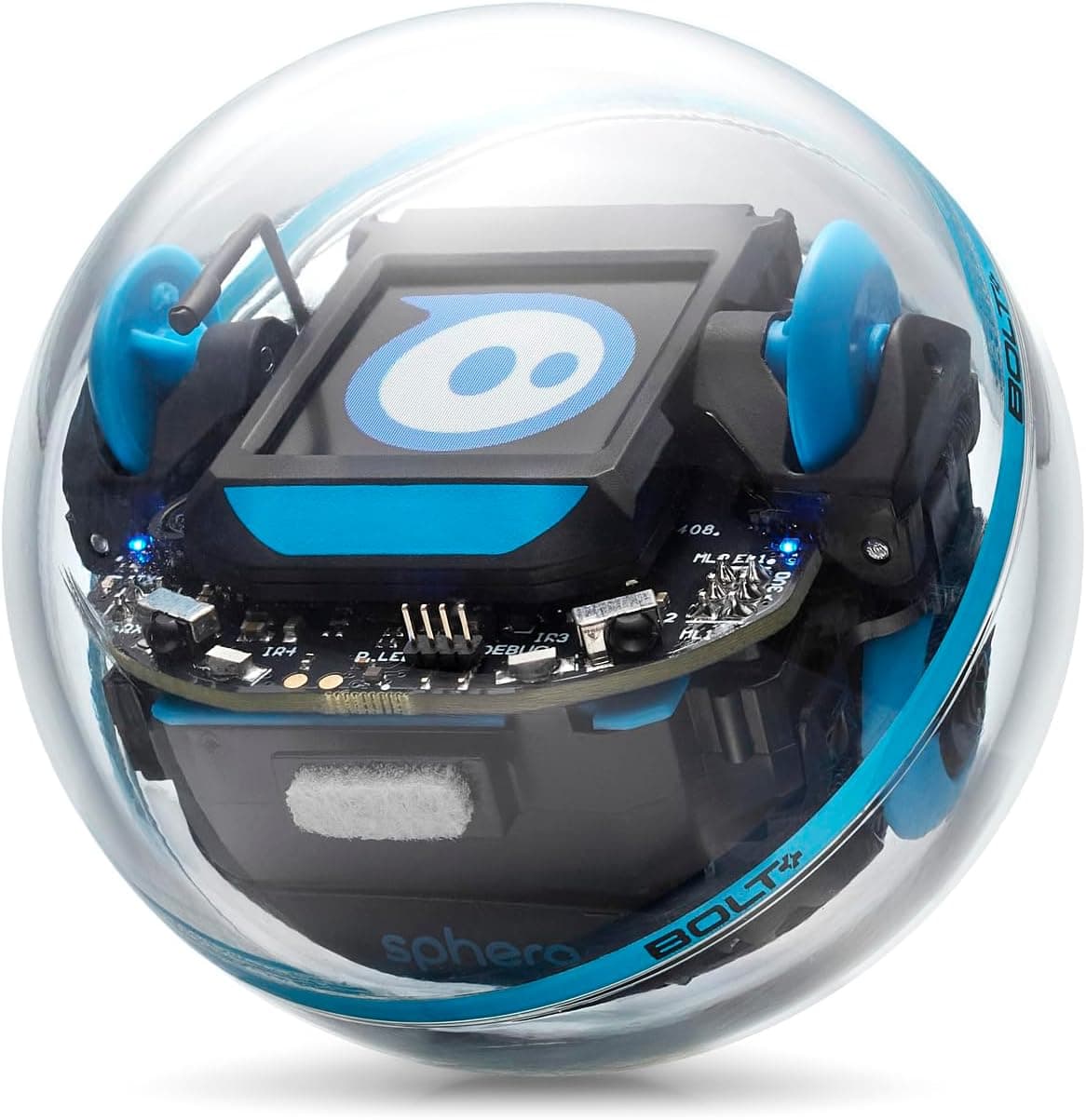
The Sphero BOLT+ is an app-enabled, programmable robotic ball. Encased in a tough, transparent, waterproof shell, it rolls, spins and lights up in response to code that your child writes on a connected tablet or phone. It is the direct successor to the much-loved original Sphero BOLT, and it sits at the top of Sphero's consumer coding range.
What makes the BOLT+ special is its range. Beginners who cannot yet read can use the Draw mode to trace a path with a finger and watch the robot follow it. Slightly older children graduate to block-based coding, dragging colourful logic blocks together in a way that will feel familiar to anyone who has used Scratch. Confident learners can then switch to text-based JavaScript (and Python through Sphero's wider platform), writing the same kind of code professional developers use. That progression is the whole point: one robot that genuinely grows with the child rather than being outgrown in a term.
Key Features and Specifications
The BOLT+ packs a surprising amount of technology into a ball roughly the size of a large orange:
- Vivid 128x128 LCD screen: The standout upgrade. Where the old BOLT had a simple 8x8 grid of LEDs, the BOLT+ has a full animated LCD display capable of showing 650+ built-in graphics, characters, animations and (crucially) live readouts from its own sensors.
- Three ways to code: Draw, drag-and-drop Blocks, and text-based JavaScript, all inside the free Sphero Edu app. The platform also supports Python for more advanced learners.
- Six programmable LEDs: Bright, customisable lights that can be coded to react to events, signal sensor thresholds or simply add personality.
- A rich sensor suite: An accelerometer, gyroscope, compass, light sensor and ambient light sensor let children write code that responds to the real world: speed, spin, orientation, collisions and brightness.
- Infrared communication: Multiple BOLT+ robots can detect and "talk" to one another, which opens up multi-robot games, follow-the-leader behaviour and classroom activities.
- Qi wireless charging and shake-to-wake: Drop it on a wireless pad to charge, and give it a shake to wake it and connect: small touches that remove friction for children.
- Durable, waterproof shell: Built to survive drops, knocks, pets and the occasional puddle, indoors or out.
- Age rating: Recommended for ages 8 and up.
Sphero BOLT vs BOLT+: What Has Actually Changed?
If you already own (or have read our review of) the original Sphero BOLT, the obvious question is whether the "plus" is worth it. The honest answer is that the two robots are closely related, but the upgrades land where they matter most.
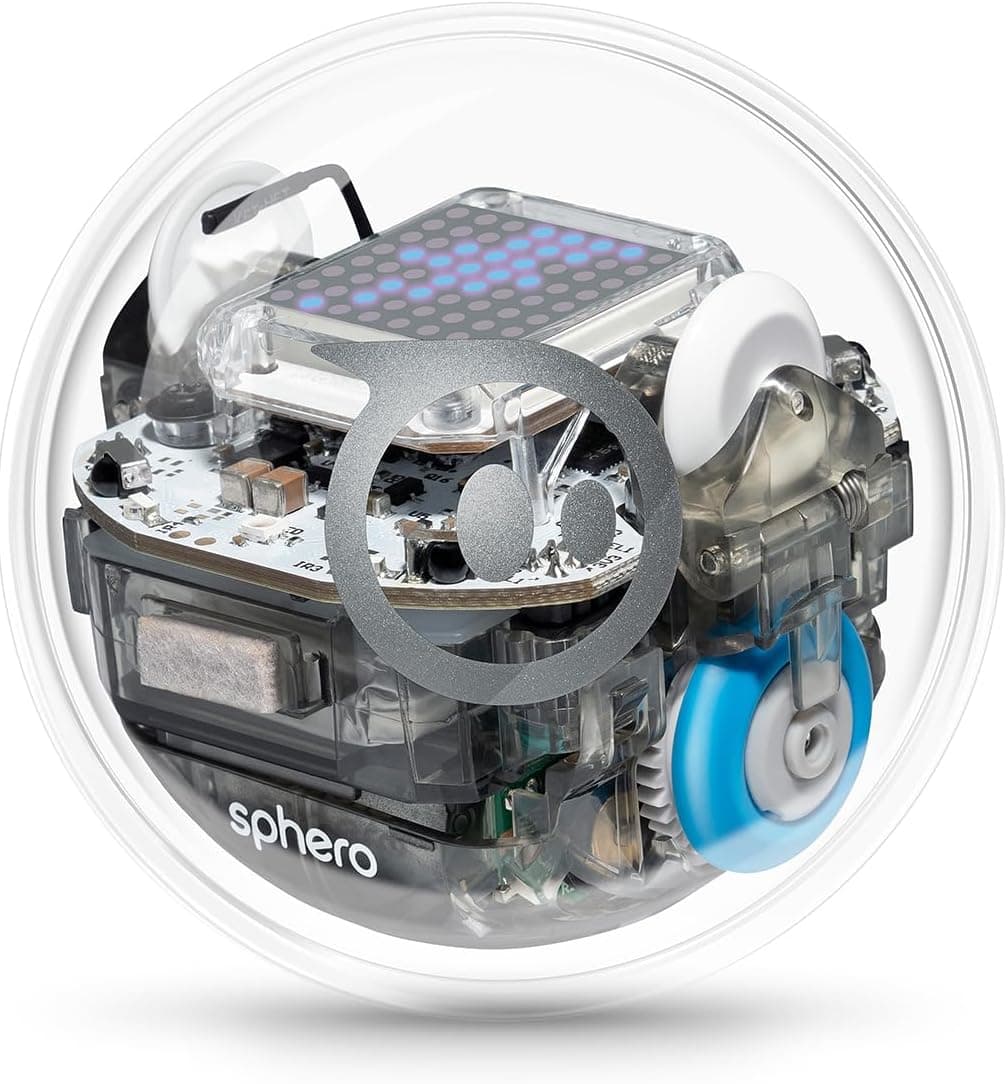
The biggest difference is the display. The original BOLT's 8x8 LED matrix was clever but limited: a smiley face or a scrolling letter was about as expressive as it got. The BOLT+ replaces it with a true 128x128 LCD screen, so animations are smooth, characters are legible and (most usefully for learning) the robot can display real-time numbers from its sensors. When a child writes code to detect a collision or measure light, they can now see the value change on the robot itself rather than only on the tablet. That makes debugging far less abstract.
The BOLT+ also adds dedicated programmable LEDs, improved power management for longer all-day use, and Qi wireless charging in place of the old inductive base. The shell is slightly larger to accommodate the screen. The core experience (roll, sense, light up, code) is the same, but the BOLT+ feels like a more modern, more legible version of a proven idea. If you are buying new in 2026, the BOLT+ is the one to get; if you already have a BOLT that your child loves, the upgrade is welcome rather than essential.
What We Like
Spending time with the BOLT+ quickly reveals why Sphero has such a loyal following in classrooms and at home.
First, the screen genuinely changes the experience. Watching code produce a visible animation or a live sensor number on the robot creates an immediate feedback loop. Children see cause and effect, and that keeps them experimenting instead of giving up. It is the difference between being told the robot detected something and watching the number tick up in front of you.
Second, the app is excellent and free. The Sphero Edu app is stuffed with structured activities, guided challenges and a library of community-made programs. There is a clear path from absolute beginner to confident coder, and parents do not need any technical background to get started alongside their child. We also appreciate that the same app supports the wider Sphero range, so families that own more than one robot are not juggling apps.
Third, the build quality is reassuring. The waterproof, knock-resistant shell means you can hand this to an enthusiastic eight-year-old without wincing. Roll it across the kitchen, take it into the garden, let it bump into the skirting board: it shrugs it all off. For a product at this price, that durability matters.
Finally, the infrared communication is more than a gimmick. Two robots that can sense each other turn solitary play into cooperative or competitive activities, which is brilliant for siblings, playdates or a classroom set.
What Could Be Better
No robot is flawless, and trust matters more to us than enthusiasm, so here are the honest limitations.
The price is the obvious sticking point. The BOLT+ sits at around £210 in the UK, which is a serious sum for a single coding toy and well above many capable starter robots. It is an investment that makes most sense if a child will use it for years, not a casual stocking filler.
You are also completely dependent on a compatible smart device. The BOLT+ does nothing meaningful on its own. No tablet or phone, no coding. Most families have a suitable device, but it is worth remembering there is an unspoken extra requirement, and very old devices may struggle with the latest app.
Because the marquee features are new, getting the best from the BOLT+ means keeping the Sphero Edu app updated and running it on a reasonably modern tablet or phone. That is normal for connected toys, but it is a dependency, and app ecosystems do evolve over time.
Lastly, for younger children the BOLT+ can be more than they need. A five- or six-year-old will get plenty of joy from rolling it around, but much of the sensor depth and text coding will sail over their heads. At that age a simpler, cheaper robot is often the smarter buy.
Who Is It For?
The BOLT+ is aimed squarely at children aged 8 and over, and that is the sweet spot. At eight to twelve, children can move from Draw and Blocks into genuine logic, loops and conditionals, and the live sensor data starts to click. Teenagers and even coding-curious adults can push into JavaScript and sensor-driven projects, so the ceiling is high.
It is an outstanding choice for a child who has shown a spark for technology, for families who want one robot that will not be outgrown, and for parents happy to sit alongside their child for the first few sessions. Homeschoolers and teachers will find the structured app content especially valuable.
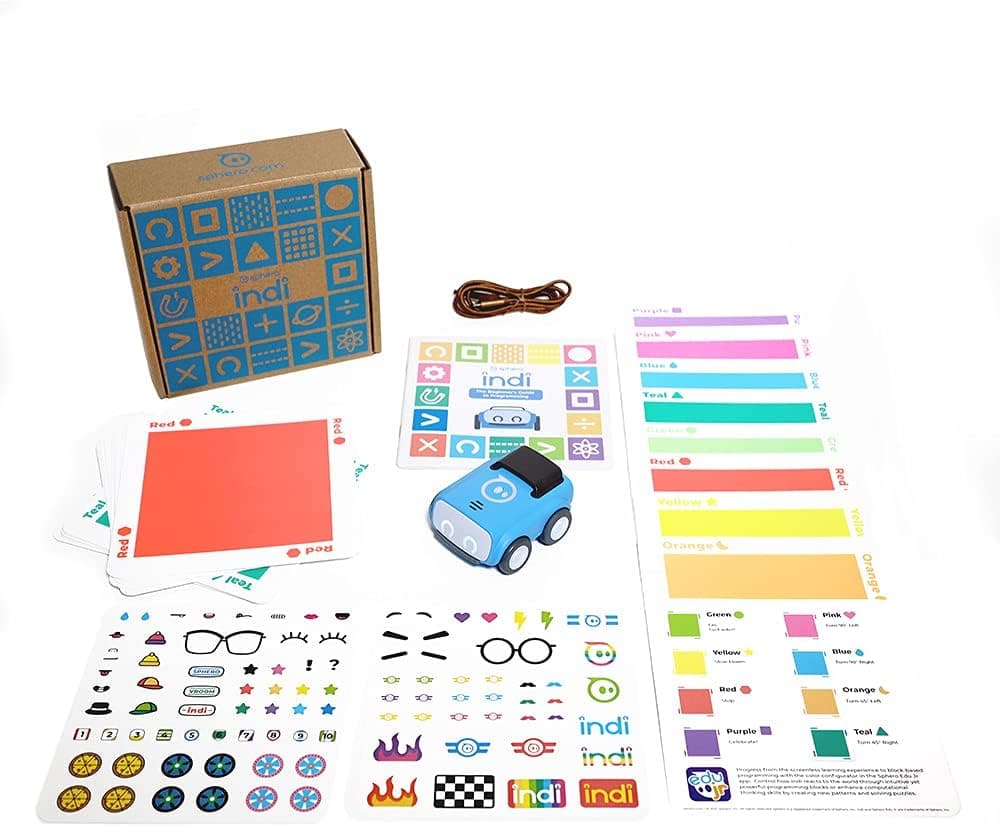
If your child is younger than seven, or you simply want a gentler, lower-cost introduction, consider the screen-free Sphero indi for early-years logic, the pocket-money-friendly Sphero Mini, or the build-it-yourself Makeblock mBot2. If you are weighing up the whole category, our guide on how to choose your child's first coding robot walks through the key decisions.
Setting Up and the Learning Curve
Getting started is refreshingly painless. You charge the BOLT+ on its wireless pad, install the free Sphero Edu app, give the ball a shake to wake it, and pair over Bluetooth. Within a couple of minutes most children are driving it around the living room.
The learning curve is gentle by design. Draw mode needs no reading at all. Blocks mode introduces the building blocks of programming (sequences, loops, events and conditionals) without the frustration of syntax errors. By the time a child is ready for JavaScript, the concepts are already familiar, so the jump to typing real code feels like a natural next step rather than a wall. Parents who themselves want to brush up will find the same path works for them, and the broader STEM grounding pairs nicely with a programmable board like the BBC micro:bit V2 for children who catch the coding bug.
Value for Money
There is no getting around it: at roughly £210, the BOLT+ is a premium purchase. Whether it represents good value depends entirely on use. As a one-off gift that gets played with twice, it is expensive. As a tool a child returns to over several years (progressing from finger-drawn paths to written code) the cost per hour of genuine, screen-light-free learning becomes very reasonable.
We would rather be straight with you than chase a sale: if budget is tight, the cheaper robots linked above deliver real coding education for a fraction of the outlay, and we would never claim the BOLT+ is the cheapest or the only sensible option. What the BOLT+ offers over those alternatives is headroom: the LCD screen, the deeper sensors and the path into text coding mean a bright, motivated child is far less likely to hit a ceiling. For the right family, that longevity justifies the spend.
Prices on Amazon change frequently, so always check the live figure before buying rather than relying on any number quoted here.
👉 Check the latest price on Amazon.
Verdict
The Sphero BOLT+ takes an already-brilliant coding robot and fixes its single biggest weakness. The new LCD screen is not just prettier. It makes coding visible, immediate and motivating in a way the old LED grid never could. Add a deep free app, a serious sensor suite, robust waterproof build and a learning path that stretches from pre-readers to teenagers, and you have one of the best STEM toys on the market in 2026.
The price keeps it out of impulse-buy territory, and it is more robot than the very youngest children require. But for a child aged 8 or over with a genuine interest in technology (or a family that wants one robot to last for years) the BOLT+ is an easy recommendation and a worthy 4.6 out of 5.
👉 Ready to start coding? See the Sphero BOLT+ on Amazon UK.
Frequently Asked Questions
What age is the Sphero BOLT+ for? Sphero recommends it for ages 8 and up. Children a little younger can enjoy driving and the Draw mode with help, but the sensor work and text coding suit eight years and above.
Do I need a tablet or phone to use it? Yes. The BOLT+ is controlled entirely through the free Sphero Edu app on a compatible tablet or phone, connected over Bluetooth. There is no standalone mode.
What is the difference between the Sphero BOLT and BOLT+? The biggest change is the display: the BOLT+ has a 128x128 animated LCD screen instead of the original's 8x8 LED matrix, plus dedicated programmable LEDs, Qi wireless charging and improved battery management. You can read our full Sphero BOLT review for the older model.
Can it really teach proper coding? Yes. It supports block-based coding for beginners and genuine JavaScript (and Python through Sphero's platform) for more advanced learners, so it teaches transferable computational thinking rather than a closed toy language.
Is it durable enough for younger children? The shell is tough and waterproof, so it copes well with drops, knocks and the garden. The main caveat is suitability rather than sturdiness: the depth of features is aimed at eight-plus.