Disclosure: This article contains affiliate links. As an Amazon Associate, AIToys.co.uk earns from qualifying purchases. If you buy through our links, we may earn a small commission at no extra cost to you. It never changes the price you pay, and it never changes our verdict.
Most toys that call themselves "AI" borrow the term loosely. The MatataStudio VinciBot is one of the few in its price bracket that earns it. Alongside the usual block-based coding and Python, it lets a child train a small machine-learning model and run it on the robot itself, with no internet connection required. For a coding robot that sells for around £100, that is a genuinely unusual proposition, and it is the thread that runs through this entire review.
VinciBot comes from MatataStudio (also known as Matatalab), a brand better known for its screen-free coding robots for younger children. VinciBot is the step up: a screen-paired robot aimed at primary and secondary pupils aged 8 to 12, sitting squarely in the same territory as the Makeblock mBot2 and the Sphero BOLT. After putting it through its paces, here is our honest take on whether it deserves a place on your child's desk.
👉 Short on time? Check the latest price on AmazonAs an Amazon Associate, AIToys.co.uk earns from qualifying purchases..
Quick Verdict: MatataStudio VinciBot
The VinciBot earns a solid 4.3 out of 5. It packs an enormous amount of hardware and software into a robot that costs around £100, and its on-device AI and Python support give it real longevity as a child's confidence grows. The trade-offs are about ecosystem rather than substance: MatataStudio is a smaller name in the UK than Sphero, LEGO or Makeblock, the community is younger, and the headline computer-vision features lean on a separate add-on. None of that stops it being one of the most capable coding robots you can buy for the money in 2026.
Pros
- Real AI, not a gimmick: on-device TinyML lets children train gesture and voice models that run offline.
- Two genuine languages: block-based coding today, Python tomorrow.
- Hardware-rich out of the box: eight sensors, a 16x8 LED face, six RGB lights, a speaker and stepper motors.
- Proper rechargeable battery: a 1500mAh cell delivers more than four hours of play.
- Flexible and extendable: code in a browser or the free app, and clip it onto LEGO Technic.
Cons
- Smaller UK footprint: fewer independent reviews and a smaller community than the big brands.
- AI vision costs extra: the camera kit is a separate purchase.
- Needs a device: a tablet, Chromebook or computer is required for full coding.
- Ambitious for the youngest: eight-year-olds will want adult help with Python and TinyML.
Key Features
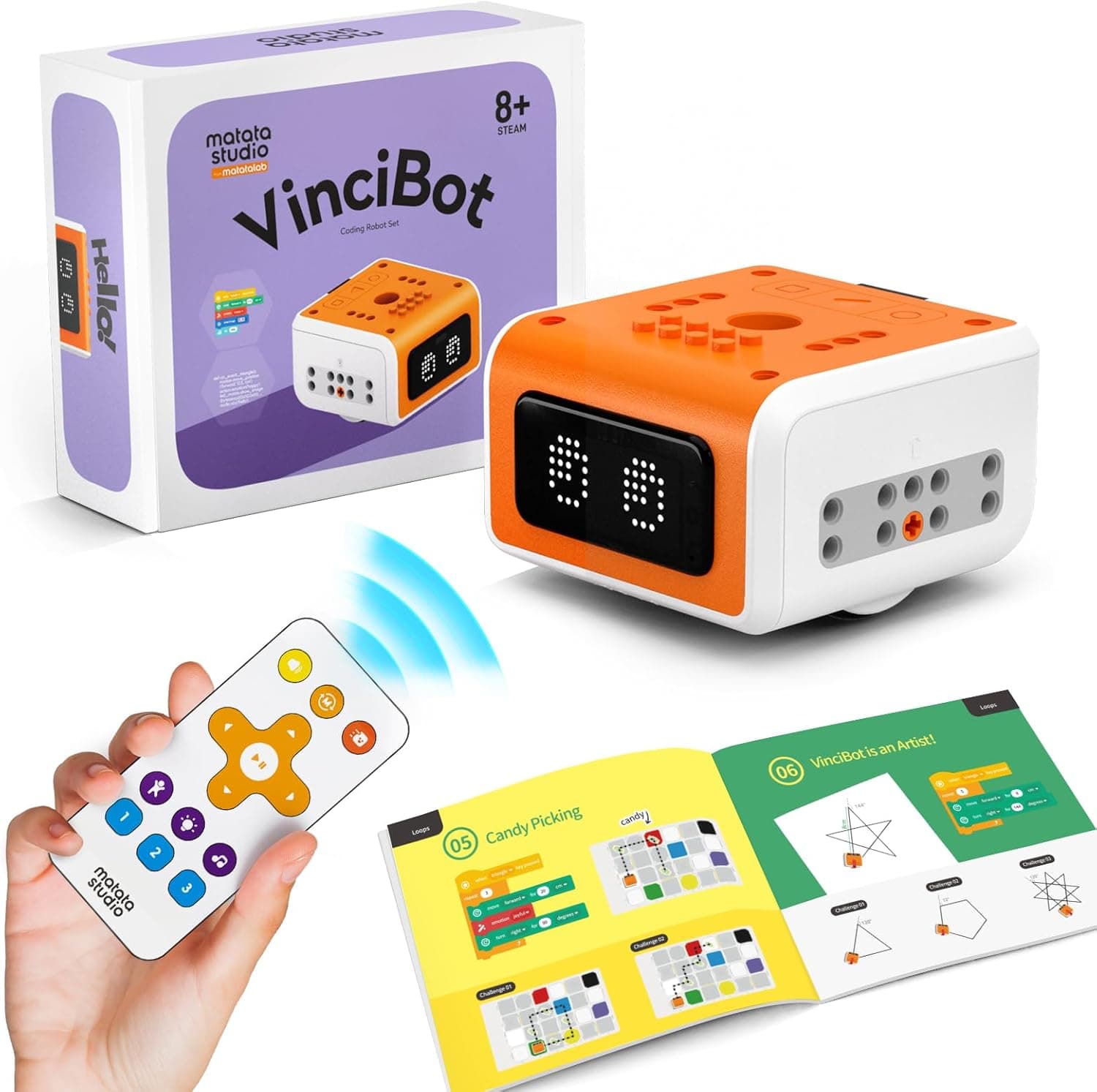
VinciBot arrives fully built. There is no chassis to assemble, which is a deliberate contrast with the original Makeblock mBot, where half the charm is screwing the robot together yourself. Out of the box you can switch VinciBot on and use one of three preset modes (line following, precision drawing and infrared remote control) before a single line of code is written. That instant reward matters with younger children, who get to play within seconds rather than after a 40-minute build.
Under the shell, the specification sheet is generous for the price:
- Eight built-in sensors, including a five-channel line-and-colour sensor for line tracking, colour recognition and edge detection, alongside distance, sound and motion sensing.
- A 16x8 LED matrix "face" that displays expressions, numbers and custom animations, backed by six full-colour RGB LEDs for lighting effects.
- High-precision stepper motors, accurate enough for the robot to draw neat shapes with a pen held in its centre.
- A speaker with 21 instrument sounds and a microphone for voice interaction.
- A 1500mAh rechargeable battery rated for more than four hours of continuous use.
- An included infrared remote control, so VinciBot works as a straightforward remote robot for the youngest users.
Programming happens through the free MatataCode app on a tablet, or in a web browser on a Chromebook or computer. Handy for schools that do not want yet another app to manage. Children start with drag-and-drop blocks that will feel instantly familiar to anyone who has used Scratch, then graduate to text-based Python when they are ready. MatataStudio publishes more than 75 structured lessons covering robotics, computer science, the Internet of Things, the maths behind the movement and, unusually, artificial intelligence.
The AI angle: TinyML done properly
The feature that sets VinciBot apart is TinyML, or Tiny Machine Learning. In plain terms, a child can record a handful of examples of a gesture or a spoken word, train a small model on those examples, store that model on the robot, and then have VinciBot respond to the gesture or word with no internet connection at all. It is a hands-on, age-appropriate introduction to how machine learning genuinely works: gathering data, training, testing and refining, then watching the robot get it wrong and improving the data.
Very few robots at this price treat AI as a process rather than a buzzword, and it is the single best reason to choose VinciBot over more established rivals. If your child has already met machine learning on a BBC micro:bit, VinciBot is a natural next step that wraps the same ideas in a far more playful package. Because the trained model lives on the device rather than in the cloud, it is also a tidy privacy story for parents: there is no need to stream your child's voice to a server for the core AI activities to work.
What We Like
It is properly loaded for the money. Eight sensors, a programmable LED face, six RGB lights, a speaker, a microphone and stepper motors is a lot of hardware for around £100. Many rivals reach a similar price only once you have bought add-on packs. VinciBot gives you the toys up front, which keeps the early projects varied and stops a child hitting a wall after the first afternoon.
The battery is the right kind. A 1500mAh rechargeable cell with four-hours-plus of life is a small thing that makes a big difference. Anyone who has owned a robot that runs on four AA batteries (including the otherwise excellent classic mBot) knows the quiet frustration of a flat toy on a wet Sunday. VinciBot charges over USB and gets on with it.
There is a real learning ladder. Block coding, Python, electronics, IoT and machine learning is a progression that can carry a curious child from age eight well into secondary school. The blocks are welcoming, the jump to Python is signposted, and the lesson library gives parents who are not coders themselves a structured path to follow rather than a blank screen.
It plays nicely with LEGO. VinciBot is compatible with LEGO bricks and Technic motors, so a child can bolt their robot into a larger creation. That single design decision multiplies the play value, because the robot becomes a brain for whatever they can build rather than a sealed gadget.
What Could Be Better
We promised an honest review, so here are the limitations worth knowing before you buy.
MatataStudio is still a challenger brand in the UK. At the time of writing, VinciBot has a healthy but modest number of Amazon reviews, and the community around it is far smaller than the enormous ecosystems behind Sphero, LEGO or Makeblock. That means fewer third-party projects, fewer YouTube walkthroughs and a slightly lonelier path when you get stuck. The official lessons are good, but you will lean on them rather than on a sprawling community.
The "AI vision" headline needs an asterisk. VinciBot's on-device gesture, voice and colour recognition is real and included. Full computer vision (pointing a camera at objects and having the robot recognise them) relies on a separate AI Vision add-on kit that is sold on its own. The robot is honest about this once you dig in, but the marketing can leave you expecting a camera in the box that is not there.
You still need a screen. As with every robot of this type, the full experience requires a tablet, Chromebook or computer running the app or website. That is not a flaw so much as a fact of the category, but it is worth saying plainly if you were hoping for a screen-free toy. For genuinely screen-free coding aimed at younger children, MatataStudio's own earlier robots, or something like the Sphero indi, are a better fit.
It is ambitious for the youngest end of the range. Eight is the official starting age, and an eight-year-old will have a wonderful time with the remote, the drawing mode and the early blocks. But Python, TinyML and IoT are genuinely advanced concepts, and getting the most from them needs an engaged adult or an older child of 10 to 12. Treat the headline features as something to grow into, not to master on day one.
The onboarding could hold your hand more. Setup is straightforward, but the software tends to drop you into the deep end rather than easing you in, and the app, while capable, can feel a touch less polished than those from the biggest brands. None of this is a deal-breaker, but a little patience on the first evening pays off.
Who Is It For?
VinciBot is at its best for a curious child aged roughly 8 to 12 who has either outgrown a starter robot or is ready to take coding seriously. If your child has already enjoyed something like the Edison robot or a younger screen-free robot and keeps asking "but how does it actually work?", VinciBot answers that question with real depth.
It is also a strong choice for home-educating families and coding clubs who want one robot that teaches blocks, Python and AI without buying three different products. The browser-based coding option is genuinely useful in a classroom or library setting where installing apps is a hassle.
It is not the right pick if you want a screen-free toy for a five-year-old, or if you specifically want the largest possible community and the deepest library of third-party projects, that is still Sphero and Makeblock territory. And if your child mainly wants a playful companion robot rather than a coding tool, this is the wrong category altogether.
How Does It Compare?
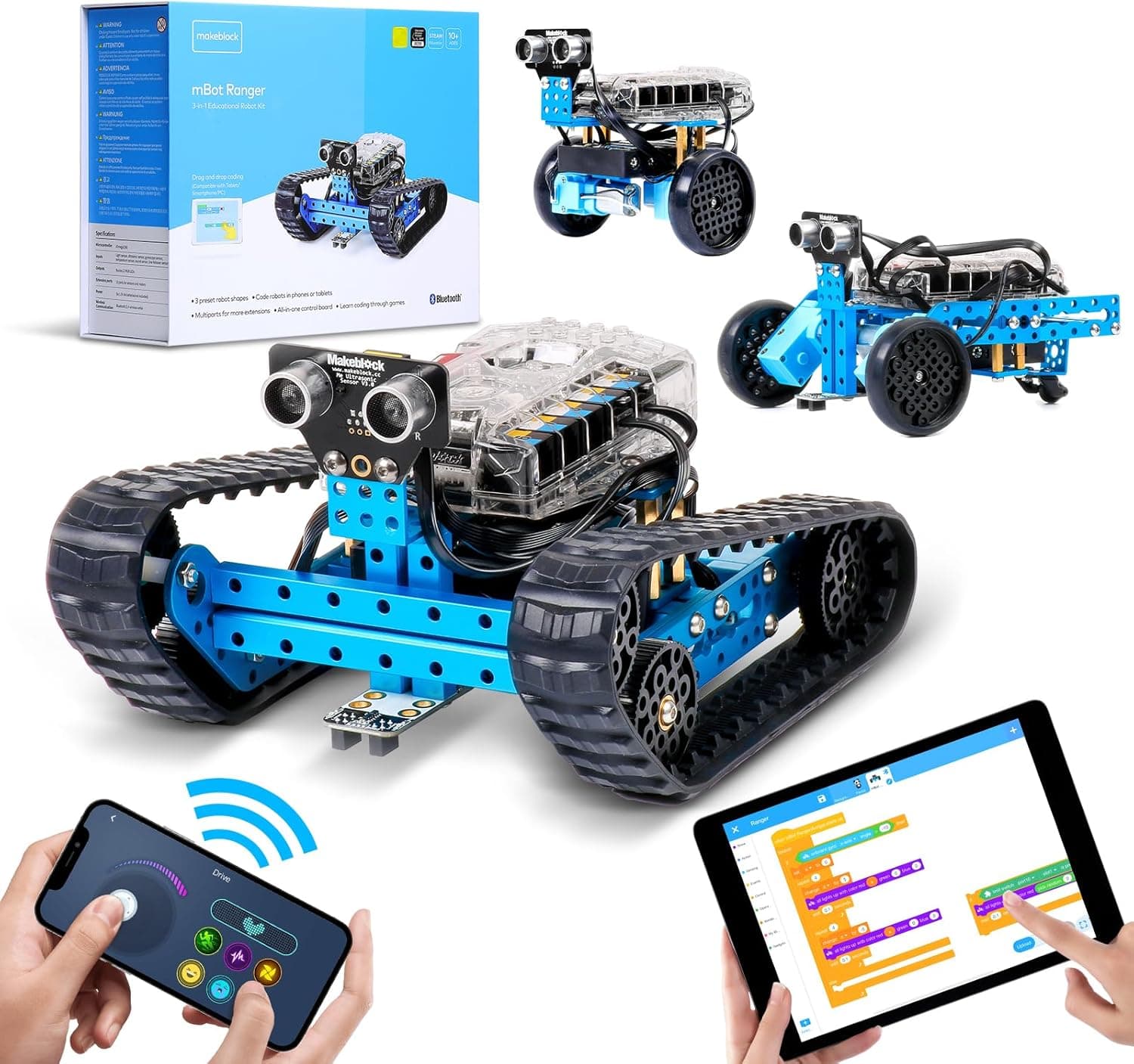
Against the Makeblock mBot2, VinciBot's closest rival, the two are remarkably evenly matched on coding: both offer Scratch-style blocks and Python, and both lean into IoT. VinciBot's advantages are its lower typical price, its richer set of built-in sensors and its on-device TinyML; the mBot2's advantages are a larger community and a longer track record. If AI is the hook for your child, VinciBot edges it. If you want the safest, best-supported bet, the mBot2 still holds up.
The Sphero BOLT is the more polished, more durable rival, with a slick app and a famously robust waterproof ball, but it is pricier and its learning ladder tops out at JavaScript rather than Python. The classic Makeblock mBot remains the cheapest sensible way into coding robots, but it is a simpler machine with no AI features and an appetite for AA batteries. For sheer breadth of concepts taught per pound, VinciBot is hard to beat.
Value for Money
At around £100 at the time of writing, VinciBot sits in the middle of the coding-robot market: dearer than an entry-level mBot, similar to or a little below the mBot2, and well under the price of a Sphero BOLT once you add accessories. What you get for that outlay is unusually complete: a fully built robot, a remote, a generous sensor array, a rechargeable battery and a free, lesson-rich coding platform that teaches AI as well as coding.
Prices on Amazon move around, so we never quote a fixed figure or promise a particular saving. The fair way to judge value here is by what is included: measured on hardware and on the breadth of what it can teach, VinciBot represents excellent value, with the main caveat being the smaller brand ecosystem rather than anything you can hold in your hand.
👉 Check the latest price on Amazon before you decide.
Safety, Screen Time and Setup
VinciBot is recommended by the manufacturer for ages 8 and over, and as with any electronic toy you should check the age guidance and any small-parts notes on the packaging before handing it to a younger sibling. The robot charges over USB, so supervise charging as you would any rechargeable device, and store it out of reach of toddlers when it is not in use.
Because the robot is paired with a tablet or computer, it is worth folding VinciBot into your usual screen-time habits. The good news is that much of the play is physical. The robot is on the floor or the table, drawing and trundling about, rather than the child being glued to a display. On privacy, the fact that the core machine-learning activities run on the device itself, offline, is a genuine plus for cautious parents; you are not required to send your child's voice to the cloud for the headline AI features to work.
Frequently Asked Questions
What age is the VinciBot for? MatataStudio recommends ages 8 to 12. Younger children at the lower end will love the remote and drawing modes with help; the Python and AI features suit confident coders of around 10 and up.
Does it need Wi-Fi or the internet? You need a tablet, Chromebook or computer to program it, but the core machine-learning activities run on the robot itself without an internet connection. IoT lessons are the exception, as connecting to online services naturally needs a connection.
Block coding or Python, which does it use? Both. Children start with drag-and-drop blocks similar to Scratch and can switch to text-based Python in the same MatataCode environment as they progress.
Is the AI camera included? No. VinciBot's gesture, voice and colour recognition are built in, but full camera-based computer vision requires a separate AI Vision add-on kit.
Do I need to build it? No. VinciBot comes pre-assembled and works straight away in remote, line-following or drawing mode. The building comes later, optionally, when you connect it to LEGO Technic parts.
The Verdict
The MatataStudio VinciBot is one of the most genuinely educational coding robots we have looked at this year, and the only one near £100 that teaches machine learning as a hands-on process rather than a marketing line. The hardware is generous, the battery is sensible, the coding ladder runs from friendly blocks all the way to Python, and the on-device TinyML gives it a hook that the bigger brands simply do not match at this price.
Its weaknesses are real but narrow: a smaller UK community, a separately sold camera for true computer vision, and a feature set ambitious enough that the youngest users will want a grown-up alongside them. Weigh those against everything it does well and the VinciBot is an easy recommendation for any child ready to move past a starter robot and start asking how the machines around them actually think.
It earns a confident 4.3 out of 5 and a place on our shortlist of the best AI coding robots for 2026.
👉 Ready to get started? Check the latest price on Amazon.
As an Amazon Associate, AIToys.co.uk earns from qualifying purchases. Prices and availability are accurate as of the date of publication but can change. We only ever recommend products we believe will genuinely help UK families.