Disclosure: This article contains affiliate links. As an Amazon Associate, AIToys.co.uk earns from qualifying purchases. If you buy through our links, we may earn a small commission at no extra cost to you. It never changes the price you pay, and it never changes our verdict.
MatataStudio Tale-Bot Pro Review UK 2026: The Screen-Free Coding Robot Built for 3-5s
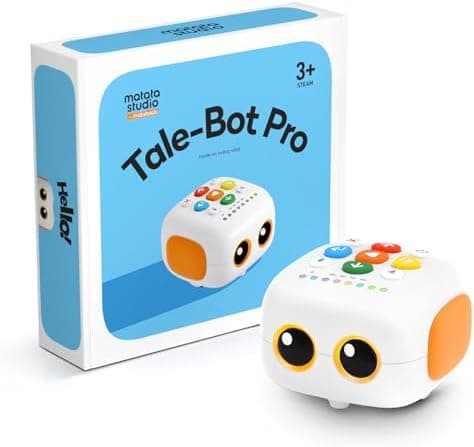
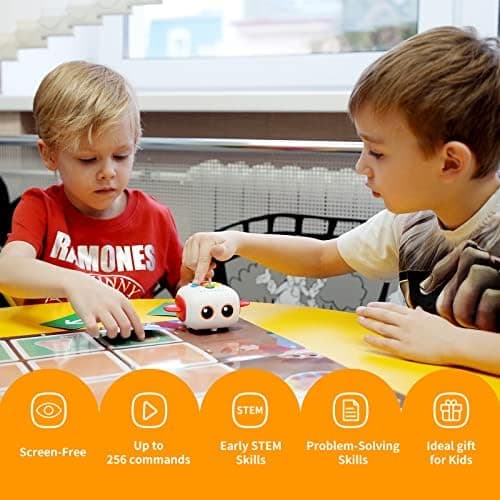
Most coding robots are designed for primary-school children who can already read and confidently handle a tablet. The MatataStudio Tale-Bot Pro takes the braver, opposite approach: it is built from the ground up for children aged 3 to 5, and it works with no screen at all. Your child programs it by pressing chunky, colour-coded buttons on the robot's back, then watches it trundle off across an interactive map. For a first taste of coding before a child can even read, that is a genuinely thoughtful idea, and it is the thread that runs through this whole review.
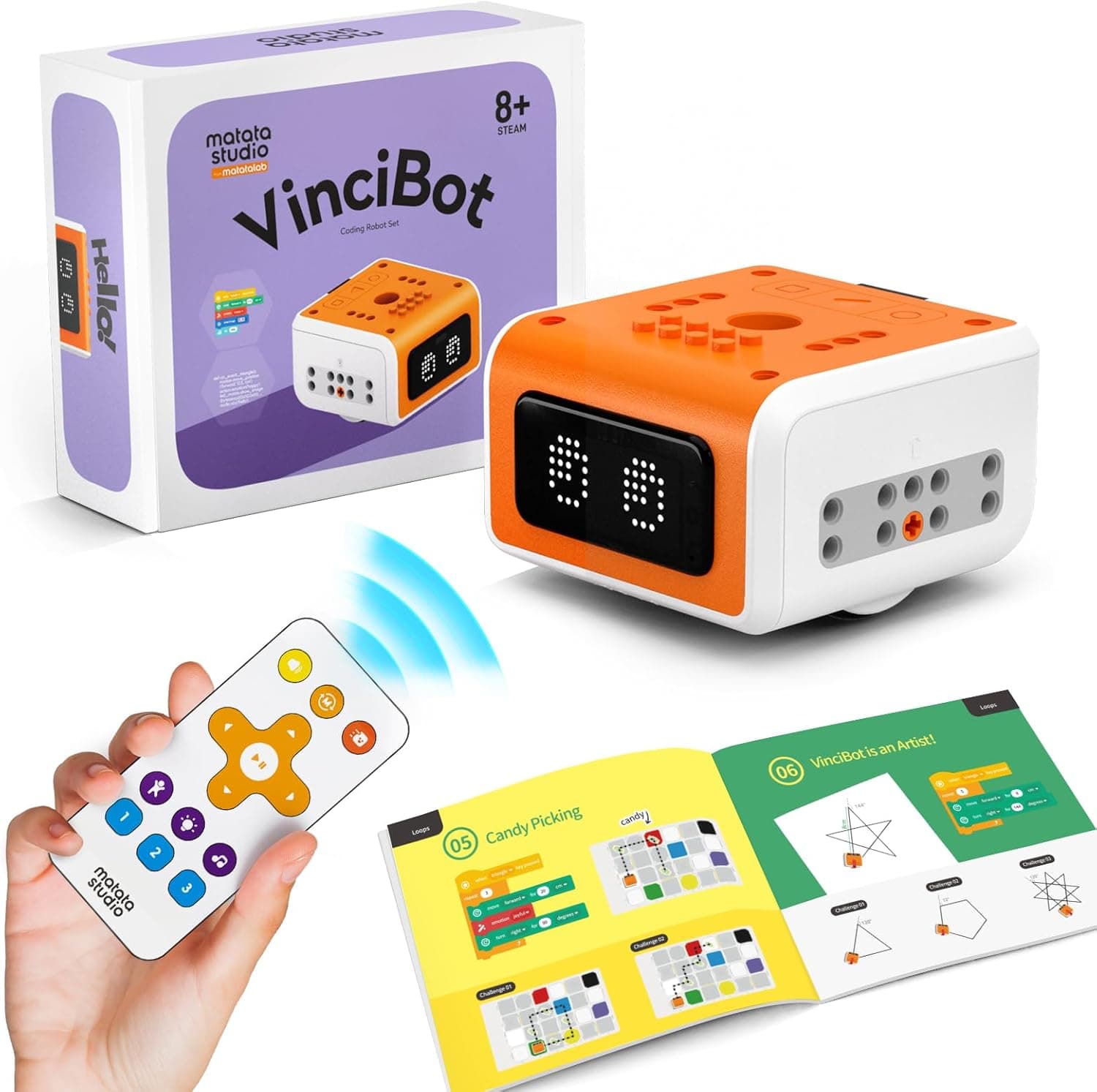
Tale-Bot Pro comes from MatataStudio (formerly Matatalab), the same company behind the far more advanced MatataStudio VinciBot we reviewed for older children. Where VinciBot teaches Python and machine learning to eight to twelves, Tale-Bot Pro is the very first rung on the ladder. Here is our honest, hands-on take on whether it earns a place in your toy box.
👉 Short on time? Check the latest price on AmazonAs an Amazon Associate, AIToys.co.uk earns from qualifying purchases..
Quick Verdict: MatataStudio Tale-Bot Pro
The Tale-Bot Pro earns a confident 4.4 out of 5. It does something very few robots manage: it makes coding genuinely accessible to a three-year-old, with no screen, no reading and no fiddly setup. Press the buttons, press go, and the robot does exactly what your child told it to, which is the single most important lesson in all of computing. The trade-offs are about ambition rather than execution: it teaches the logic of coding rather than written code, so it is a stepping stone a child will eventually outgrow, and you get the most from it by adding the optional Activity Box. For its target age, though, it is one of the best first coding toys you can buy in 2026.
Pros
- Truly screen-free: children program directly on the robot, with no tablet or phone in sight.
- Right age, done right: purpose-built for 3 to 5, a band most robots ignore.
- Talking feedback: voice prompts and an interactive map keep little ones engaged.
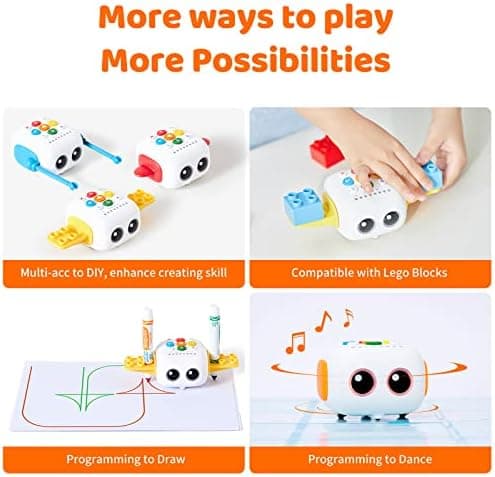
- Hands-on and creative: decorate it with washable pens and clip on brick-compatible parts.
- Room to grow: up to 256 commands and audio recording stretch the play.
Cons
- Adult help at first: the youngest threes need a grown-up alongside them.
- Logic, not code: confident over-sixes will move on quickly.
- Activity Box: the richest content is a separate purchase.
- Busy paperwork: the multilingual packaging can feel cluttered.
Key Features
Tale-Bot Pro arrives fully built and ready to play. There is nothing to assemble, which matters enormously with this age group. The magic is on the robot's back: a grid of large, colourful command buttons. A child taps a sequence (forward, forward, turn, dance) then presses go, and the robot carries out the program in order. There is no app, no pairing and no account to set up. It is coding reduced to its purest form: give clear instructions, in the right order, and watch what happens.
Under that friendly shell the feature set is well judged for early years:
- Screen-free button coding for movement, turns, repeats and a random "dance", building the core ideas of sequencing and loops.
- Support for up to 256 commands, so a simple first program can grow into a surprisingly long adventure.
- Talking OID cards and a double-sided card set (one interactive, one blank) that give spoken guidance and instant feedback, plus blank cards so children can invent their own stories.
- An interactive play map that turns abstract instructions into a concrete journey across roads, destinations and obstacles.
- Audio recording, so a parent or child can add their own sounds and voice lines to personalise the games.
- Removable, brick-compatible side parts (wings and arms) that snap on and work with standard building bricks.
- Washable marker pens so children can decorate the robot's panels and make it their own.
- USB-C rechargeable power, with the robot, wings, holders, arms, manual, task booklet, cards, pens and cable all in the box.
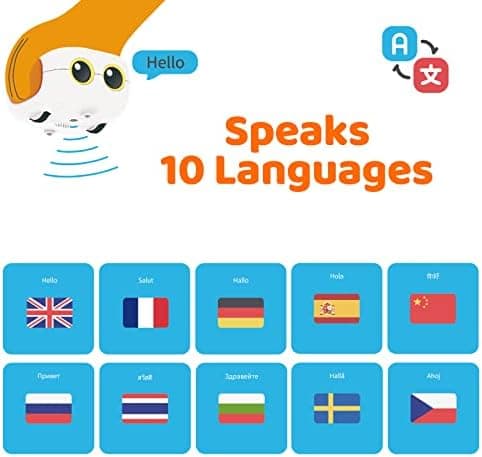
It also supports ten languages, which is part of why the packaging reads a little busily, but the English voice guidance and instructions are clear once you are up and running.
How the "coding" actually works
It is worth being precise about what Tale-Bot Pro teaches, because "coding robot" means very different things at different ages. There is no JavaScript or Python here, and there is no block-based app like Scratch. Instead, your child learns computational thinking: breaking a goal into steps, putting those steps in the right order, spotting when the robot does not end up where they expected, and fixing the sequence. That loop (plan, run, see the result, debug) is exactly how real programming feels, just expressed through buttons and a happy little robot rather than text on a screen. For a pre-reader, it is the perfect on-ramp.
What We Like
It is properly, honestly screen-free. Plenty of toys claim to be screen-free and then ask you to download an app. Tale-Bot Pro genuinely is not one of them: everything happens on the robot itself. For parents trying to delay screens in the early years, that is a rare and welcome thing, and it means the play is physical (on the floor, around the map) rather than hunched over a tablet.
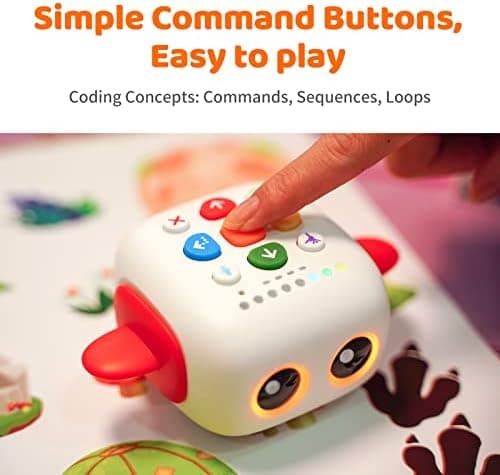
The age fit is spot on. So many "beginner" robots are really aimed at fives and sixes, leaving younger siblings out. Tale-Bot Pro is one of the few designed for three- and four-year-olds first, with big buttons made for small hands and voice feedback that does not assume reading. If you have a curious toddler who wants to join in with an older child's STEM toys, this finally gives them their own.
The talking cards bring it to life. The voice guidance and interactive cards do a lot of gentle teaching, prompting, encouraging and reacting so a child feels like they are playing with the robot rather than operating it. The blank cards are a lovely touch, inviting children to make up their own stories and missions instead of only following set tasks.
It is tactile and creative. Decorating the robot with the washable pens and clipping on the brick-compatible parts turns it from a gadget into a toy a child feels ownership of. That emotional connection is what gets a robot played with again and again rather than abandoned after a week.
What Could Be Better
We promised an honest review, so here are the limitations worth knowing before you buy.
The youngest end needs you. Three is the official starting age, and a three-year-old will adore pressing the buttons and watching the robot go, but they will want an adult nearby to guide the early sessions and explain why the robot did not reach the cheese. That is entirely normal for the age, and the shared time is part of the fun, but go in expecting to play alongside rather than hand it over.
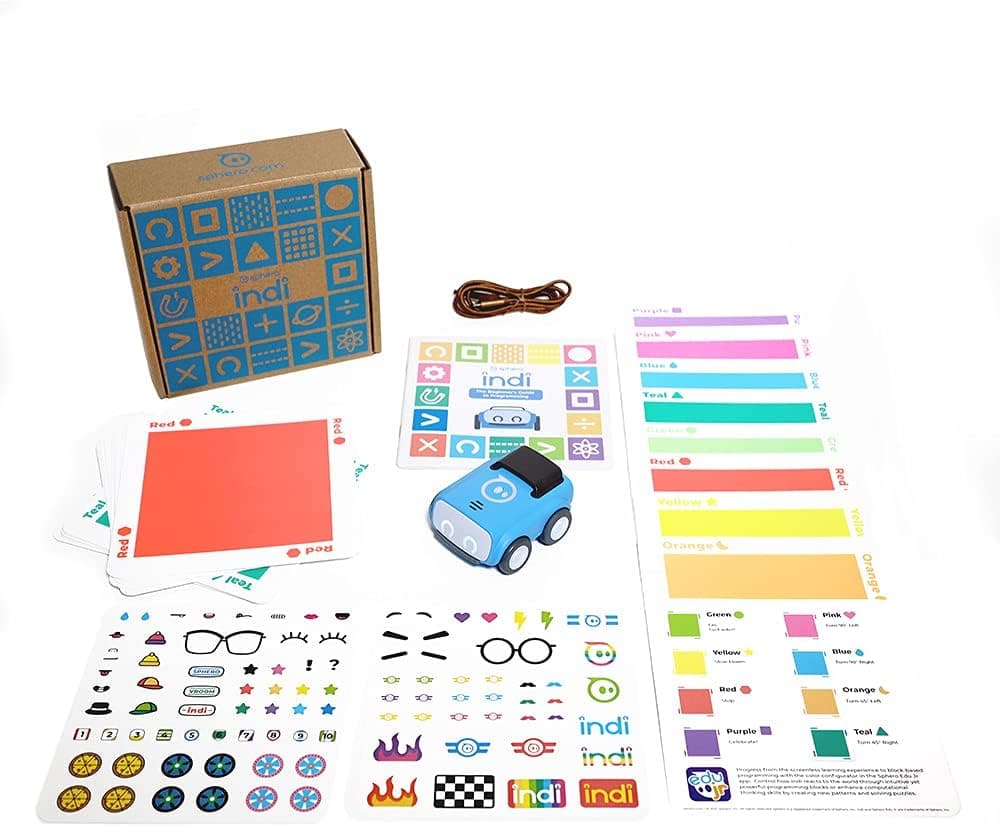
It teaches logic, not written code. Tale-Bot Pro is a foundation, not a destination. It builds the thinking that coding rests on, but it does not introduce a real programming language. A confident six- or seven-year-old will master it quickly and be ready for something with more depth, such as the screen-free Sphero indi or, a little later, a screen-paired robot like the Edison robot.
You will want the Activity Box. The robot comes with enough to get started, but MatataStudio clearly designs the experience to be extended with its separately sold Activity Box and extra map packs. The core toy is satisfying on its own; just know that the richest, longest-lasting play assumes you will add to it over time.
The paperwork is busy. Because the product ships across many countries and supports ten languages, the box and booklet try to do a lot at once. It is nothing you cannot navigate, but the first ten minutes of setup are less calm and curated than you get from a premium single-market brand.
Who Is It For?
Tale-Bot Pro is at its best for a curious child aged roughly 3 to 5 meeting the ideas behind coding for the very first time. If you want a screen-free way to introduce sequencing and problem-solving (and you like the idea of playing together rather than handing over a tablet) it is close to ideal. It also makes an excellent gift, precisely because it suits an age that is otherwise hard to buy STEM toys for.
It is a particularly good fit for screen-conscious households and for families who already own STEM toys for an older child and want the three-year-old to have something of their own that teaches the same kind of thinking. Compared with a story-led option like the Learning Resources Coding Critters, Tale-Bot Pro leans more clearly towards "robot you program", which many children find more exciting.
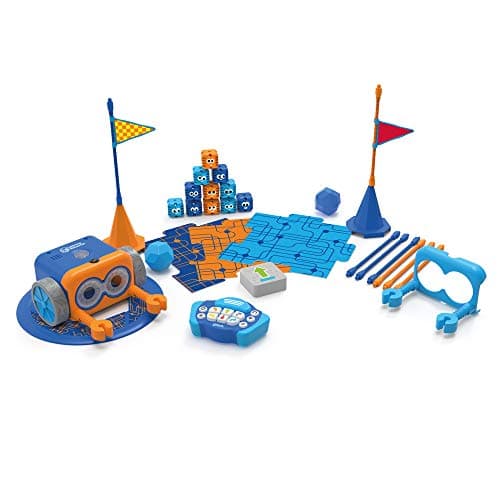
It is not the right choice if your child is six or older and ready for real code, or if you want a single robot that will last from preschool to secondary school. For that, look at a screen-paired robot such as the VinciBot. And if you specifically want a remote-controlled coding toy for fives and up, the Botley 2.0 is the more natural pick.
How Does It Compare?
Against the Botley 2.0, the obvious screen-free rival, the difference is age and method. Botley is programmed with a separate remote and aimed at fives and up; Tale-Bot Pro is programmed directly on the robot and aimed younger, with talking cards doing more of the teaching. For a three- or four-year-old, Tale-Bot Pro is the gentler, more self-explanatory start.
The Learning Resources Coding Critters overlap in age but lean into pretend play and storytelling, which suits children who want a cuddly character as much as a coding lesson. Tale-Bot Pro feels more like a "proper" little robot, which tends to win over children who are fascinated by machines. And when your child is ready to move on, the same brand's VinciBot is a tidy upgrade path that carries them all the way to Python.
For a fuller shortlist across the age range, our guide to the best coding robots for beginners in the UK sets Tale-Bot Pro in context against everything else worth considering.
Value for Money
Tale-Bot Pro sits in the affordable end of the coding-robot market, below the screen-paired robots aimed at older children. Prices on Amazon move around, so we never quote a fixed figure or promise a particular saving. The fair way to judge value here is by what is included and what it achieves: a fully built, rechargeable, screen-free robot with talking cards, an interactive map, creative extras and a clear early-years learning purpose.
Measured that way, it represents strong value as a first coding toy, with one honest caveat. To keep a child engaged for many months you will likely add the optional Activity Box and extra maps. Factor that into your budget and treat the base set as the start of a small system rather than the whole story.
👉 Check the latest price on Amazon before you decide.
Safety, Screen Time and Setup
MatataStudio recommends Tale-Bot Pro for ages 3 and over. As with any toy at this age, check the packaging for small-parts guidance before handing it over. The removable wings, arms and any brick-compatible pieces should be used under supervision, and kept away from younger siblings who still put things in their mouths. The robot charges over USB-C, so supervise charging as you would any rechargeable device.
On screen time, this is the toy's quiet superpower: there is no screen involved at all, so it is an easy yes on a day when you are trying to keep tablets in the drawer. Setup is refreshingly simple. Charge it, switch it on, and your child can be giving the robot instructions within minutes. The only real "setup" is reading enough of the booklet to learn what each button does, which takes a parent a few minutes.
Frequently Asked Questions
What age is the Tale-Bot Pro for? MatataStudio recommends ages 3 to 5. Threes will need an adult alongside them at first; fours and fives can play more independently once they know the buttons.
Does it need a tablet, phone or the internet? No. Everything happens on the robot itself using the buttons on its back, so there is no app, no pairing and no internet required.
Will it grow with my child? To a point. It supports up to 256 commands and lets you record your own audio, and the optional Activity Box adds more. When your child is ready for real programming, the same brand's VinciBot is the natural next step.
Do I need the map and cards, or are they included? The base set includes an interactive map and a double-sided card set. MatataStudio sells an Activity Box and additional map packs separately to extend the play.
Is it rechargeable? Yes, it charges over USB-C, so there are no AA batteries to buy or replace.
The Verdict
The MatataStudio Tale-Bot Pro is one of the best first coding robots you can give a three- to five-year-old in 2026. It strips coding back to its essence (clear instructions, in the right order) and wraps it in a screen-free, tactile, talking toy that a pre-reader can genuinely drive themselves. The age fit is excellent, the creative touches give it staying power, and the lack of any screen makes it an easy recommendation for cautious parents.
Its limits are honest and predictable: the youngest users need a grown-up at first, it teaches the logic of coding rather than written code, and the richest experience assumes you will add the Activity Box over time. None of that detracts from what it sets out to do. As a child's very first step into computational thinking, it is a thoughtful, well-made and genuinely fun place to begin.
It earns a confident 4.4 out of 5 and a place on our shortlist of the best screen-free coding robots for early years.
👉 Ready to get started? Check the latest price on Amazon.
As an Amazon Associate, AIToys.co.uk earns from qualifying purchases. Prices and availability are accurate as of the date of publication but can change. We only ever recommend products we believe will genuinely help UK families.