Disclosure: This article contains affiliate links. As an Amazon Associate, AIToys.co.uk earns from qualifying purchases. If you buy through our links, we may earn a small commission at no extra cost to you. It never changes the price you pay, and it never changes our verdict.
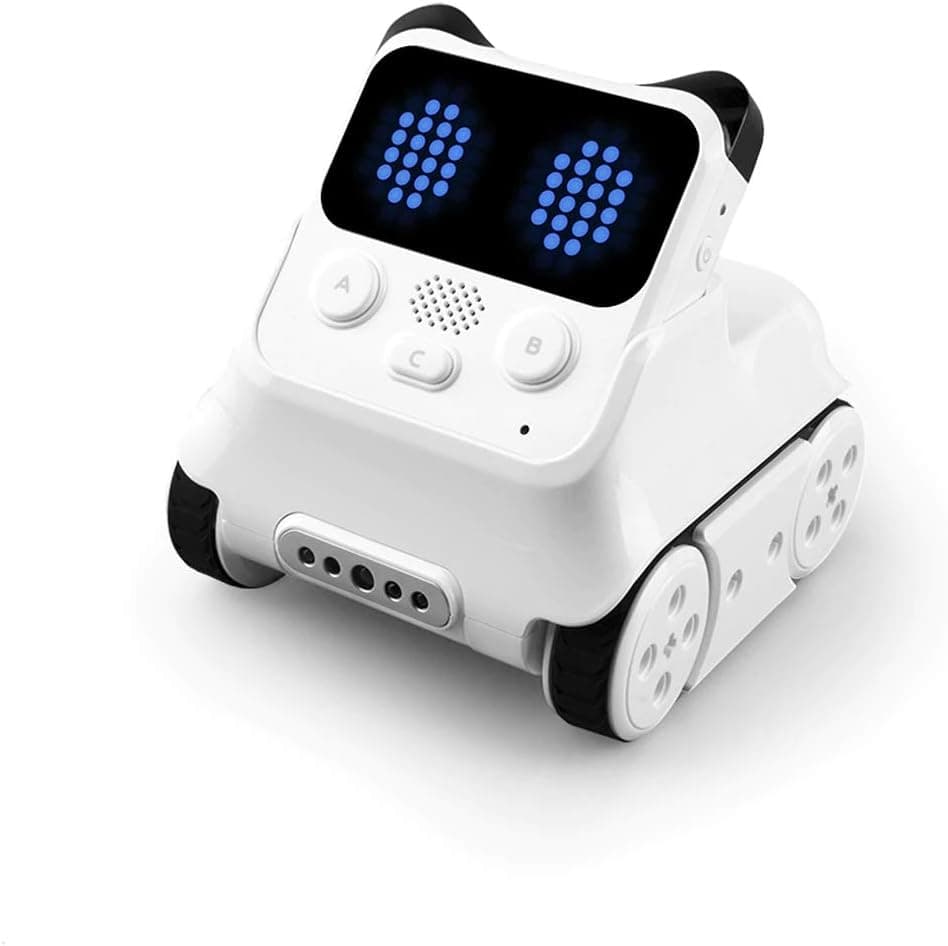
Most coding robots ask a child to imagine the personality. The Makeblock Codey Rocky simply has one. A bright pixel face blinks at you from the front of the "Codey" controller, eyebrows tilt when it's thinking, and the little "Rocky" base scoots about like a curious pet. It's a clever bit of design psychology: before a child has written a single line of code, they already care about the robot. And a child who cares is a child who'll keep going.
We've spent time with Codey Rocky the way a family would: out of the box, through the free mBlock software, and across the inevitable "why won't it connect" moments. It lands in an interesting spot in Makeblock's range, sitting alongside the buildable mBot and the more advanced mBot2 but doing something quite different from both. Here's our honest take on whether it deserves a place on your shelf in 2026.
👉 Short on time? ⚠️ Currently unavailable on Amazon.
Quick Verdict: Makeblock Codey Rocky
Codey Rocky earns a strong 4.5 out of 5. For around £85 you get a fully-assembled, sensor-rich coding robot with genuine charm and, crucially, a real coding journey: children start by dragging blocks in a Scratch-style language and can progress all the way to Python. That progression is the headline, and it's what stops a bright child outgrowing the robot in a fortnight. The compromises are reasonable and well understood. You need a device to code on, it isn't a building toy, and the cleverest AI features live in the computer software rather than the simple tablet app. None of that dents its status as one of the most likeable and best-value coding robots you can buy for a first-timer.
Pros
- Personality that hooks children: the expressive pixel face does more for engagement than any spec sheet.
- Blocks to Python: a rare, genuine path from beginner blocks to real text-based code.
- Ready out of the box: no building, no calibration: charge it, pair it, play.
- Sensor-rich: sound, light, colour and infrared sensors plus a speaker and LED matrix open up varied projects.
- Great value: a complete, school-grade coding robot for around £85.
Cons
- Needs a screen: a phone, tablet or computer is essential to code it.
- Not a building toy: unlike the mBot, there's no assembly and little mechanical expansion.
- Best features need a computer: AI and internet projects require the desktop mBlock, not just the tablet app.
Key Features
Codey Rocky comes in two parts, and understanding them is the key to the whole product. Codey is the brain: a chunky controller with a programmable LED dot-matrix "face", buttons, a dial, a speaker and a cluster of built-in sensors. Rocky is the wheeled base that Codey clips onto, adding motors, a colour sensor and an infrared sensor so the robot can drive, follow lines, detect colours and avoid obstacles. The clever twist is that Codey works on its own, too. A child can program the controller in their hand before ever docking it on Rocky, which makes for a gentle, low-stakes start.
Between them, the two halves pack in more than ten electronic modules: a sound sensor, a light sensor, a gyroscope, the colour and infrared sensors, the LED matrix and speaker among them. That breadth matters, because it means projects can range from a simple "play a tune when I press the button" up to "drive forward, stop at a red card, and say hello". It comes fully assembled and ready to play out of the box, with no construction required, and it charges over USB rather than eating disposable batteries.
The software is where Makeblock's experience shows. Codey Rocky is programmed through mBlock, a free, Scratch 3.0-based environment available as a tablet and phone app and as a fuller desktop application for Windows, Mac and Chromebook. Beginners drag and drop colourful blocks exactly as they would in Scratch; as confidence grows, mBlock lets them switch the very same project into Python, which is a genuinely valuable bridge into real text-based programming. On the desktop version, more advanced users can even explore AI and internet-connected projects (speech recognition, weather data and the like) though those features go well beyond what most beginners will need on day one.
Makeblock recommends Codey Rocky for ages 6 and up, and that feels right: the block coding and play suit children from around six, while the deeper projects and the step into Python land best with eights to twelves. If you're weighing up where to start, our guide on how to choose a first coding robot walks through exactly this kind of "low floor, high ceiling" decision.
What We Like
The personality is the obvious winner, and it isn't a gimmick. The animated face turns abstract code into something a child can read emotionally: they program a "happy" expression and the robot grins back, and the feedback loop between instruction and reaction is immediate and delightful. For younger children especially, that emotional hook quietly carries them through the harder business of learning to sequence instructions.
What we rate most highly, though, is the coding progression. A lot of robots at this price get a child started and then stop, leaving blocks as the end of the road. Codey Rocky doesn't. Because it runs on mBlock, the same robot that welcomed a six-year-old with drag-and-drop blocks can later show a ten-year-old the Python equivalent of what they just built. That bridge from blocks to text is the single most useful thing a coding toy can offer for longevity, and it's the reason we'd happily recommend Codey Rocky to a child who's already dabbled in Scratch. Our Scratch vs Python for kids guide explains why that transition matters so much.
We also like how much is built in. With sensors for sound, light, colour and infrared, plus the speaker and LED matrix, children aren't limited to "make it drive in a square". They can build a robot that reacts to a clap, chases a torch, or responds to coloured cards: varied, creative projects that keep things fresh. And because it's fully assembled, there's no barrier between unboxing and that first satisfying success.
Finally, the Makeblock ecosystem is a real asset. mBlock is mature, free, widely used in schools, and shared across the whole Makeblock range, so nothing a child learns here is wasted if they later move up to an mBot2 or another platform.
What Could Be Better
No robot is perfect, and Codey Rocky's compromises follow directly from its design choices.
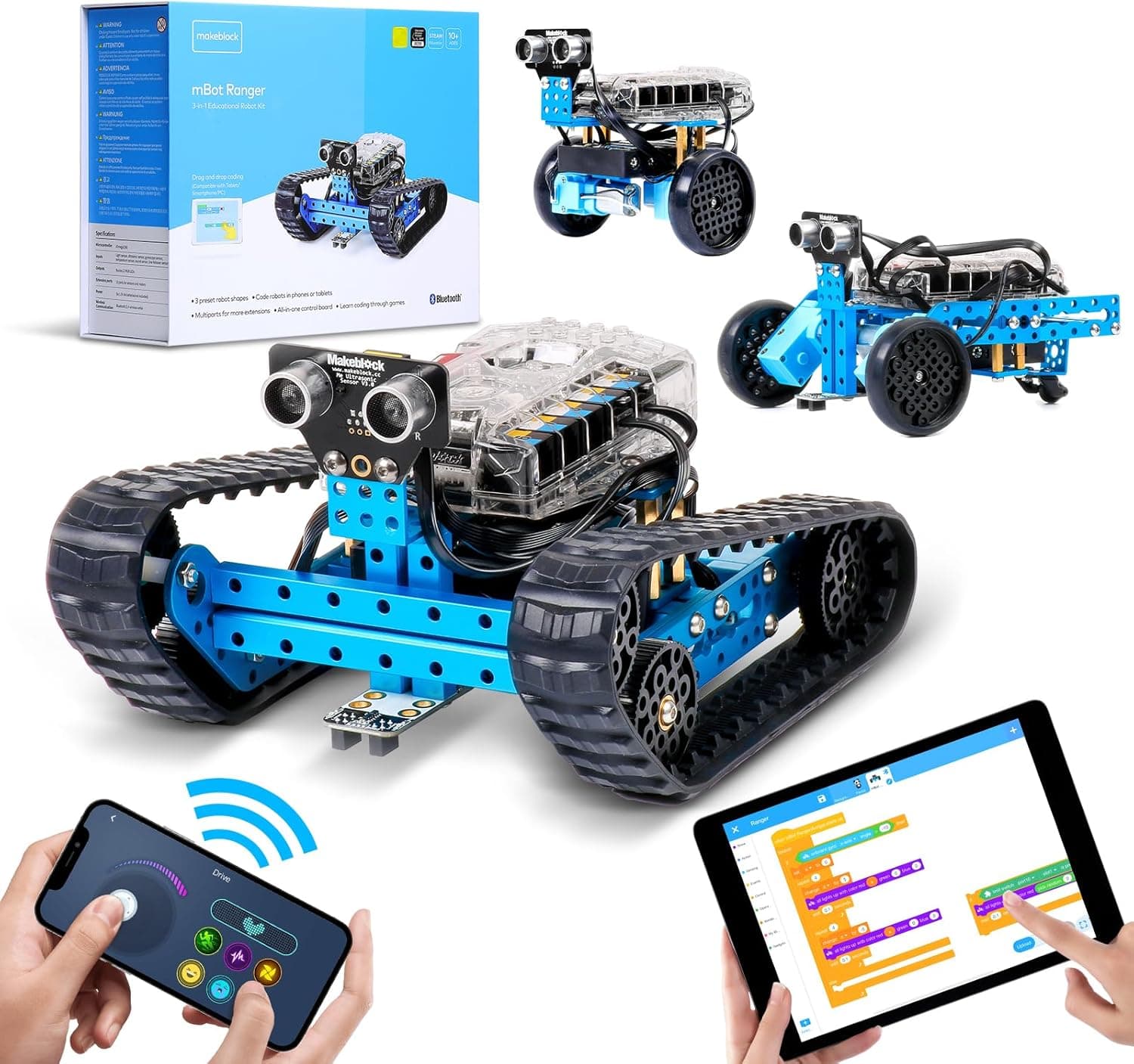
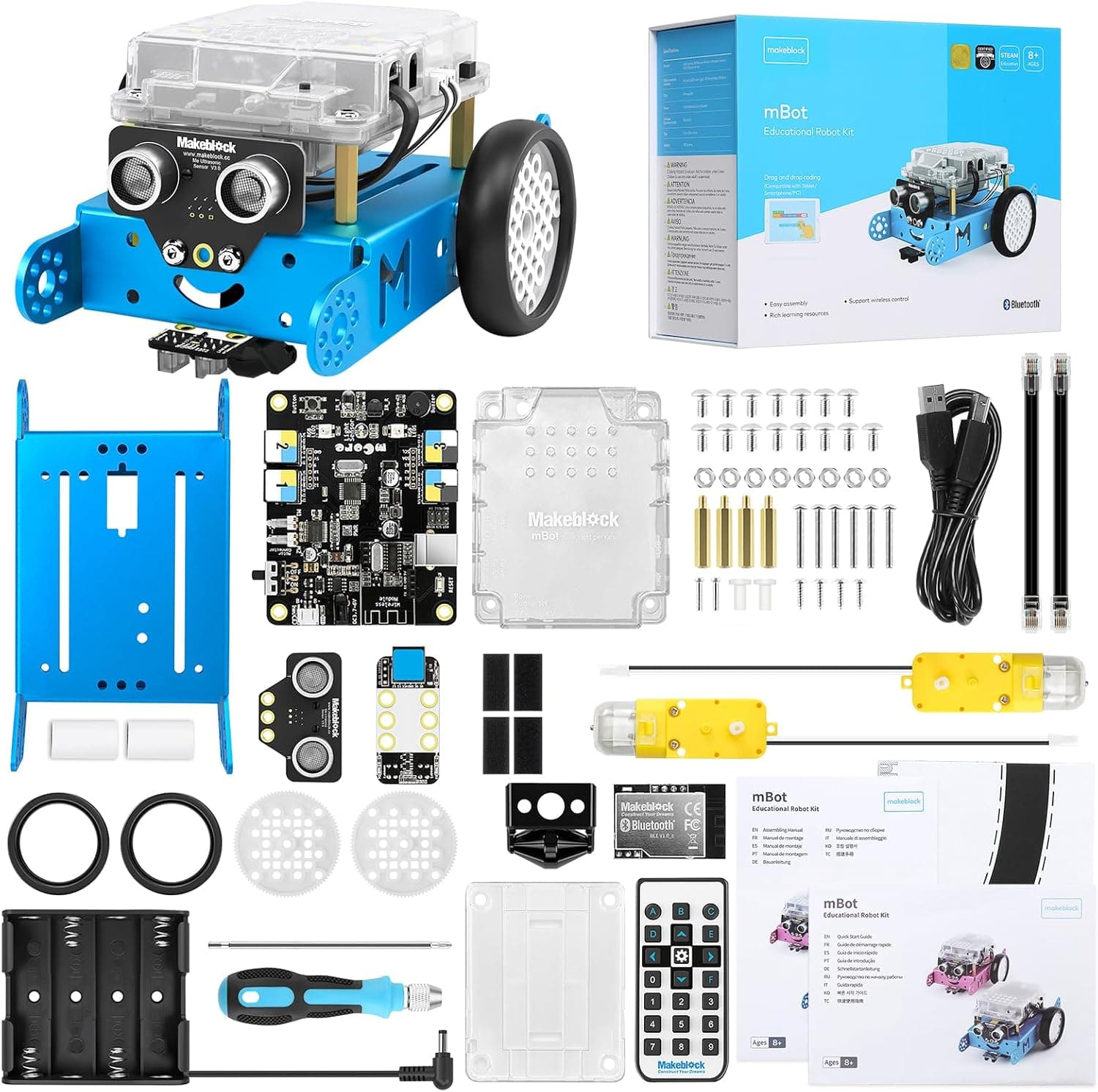
The biggest is that it isn't a building toy. Where the mBot asks a child to assemble the robot first (teaching a little engineering and a lot of pride before the coding begins) Codey Rocky arrives complete and stays that way. There's no meaningful mechanical construction and little of the LEGO-style mechanical expansion that some families want. That's a deliberate trade for instant playability, and for many children it's the right one, but if your child loves building, the mBot or a construction-led kit will scratch an itch that Codey Rocky simply doesn't.
Next, like almost every robot of this type, it needs a device. Codey Rocky is programmed through mBlock on a phone, tablet or computer, so it isn't a self-contained, screen-free experience. For most families that's no obstacle, but if you're specifically trying to keep screens out of the equation, a floor robot such as Botley 2.0 is the better fit.
There's also a gap between the tablet app and the desktop software. The headline AI and internet-connected features (speech recognition, live weather data and so on) really come alive in the computer version of mBlock, not the simpler tablet app. A family coding only on an iPad will still have plenty to do, but won't see everything the marketing promises unless they sit down at a laptop.
Smaller niggles round things out. Rocky's little wheels are happiest on hard floors and tend to struggle on carpet or outdoors; the battery is sealed and recharges over USB, so a flat robot means a pause; and although the Python path extends its life, a genuinely keen young coder will eventually want more sensors and more power than Codey Rocky offers.
Who Is It For?
Codey Rocky is at its best for children aged roughly six to twelve who respond to character and play, and who you'd like to take from their first blocks towards real code over time. It's ideal for the child who isn't quite ready to build a robot from parts but is more than ready to make one do tricks, and it's a lovely shared robot for siblings of different ages thanks to that gentle blocks-to-Python range.
It's less suited to dedicated builders, who'll prefer the hands-on assembly of the mBot; to families avoiding screens entirely; and to advanced young coders who've already mastered Scratch and want maximum sensors and expandability, in which case the mBot2 or a more advanced platform makes more sense. For the broad middle (a curious six-to-ten-year-old taking their first proper steps) it's close to ideal.
Value for Money
This is where Codey Rocky quietly shines. At around £85 you get a fully-assembled, sensor-rich coding robot with genuine personality and, most importantly, a coding journey that runs from beginner blocks all the way to Python. Very few robots at this price offer that combination, and fewer still wrap it in something a child actually wants to pick up.
Measured against the cheaper, build-it-yourself mBot, Codey Rocky costs a little more and gives up the engineering play, but it gains personality, a richer sensor set and instant readiness. Measured against pricier, more advanced robots, it gives up some power and expandability but keeps the thing that matters most for a first robot: it gets children coding, happily and reliably, with a clear path to grow into. Prices on Amazon move around, so we won't quote an exact figure: check before you buy.
👉 ⚠️ Currently unavailable on Amazon.
Setting Up and Getting Started
Getting going with Codey Rocky is refreshingly quick. There's no build: you charge it over USB, install the free mBlock app on a tablet or phone (or mBlock on a computer), and pair over Bluetooth in a minute or so. Our advice for newcomers is to start with Codey on its own: let a child program the face, the buttons and the sounds in their hand before docking it on Rocky and adding movement. It's a confidence-building order that pays off.
A couple of practical notes. If you want the full experience (including the AI and internet projects) plan to use the desktop version of mBlock on a laptop or Chromebook at some point, as the tablet app is deliberately simpler. Keep the charging cable somewhere sensible, and set expectations that Rocky prefers hard floors to thick carpet. Beyond that there's very little to trip over: mBlock is mature and well documented, the connection re-pairs quickly each session, and everything a child learns carries across the wider Makeblock range. For a thorough beginner, that smooth on-ramp is exactly what you want.
Frequently Asked Questions
What age is Codey Rocky for? Makeblock recommends ages 6 and up. The block-based coding and play suit children from around six, while the deeper projects and the step into Python are best for roughly eight to twelve.
Does Codey Rocky need a phone or tablet? Yes. It's programmed through the free mBlock software on a phone, tablet or computer, so it isn't a screen-free robot. If you want screen-free, look at a floor robot such as Botley 2.0 instead.
Can children really learn Python with it? Yes, and it's a genuine highlight. mBlock lets children start in Scratch-style blocks and switch the same project into Python, giving a real bridge into text-based coding that many rival robots lack.
Do I need to build it? No. Codey Rocky arrives fully assembled and ready to play out of the box. That's great for instant play, but it does mean there's no construction or engineering element like you get with the mBot.
Is Codey Rocky good value? At around £85 for a fully-assembled, sensor-rich robot with a blocks-to-Python coding path, we think it's strong value, and unlike some rivals, it's a current, well-supported product.
Verdict
The Makeblock Codey Rocky is one of the easiest coding robots to recommend to a family starting out. It's charming enough to make a child want to code, simple enough to deliver a first success within minutes, and (the part that really matters) deep enough to grow with them, carrying a curious mind from drag-and-drop blocks all the way to Python. Add in a generous set of sensors, the maturity of the mBlock software and a sensible price, and you have a robot that earns its keep.
Accept its compromises (you'll need a device to code on, it isn't a building toy, and the cleverest features want a computer) and there's very little to dislike. For the right age, Codey Rocky is a delightful, genuinely educational introduction to robotics, and a worthy companion to the rest of the Makeblock family.
Our rating: 4.5 out of 5.
👉 Ready to meet Codey Rocky? ⚠️ Currently unavailable on Amazon.
Age guidance reflects the manufacturer's recommended age. Always supervise younger children with small parts, batteries and charging cables.