As an Amazon Associate, AIToys.co.uk earns from qualifying purchases. This means if you click on an affiliate link and make a purchase, we may receive a small commission at no extra cost to you. Our reviews are independent and based on detailed research.
Quick Verdict: Is the Code & Go Robot Mouse Worth It?
The Code & Go Robot Mouse is one of the simplest, cheapest ways to hand a four-year-old their first real taste of programming, and, unusually for a "coding toy" in 2026, it does it with zero screens, zero apps and zero data collection. Press a sequence of directional buttons (or plan it first with a stack of picture cards), hit Go, and the little purple mouse (officially named Jack) trundles off to follow your exact instructions, mistakes and all. It's not flashy, it doesn't talk, and it definitely won't impress a ten-year-old. But for the job it's built for (introducing sequencing, prediction and debugging to a pre-schooler) it's very hard to fault. We're giving it 4.3 out of 5, held back only by two things: this particular listing doesn't include the maze playset many buyers expect, and the learning ceiling is genuinely low once a child masters the basics.
Check the latest price on Amazon UK →As an Amazon Associate, AIToys.co.uk earns from qualifying purchases.
What Is the Code & Go Robot Mouse?
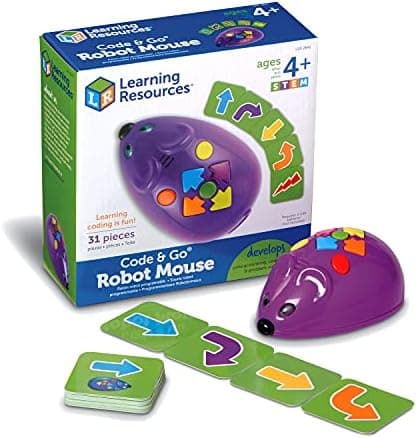
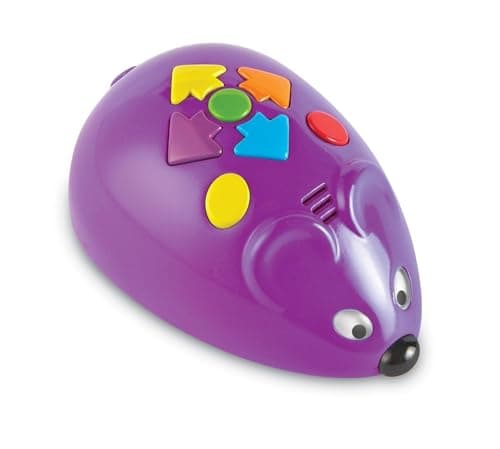
The Code & Go Robot Mouse (model LER2841) is a palm-sized programmable robot from Learning Resources, a brand that describes itself as having 40 years' experience making educational toys. It's also the company behind hand2mind and Educational Insights. The mouse itself has a name, Jack, moulded into a friendly purple shell with a set of coloured arrow buttons on its back: forward, back, turn left, turn right, plus a green "Go" button and a red "Clear" button.
The idea is simple. A child plans a route (say, forward, forward, turn right, forward) either by pressing the buttons directly or by first laying out a sequence of the included coding cards, then presses each direction into the mouse's memory before hitting Go. Jack then executes the whole sequence in order, chirping and lighting up as he goes. Get the sequence wrong, and Jack goes the wrong way, which is, genuinely, the point. Figuring out why it went wrong and fixing the sequence is a real, hands-on form of debugging.
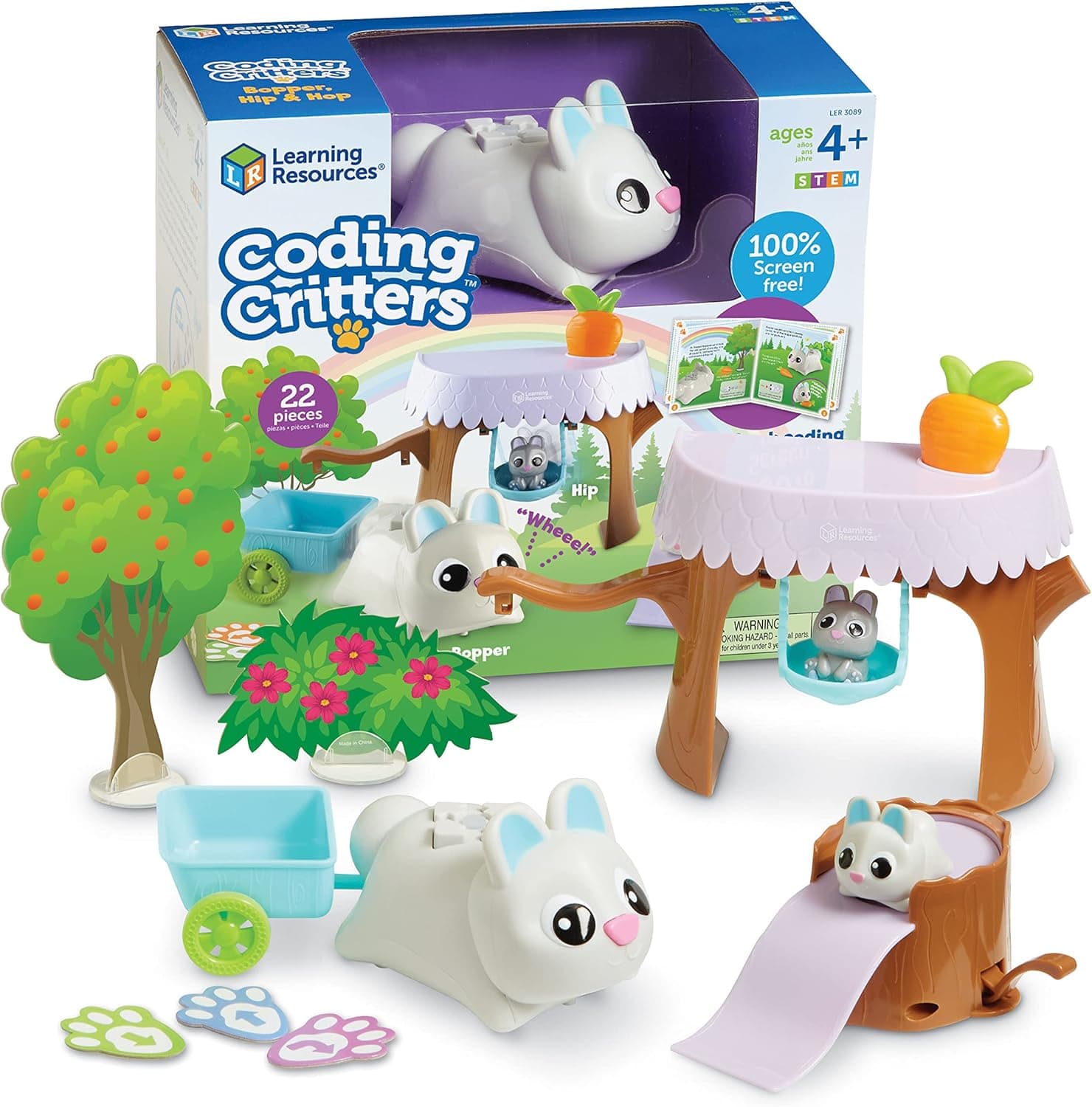
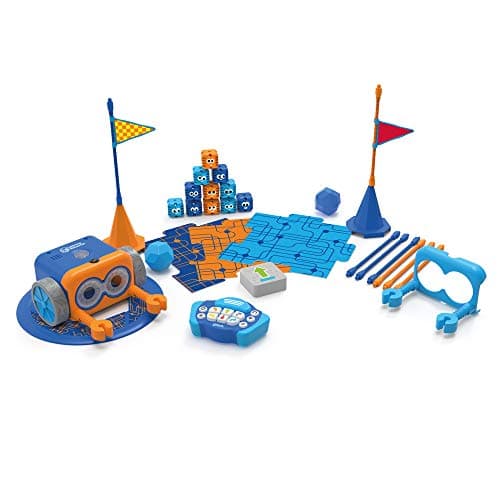
If that description sounds familiar, it should: it's the same core idea as Bee-Bot, the little robot used in thousands of UK primary school classrooms for exactly this purpose. Code & Go Robot Mouse is best understood as the accessible, mouse-shaped, home-friendly version of that same concept, with an added layer of physical coding cards for planning sequences before committing to them. For families comparing options, our Learning Resources Coding Critters review covers a softer, pet-based take on screen-free coding from the same manufacturer, while Botley 2.0 is the natural next step up once a child has outgrown four-direction logic.
How It Works: Coding in Four Directions
There are two ways to use the Code & Go Robot Mouse, and most families end up using both.
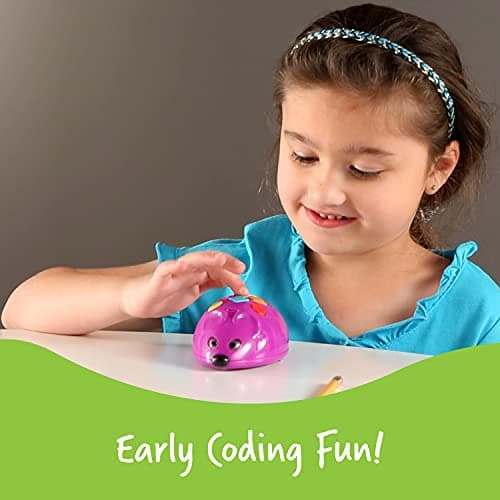
Direct programming. Press the direction buttons on the mouse's back in the order you want it to move, then press Go. This is the fastest way in, and it's how most four-year-olds start: pure trial and error, watching cause and effect play out immediately.
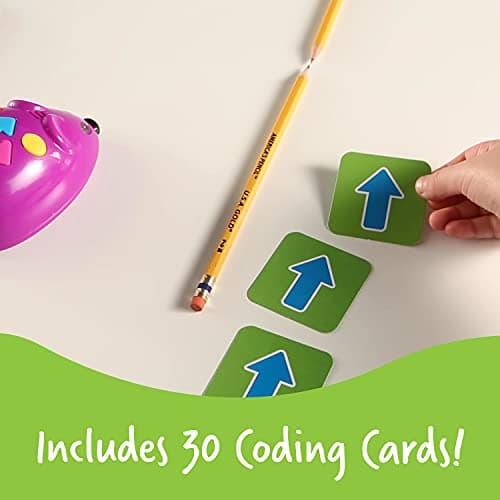
Card-based planning. The set includes 30 double-sided coding cards, each showing a single direction (forward, back, turn left, turn right). Children lay a row of cards out in order first (planning the whole route before touching the mouse at all) then translate that plan into button presses. This is the more valuable exercise educationally, because it separates "planning the algorithm" from "running the algorithm," which is exactly the distinction UK schools are trying to teach at this age.
A "Go" button runs the stored sequence, and two speed settings let you slow things down for a first attempt or speed things up once a child is confident. Along the way, Jack lights up and makes a chirpy squeak with every successful move, which does a lot of heavy lifting in keeping four-year-old attention spans engaged.
Key Features
Screen-Free by Design
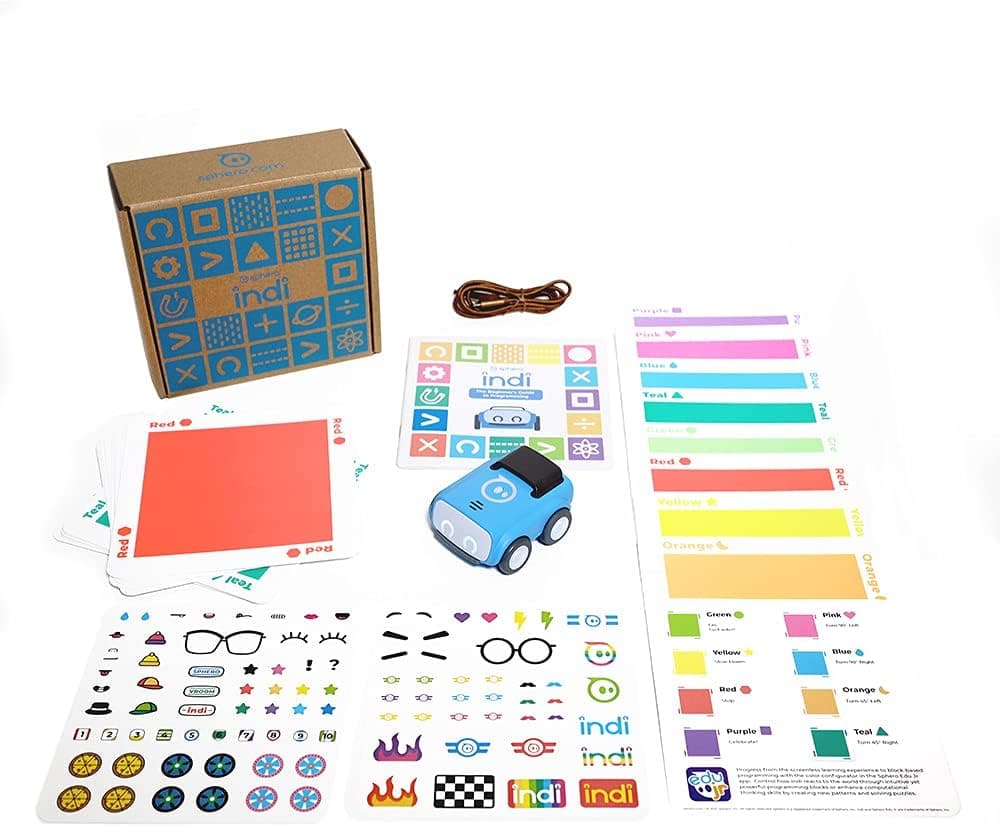
There is no app, no screen, and nothing to pair over Bluetooth or Wi-Fi. Every interaction happens through physical buttons and printed cards. For parents actively trying to reduce screen time while still giving a child a "real" tech-adjacent toy, this is the headline feature, and it puts Code & Go Robot Mouse in the same bracket as Bee-Bot and Botley rather than app-driven robots like Osmo or Sphero indi.
STEM.org Authenticated
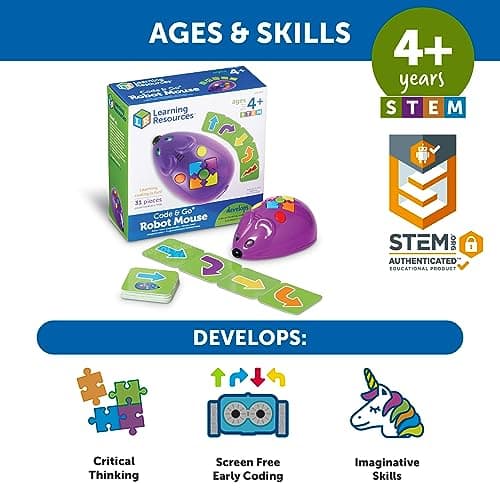
The packaging carries a STEM.org Authenticated badge, a genuine third-party accreditation that STEM.org grants to products it has independently assessed against STEM learning criteria. Not just marketing copy Learning Resources applied themselves. It's a reasonable signal of educational credibility if you're comparing several similarly priced toys.
30 Coding Cards and an Activity Guide
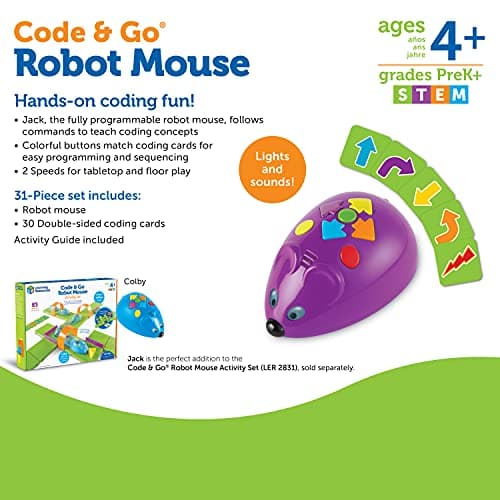
The 31-piece set includes the mouse itself, 30 double-sided coding cards (so 60 usable prompts), and a printed Activity Guide with structured challenges to work through, rather than leaving a parent to invent games from scratch.
Two Speeds and Sensory Feedback
Two speed settings suit different confidence levels, and every successful move triggers a light and a squeak. It's a small thing, but for the target age group, instant sensory feedback is what turns "pressing buttons" into "playing a game."
Specifications at a Glance
- Model: Learning Resources LER2841
- Includes: 1 robot mouse ("Jack"), 30 double-sided coding cards, Activity Guide
- Batteries: 3 x AAA required, not included
- Dimensions: Approx. 6.4" long x 6.3" wide x 2.6" high
- Weight: Approx. 0.5lb (227g)
- Recommended age: 4 years and up
- Connectivity: None: fully offline, no app or account
- Certification: STEM.org Authenticated
What We Like
It's a Genuine First Step Into Algorithmic Thinking
This isn't "coding" in the sense of typing syntax, but it is a faithful, hands-on introduction to sequencing, prediction and debugging: the exact building blocks the Key Stage 1 computing curriculum asks five and six-year-olds to grasp before they ever touch a screen-based language. A child who's spent time planning routes with these cards has a genuine head start on that curriculum, not just a vague "coding toy" on their shelf.
No App, No Account, No Data Collection
We spend a lot of time on this site flagging cameras, microphones and cloud accounts in connected toys. Code & Go Robot Mouse sidesteps the entire issue. There's nothing to connect, nothing to sign up for, and nothing being recorded. For a first tech toy, that's a genuine point in its favour, not just an absence of features.
STEM.org Authentication Is a Real, Verifiable Credential
Plenty of boxes say "STEM" somewhere on the packaging. A STEM.org Authenticated badge specifically means the product has been through that organisation's own review process, which carries more weight than a manufacturer's own claim.
Durable and Simple Enough for Little Hands
The buttons are large, brightly colour-coded, and forgiving of clumsy four-year-old presses. There's no fiddly assembly and nothing to calibrate: unbox it, add batteries, and it works.
What Could Be Better
The Maze Playset Is Sold Separately: Read the Listing Carefully
This is the one genuinely important catch. Learning Resources' own packaging describes Jack as "the perfect addition to the Code & Go Robot Mouse Activity Set (LER 2831), sold separately": a printed maze mat with double-sided activity boards that many buyers assume comes in the box. It doesn't. This ASIN gets you the mouse, the cards and the guide, and children can absolutely code sequences without the mat, but if you had your heart set on a full maze playset, check the listing photos carefully before buying, or budget for the Activity Set as a follow-up purchase.
Batteries Not Included
You'll need 3 x AAA batteries before it works out of the box: worth adding to the basket if you're buying this as a gift and want it ready to go on the day.
The Youngest End of the Age Range Needs a Hand
Learning Resources pitches this at ages 4 and up, and that's about right, but the youngest four-year-olds will likely need an adult to help plan their first few sequences, particularly the card-based planning step. It clicks quickly, but it isn't fully independent play on day one.
Four-Direction Logic Has a Real Ceiling
Forward, back, left, right. That's the entire instruction set. It's exactly the right level of complexity for the age group it targets, but most children outgrow it within a year or so of regular use. This is a first step, not a toy that scales up with a child for years, and families should budget for a follow-on robot like Botley 2.0 or a BBC micro:bit down the line.
Who Is the Code & Go Robot Mouse For?
Families with a child starting Reception or Year 1 (ages 4-6). This is squarely the sweet spot. Old enough to grasp cause and effect, young enough that a screen-based coding app would be a stretch.
Parents who want a genuinely screen-free first tech toy. If reducing screen time matters to your household, this ticks every box: no app, no account, no data collection, nothing to charge via a phone.
Homes where a child already uses Bee-Bot at school. If your child's classroom already uses Bee-Bot for KS1 computing, Code & Go Robot Mouse lets them practise the identical skill at home with a toy of their own, rather than waiting for their turn at school.
Not ideal for: children aged 7 and up looking for a real challenge. They'll outgrow the four-direction logic quickly and are better served by Botley 2.0 or the BBC micro:bit for a proper step up in complexity.
How Does It Compare?
Against Learning Resources' own Coding Critters, the Robot Mouse is the more structured, more overtly "curriculum" option. Coding Critters leans into imaginative pet-based play, while the Robot Mouse's card-and-button system is closer to a pure sequencing exercise. Against Botley 2.0, the Robot Mouse is simpler and cheaper, but Botley adds obstacle detection and basic loops, making it the better choice for a five to seven-year-old ready for more. And against the classroom favourite Bee-Bot, Code & Go Robot Mouse offers the same core mechanic with the bonus of a card-based planning system and a more toy-like, mouse-shaped design that some children simply prefer.
If you're still working out which screen-free option fits your child best, our Screen-Free vs Screen-Based Coding Toys guide and How to Choose Your Child's First Coding Robot both cover the wider field, and this product currently sits as our Best Overall pick in Best STEM Toys Under £50.
Value for Money
At £33.95 on Amazon UK, the Code & Go Robot Mouse is one of the cheapest ways into structured coding play we've reviewed, and (unlike a lot of connected toys) there are no ongoing costs at all: no subscription, no app purchases, no proprietary add-ons required to use the core toy. The only extra spend to budget for is 3 AAA batteries and, if you want it, the separate Activity Set maze mat. For a first coding toy that a family might use for a year or two before moving on, that price feels entirely fair.
Price and stock correct as of 14 July 2026. Amazon UK pricing changes frequently, so check the live listing for the current figure.
Check the latest price on Amazon UK →
Age Appropriateness and Safety
Learning Resources recommends this toy for ages 4 and up, which lines up well with our own assessment. Younger children may need adult support for the card-planning step, but the physical buttons are large and forgiving. As with any battery-powered toy, the battery compartment should be checked to ensure it's securely fastened, and battery changes are best handled by an adult. There's no camera, microphone, Wi-Fi or app involved at any point, so there are no data-privacy considerations of the kind we'd flag for a connected toy: a genuine point of reassurance for parents of this age group. As with any electronic toy, it's worth checking the retail packaging for CE/UKCA marking before use.
Frequently Asked Questions
Does the Code & Go Robot Mouse include the maze playset?
No. This listing includes the robot mouse, 30 double-sided coding cards and an Activity Guide. The printed maze mat, sold as the Code & Go Robot Mouse Activity Set (LER 2831), is a separate purchase.
What age is it really suitable for?
Learning Resources recommends 4 and up. We'd agree, with the caveat that the youngest end of that range will likely want an adult alongside for the first few sessions, particularly when using the coding cards to plan a route in advance.
Do I need to buy batteries separately?
Yes: it requires 3 x AAA batteries, which aren't included in the box.
Does it need Wi-Fi or an app to work?
No. It's entirely screen-free and offline. There's no app, no account and no internet connection involved at any stage.
How is this different from the Bee-Bot my child uses at school?
The core mechanic is very similar: both use forward, back, left and right buttons to build a sequence of moves. Code & Go Robot Mouse adds a set of physical coding cards for planning a route before running it, and takes the form of a mouse rather than a bee.
Will my child outgrow it quickly?
Most children get a good year or more of use from the four-direction logic, but it does have a ceiling. Once a child is confidently sequencing multi-step routes, a toy like Botley 2.0 or the BBC micro:bit offers the natural next step up.
Final Verdict
The Code & Go Robot Mouse does one job (introducing sequencing, prediction and debugging to a pre-schooler) and does it without a screen, an app, or a single data point leaving the device. STEM.org's authentication and the toy's close alignment with what UK schools actually teach at Key Stage 1 give it real educational credibility beyond the marketing copy, and at £33.95 with no ongoing costs, it's an easy toy to justify. The two catches are worth knowing before you buy: the maze playset most people picture isn't included, and the learning ceiling means this is very much a first step rather than a toy that grows with your child for years. Neither is a dealbreaker. They're just things to go in with your eyes open about.
Rating: 4.3 / 5
Check the latest price on Amazon UK →