Skip to content
✨ Feature· 18 min read· 3,561 words

Screen-Free vs Screen-Based Coding Toys: Which Is Better for Kids?

Screen-free or screen-based coding toys β€” which is better for your child? We weigh up the evidence and recommend the best options for every age and stage.

Affiliate Disclosure: Some links in this article are affiliate links. If you make a purchase, we may earn a small commission at no extra cost to you.

Disclosure: AIToys.co.uk is reader-supported. We may earn a small commission if you buy through our links, at no extra cost to you. This helps us keep the site running and the reviews coming.

If you've ever Googled "best coding toy for kids," you'll have noticed the results split into two very different camps. On one side, there are physical robots that children command through button presses, colour tiles, or route-laying cards β€” no phone or tablet in sight. On the other, there are app-connected gadgets that pair with an iPad so kids can drag, drop, and animate in a visual coding environment.

Both categories are genuinely excellent. But choosing between them β€” or knowing which to prioritise for your child at a particular age β€” can feel overwhelming. This feature cuts through the noise.

We've spent time with both types of product across a range of age groups, and we'll walk you through the real differences, the research behind each approach, and our honest recommendations. Whether you're shopping for a determined five-year-old or a curious eleven-year-old who's outgrown their first robot, this guide has you covered.

Table of Contents

1. What Do We Mean by "Screen-Free" and "Screen-Based"? {#definitions}

Screen-free coding toys are physical devices that children programme entirely through hands-on interaction. Think coloured cards laid on a grid, button sequences pressed in a particular order, or magnetic tiles that act as programming commands. The toy executes the code immediately, in the physical world, with no app, phone, or tablet required.

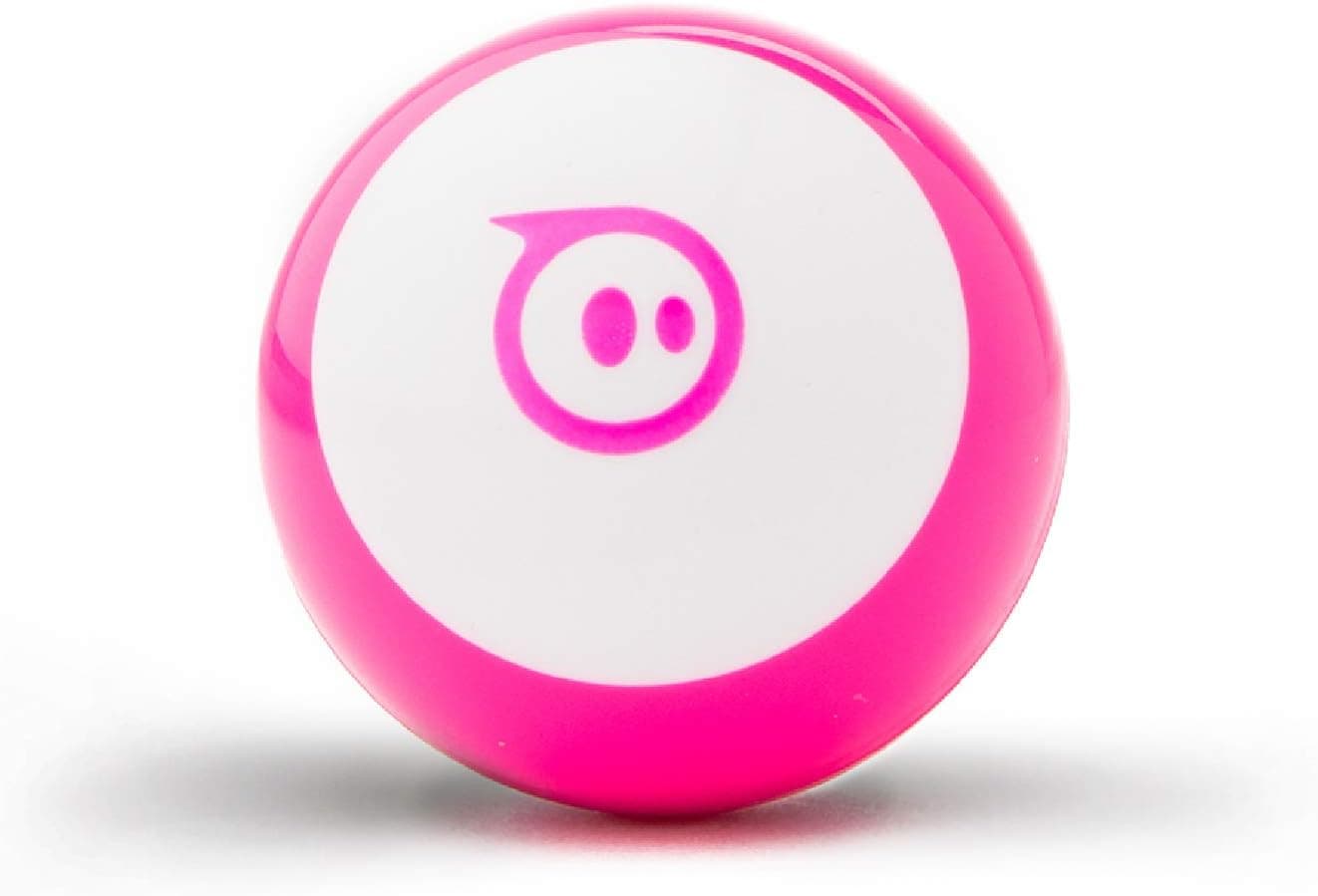
Classic examples include the Botley 2.0 (remote-control coding robot operated via a handheld remote), the Sphero Indi (programmed using colour tiles on the floor), and the humble Bee-Bot (a classroom staple programmed with five large arrow buttons).

Screen-based coding toys pair with an app β€” usually on a tablet or smartphone β€” where the child writes simple code (typically visual block-based code, like Scratch Jr) that then controls a physical robot, or plays a coding game on screen. The physical element and digital element are intertwined.

Examples include Makeblock mBot2 (paired with a block-coding app), Wonder Workshop Dash (controlled via the Blockly-inspired Wonder app), and the BBC micro:bit (programmed in a browser using MakeCode, which is accessed on a laptop or tablet).

Purely digital coding apps (like Scratch, Swift Playgrounds, or Code.org) don't have a physical toy component at all β€” we're not covering those here, as this guide focuses on products that combine physical play with coding concepts.

2. The Case for Screen-Free Coding Toys {#screen-free}

No Parental Guilt

Let's address the elephant in the room: many parents are already worried about screen time. Adding more of it β€” even if it's "educational" β€” doesn't always feel right, especially for children under eight. Screen-free toys sidestep this entirely. When your five-year-old is playing with Botley 2.0, there's no screen. Just a cheerful robot and a handheld controller. You can relax.

Tangible, Concrete Learning

Screen-free toys make abstract concepts immediately physical. When a child places an arrow card to tell Sphero Indi to go forward, they're physically constructing a sequence. When the robot doesn't make it to the red zone because they forgot a turn, the mistake is vivid and concrete. This hands-on cause-and-effect is enormously powerful for young learners who aren't yet abstract thinkers.

Jean Piaget's theory of cognitive development tells us that children under about seven are in the "preoperational" stage β€” they learn best through physical manipulation of the world around them. Screen-free coding toys are designed exactly for this mode of learning.

Better for Younger Children

Most screen-free coding toys are designed for ages three to eight β€” the pre-reading, pre-abstract-thinking window. They require no reading ability, no fine motor skills for typing, and no patience for loading screens. For this age group, screen-free is almost always the better choice.

Encourages Collaboration

There's something about a physical object in the middle of the room that naturally invites group play. We've seen multiple children cluster around a Bee-Bot in a classroom, taking turns laying cards and debating which direction the robot should go. Screen-based toys tend toward solo play β€” one child, one tablet.

> πŸ‘‰ Looking for the best screen-free first coding robot? Check the latest price for the Sphero Indi on Amazon UK β€” it's one of our top picks for ages 3–6.

Limitations of Screen-Free

Nothing is perfect. Screen-free toys have a ceiling. Once a child has mastered the basic button sequences on a Botley 2.0 or Bee-Bot, there isn't much further to go. The programming constructs available without a screen are limited β€” you can't implement loops, variables, or conditions with a set of physical cards alone. At some point, a screen unlocks the next level.

Screen-free toys also tend to be more expensive relative to their complexity. You're paying for premium physical hardware, and that cost adds up.

3. The Case for Screen-Based Coding Toys {#screen-based}

Far Greater Depth and Longevity

This is the killer advantage. A screen-based toy like the Makeblock mBot2 or the BBC micro:bit can grow with a child for years. Start with drag-and-drop block coding at age seven, graduate to text-based Python or JavaScript at age twelve. The toy hasn't changed β€” the software has just unlocked more powerful modes.

Screen-free toys, by contrast, tend to be outgrown quickly. A child who's cracked Botley 2.0 at age five will be bored of it by age seven. A child who picks up mBot2 at age seven could still be creating genuinely complex projects at age thirteen.

Currently the best-value screen-based option for primary-school-age children is BBC micro:bit V2 on Amazon UK. Prices may vary.

Mirrors Real-World Coding

Children who learn to code on screen-based toys are learning skills that transfer directly to real programming. Block-based environments like Scratch, MakeCode, and MIT App Inventor use the same fundamental constructs β€” sequences, loops, conditionals, functions β€” that professional programmers use every day. The gap between a child's Scratch programme and a working app is much smaller than it looks.

Access to Real Projects

Screen-based coding enables open-ended creation. A child with a micro:bit and a laptop can build a fitness tracker, a weather station, a room thermometer, or a retro video game. These are real projects with genuine utility. The pride a child feels when they show a parent a working invention is a profound motivator.

More Content and Community

Screen-based coding ecosystems are enormous. The Scratch community alone has over 100 million projects. There are YouTube tutorials, after-school clubs, competitions (like the Raspberry Pi Foundation's annual challenge), and whole websites devoted to micro:bit and mBot2 projects. Screen-free toys have nothing comparable β€” once your child has outgrown the included activity cards, you're largely on your own.

> πŸ‘‰ Want to unlock real project-based coding? Check the latest price for the BBC micro:bit V2 on Amazon UK β€” it's the gold standard for ages 8 and up.

Limitations of Screen-Based

The obvious downside is, well, the screen. For children under seven, tablets can be genuinely frustrating to use β€” apps crash, logins are forgotten, Wi-Fi drops at inopportune moments. The friction between a child wanting to code something and successfully doing it is much higher than with a simple physical toy. It takes parental involvement and patience.

There's also the risk that the "coding" element gets abandoned in favour of the games or videos that are one swipe away on the same device. Maintaining focus is harder on a multipurpose screen than on a dedicated physical toy.

4. What the Research Says {#research}

The debate about screen time and children's learning is nuanced, and the evidence is more interesting than simple "screens bad, physical play good" headlines suggest.

Early childhood (under 7): The American Academy of Paediatrics (AAP) and the Royal College of Paediatrics and Child Health in the UK both recommend limiting recreational screen time for children under two-and-a-half years, and note that for children aged three to five, high-quality, purposeful screen use is acceptable alongside physical play. "Educational" screen use is not created equal β€” passive video watching and active problem-solving on a coding app are very different activities.

Hands-on physical manipulation: A 2019 study from the University of Chicago found that children who physically manipulate objects during math and science learning outperform those who only observe or use touchscreens. The physical dimension of screen-free coding toys may offer genuine cognitive advantages for young children.

Computational thinking: A 2021 report from the Raspberry Pi Foundation, which surveyed UK teachers and parents, found that children who use coding tools β€” both physical and digital β€” demonstrate stronger computational thinking skills than those who don't. The format mattered less than the quality of the engagement and the presence of an adult to discuss and extend the learning.

Gender differences: Research from the University of Sussex found that screen-free, physical coding toys are more appealing to girls in early years settings than screen-based tools. Reducing the "gamer" aesthetic associated with tablets and computers may help broaden participation in coding.

The consensus seems to be: use physical, screen-free toys first (ages 3–7) to build foundational conceptual understanding, then transition to screen-based tools (ages 7+) when children can handle the interface and benefit from the greater depth.

5. Age-by-Age Recommendations {#age-guide}

Ages 3–5: Screen-Free Only

At this age, children are building fine motor skills, learning cause and effect, and beginning to understand sequences. Screen-free robots are ideal. Look for large buttons, simple commands, and cheerful feedback.

Best options: Bee-Bot, Sphero Indi, Code & Go Robot Mouse

Avoid anything requiring an app β€” the setup friction alone will destroy enthusiasm.

Ages 5–7: Screen-Free First, Screen-Based Optional

Most children in this range can handle simple app interfaces, but the screen-free experience is still richer. A robot like the Botley 2.0 offers enough complexity for this age group β€” remote programming, if/then logic cards, and obstacle detection. If your child is already tablet-confident and curious about "more coding," you could introduce a Wonder Workshop Dash alongside.

Currently available on Botley 2.0 β€” Amazon UK. Prices may vary.

Ages 7–9: Screen-Based Unlocks New Possibilities

This is the transition age. Children can read, type, and navigate interfaces. Block-based coding (like MakeCode or Scratch Jr) clicks quickly. The Wonder Workshop Dash and Makeblock mBot2 are perfect for this window. A screen-free toy can still be a great complement for physical play, but the screen-based option will hold their attention longer and teach more.

Ages 9–12: Go Deep with Real Platforms

At this age, children can handle Python, JavaScript, and real IDEs. The BBC micro:bit or Makeblock mBot2 with MicroPython unlocks genuinely deep learning. Encourage participation in clubs, competitions, and online communities.

Ages 12+: The Real World

By twelve, most enthusiastic young coders have moved beyond dedicated "toys." Raspberry Pi, Arduino, app development, and game engines (like Unity or Godot) are the natural next steps.

6. Screen-Free Coding Toys We Recommend {#screen-free-picks}

πŸ₯‡ Sphero Indi β€” Best for Ages 3–6

The Sphero Indi is a masterpiece of screen-free design. Children place coloured tiles on the floor to create a "programme" β€” the robot reads the tiles with its colour sensor and responds accordingly. Red tile = stop. Blue tile = speed up. The child literally walks the code before they understand what code is.

It's beautifully made, robust, and genuinely fun. Sphero's reputation for quality hardware is well-deserved.

Age range: 3–6 years | Price: ~Β£100 | Screen needed? No

πŸ‘‰ Read our full Sphero Indi review for an in-depth look.

πŸ₯ˆ Botley 2.0 β€” Best for Ages 5–8

Botley 2.0 is the screen-free robot for children who've outgrown the basics. Its handheld remote lets kids programme up to 80 steps, use if/then logic cards, and set up obstacle-avoidance routines. It supports the national curriculum and comes with a fantastic activity set.

This is the robot we'd recommend to any parent worried about screen time but wanting to take their child's coding to the next level.

Age range: 5–8 years | Price: ~Β£65 | Screen needed? No

πŸ‘‰ Read our full Botley 2.0 review for more detail.

7. Screen-Based Coding Toys We Recommend {#screen-based-picks}

πŸ₯‡ BBC micro:bit V2 β€” Best for Ages 8–14

The micro:bit is the UK's most successful coding tool for children, and for good reason. It was originally created by the BBC and distributed free to every Year 7 pupil in England β€” and over 7 million have been handed out globally. The V2 adds a speaker, microphone, and touch sensor to the original board.

It's programmed via a browser-based IDE using either block code (MakeCode) or Python, and connects to a laptop or tablet via USB or Bluetooth. The project possibilities are essentially limitless.

Age range: 8–14 years | Price: ~Β£14 | Screen needed? Yes (laptop or tablet)

> πŸ‘‰ Interested in the micro:bit? Check the latest price for the BBC micro:bit V2 on Amazon UK β€” it's exceptional value for the depth of learning it enables.

πŸ‘‰ Read our full BBC micro:bit V2 review for everything you need to know.

πŸ₯ˆ Wonder Workshop Dash β€” Best for Ages 6–9

Dash is a screen-based robot for the transition age β€” children who are ready for an app but aren't yet ready for text-based code. The Wonder app uses a beautiful drag-and-drop interface, and the robot itself is endlessly customisable with accessories and add-ons.

Dash is widely used in UK primary schools and comes with structured lesson plans. If your child's school uses it, having one at home is a major advantage.

Age range: 6–9 years | Price: ~Β£150 | Screen needed? Yes (tablet or phone)

Currently available on Wonder Workshop Dash β€” Amazon UK. Prices may vary.

πŸ‘‰ Read our full Wonder Workshop Dash review for a deep dive.

πŸ₯‰ Makeblock mBot2 β€” Best for Ages 8–12

The mBot2 is a screen-based coding robot that bridges the gap between entry-level block coding and real Python programming. It runs on the mBlock IDE (block-based and text-based), supports Bluetooth and Wi-Fi, and comes with enough sensors and expansion ports to keep curious kids busy for years.

If your child has outgrown simpler robots and wants something that can genuinely grow with them, the mBot2 is the one to buy.

Age range: 8–12 years | Price: ~Β£110 | Screen needed? Yes (laptop or tablet)

> πŸ‘‰ Ready to go deeper with coding? Check the latest price for the Makeblock mBot2 on Amazon UK β€” it supports both block coding and Python.

πŸ‘‰ Read our full Makeblock mBot2 review for hands-on detail.

8. The Hybrid Approach: Why Not Both? {#hybrid}

Here's our honest take: the best coding education for most children isn't screen-free or screen-based. It's both, at the right time.

Think of it as a natural progression:

  • Ages 3–5: Screen-free toys build foundational understanding of sequences, cause-and-effect, and logic. No battles over screen time.
  • Ages 6–8: A screen-free robot remains excellent, but adding an app-based toy like Dash introduces loops, conditions, and more complex programmes. The two approaches reinforce each other.
  • Ages 9+: Screen-based tools take over. The physical satisfaction of a robot executing a child's code perfectly bridges the abstract world of software with the concrete world of real things.

The good news: you don't need to buy everything at once. A Β£65 Botley 2.0 at age five, followed by a Β£14 micro:bit at age nine, is a superb, cost-effective coding pathway that spans a decade of learning.

Related reading: How AI Toys Are Changing the Way Children Learn

Also check out our Best Coding Toys for Kids Under Β£50 roundup for budget-friendly options at every stage.

9. FAQ {#faq}

Q: Are screen-free coding toys actually teaching real coding? A: Yes β€” perhaps more than you'd expect. Screen-free toys teach the logic of coding: sequences, conditionals (if/then), loops, and debugging. These conceptual foundations are exactly what children later apply when writing Python or JavaScript. The syntax comes later; the thinking starts here.

Q: At what age should I introduce a coding toy? A: Screen-free toys are appropriate from age three. Simple robots with big buttons (like Bee-Bot) are ideal for nursery-age children. Most coding toy manufacturers recommend ages five to seven for their entry-level products, and eight-plus for screen-based tools. Read our complete age guide to coding toys for more detail.

Q: Do screen-based coding toys count as "screen time"? A: Yes β€” but purposeful screen time, which is fundamentally different from passive viewing. The NHS and RCPCH both distinguish between passive and interactive screen use. Active problem-solving on a coding app is much closer to reading a book than watching a YouTube video, in terms of cognitive engagement. That said, limits still apply β€” an hour of coding is plenty for most children under ten.

Q: What if my child loses interest quickly? A: This is very common, and it's often a sign that the toy is either too easy or too hard. Screen-free toys with limited depth are outgrown fast. Screen-based toys with too high a setup bar are abandoned before they get going. Match the toy to your child's current abilities β€” and read our individual reviews for honest assessments of difficulty levels before buying.

Q: Is there a "best" option for girls specifically? A: The research we cited above suggests that screen-free, physical coding toys tend to appeal more broadly to girls in early years settings β€” possibly because they're free of the "gamer" associations that tablets sometimes carry. For older girls (eight-plus), the micro:bit and mBot2 are equally popular regardless of gender. The most important factor is parental enthusiasm and involvement, whatever the toy.

10. Our Verdict {#verdict}

There is no universally "better" option. Screen-free and screen-based coding toys serve different developmental needs at different ages β€” and the smartest approach is to use both strategically.

Choose screen-free if: Your child is under seven, you're already managing screen time carefully, or you want to build foundational coding logic in the most concrete, hands-on way possible.

Choose screen-based if: Your child is seven or older, is already comfortable with tablets or laptops, and wants to create real, open-ended projects that can grow with them for years.

Do both if: You want the most complete coding education β€” a physical toy at age five, a screen-based platform at age eight or nine, and a smooth, natural progression between the two.

Whatever you choose, you're giving your child a genuine advantage. The ability to think computationally β€” to break problems into steps, spot patterns, and debug mistakes β€” is one of the most valuable skills a child can develop. Coding toys, screen-free and screen-based alike, are excellent tools for building it.

Prices and availability correct at time of publication (February 2026). Always check Amazon UK for current pricing.

Looking for more buying guidance? Browse our full collection of AI toy reviews and guides or jump straight to our best AI toys for kids UK 2026 roundup.

coding toysscreen-freeSTEMeducational toyscoding robotsUK2026

You Might Also Like