Best STEM Toys Under £50 in 2026
Discover the best affordable STEM toys under £50. Expert reviews of budget coding robots, science kits, and educational toys. Great value for money.
Affiliate Disclosure: As an Amazon Associate, AIToys.co.uk earns from qualifying purchases. When you buy through links on our site, we may earn a commission at no extra cost to you.
Quality STEM Education Doesn't Require Premium Prices
The educational toy market can feel intimidating for budget-conscious parents. Premium coding robots and AI companions frequently cost £150-250, placing them beyond reach for many families. But here's the encouraging truth: excellent STEM education doesn't require breaking the bank.
This guide showcases eleven outstanding STEM toys, every one currently in stock on Amazon UK and every one genuinely priced under £50. These aren't cheap knock-offs or watered-down versions. They're thoughtfully designed educational tools that happen to be affordable. Many are used in schools, loved by educators, and proven to engage children whilst teaching valuable skills. Best of all, not a single toy on this list requires a tablet or phone, so there are no hidden device costs and no extra screen time.
Whether you're looking for a birthday gift, starting a child's STEM journey, or supplementing school learning without major investment, these budget-friendly options deliver exceptional value.
Our Selection Criteria
Our full selection and verification process, including what we don't do, is on the how we choose page.
Every toy in this guide meets rigorous standards:
- Genuine Educational Value: Teaches transferable STEM skills, not just battery-powered entertainment
- Age-Appropriate Design: Suitable for intended age ranges without frustration
- Durability: Survives normal (enthusiastic) childhood use
- Positive Reviews: Proven track record from parents and educators
- In Stock and Under £50: Every pick was confirmed available on Amazon UK and priced below £50 when this guide was last updated
- Value for Money: Offers sufficient engagement to justify cost
Quick Comparison: STEM Toys Under £50
| # | Toy | Best For | Age | Price* |
|---|---|---|---|---|
| 1 | Learning Resources Code & Go Robot Mouse | Best overall coding robot | 4+ | ~£33.95 |
| 2 | Clementoni Mio Robot 2.0 | Best build-your-own robot | 8+ | ~£21.27 |
| 3 | Apitor Robot Bear | Best first robot (toddlers) | 3-5 | ~£49.99 |
| 4 | Galt Science Lab | Best cheap science kit | 6+ | ~£12.79 |
| 5 | UNGLINGA 150 Experiments Kit | Best mega science kit | 8+ | ~£19.99 |
| 6 | Nat Geo Glow Crystal Growing Kit | Best chemistry/crystal kit | 8+ | ~£18.99 |
| 7 | John Adams Hot Wires | Best electronics set | 8+ | ~£48.56 |
| 8 | ThinkFun Rush Hour | Best logic puzzle game | 8+ | ~£13.30 |
| 9 | ThinkFun Gravity Maze | Best marble-run logic game | 8+ | ~£19.99 |
| 10 | Happy Puzzle Genius Square | Best two-player puzzle | 6+ | ~£18.19 |
| 11 | Nat Geo Magnetic Marble Run | Best engineering/building set | 8+ | ~£49.99 |
*Prices correct as of 3 July 2026 and can change at any time. Always check the live price on Amazon.
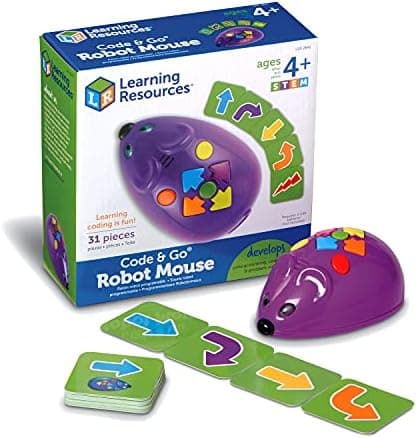
1. Learning Resources Code & Go Robot Mouse - Best Overall Coding Robot Under £50
Age: 4+ | Price: around £33.95 (correct as of 3 July 2026) | Best for: first-time coders
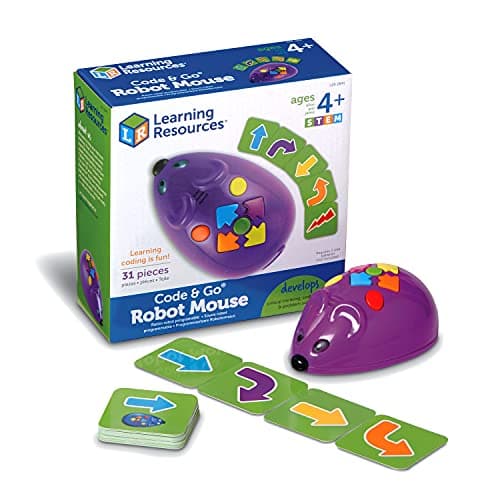
Colby the coding mouse is the toy we recommend most often for a child's very first taste of programming, and at around £34 it's superb value. It is completely screen-free: children lay out a route, then use the buttons on Colby's back to enter a sequence of moves: forward, back, left, right: before pressing GO to watch the mouse follow the code they wrote.
That simple loop teaches the single most important idea in computing: that a program is just a set of instructions carried out in order. When Colby doesn't reach the cheese, children learn to debug: checking each step and trying again.
Key features:
- Screen-free, button-based coding for ages 4+
- 30 double-sided coding cards to plan routes
- Colourful lights, sounds and two speeds
- Builds sequencing, logic and directional thinking
The base set needs 3 AAA batteries (not included), and you can expand it later with maze walls and tunnels. For sheer educational value per pound, nothing beats it.
🛒 Check Price on Amazon UK. Code & Go Robot MouseAs an Amazon Associate, AIToys.co.uk earns from qualifying purchases.
2. Clementoni Science Museum Mio Robot 2.0 - Best Build-Your-Own Robot
Age: 8+ | Price: around £21.27 (correct as of 3 July 2026) | Best for: hands-on builders
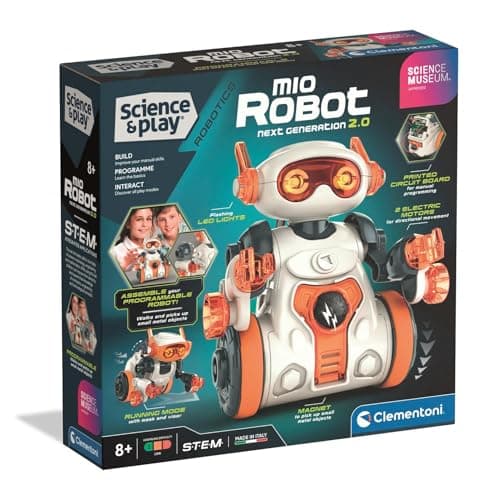
At just over £21, the Clementoni Mio Robot 2.0 is one of the best-value robotics kits on the market. Children assemble the robot themselves, which means they understand how it works from the inside out before they ever write a line of code: a brilliant introduction to both engineering and programming.
Once built, Mio is programmed directly on its "backpack": children enter commands and Mio carries them out, moving around, reacting, and even picking up small objects with a magnetic arm. Multiple play modes keep it fresh, and because there's no app involved it works straight out of the box.
Key features:
- Build the robot yourself, then code it
- Program commands directly on Mio's back: no tablet needed
- Magnetic arm grabs and moves small objects
- Designed and made in Italy by a trusted educational brand
It's an ideal step up for a child who has mastered a simple coding robot and is ready to understand the mechanics behind it.
🛒 Check Price on Amazon UK. Clementoni Mio Robot 2.0
3. Apitor Robot Bear - Best First Coding Robot for Toddlers
Age: 3-5 | Price: around £49.99 (correct as of 3 July 2026) | Best for: the very youngest coders
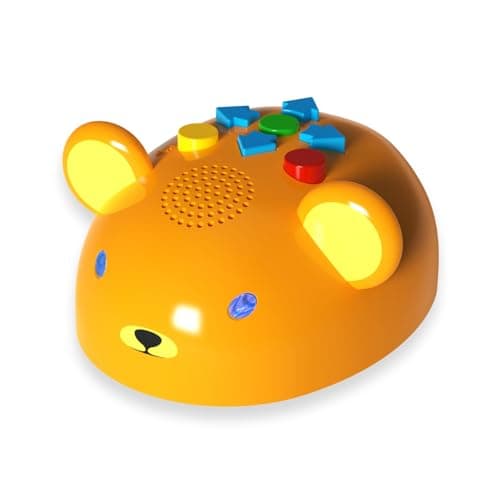
Most coding robots start at age 5 or 6, which leaves younger children out. The Apitor Robot Bear is purpose-built for ages 3-5, with a soft, round, friendly design that toddlers instantly warm to. It's the gentlest genuine introduction to coding we've found.
Programming couldn't be simpler: children press buttons to build up a sequence, then press GO to send the bear trundling along. Cheerful lights and a seven-colour glow give immediate feedback, and a double-sided play mat: one side letters and animals, the other a DIY route map: extends the learning well beyond pure coding.
Key features:
- Designed specifically for ages 3-5
- Screen-free, physical button programming
- Interactive lights and seven-colour effects
- Double-sided alphabet and DIY route map included
Ready to play out of the box, it makes an ideal first "proper" tech gift for a pre-schooler and grows with them as their sequences get more ambitious.
🛒 Check Price on Amazon UK. Apitor Robot Bear
4. Galt Science Lab - Best Budget Science Kit
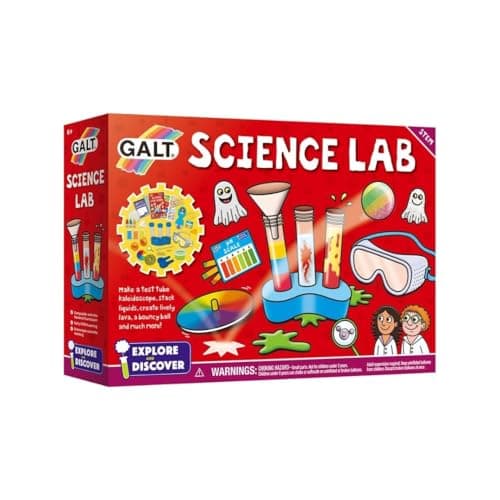
Age: 6+ | Price: around £12.79 (correct as of 3 July 2026) | Best for: first science experiments
Galt is a name British parents trust, and the Science Lab proves you can get genuine, curriculum-linked science for well under £15. The kit packs in 20 experiments and, crucially, includes the specialist equipment children need to carry them out, so there's no frustrating hunt for extra bits.
Youngsters make a floating ghost, build a test-tube kaleidoscope, and simulate eruptions, learning to predict, observe and explain along the way. It's an award-winning kit that maps to the national curriculum, which is why it's a favourite for both home and classroom.
Key features:
- 20 hands-on experiments in one box
- Includes the specialist equipment required
- Award-winning and national-curriculum compatible
- Suitable for keen scientists aged 6+
For the price of a couple of takeaway coffees, it's the easiest way to find out whether a child has caught the science bug.
🛒 Check Price on Amazon UK. Galt Science Lab
5. UNGLINGA 150 Experiments Science Kit - Best Mega Science Kit

Age: 8+ | Price: around £19.99 (correct as of 3 July 2026) | Best for: maximum experiments per pound
If you want the most science for your money, this is it: 150 experiments for around £20. The UNGLINGA kit is a runaway Amazon best-seller for good reason: it turns a rainy afternoon into a week of discovery, from erupting volcanoes and bubbling potions to balloon rockets and colour-changing reactions.
A clear, well-illustrated manual walks children through each activity step by step, and the kit comes with a generous set of sturdy plastic lab equipment (test tubes, beakers, goggles and more) so most experiments are ready to run.
Key features:
- A huge 150 experiments in one kit
- Step-by-step illustrated instruction manual
- Plenty of reusable plastic lab equipment included
- Covers chemistry and physics basics
Some experiments use common household extras like vinegar or bicarbonate of soda, and adult supervision is sensible for the messier reactions, but for sheer volume of hands-on STEM, nothing here comes close.
🛒 Check Price on Amazon UK. UNGLINGA 150 Experiments Kit
6. National Geographic Jumbo Glow Crystal Growing Kit - Best Chemistry & Crystal Kit
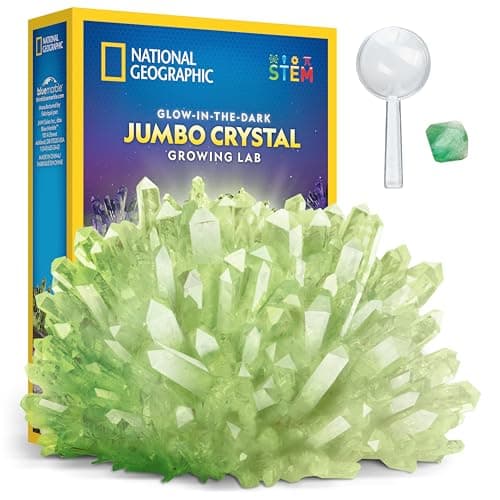
Age: 8+ | Price: around £18.99 (correct as of 3 July 2026) | Best for: a satisfying "big result" project
There's a particular magic to growing a crystal, and this National Geographic kit turns it up a notch. The crystal it produces is up to three times larger than a standard kit, and it glows in the dark. That "wow" payoff keeps children invested over the few days it takes to form.
Along the way they learn real chemistry: how a saturated solution works, why crystals form, and how patience and careful measurement affect the result. The instructions are genuinely easy to follow, so this succeeds where fiddlier kits frustrate.
Key features:
- Grows one large, glow-in-the-dark display crystal
- Up to 3x larger than a standard crystal kit
- Easy-to-follow instructions and learning guide
- From Blue Marble, a Toy of the Year award winner
The finished crystal doubles as a keepsake for a shelf or windowsill, which makes the science feel worthwhile long after the experiment ends.
🛒 Check Price on Amazon UK. Nat Geo Crystal Growing Kit
7. John Adams Hot Wires Electronics Set - Best Electronics Kit
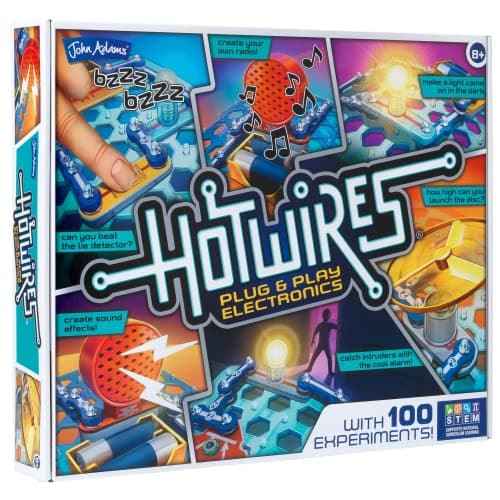
Age: 8+ | Price: around £48.56 (correct as of 3 July 2026) | Best for: budding electronic engineers
Hot Wires is the classic way to demystify electronics, and it just sneaks under our £50 ceiling. Instead of stripping wires or soldering, children snap chunky, colour-coded components together to build 100 different working circuits: a burglar alarm, a lie detector, a doorbell, flashing lights and more.
Because every project actually does something (makes a sound, lights up, moves), the abstract idea of a circuit becomes concrete and exciting. The illustrated booklet builds up gradually, so children absorb concepts like switches, resistance and series versus parallel wiring without realising they're learning.
Key features:
- 100 hands-on circuit experiments
- Snap-together, solder-free components
- Projects involve light, sound and movement
- Clear, illustrated instruction booklet
It requires a few batteries and a little adult help at the very start, but Hot Wires delivers the kind of proper engineering play that can genuinely spark a lifelong interest.
🛒 Check Price on Amazon UK. John Adams Hot Wires
8. ThinkFun Rush Hour - Best Logic Puzzle Game
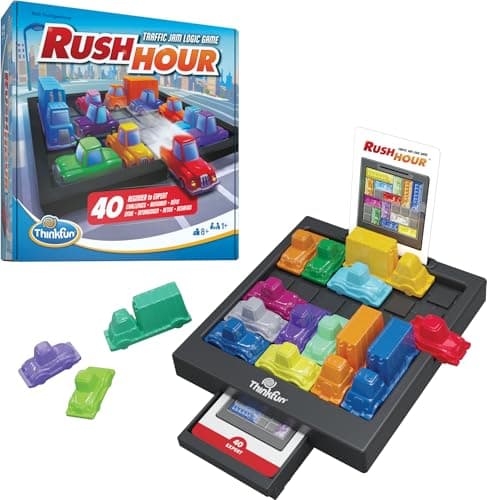
Age: 8+ | Price: around £13.30 (correct as of 3 July 2026) | Best for: logical reasoning on a budget
Not every STEM toy needs batteries. Rush Hour is a single-player sliding-block puzzle where the goal is to free a red car from a gridlocked car park by shuffling the other vehicles out of its way. It looks deceptively simple and is quietly brilliant at teaching computational thinking.
Each of the 40 challenge cards, graded from beginner to expert, is a self-contained problem the child must plan several moves ahead to solve. That's exactly the kind of sequential, "if I move this, then that happens" reasoning that underpins coding and mathematics.
Key features:
- 40 challenges from beginner to expert
- Builds planning, logic and problem-solving
- Screen-free, self-contained and travel-friendly
- Award-winning design from ThinkFun
At around £13 it's one of the cheapest ways to give a child hundreds of hours of genuine brain-training, and it's compact enough to throw in a bag for holidays.
🛒 Check Price on Amazon UK. ThinkFun Rush Hour
9. ThinkFun Gravity Maze - Best Marble-Run Logic Game
Age: 8+ | Price: around £19.99 (correct as of 3 July 2026) | Best for: spatial reasoning and planning
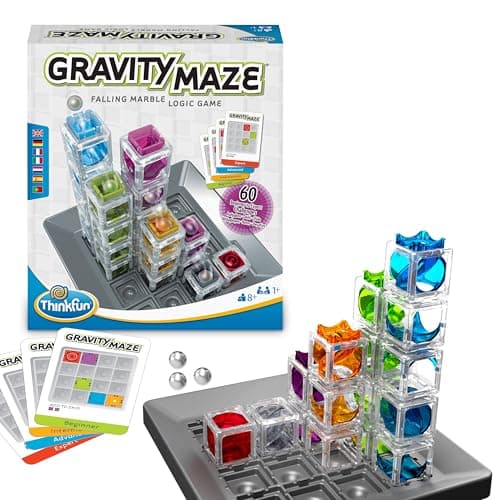
Gravity Maze is three things at once: a logic game, a marble run, and a STEM toy, and it does all three superbly. Children read a challenge card, then work out how to arrange the clear towers so that a dropped marble travels from the start position to the target. Get the layout wrong and the marble simply won't arrive.
That instant, gravity-powered feedback makes it wonderfully self-correcting, and the 60 challenges ramp up from gentle to genuinely tough, so it keeps its value for years rather than months.
Key features:
- 60 challenges from beginner to expert
- Combines a logic puzzle with a working marble run
- Builds 3D spatial reasoning and forward planning
- From ThinkFun, the world's leading logic-game maker
Because it's a solo puzzle, it's ideal for quiet independent play, and the see-through towers make the "why did that work?" moment beautifully visible.
🛒 Check Price on Amazon UK. ThinkFun Gravity Maze
10. The Happy Puzzle Company Genius Square - Best Two-Player Puzzle
Age: 6+ | Price: around £18.19 (correct as of 3 July 2026) | Best for: family and sibling play
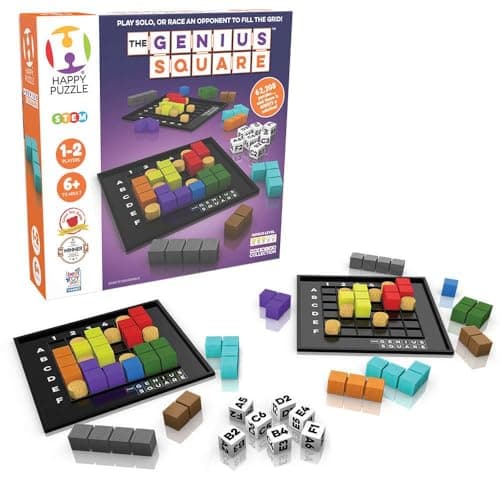
The Genius Square is that rare STEM toy that works equally well solo or as a fast, competitive two-player race. Players roll the dice, place the blockers on the matching squares of their grid, and then scramble to fill every remaining space with the coloured shapes. There's always a solution: often several, so nobody gets permanently stuck.
With over 62,000 possible puzzles it essentially never repeats, and because both players tackle the same layout at once it's genuinely fair regardless of age, making it a superb pick for siblings or a parent-and-child duel.
Key features:
- 62,000+ puzzle combinations
- Play solo or race head-to-head
- Builds spatial awareness and problem-solving
- Great for ages 6 to adult
It's a multi-award winner in the UK, and the quick "one more go" format makes it a reliable way to get screen-free logic practice into a busy family evening.
🛒 Check Price on Amazon UK. Genius Square
11. National Geographic Magnetic Marble Run - Best Engineering & Building Set
Age: 8+ | Price: around £49.99 (correct as of 3 July 2026) | Best for: open-ended engineering play
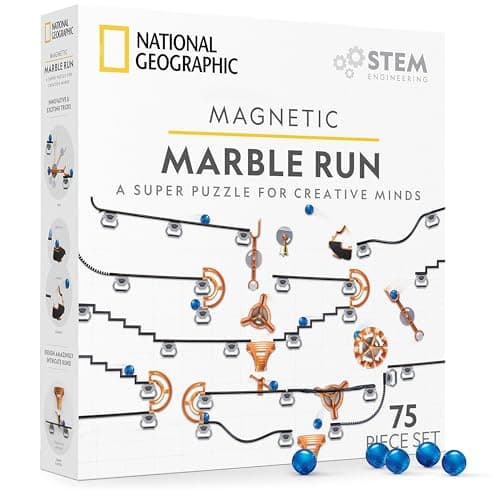
Rounding out the list at exactly our £50 limit is the cleverest marble run we've seen. This 75-piece National Geographic set uses magnetic tracks and connectors that stick to any vertical metal surface: the fridge, a radiator, a magnetic whiteboard: turning a flat wall into a three-dimensional engineering playground.
There's no single "right" build, so it rewards experimentation: children design a course, test it, watch where the marble stalls, and redesign. That design-build-test loop is the essence of engineering, and the secure snap-fit connectors keep frustration low so the focus stays on creativity.
Key features:
- 42 tracks and connectors plus marbles and magnets
- Builds on any vertical surface magnets stick to
- Snap-fit connectors reduce fiddly frustration
- A hugely popular, patented Kickstarter design
It's the priciest toy here but also the most open-ended, offering the kind of "build it your own way" play that a child returns to again and again.
🛒 Check Price on Amazon UK. Nat Geo Magnetic Marble Run
Budget STEM Shopping Strategies
Maximise Value on a Limited Budget
Start screen-free: Every toy in this guide is screen-free, which keeps costs down (no tablet required) and sidesteps screen-time worries entirely. It's a great principle to apply to any budget STEM purchase.
Watch for sales: Prime Day (July), Black Friday (November) and the January sales often discount STEM toys by 25-40%. Set alerts for products on your wishlist.
Consider second-hand: STEM toys are durable. Check local selling groups, eBay and Facebook Marketplace for gently used options at significant savings.
Prioritise versatility: Toys with many activities or difficulty levels (the 150-experiment science kit, Gravity Maze, Genius Square) offer better long-term value than single-use items.
Red Flags: Avoiding False Economy
Not every cheap STEM toy offers value. Be wary of:
- "Educational" claims without substance: generic remote-control toys wearing a "STEM" label with no genuine learning design
- Unknown brands with no reviews: cheap imports that break immediately waste money despite the low price
- Mandatory subscriptions: "affordable" robots that need a paid app for basic functions
- Excessive batteries: toys that swallow batteries create ongoing costs
Age-Based Budget Recommendations
Ages 3-5: around £50
- Primary: Apitor Robot Bear (£49.99)
- Best for: a gentle, screen-free first taste of coding for pre-schoolers
Ages 6-7: around £45
- Primary: Code & Go Robot Mouse (£33.95) + Galt Science Lab (£12.79)
- Best for: pairing early coding with first hands-on science
Ages 8-10: around £40
- Primary: UNGLINGA 150 Experiments Kit (£19.99) + ThinkFun Gravity Maze (£19.99)
- Best for: loads of science plus serious logic and spatial reasoning
Ages 11+: around £48
- Primary: John Adams Hot Wires (£48.56)
- Best for: a step up into genuine electronics and circuit-building
Multiple children: around £50
- Rush Hour (£13.30) + Genius Square (£18.19) + Galt Science Lab (£12.79)
- Best for: three very different challenges the whole family can share
Frequently Asked Questions
Are budget STEM toys as educational as expensive ones?
For foundational concepts. Sequencing, basic coding logic, scientific method, spatial reasoning: budget toys can be every bit as effective. Premium toys typically add more sophisticated sensors, advanced programming languages and longer-term depth, but none of that is necessary for introducing the core ideas. It's like learning music: a modest keyboard teaches the fundamentals just as well as a grand piano; the expensive option only pulls ahead once a child is seriously committed.
What's the minimum I should spend for genuine quality?
Around £13-15 already buys real educational value (Rush Hour at ~£13, the Galt Science Lab at ~£13). Below roughly £10 you mostly find generic toys with a "STEM" sticker but little learning design. The £15-35 band is the sweet spot for value on this list.
Do these toys need a tablet or phone?
No. Every one of the eleven toys in this guide is completely screen-free and works without any app, tablet or phone. That was a deliberate selection criterion: it keeps the total cost down and avoids adding screen time.
How long will these toys keep a child engaged?
Budget STEM toys typically give 6-18 months of active play, depending on the child's age and interest. Open-ended picks with progressive difficulty (Gravity Maze, Genius Square, the magnetic marble run) tend toward the longer end; simpler toys such as the Robot Mouse toward the shorter end. Even six months of regular educational play from a sub-£35 toy is excellent value.
Are these suitable for classroom or group use?
Yes. Several are popular in schools. The Code & Go Robot Mouse and ThinkFun's logic games in particular are classroom staples: thanks to their durability and the fact that they don't rely on devices or the internet.
Should I buy one premium toy or several budget toys?
For a first STEM purchase we usually suggest starting with one quality budget option (£30-50) to gauge a child's interest before any major investment. Several affordable toys across different areas. Coding, science, logic. Also let a child discover what they enjoy most, which is often more valuable than a single expensive robot they may or may not take to.
Final Thoughts: Quality STEM Education Within Reach
STEM literacy is increasingly essential, but quality educational tools shouldn't be limited to affluent families. Every toy in this guide delivers genuine learning at an accessible price, proving that effective STEM play doesn't require premium pricing.
Whether you choose the screen-free coding of the Robot Mouse, the build-it-yourself engineering of the Mio Robot, the 150 experiments of the UNGLINGA kit, or the pure logic of Gravity Maze, you're giving a child tools that build the skills that matter: problem-solving, computational thinking, scientific reasoning and creative confidence.
The best STEM toy isn't the most expensive. It's the one that matches your child's age, interests and learning style whilst fitting your budget. Any of these eleven options will provide value, engagement and genuine learning. Prices and availability do change, so it's always worth checking the current Amazon listing before you buy.
Related Guides:
Read next
Best Coding Robots Under £50 UK 2026-9 Top Picks for Every Age
The best coding robots under £50 in the UK for 2026-9 in-stock picks for ages 3-13. Screen-free robots, coding kits and STEM toys that teach real skills.
Best Coding Robots Under £100 UK 2026-10 Top Picks for Every Age
The 10 best coding robots under £100 in the UK for 2026: expert picks for ages 3 to 14. In-stock products, honest reviews, and where to buy.
Best Electronics Kits for Kids UK 2026-10 Circuit-Building Sets Tested
The 10 best electronics kits for kids in the UK for 2026: snap-together circuit sets compared by age, projects and price, from £11.99 to £79.95.