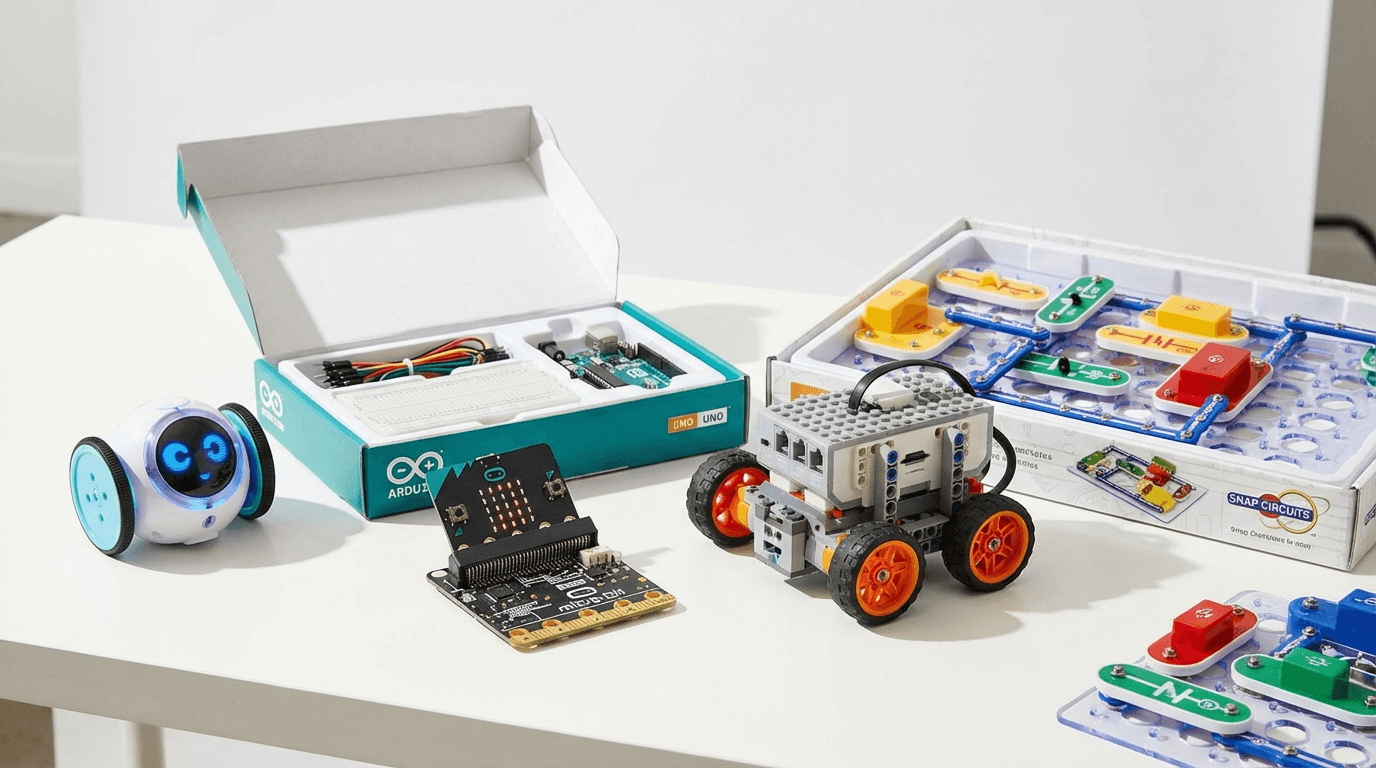
Best STEM Kits Under £100 UK 2026-9 Top Picks for Every Age
Nine STEM kits under £100 for UK families, plus a hydraulic hand and a scarce LEGO Technic moon rover. Updated September 2026.
As an Amazon Associate, AIToys.co.uk earns from qualifying purchases.
Finding the best STEM kit under £100 is genuinely tricky. The market is flooded with cheap plastic "science experiments" that get abandoned after one afternoon, and overpriced kits that promise the world but deliver frustration.
We select and research coding robots, electronics kits and STEM toys from manufacturer specifications, live Amazon UK listings and repeated owner reports. The nine picks in this guide are the ones that keep coming up as lasting well: they build real skills and stay within £100. Every single one was re-checked in stock on Amazon UK before this update, with prices confirmed against the live listing at the time of writing. Prices move around, so tap any "Check price" link for the current figure before you buy. The two autumn extras below were added from a 7 September 2026 stock check and are not a tenth and eleventh default pick.
The good news: £100 goes a very long way in the STEM toy market. You don't need to spend more to get something genuinely educational and genuinely fun.
Our Top 9 STEM Kits Under £100 UK 2026
| Product | Price | Age Range | Best For |
|---|---|---|---|
| BBC micro:bit V2 | ~£28 | 8-16 | First real coding experience |
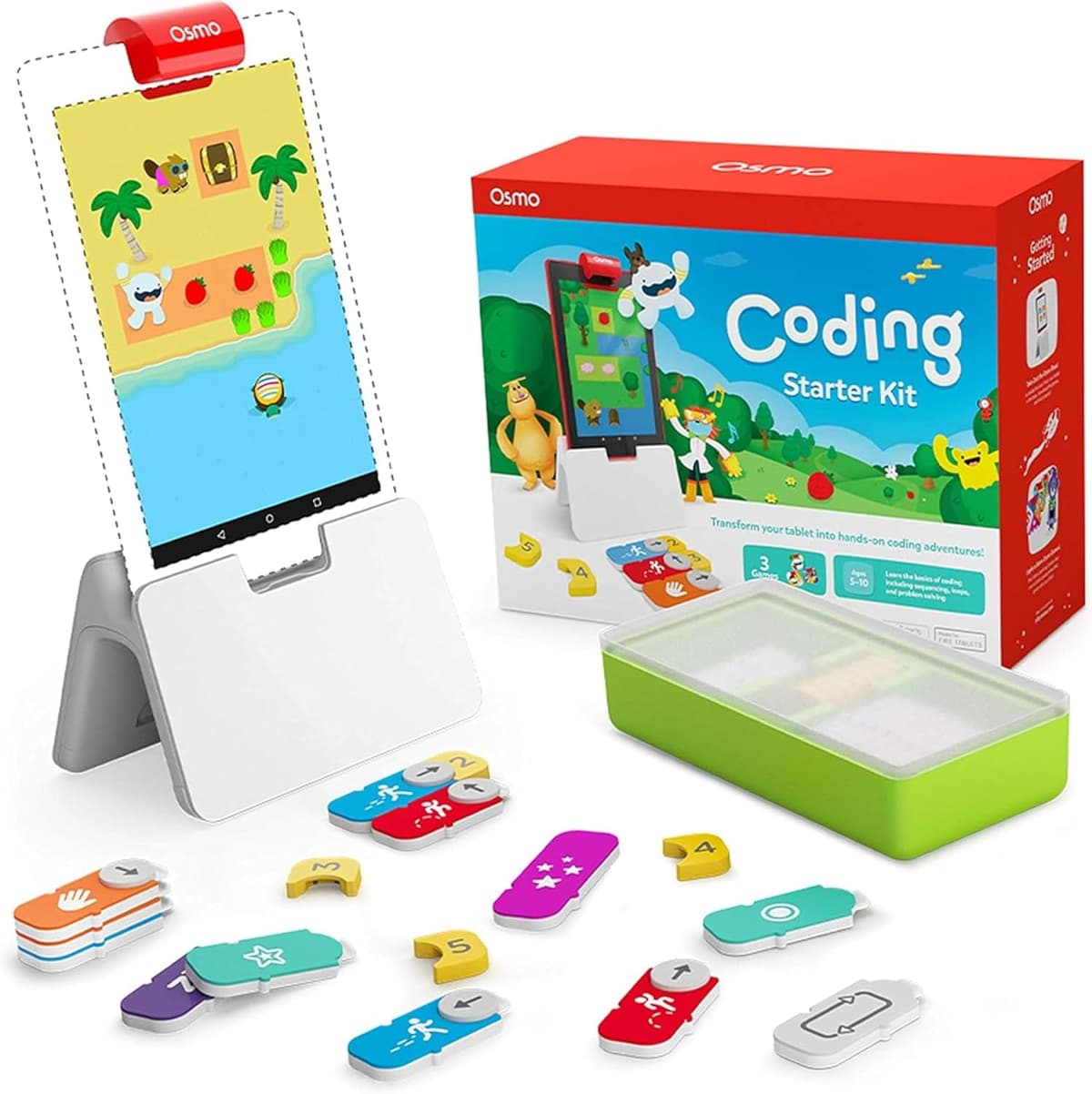
| Osmo Coding Starter Kit | ~£32 | 5-10 | Young coders, iPad owners |
| Code & Go Robot Mouse | ~£34 | 4-8 | Screen-free first steps |
| Sillbird 5-in-1 STEM Robot | ~£45 | 8-12 | Build-and-code fans |
| Snap Circuits Jr. Plus | ~£47 | 6-12 | Electronics & circuits |
| Sphero Mini | ~£50 | 8+ | Pocket-sized coding robot |
| Botley 2.0 Activity Set | ~£68 | 5-9 | Screen-free coding robot |
| Makeblock mBot | ~£90 | 8-12 | Build-your-own robot |
| Arduino Starter Kit | ~£99 | 12+ | Teens & serious makers |
1. BBC micro:bit V2: Best Budget Pick (~£28)
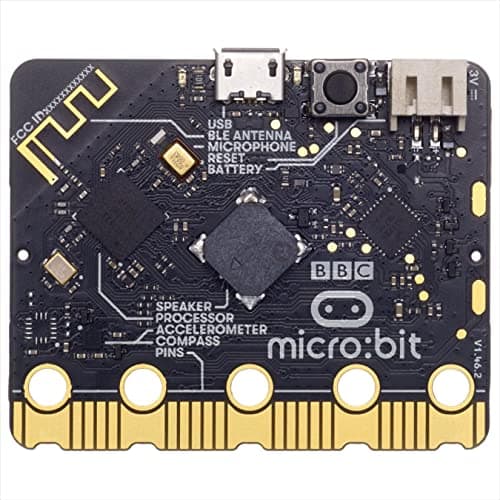
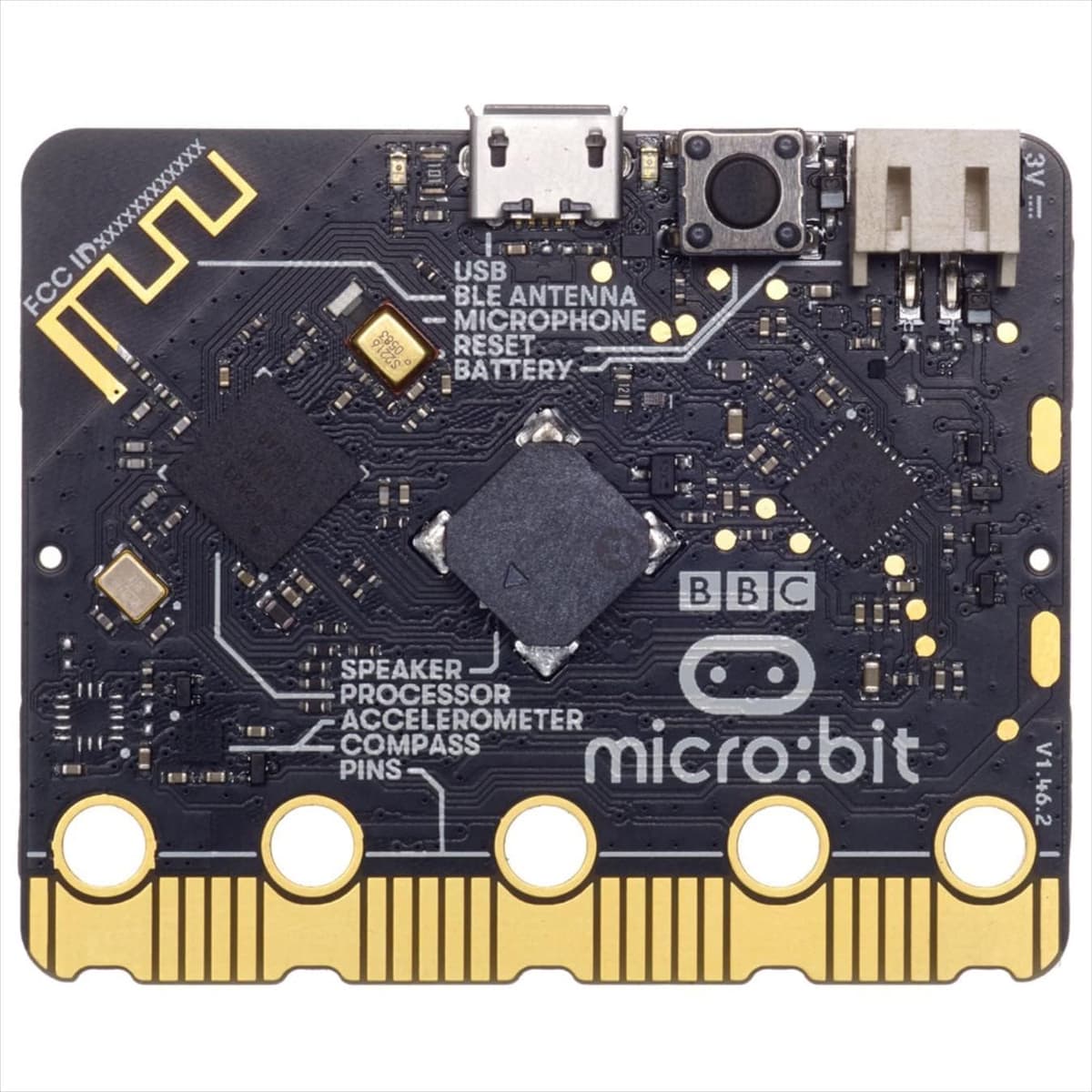
At around £28, the BBC micro:bit V2 is one of the best-value STEM purchases you can make in 2026. This tiny circuit board packs an LED matrix, motion sensor, light sensor, touch-sensitive logo, speaker, microphone, and Bluetooth: all in something the size of your palm.
The micro:bit was designed alongside the BBC and has been distributed to millions of UK schoolchildren. That heritage means the resources, tutorials, and community are exceptional. Kids can start with simple block coding in MakeCode and progress all the way through Python as their skills grow.
What makes it brilliant:
- Two-stage progression: MakeCode blocks for beginners → JavaScript/Python for advanced learners
- Enormous project library: Games, weather stations, step counters, music instruments
- UK curriculum-aligned: Used in schools nationwide: great for reinforcing what's taught in class
- Expandable: Pairs with robotics kits, sensor add-ons, and the official Classroom Kit
The honest take: The micro:bit isn't as immediately exciting as a physical robot. It requires some adult involvement initially. You'll need to help connect it to a laptop and navigate the MakeCode editor. But the skills it teaches are the deepest of any product on this list. It's a gateway to real programming.
Best for: Ages 8-16 · First real coding experience · Secondary school supplement
🛒 Check Price on Amazon UKAs an Amazon Associate, AIToys.co.uk earns from qualifying purchases.
👉 Want a deeper look? Read our full BBC micro:bit V2 review for a complete breakdown.
2. Osmo Coding Starter Kit: Best for Young Coders (~£32)
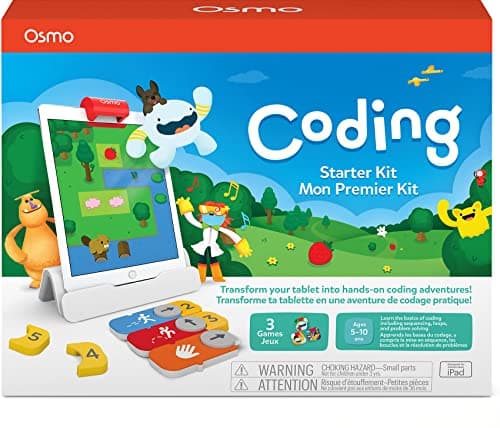
Osmo Coding bridges the gap between physical play and digital coding beautifully. Kids use tangible plastic coding blocks (sequences, loops, events) to control Awbie the strawberry-eating character on an iPad screen. It's visual, tactile, and immediately rewarding.
This iPad Starter Kit includes the Osmo Base and reflective mirror plus the Coding Awbie game with its physical coding pieces. The learning curve is gentle enough for 5-year-olds while the logical challenges grow sophisticated enough to engage 10-year-olds.
Why parents and kids love it:
- Tangible coding: Physical blocks make abstract concepts concrete and memorable
- Immediate feedback: Kids see the results of their code instantly on screen
- Genuinely fun narrative: Awbie's adventure is compelling: kids code because they want to see what happens next
- Scalable learning path: Coding Awbie → Coding Jam (music) → Coding Duo (advanced): all use the same base
- Perfect for 5-8 year olds: Hits the sweet spot where other coding toys are either too simple or too complex
The honest take: Osmo requires an iPad (sold separately) which is a significant caveat. Check your model is on the compatibility list before buying. If you already have one, this kit is excellent value. Also worth knowing: the physical coding blocks are small and do get lost under sofas.
Best for: Ages 5-10 · iPad-owning families · Kinaesthetic learners · First formal coding experience
👉 Thinking of buying Osmo? See our full Osmo Coding Starter Kit review for the complete verdict.
3. Learning Resources Code & Go Robot Mouse: Best Screen-Free First Steps (~£34)
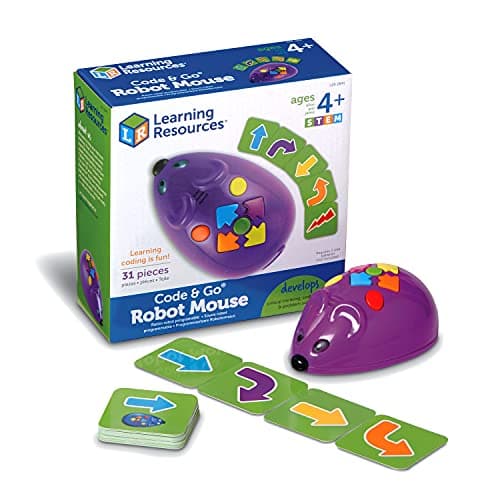
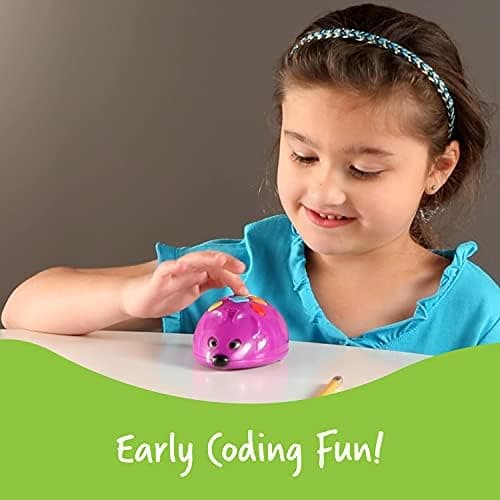
Colby the Code & Go Robot Mouse is the ideal introduction to coding for the very youngest learners. No screen, no app, just buttons. Children build a maze with the included walls and tunnels, then press direction buttons on Colby's back to program a route to the cheese. It's coding reduced to its purest, most physical form: sequence, test, debug, repeat.
The 83-piece set includes the programmable mouse, maze grid, walls, tunnels, cheese wedges, and double-sided activity cards that scaffold the challenges from simple to tricky. Colby lights up and squeaks when he reaches the goal, which is exactly the kind of instant reward that keeps a four-year-old coming back.
Why it earns its place:
- Completely screen-free: Pure hands-on logic, no tablet required
- Sequencing made physical: Kids literally walk through cause and effect
- Grows with challenge cards: 20+ activities build from easy to genuinely tricky
- Robust and self-contained: Everything stores in the box; nothing to charge but AAA batteries
- Classroom favourite: Widely used in UK early-years settings
The honest take: This is deliberately simple: an eight-year-old will master it quickly and want more. But for ages 4-7, it's one of the clearest, most joyful first coding experiences available, and it costs less than a video game.
Best for: Ages 4-8 · Screen-free first steps · Early-years logic · Preschool and reception
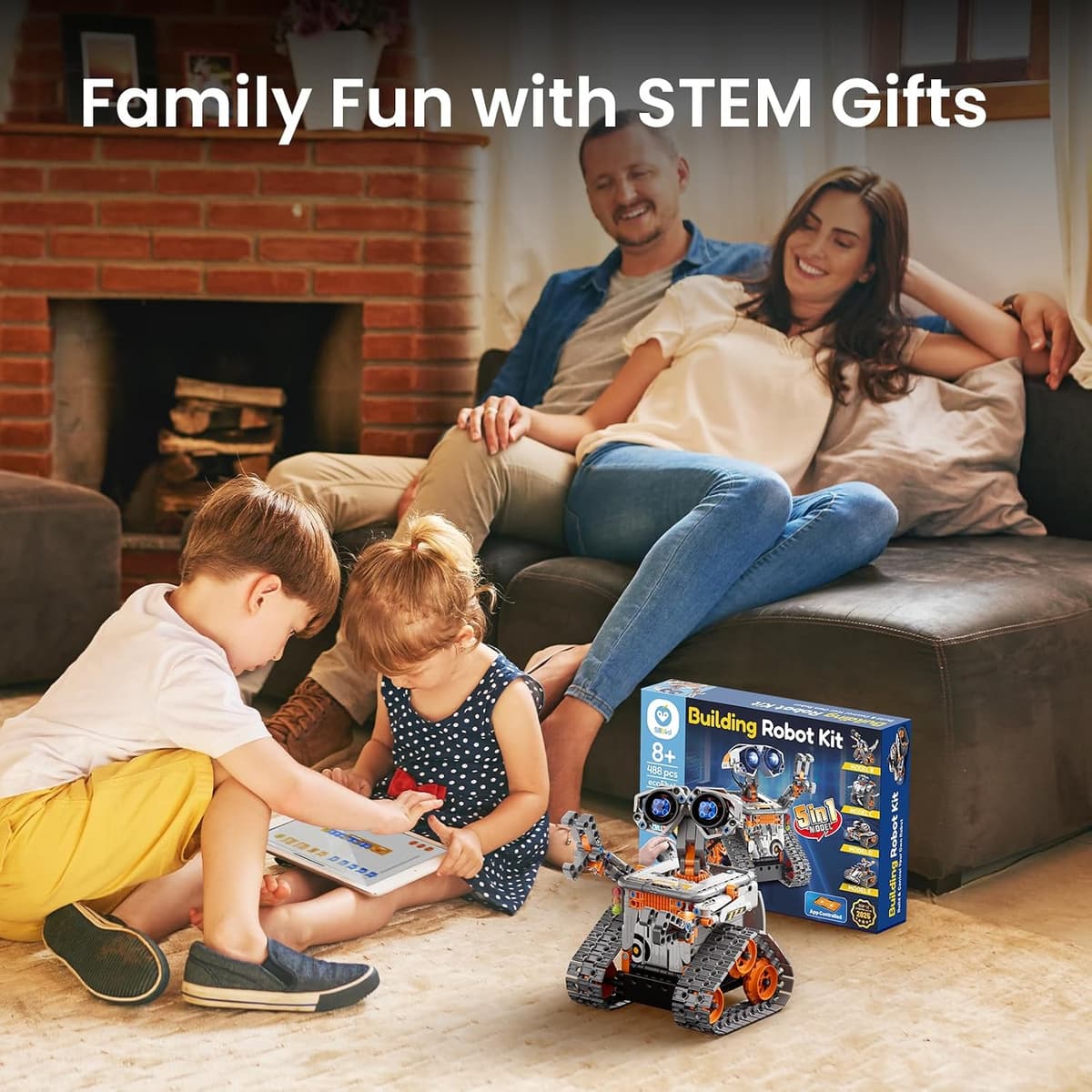
4. Sillbird 5-in-1 STEM Robot Building Kit: Best Build-and-Code Value (~£45)
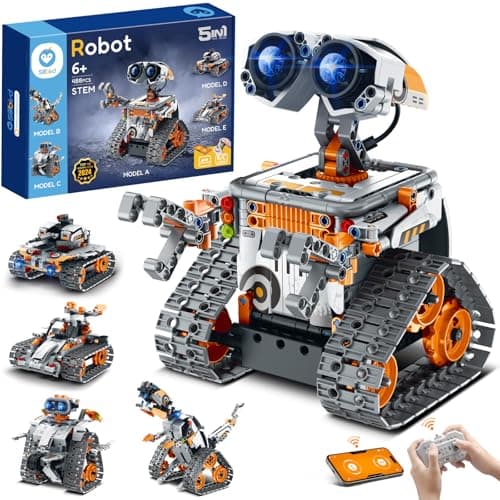
The Sillbird 5-in-1 STEM Robot is a brilliant bridge between construction play and programming. Kids assemble one of five models (including a robot and a solar-powered buggy) from the building blocks, then control it via a companion app or a handset. It combines the satisfaction of building with the reward of seeing your creation move under its own logic.
At around £45 it's remarkable value for the amount of engagement it delivers. The build itself teaches mechanical concepts (gears, motors, structure), while the app-based control introduces basic programming ideas. It's the kind of rainy-afternoon project that can absorb a child for hours.
Why it's a smart buy:
- Five models in one box: Rebuild into different creations for repeated play value
- Build + code combo: Mechanical assembly followed by app-driven control
- Motorised and interactive: Real movement keeps kids engaged after the build
- Great step up from LEGO: Familiar block-building with an electronics payoff
- Sensible price: Loads of parts and play for well under £50
The honest take: The instructions are picture-based and occasionally fiddly, so a first build often needs a parent alongside. And the "programming" is closer to app control than deep coding. But as an engaging, affordable introduction to build-and-code robotics, it's excellent.
Best for: Ages 8-12 · Construction fans · Build-and-code beginners · Value seekers
5. Snap Circuits Jr. Plus SC-110: Best Electronics Kit (~£47)
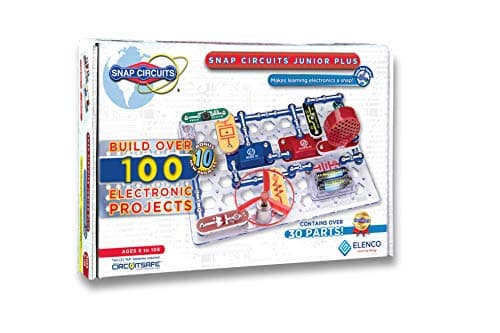
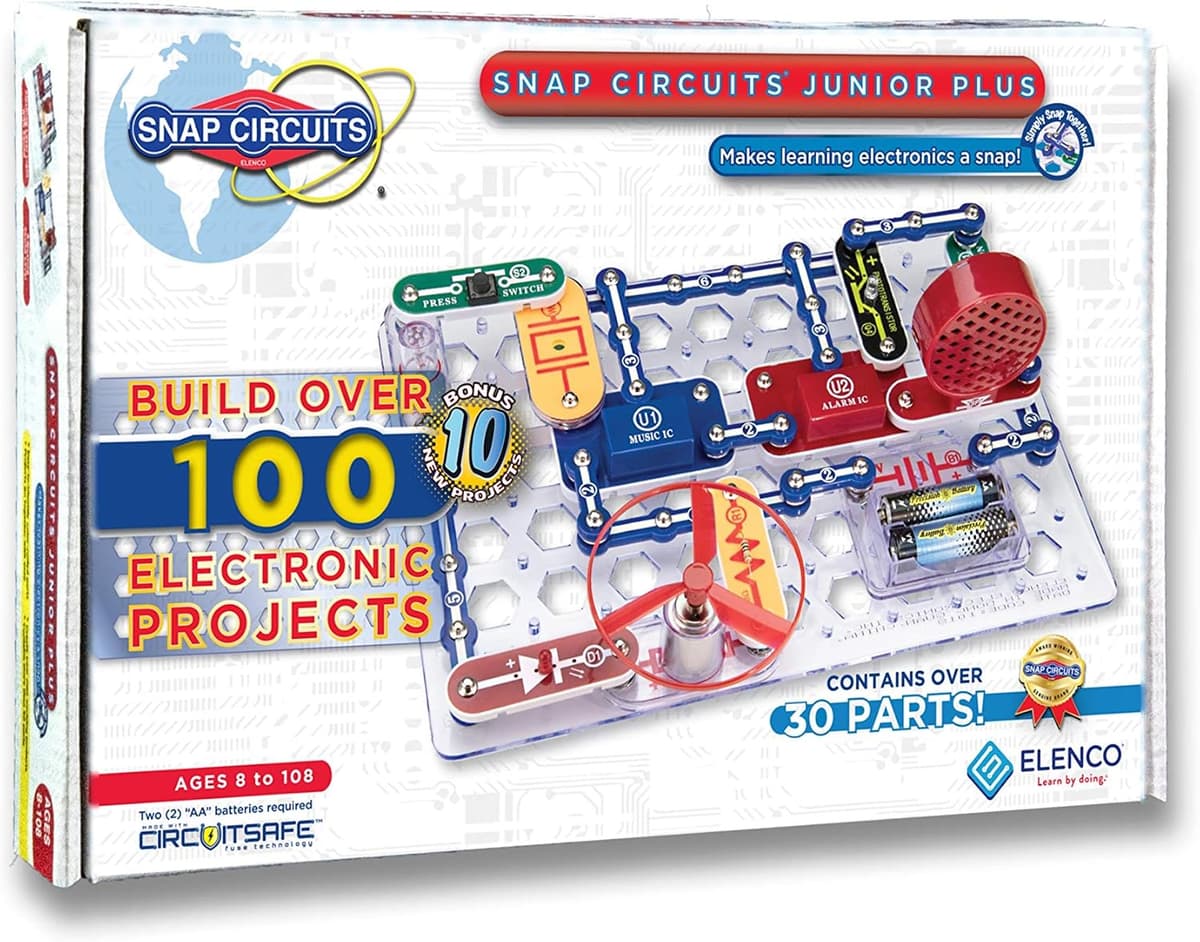
Snap Circuits takes a different approach from every other product on this list: it teaches electronics, not coding. Using colour-coded snap-together pieces (like the world's most satisfying Lego), kids build real working circuits: fans, alarms, light-controlled switches, radio receivers.
The SC-110 Plus includes 100+ projects from the instruction booklet, and crucially the components are robust enough to survive enthusiastic hands. There's no screen involved and no complex instructions. The booklet is clear and visual, making it genuinely self-directed.
What sets it apart:
- Real electronics understanding: Teaches series vs parallel circuits, capacitors, transistors, semiconductors
- Hands-on before digital: Many kids who go on to love coding and electronics start here
- Great for visual learners: Clear step-by-step booklet, satisfying snap mechanism
- Low barrier to entry: Even a 6-year-old can build basic circuits with mild supervision
- Expandable: Compatible with other Snap Circuits sets for more complex projects
The honest take: Snap Circuits is deliberately non-digital. If your child specifically wants coding robots, this isn't that. But if you want to build foundational electronics knowledge (understanding how circuits work before touching code) there's nothing better in this price range.
Best for: Ages 6-12 · Electronics fundamentals · Pre-coding curiosity · STEM school projects
6. Sphero Mini: Best Pocket-Sized Coding Robot (~£50)
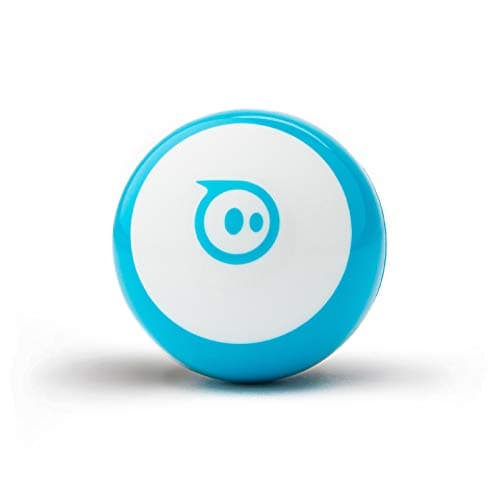
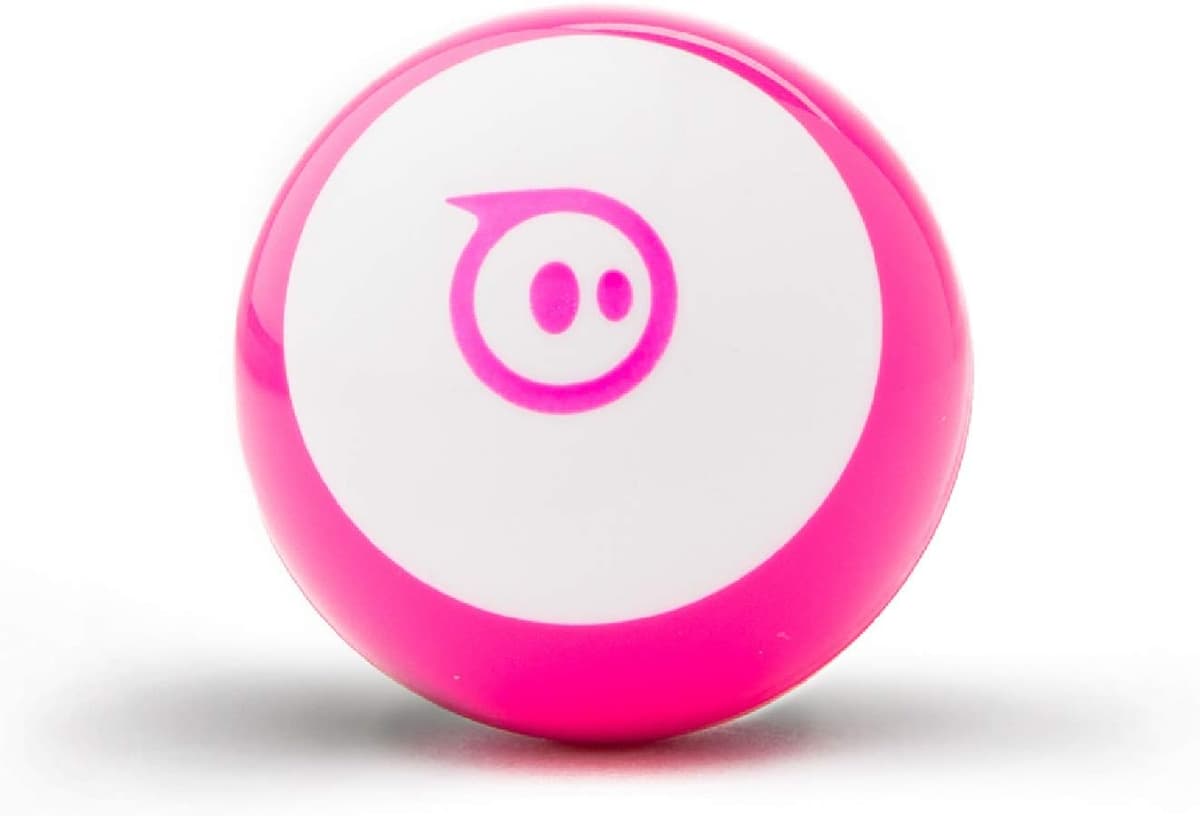
The Sphero Mini is a coding robot the size of a ping-pong ball, and it's a huge amount of fun for the money. Despite being tiny, it packs a gyroscope, accelerometer, and LED lights, and it connects to the free Sphero Edu app where kids can drive it, play games, or program it three ways: draw a path, snap Scratch-style blocks, or write JavaScript.
That three-tier coding path is what makes the Mini so durable as a purchase. A younger child starts by simply drawing routes on screen; an older one graduates to block coding and then real text-based JavaScript. It's genuinely open-ended, and the robot's speed and glowing lights make even simple programs feel exciting.
Why it's a standout:
- Three coding levels: Draw → blocks → JavaScript, all in one free app
- Astonishingly capable for the size: Sensors, LEDs, and surprising speed
- Play modes beyond coding: Drive it like an RC ball, use it as a game controller
- Rechargeable: No battery hunting: just pop it on the cradle
- Pocket-money-friendly extras: Swappable shells and community activities
The honest take: It's small, so it can roll under furniture and it isn't the most rugged robot if trodden on. It also needs a compatible phone or tablet to do anything. But as an affordable, genuinely programmable robot that grows from age 8 into the teens, the Sphero Mini is hard to beat.
Best for: Ages 8+ · Coding on a budget · Scratch-to-JavaScript progression · Tablet-owning families
7. Botley 2.0 Coding Robot Activity Set: Best Screen-Free Robot (~£68)
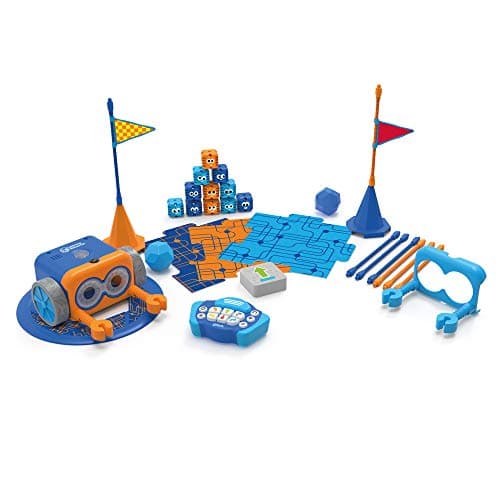
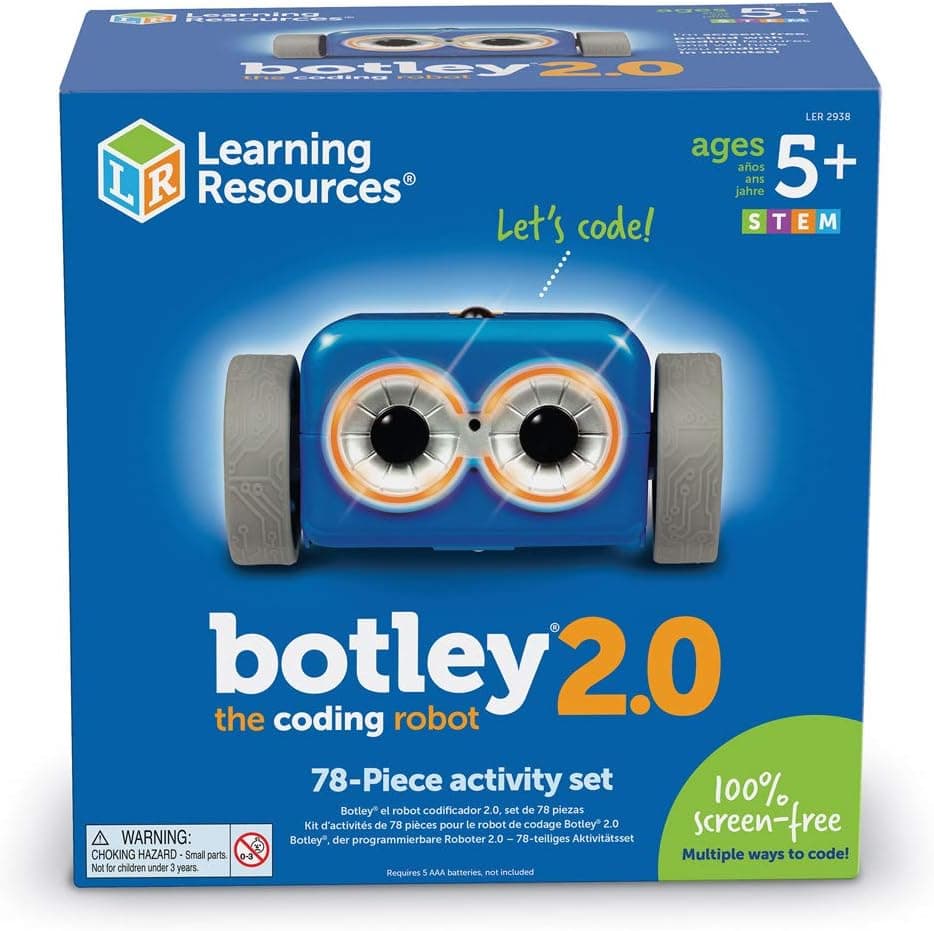
Botley 2.0 is the robot for families who want coding without a screen. It programs directly through its remote. No tablet, no app, no account. Kids enter sequences of up to 150 steps on the remote programmer, then watch Botley trundle off to execute them, navigating obstacles, following black lines, and even detecting objects to avoid.
The Activity Set is comprehensive: Botley itself, the remote programmer, detachable arms, plus 77 accessories including obstacles, cones, and coding cards. That completeness means you can start the moment the box is open, and the object-detection and looping features give surprising depth for a screen-free toy.
Why parents rave about it:
- 100% screen-free: All programming happens on the remote: no device needed
- Real coding concepts: Sequences, loops (up to 150 steps), if/then object detection
- Everything in the box: 77+ pieces mean no add-ons required to get going
- Line-following mode: Draw a black-line track and Botley follows it autonomously
- Great for siblings: Works well as a shared, take-turns activity
The honest take: Because it's screen-free, Botley won't teach text-based programming: it tops out at logical sequencing and simple loops. But for ages 5-9, that's exactly the right level, and the no-screen promise is a genuine selling point for many parents.
Best for: Ages 5-9 · Screen-free households · Logic and sequencing · Shared play
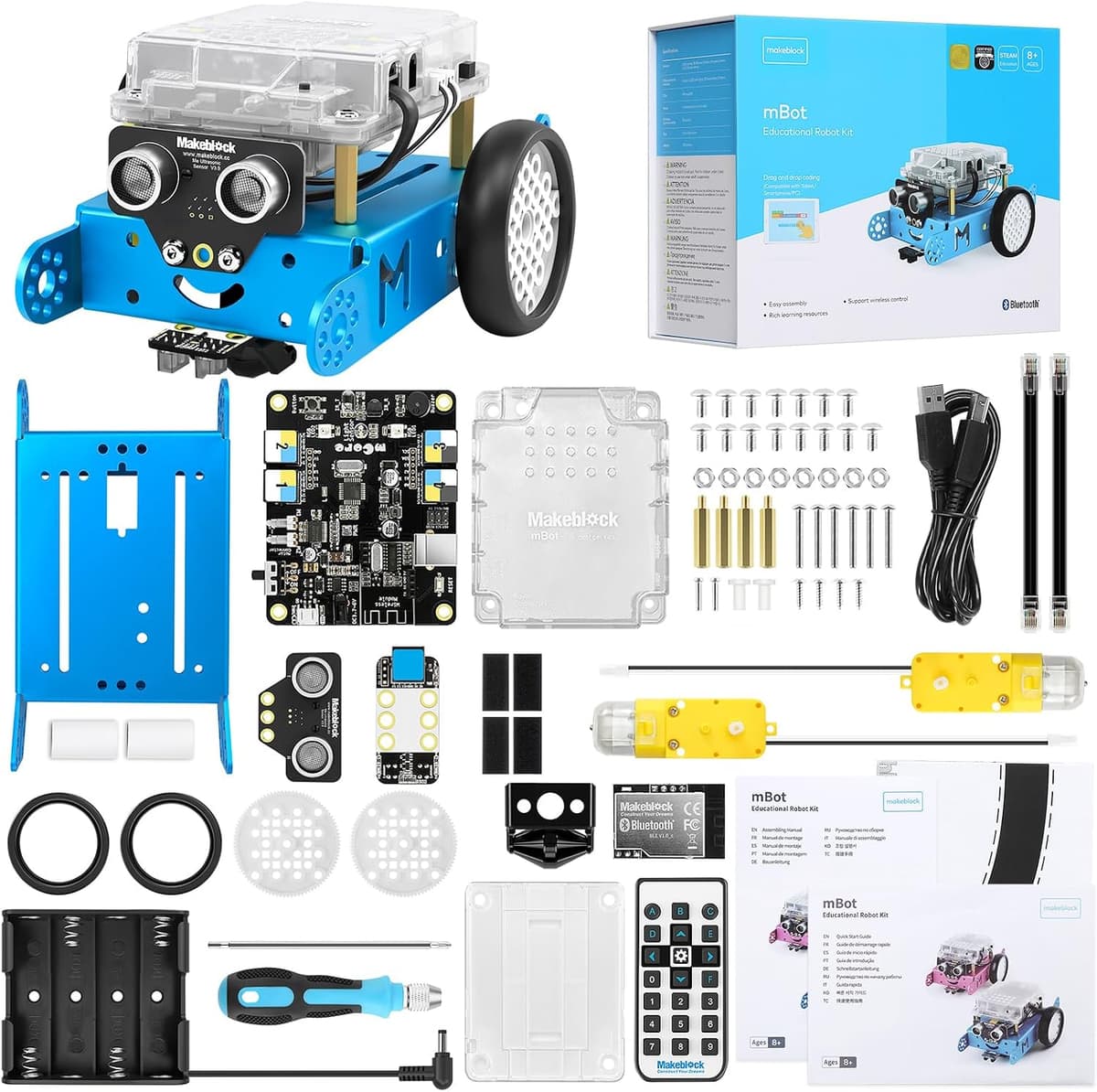
8. Makeblock mBot: Best Build-Your-Own Robot (~£90)
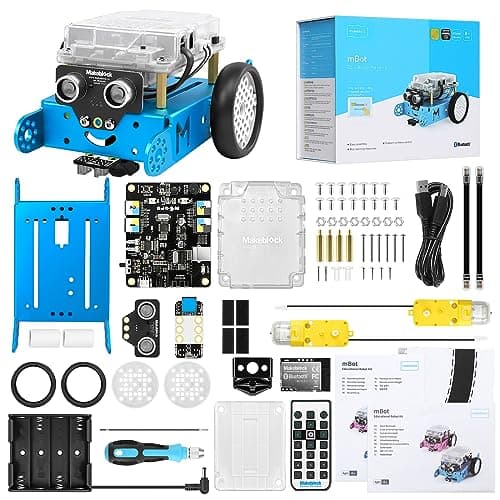
The Makeblock mBot is a proper build-it-yourself robot that sits just under the £100 mark. Kids assemble it from a metal chassis and components in about 20 minutes using the included screwdriver, then program it with mBlock (a Scratch-based visual language) or step up to Arduino-style text coding as they progress.
What makes the mBot so well-loved is that the building and the coding are equally rewarding. The finished robot has an ultrasonic distance sensor and a line-following sensor, so straight out of the box it can avoid walls, follow tracks, or be driven around by Bluetooth. It's a tangible, hackable platform rather than a sealed toy.
Why advanced learners love it:
- Real assembly: Building the robot teaches how the sensors and motors fit together
- Scratch → text coding pathway: Start visual with mBlock, grow into Arduino C
- Sensors included: Ultrasonic and line-following sensors enable genuine autonomy
- Expandable ecosystem: Add-on packs and Makeblock parts extend it for years
- Classroom pedigree: Widely used in schools and coding clubs worldwide
The honest take: The mBot needs a phone or computer for programming, and getting the most from it rewards real engagement: a less motivated child may stop at driving it around. But for a curious 8-12 year old, the build-then-code loop is exactly what makes STEM click.
Best for: Ages 8-12 · Build-and-code enthusiasts · Scratch-to-text progression · Coding clubs
9. Arduino Starter Kit: Best for Teens & Makers (~£99)
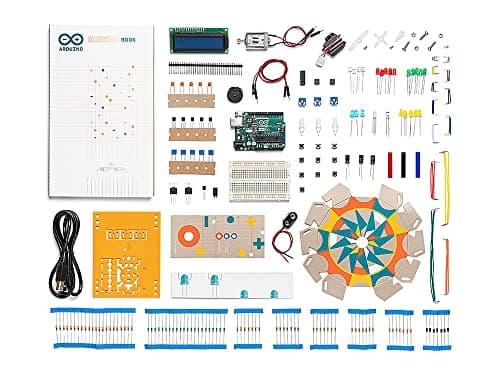
The Arduino Starter Kit is where STEM education gets serious. This is the kit used in university engineering departments, makerspaces, and professional prototyping worldwide, yet the included beginner's guide genuinely makes it accessible from around age 12.
The kit includes an Arduino Uno board, 170+ components (sensors, LEDs, motors, resistors, wires), and a project book with 15 guided builds. From a colour-mixing lamp to a motorised pinwheel to a temperature sensor, each project teaches real electronics and programming concepts.
Why it's worth the investment:
- Industry-standard platform: Learning Arduino translates directly to real engineering and maker skills
- 15 guided projects: Enough structure to get started without hand-holding, enough depth to go far
- Huge community: Millions of Arduino projects online: limitless extension activities
- Certifiable skills: Arduino appears on CVs, university applications, job descriptions
- Genuinely open-ended: Once you know the basics, the only limit is imagination
The honest take: Arduino is not a toy. It's a real tool. That's a strength and a limitation. Kids under 12 will likely struggle without significant adult support, and even teenagers need patience to get through the initial learning curve. But for motivated 12-16 year olds with an interest in how things work, this is transformative.
Best for: Ages 12+ · Teens with tech curiosity · Future engineers · Parent-child project building
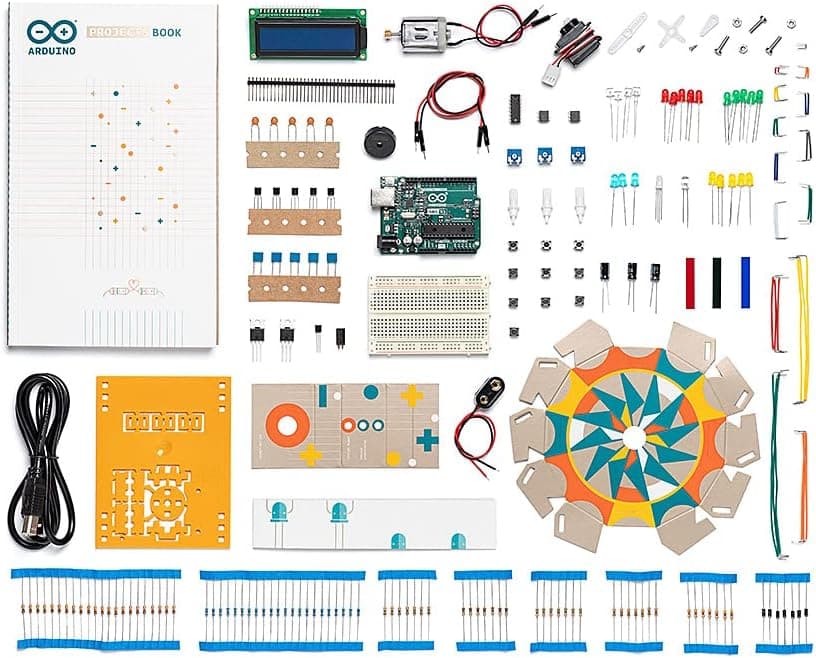
👉 Ready to go deep? Our Arduino Starter Kit review covers all 15 projects and gives you a realistic time commitment guide.
Also in stock this autumn (not the default nine)
The nine kits above stay the shortlist. These two extras were confirmed in stock on Amazon UK on 7 September 2026 if you want a biology-and-mechanics build or a larger LEGO Technic set under £100. Seasonal Amazon promotions do not change the price you pay. Treat the prices below as a snapshot and check the live listing before you buy.
Discovery Bionic Hand (87 pieces)
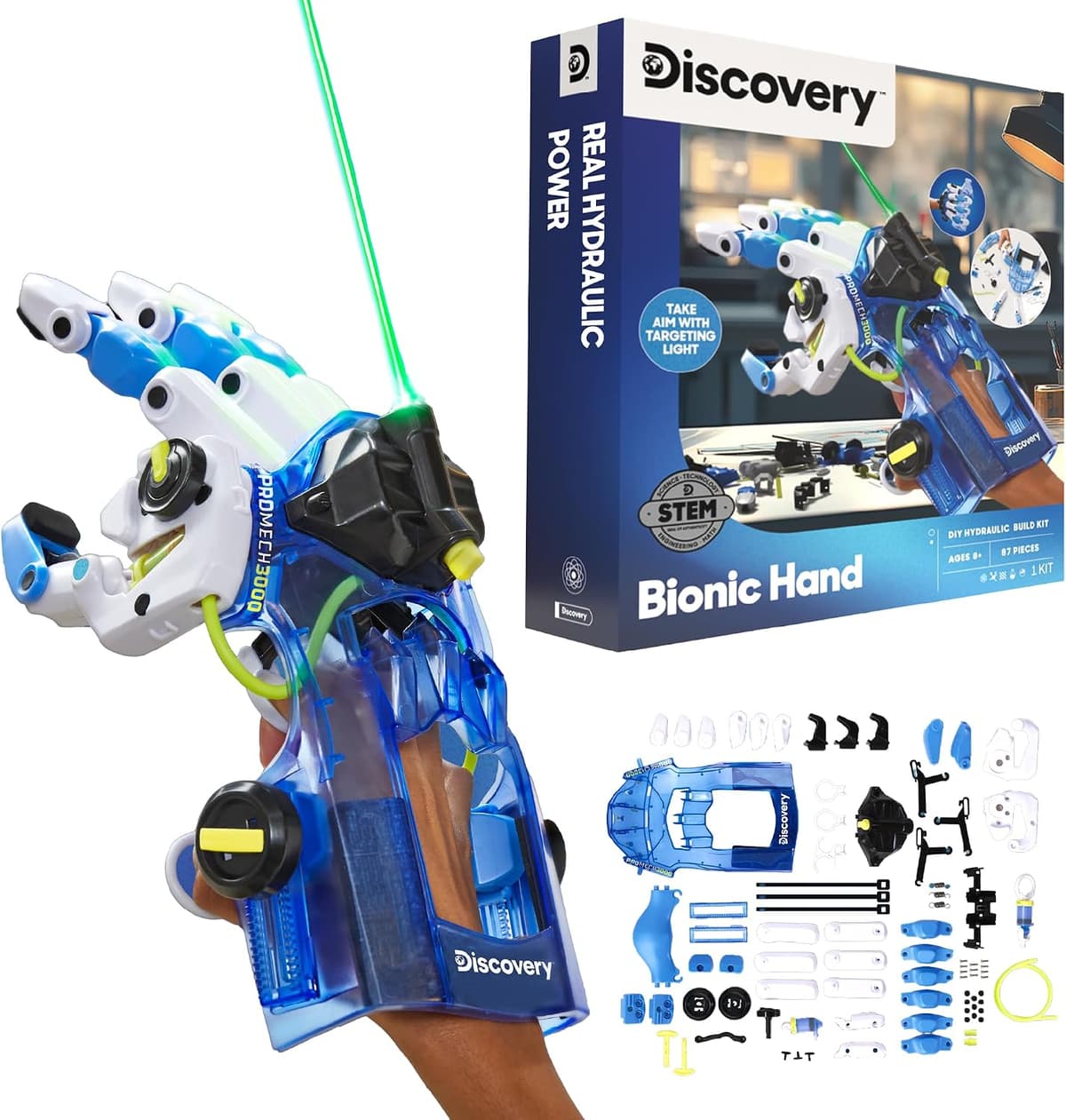
Discovery's Bionic Hand is an 87-piece hydraulic "cyborg" hand, rated ages 8 and up. The listing frames it as a parent-and-child weekend build, with older children (around 10+) able to finish it more independently. Once assembled, the hydraulic and pulley mechanism lets a child wear and flex the hand. It sits in mechanical engineering rather than coding, so it complements the robots and circuit kits above instead of replacing them.
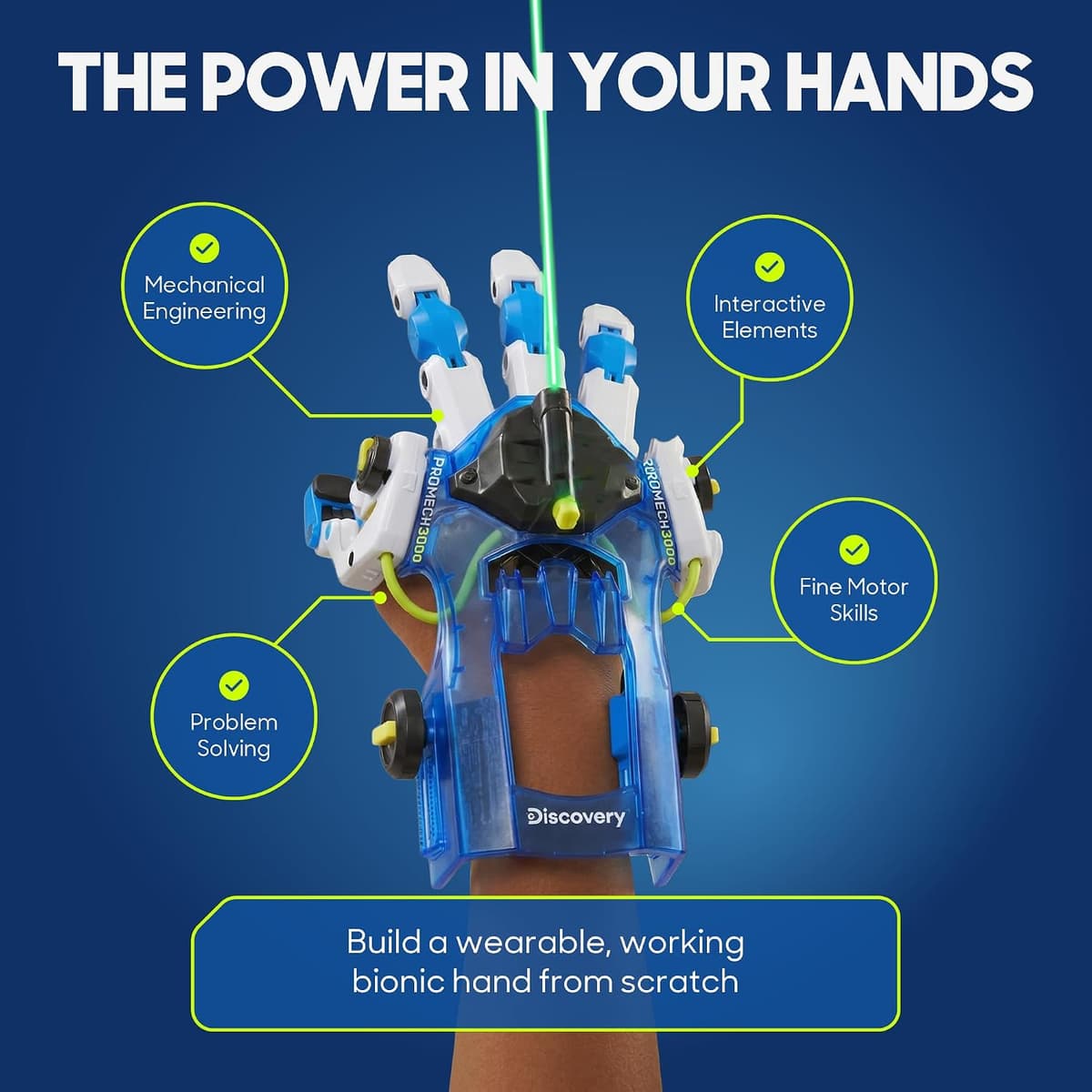
£29.99 (price correct as of 7 September 2026).
Check the Discovery Bionic Hand on Amazon UK
LEGO Technic Lunar Outpost (scarce)
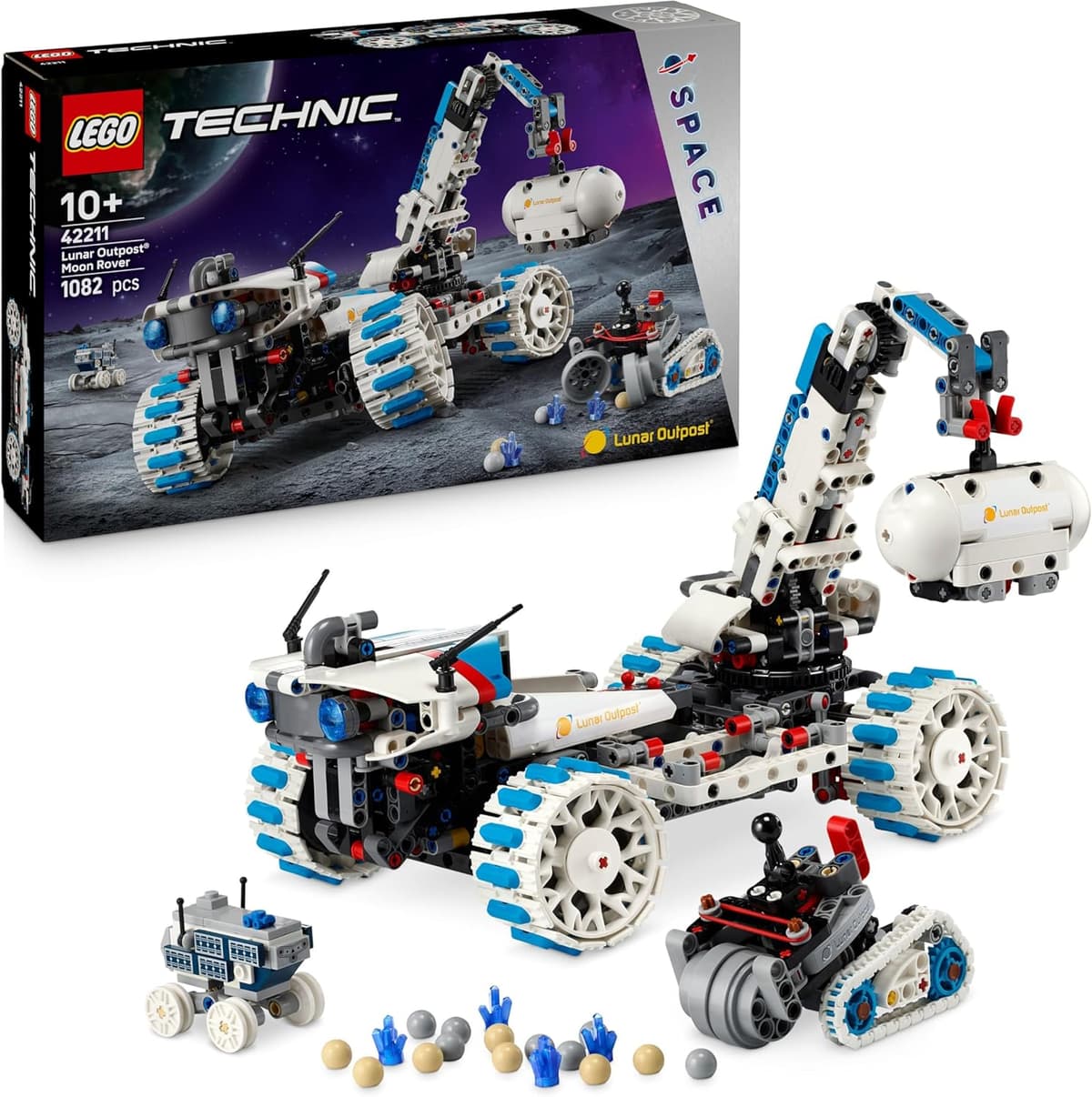
The LEGO Technic Lunar Outpost (1,082 pieces, ages 10+) is a moon rover with rocker suspension, four-wheel steering, deployable solar panels, a smaller mining rover and a crane for sample containers. It is a proper engineering build, not a first coding kit.
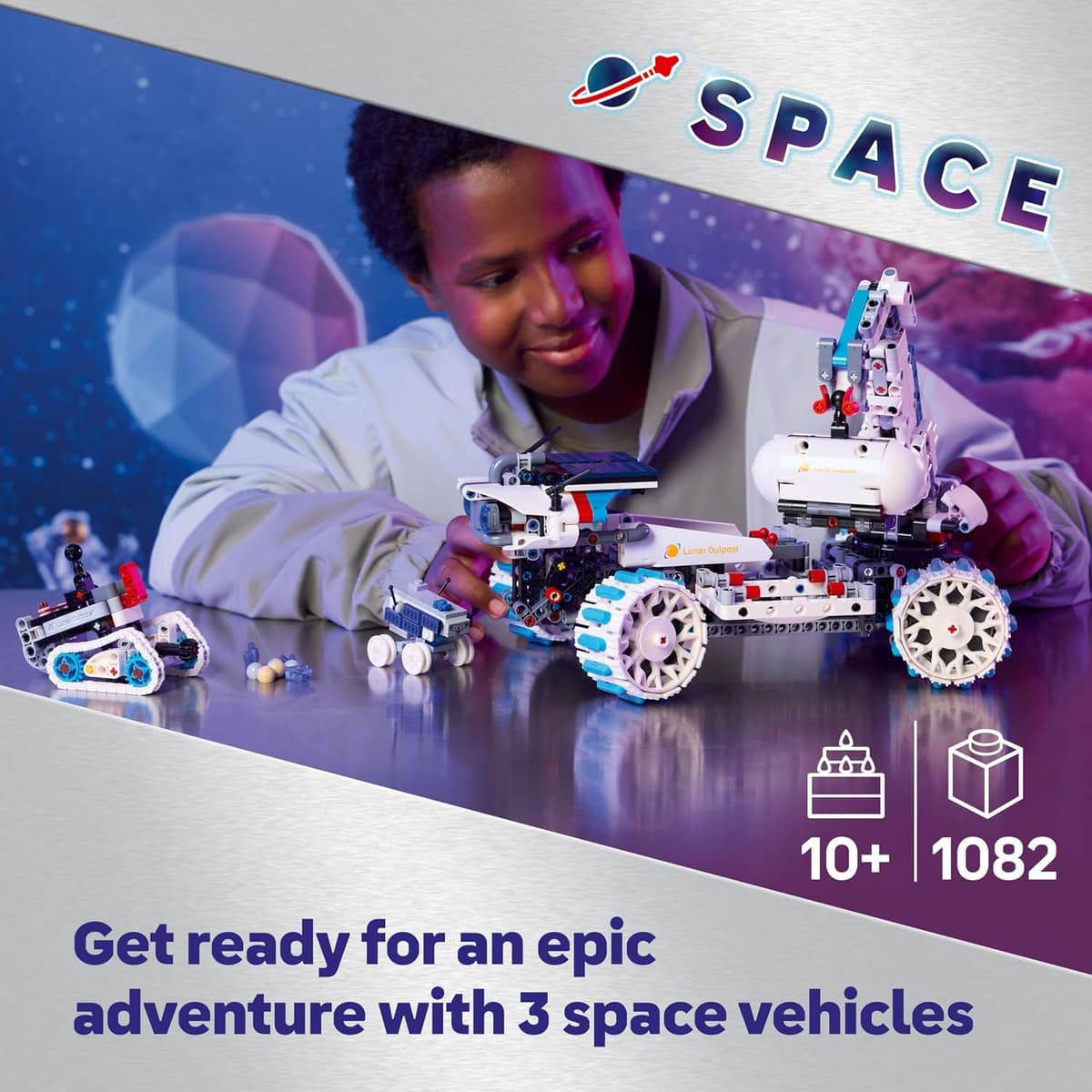
On 7 September 2026 it was in stock at £64.00, but stock was scarce (only one left on that check). Do not treat this as the default buy on this page. If the listing is thin or the price has jumped, stay with the nine kits above.
Check LEGO Technic Lunar Outpost on Amazon UK
How to Choose the Right STEM Kit
By Age
Ages 4-7: Start with the Code & Go Robot Mouse for screen-free logic, or Osmo Coding Starter Kit if you have an iPad. Botley 2.0 also works well from age 5. The goal at this age is enthusiasm, not complexity.
Ages 7-10: Snap Circuits Jr. Plus is excellent for building scientific curiosity, and the Sillbird 5-in-1 robot scratches the build-and-code itch. BBC micro:bit V2 works well from age 8 with parent guidance, and the Sphero Mini adds a fun, programmable robot.
Ages 10-12: BBC micro:bit V2 is ideal for school alignment. Makeblock mBot suits confident, motivated learners who enjoy building. Sphero Mini remains engaging as coding gets more text-based.
Ages 12+: Arduino Starter Kit or Makeblock mBot. At this age, depth matters more than accessibility: both deliver genuine technical skills.
By Learning Goal
"I want them to understand how computers work" → BBC micro:bit V2
"I want them to build things with their hands" → Snap Circuits Jr. Plus, Sillbird 5-in-1, or Arduino Starter Kit
"I want them to code a robot" → Code & Go Robot Mouse or Botley 2.0 (younger) → Sphero Mini or Makeblock mBot (older)
"I want the most fun possible" → Sphero Mini or Osmo Coding (if iPad available)
"I want future career relevance" → Arduino Starter Kit or BBC micro:bit V2
By Budget
| Budget | Best Choice |
|---|---|
| Under £35 | BBC micro:bit V2, Osmo Coding, or Code & Go Robot Mouse |
| Under £50 | Sillbird 5-in-1, Snap Circuits Jr. Plus, or Sphero Mini |
| Under £70 | Botley 2.0 Activity Set |
| Under £100 | Makeblock mBot or Arduino Starter Kit |
Do STEM Kits Actually Work?
Short answer: yes, when they're the right fit for the child.
The evidence for coding and STEM toys is genuinely strong. Research into physical coding toys (as opposed to purely screen-based learning) links them to stronger spatial reasoning and logical problem-solving skills. The UK's Computing curriculum, which has been compulsory since 2014, has increased demand for at-home reinforcement, and these kits are the best way to provide it.
The key factor isn't the toy. It's the match between product and child. A 6-year-old given an Arduino will be frustrated. A 12-year-old given a barcode robot will be bored. Age-appropriateness matters enormously with STEM kits.
For more on this, see our guide on how to choose your child's first coding robot.
How we picked these
Every product here was checked against its live Amazon UK listing before publication: in stock, the listing matching the model we describe, and the price recorded at the time of writing. We read the manufacturer's own specifications for the figures quoted, and work through recent verified-purchase reviews looking for the same fault reported repeatedly rather than one-off complaints.
Picks are ordered by who each product actually suits: age, budget, and whether an app or subscription is involved. Not by commission. AIToys.co.uk earns from qualifying purchases through the links on this page; that does not affect the order. The full process, including what we don't do, is on our how we choose page.
Frequently Asked Questions
What age is best to start with a STEM kit?
There's no single right age, but most children show genuine interest in coding and electronics from around age 5 or 6. Products like the Code & Go Robot Mouse and Botley 2.0 are designed for this age range, and Osmo Coding can work from age 5 with parental guidance. The most important thing is matching the complexity level to the child's patience and reading ability.
Are STEM kits better than coding apps and games?
Both have value, but physical STEM kits offer something apps can't: tangible cause and effect. When a child builds a circuit and a light comes on, or programs a robot and it moves, the learning is embodied: they see and feel the result. Research consistently shows that physical, hands-on learning leads to better retention of STEM concepts than screen-only alternatives.
Which STEM kit is best for school homework and projects?
The BBC micro:bit V2 is the closest to the UK national curriculum. It's used in thousands of schools, and MakeCode is taught in many KS3 computing classes. If your child has micro:bit activities at school, having one at home for practice is invaluable. Arduino is also widely referenced at GCSE and A-level.
Do I need to be technical to help my child with these kits?
Not really, though your involvement level depends on the product. Snap Circuits, Code & Go, and Botley 2.0 are genuinely self-directed from the manual. BBC micro:bit, Makeblock mBot, and Arduino benefit from a parent who can troubleshoot basics (finding tutorials, understanding error messages), but you don't need to be a programmer. The micro:bit website has exceptional parent resources.
Are these kits good value for money?
In our view, yes. Particularly the cheaper options. At around £28, the BBC micro:bit V2 delivers more genuine skill-building per pound than almost any other educational product we've seen. Even at the higher end, £90-100 for a kit that provides months or years of learning is excellent value compared to video game DLCs or activity subscriptions.
The Verdict
For most families looking for a STEM kit under £100, we recommend starting with the BBC micro:bit V2: it's the best value, the most curriculum-aligned, and teaches the deepest skills. For the youngest coders, the screen-free Code & Go Robot Mouse or Botley 2.0 are the gentlest, most joyful starts. For teens who want a serious challenge, Arduino or the build-it-yourself Makeblock mBot deliver genuinely transformative learning.
Whatever you pick from this list, you're making a good choice. The difference between coding toys that last and coding toys that gather dust isn't price. It's fit.
As an Amazon Associate, AIToys.co.uk earns from qualifying purchases. Extra kit prices and stock were checked on 7 September 2026 and can change.
Check our full Best STEM Toys UK 2026 guide for products at all price points, including premium picks above £100. If you're specifically looking for robots, see Best Coding Robots for Beginners UK 2026 and Best Coding Robots Under £50 UK 2026.
Read next
Best STEM Toys UK 2026: Our Top Picks by Age and Budget
Researched shortlist of the best STEM toys for UK kids in 2026. Coding robots, science kits and electronics, with prices checked 22 September 2026.
Best Coding Robots Under £100 UK 2026: Top Picks for Every Age
The 10 best coding robots under £100 in the UK for 2026: expert picks for ages 3 to 14. In-stock products, honest reviews, and where to buy.
Best mBot Alternatives UK 2026: Coding Robots Like the Makeblock mBot
Loved the Makeblock mBot? Here are the best alternatives in the UK for 2026: coding robots across every budget, from £30 screen-free starters to advanced kits.