Affiliate Disclosure: We may earn a small commission if you purchase through our links, at no extra cost to you. This helps us keep aitoys.co.uk running. We only recommend products we'd genuinely buy for our own kids.
Quick Verdict
🛒 Check Price on Amazon UKAs an Amazon Associate, AIToys.co.uk earns from qualifying purchases.
Introduction: Why Arduino Still Matters in 2026
Every few years, a new "revolutionary" coding toy for kids lands on the market with slick apps and promises to teach programming in minutes. And then there's Arduino. A platform that's been around since 2005, has powered millions of makers, engineers, and teenage inventors worldwide, and remains one of the most recommended tools for learning real electronics and coding.
The Official Arduino Starter Kit (K000007) is exactly what it sounds like: the official, manufacturer-made introduction to the Arduino ecosystem. It's not a toy. It's not dumbed down. But it's also not intimidating: the 170-page printed project book walks through 15 increasingly complex projects, taking a complete beginner from "what is a resistor?" to building working gadgets like a light-sensitive thermin, a motorised pinwheel, and even a rudimentary keyboard.
As a parent, I'll be honest: I bought this expecting a "nice educational kit" to sit on the shelf. Instead, my 13-year-old and I spent an entire weekend hunched over the breadboard, debugging circuits and whooping when LEDs finally flickered in sequence. That was unexpected, and wonderful.
So is the Arduino Starter Kit worth £65-£85 for your child in 2026? Let's dig in.
What's Inside the Box?
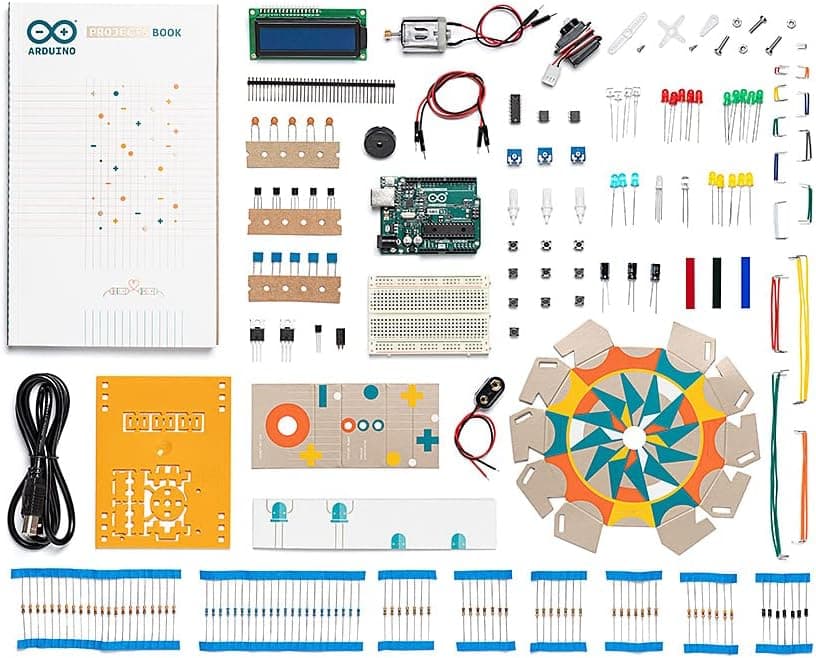
The kit ships from Italy and arrives well-packaged with everything you need to complete all 15 projects. No extra parts required.
The hardware includes:
- 1 × Arduino Uno R3 microcontroller board
- 1 × USB cable (USB-A to USB-B)
- 1 × 400-point breadboard
- 1 × Easy-to-assemble wooden project base
- 70 × Solid core jumper wires
- 2 × Stranded jumper wires (red and black)
- 6 × Phototransistors
- 3 × Potentiometers (10kΩ)
- 10 × Push buttons
- 1 × Temperature sensor (TMP36)
- 1 × Tilt sensor
- 1 × Alphanumeric LCD display (16×2)
- 1 × RGB LED
- 8 × Red LEDs, 8 × Green LEDs, 8 × Yellow LEDs, 3 × Blue LEDs
- 1 × Small DC motor (6V/9V)
- 1 × Small servo motor
- 1 × Piezo buzzer capsule
- 1 × H-bridge motor driver (L293D)
- 2 × MOSFET transistors
- 3 × Capacitors (100µF)
- 5 × Diodes
- Assorted resistors (20 different values)
- 3 × Transparent colour gels (red, green, blue)
- 1 × 9V battery snap connector
- 1 × Male pin strip
The book:
- 170 pages, full colour, beautifully printed
- 15 guided projects with circuit diagrams and code explanations
- Educational sidebars on electronics concepts
- Troubleshooting tips throughout
The wooden base deserves a mention. It keeps the Arduino board and breadboard mounted together neatly, which makes a real difference when you're building and rebuilding circuits across multiple sessions.
Watch It In Action
Before we dive deeper, here's a recent unboxing and overview from The Automation School: a great channel for Arduino beginners:
The 15 Projects: What Your Child Will Build
This is where the Arduino Starter Kit really shines. The projects are carefully sequenced to build knowledge progressively: each one introduces new components and concepts whilst building on what came before.
Projects 1-5: Getting to Grips with the Basics
- Get to Know Your Tools: Breadboard basics, ohm's law, first circuit
- Spaceship Interface: Three LEDs + switch: blink sequences and digital I/O
- Love-o-Meter: Temperature sensor + LEDs: reading analogue inputs
- Colour Mixing Lamp: RGB LED + potentiometers: mixing colours with code
- Mood Cue: Servo motor + potentiometer: controlling physical movement
These early projects are genuinely satisfying. There's something magical about watching code you typed cause a physical LED to light up exactly when you wanted it to. Even tech-sceptic kids tend to get hooked here.
Projects 6-10: Intermediate Challenges
- Light Theremin: Photoresistors + piezo: making music from light
- Keyboard Instrument: Push buttons + piezo: a playable musical keyboard
- Digital Hourglass: Tilt sensor + LEDs: a working digital timer
- Motorised Pinwheel: DC motor + transistor: controlling speed and direction
- Zoetrope: Motor + strobe LED: a spinning optical illusion
Projects 6-10 are where kids who are genuinely engaged will be fully absorbed. The Zoetrope in particular is a showstopper: it creates a looping animation effect that genuinely impresses.
Projects 11-15: Advanced Builds
- Crystal Ball: LCD display + tilt sensor: a Magic 8-Ball you made yourself
- Knock Lock: Piezo as microphone + servo: a secret knock-to-open mechanism
- Touchy-Feely Lamp: Capacitive touch sensor: LED lamp you control by touch
- Two-Player Pong: LCD + joystick-style buttons: a simple but real video game
- Hacking Buttons: Creating custom controller inputs from scratch
By project 15, a young maker will have built a game controller from scratch. That's a genuinely impressive achievement for any 11-16-year-old.
How Hard Is It? Honest Assessment
The Arduino Starter Kit is not a toy for young children. Arduino expects users to read instructions carefully, follow circuit diagrams accurately, and debug when things don't work first time (and they won't. That's part of learning).
Age guidance:
- Under 10: Not suitable without very close adult supervision, and even then the concepts may be frustrating
- Age 11-12: With parental involvement, absolutely doable and rewarding. Expect to sit alongside them
- Age 13-15: Sweet spot. Old enough to follow independently, young enough to still find it magical
- Age 16+: Ideal age: full independence, can extend well beyond the book
- Adults: Excellent for complete beginners to electronics. No prior experience required
Prior experience needed? None. The book starts from absolute zero. What is electricity, what is a resistor, why does polarity matter. That said, children who've already dabbled with BBC micro:bit or Makeblock mBot2 will progress more quickly.
Software requirements: The Arduino IDE is free, open-source, and available for Windows, macOS, and Linux. It's straightforward to install. Code is written in C/C++: a real programming language used by professional engineers. This is a genuine learning experience, not a simplified block-based tool.
The Coding Language: Is C/C++ Too Hard?
Parents often ask whether C++ is appropriate for children. It's a fair question. Scratch and block-based coding are much more forgiving.
Here's the honest answer: the Arduino book scaffolds the code brilliantly. You're not expected to understand the entire language. Each project provides the complete code, explains what each section does, and suggests modifications to try. Children learn by reading, tweaking, and experimenting. Not by memorising syntax rules.
By project 10, a motivated young coder will have absorbed the basics of:
- Variables and data types
if/elseconditional logicforloops andwhileloops- Functions and how to call them
- Analogue vs digital input/output
- Serial communication with a computer
These are transferable skills. A child who completes this kit is genuinely better prepared for GCSE Computer Science or future programming in Python, Java, or any other language.
👉 Interested in comparing learning paths? Read our guide on How to Choose Your Child's First Coding Robot to see where Arduino fits in the progression.
Pros and Cons
✅ What We Love
Official quality you can trust: This isn't a no-brand Chinese clone. The Arduino Uno included is the genuine article, manufactured in Italy, with consistent quality control. It matters when debugging circuits.
The project book is exceptional: 170 pages of full-colour, clearly illustrated instructions. Concepts are explained with real-world analogies. It feels like a proper textbook, not a quick-start pamphlet.
Real skills, not toy skills: Children who complete this kit have genuinely learned electronics and programming. These are skills they can put on a CV, use at university, and build a career on.
Massively extensible: Arduino is the world's most popular open-source electronics platform. Once your child has finished the 15 kit projects, there are literally millions of tutorials, projects, and expansions online: for free. This kit doesn't expire.
Builds physical confidence: There's something uniquely satisfying about building a circuit with your hands and having it work. Unlike purely screen-based coding, this is tangible making.
Great community support: The Arduino forums, Reddit, and YouTube are filled with helpful beginners and experts. Your child will never be stuck without resources.
⚠️ Watch Out For
Age appropriate caution: Be realistic about readiness. A frustrated 9-year-old will abandon this kit, and that's a shame. Better to wait until 11-12 when they can genuinely appreciate it.
Soldering not required, but you'll want to go further: The kit uses a breadboard (no soldering), which is perfect for beginners. But once your child wants to make permanent circuits, you'll need to invest in a soldering iron separately.
The project book is physical only: There's no digital copy included. If your child prefers screens, this might feel old-fashioned. (The Arduino website has supplementary resources, but the book itself is print-only.)
Small components can be fiddly: Tiny resistors, jumper wires, and LEDs will absolutely end up on the floor and be vacuumed up. It's worth picking up a small component organiser box for £5-10.
The UNO R4 version exists now: An updated Arduino Starter Kit with the newer UNO R4 WiFi board (K000007_R4) is available at around £88. If your child is likely to want WiFi connectivity for future projects, it may be worth the extra investment. The classic R3 kit (this review) remains excellent for pure learning purposes.
How It Compares to Other Coding Kits
Arduino vs BBC micro:bit
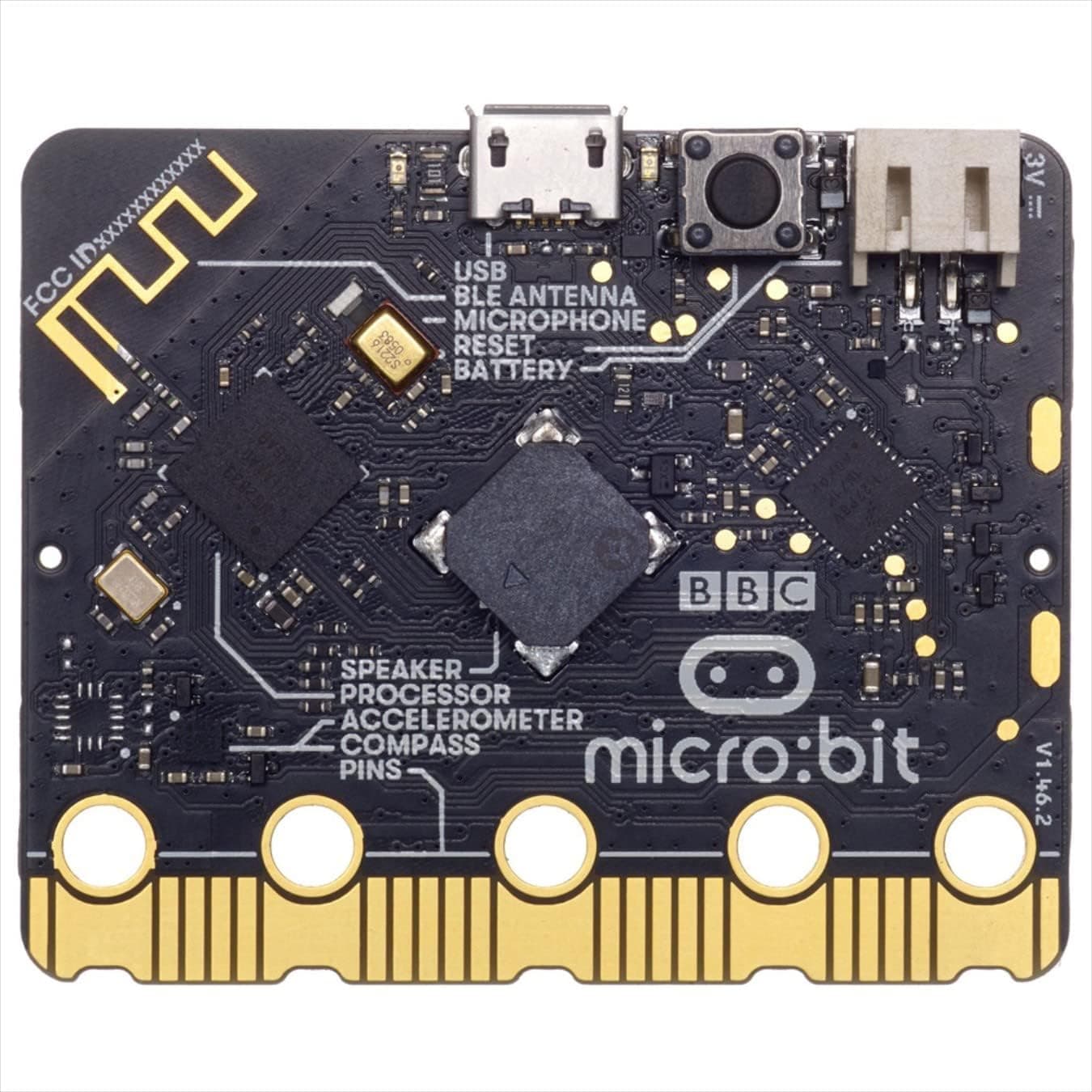
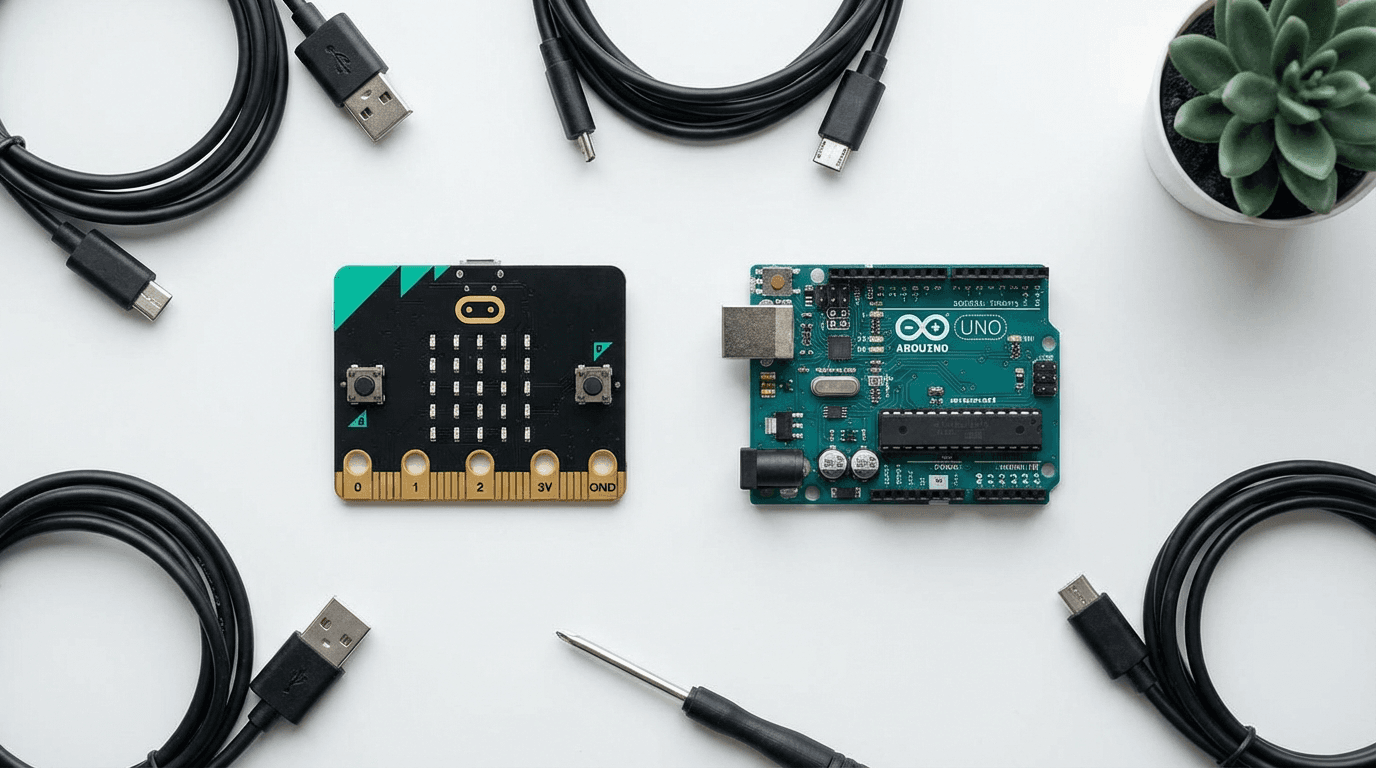
The BBC micro:bit is a simpler, more approachable introduction to coding for younger children (8-12). It uses block-based programming and is ideal for classroom use. Arduino is deeper, harder, and ultimately more powerful. Think of micro:bit as learning to ride a bike, and Arduino as learning to drive.
Choose micro:bit if: Your child is 8-12 and just starting out. Choose Arduino if: Your child is 11+ and ready for a serious challenge.
Arduino vs Makeblock mBot2
The Makeblock mBot2 is a pre-assembled coding robot that drives around and responds to sensors. It's more immediately fun and toy-like. Arduino is more open-ended. You can build almost anything, but nothing is pre-assembled.
Choose mBot2 if: Your child wants a robot they can play with immediately. Choose Arduino if: Your child wants to understand how electronics actually work.
Arduino vs LEGO Boost / LEGO Mindstorms
LEGO coding kits are excellent but use block-based visual programming. They're more toy-like and considerably more expensive for comparable capability. Arduino teaches real programming languages that transfer to professional contexts.
Choose LEGO if: Your child loves LEGO and is 7-12. Choose Arduino if: Your child is 11+ and serious about learning real coding.
👉 Looking for something to complement Arduino? Our Best STEM Toys Under £50 guide includes several great add-ons and companion kits for budding makers.
Value for Money
At roughly £65-£85 on Amazon UK, the Official Arduino Starter Kit is priced in the "serious gift" bracket. Here's how to think about whether it's worth it:
What you're paying for:
- A genuine Arduino Uno R3 board (~£20 alone)
- 100+ quality electronic components (~£20-30 in value)
- A 170-page professionally produced project book (~£15 alone)
- Official manufacturing quality from Italy
- Access to the world's largest open-source electronics community
When you consider that the Arduino Uno board can be used for projects long after the starter kit's 15 projects are complete (for years of future making) this is genuinely excellent long-term value.
Is the cheaper unofficial alternative worth it? There are many Arduino-compatible "clone" starter kits on Amazon for £20-35. Some are fine; many use inferior components that introduce confusing bugs. For a beginner trying to learn, we strongly recommend the official kit. The project book alone makes it worth the price difference.
Related reading
Frequently Asked Questions
What age is the Arduino Starter Kit suitable for? Arduino officially recommends ages 11 and up for this kit. In practice, a motivated and patient 10-year-old with parental guidance can manage the early projects. The sweet spot is 13-16 for independent learning.
Do I need any prior experience? None at all. The kit starts from absolute basics and explains every concept as you go. Neither you nor your child needs to know anything about electronics or coding before opening the box.
Do I need to buy anything else? You'll need a computer (Windows, Mac, or Linux) to install the free Arduino IDE software and upload code. Everything else is included: the kit even provides a USB cable and wooden base. A 9V battery (for standalone use away from USB power) is not included but costs under £2.
Is this the same as the newer Arduino Starter Kit R4? No. This is the classic K000007 with the Arduino Uno R3 board. A newer version (K000007_R4) uses the Arduino Uno R4 WiFi board, adding wireless capability. At around £88, it's worth considering if your child is likely to want IoT projects. For pure learning purposes, the classic R3 kit is excellent.
My child finished all 15 projects. What next? The Arduino community is enormous. Visit arduino.cc/projects for free tutorials. The Arduino Cookbook is an excellent next book. Your child can now tackle robotics, home automation, weather stations, musical instruments: the only limit is imagination.
Is this suitable as a classroom STEM kit? Yes, and many UK secondary schools use Arduino in their computing curriculum. For group classroom use, individual kits or shared sets of components are common. The project book is available in multiple languages.
Our Verdict
The Official Arduino Starter Kit K000007 is, quite simply, one of the best educational kits ever made. It teaches real electronics, real programming, and real problem-solving skills: the kind you'd find in a GCSE or A-level computing course, wrapped in a beautifully designed self-guided experience.
It's not for young children, and it's not for parents looking for a hands-off "keep the kids busy" toy. But for an 11-16-year-old with genuine curiosity about how things work, or an adult who's always wanted to learn electronics, it's an outstanding investment.
The 15 projects are carefully sequenced, the components are high quality, and the project book is better than many school textbooks. When your child builds their own working keyboard instrument, or programmes a knock-activated lock, or creates a miniature video game from scratch: they'll know they earned it.
Rating: 4.7 / 5: Highly recommended for the right age and mindset.
Related Articles
If you found this review helpful, you might also like: