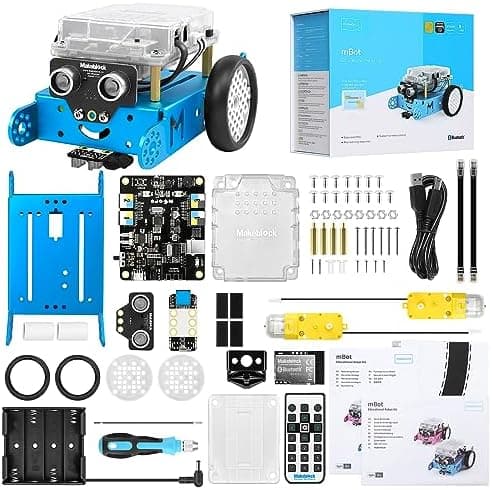
Best mBot Alternatives UK 2026: Coding Robots Like the Makeblock mBot
Loved the Makeblock mBot? Here are the best alternatives in the UK for 2026 — coding robots across every budget, from £30 screen-free starters to advanced kits.
The Makeblock mBot has earned its place as the default first coding robot for very good reasons: it's affordable, sturdy, easy to build and backed by a huge community. But it isn't the only excellent option, and depending on your child's age, budget and how they like to learn, one of its rivals might suit you better.
Maybe you want something screen-free for a younger child. Maybe you've already got an mBot and want the next step up. Maybe you simply want to compare the field before committing. Whatever brought you here, this guide rounds up the best mBot alternatives you can buy in the UK in 2026 — coding and STEM robots across every budget, each chosen because it does something the standard mBot doesn't.
Every robot below is one we've reviewed in depth, and every one was confirmed in stock on Amazon UK with a working buy button on the day we last updated this guide — we've deliberately left out anything that's perpetually out of stock or sold only by fleeting third-party listings, because a great robot you can't actually buy is no help at all. Where a product has a full review on the site, we've linked straight to it so you can dig into the detail before you decide.
We've looked at three things for every pick: how easy it is to get started, how much genuine learning it offers, and whether it stays fun once the novelty fades. Here are our favourites.
At a Glance: Best mBot Alternatives UK 2026
| Robot | Best For | Age Range | Approx. Price | Coding Style |
|---|---|---|---|---|
| Makeblock mBot | The benchmark first robot | 8–12 | £70–£90 | Blocks → Arduino |
| Makeblock Codey Rocky | The direct upgrade | 8–14 | £100–£115 | Blocks → Python |
| Makeblock mBot Ranger | Advanced 3-in-1 builds | 9–13 | £170–£200 | Blocks → Arduino |
| MatataStudio VinciBot | AI features, no building | 8–14 | £85–£100 | Blocks → Python |
| Sillbird 5-in-1 | Keen builders | 8–13 | £45–£55 | Build + app control |
| Code & Go Robot Mouse | Budget & classrooms | 4–9 | £30–£40 | Screen-free buttons |
| Sphero Mini | Smallest budget | 8–14 | £45–£55 | Blocks + JavaScript |
| Botley 2.0 | Screen-free starters | 5–9 | £60–£75 | Physical cards |
1. Makeblock mBot — The Benchmark
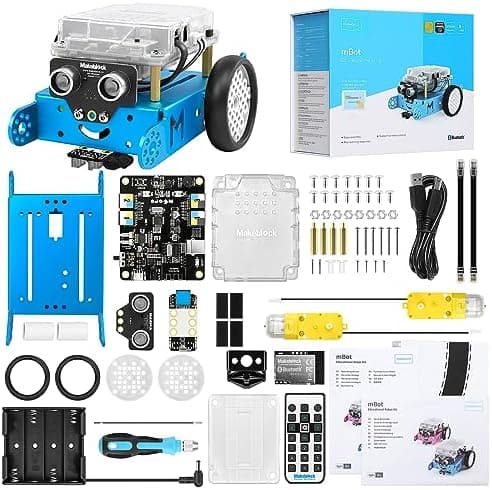
Age range: 8–12 | Approx. price: £70–£90
Before you look elsewhere, it's worth knowing exactly what you're comparing against. The original mBot is the standard by which the others are judged: a buildable, Scratch-coded robot with obstacle and line-following sensors that gets a complete beginner coding in under an hour. It's affordable, endlessly supported, and grows towards Arduino C as confidence builds.
- Quick, satisfying build with a real metal chassis
- Scratch-based mBlock coding with a path to text-based Arduino
- Ultrasonic and line sensors, plus an infrared remote
If nothing here clearly beats it for your needs, the mBot remains a faultless choice. Read our full Makeblock mBot review for the detail.
👉 Check the latest price on Amazon
🏬 Also available on the high street: Browse coding robots & STEM toys at The Entertainer →
2. Makeblock Codey Rocky — The Direct Upgrade
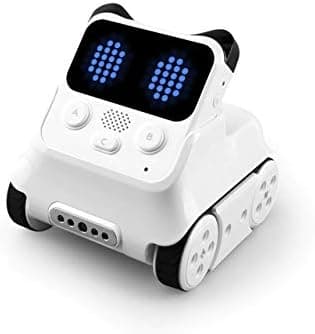
Age range: 8–14 | Approx. price: £100–£115
If you love the Makeblock approach but want more brains, Codey Rocky is the natural step up from the mBot. The detachable "Codey" controller is packed with sensors, buttons and a colour LED matrix, while "Rocky" is the wheeled base that carries it around. Crucially, its mBlock software introduces Python alongside block coding, and includes gentle AI and machine-learning activities — a better long-term bet for a child likely to stick with programming.
- Detachable controller with a rich built-in sensor set and LED display
- Block coding that progresses into real Python
- Introductory AI and machine-learning lessons in the same app
It's the smartest way to stay inside the trusted Makeblock ecosystem while gaining real depth. Read our full Codey Rocky review to see if it's the right jump.
👉 Check the latest price on Amazon
3. Makeblock mBot Ranger — Advanced 3-in-1
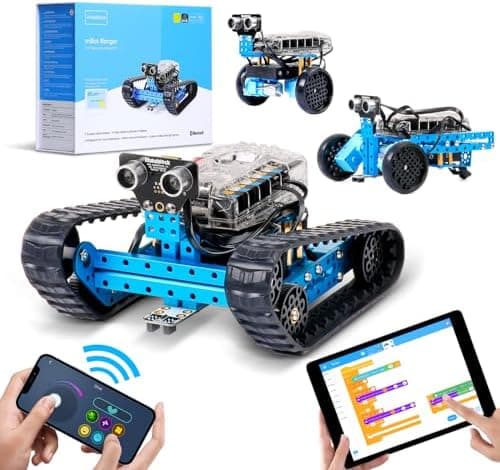
Age range: 9–13 | Approx. price: £170–£200
The Ranger is for the child who's outgrown a starter robot and wants to build something more ambitious. One kit makes three machines — a tank, a self-balancing bot and a racing car — all from a sturdy aluminium chassis packed with sensors.
- Three buildable robots from one box
- Aluminium construction and a rich sensor suite
- Scratch-to-Arduino progression for years of use
Budget for rechargeable batteries and an hour of building. Read our full mBot Ranger review for the full picture.
👉 Check the latest price on Amazon
4. MatataStudio VinciBot — Best for AI Features, No Building
Age range: 8–14 | Approx. price: £85–£100
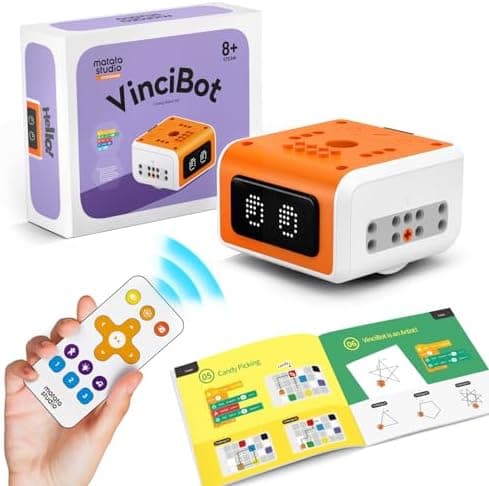
If you'd rather skip the assembly and get straight to coding — with a genuine taste of AI — the VinciBot is a superb alternative. It arrives ready to go, with a bright LED matrix, colour and gesture sensors, and on-device features that let children experiment with AI vision and voice rather than just movement. The MatataCode app takes them from block coding up to Python, so it grows with a keen learner.
- No building required — coding starts out of the box
- Real AI activities: vision, colour and gesture recognition
- Block-to-Python progression with a lively LED display
It's our favourite "grows with your child" pick for families curious about AI. Read our full VinciBot review for more.
👉 Check the latest price on Amazon
5. Sillbird 5-in-1 STEM Robot — Best for Keen Builders
Age range: 8–13 | Approx. price: £45–£55
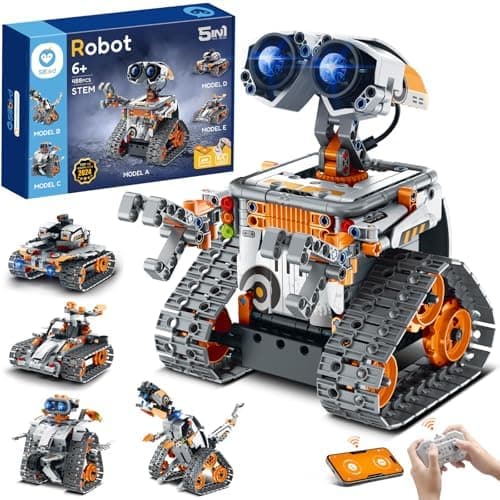
If your child loves construction as much as coding, the Sillbird is a 488-piece, LEGO-Technic-style kit that builds into five different controllable machines. The coding is light — app-based movement sequencing rather than full Scratch — but the building is superb value.
- 488 pieces and five models, from mech dinosaur to tank
- Remote and app control with simple programming tracks
- Rechargeable and brilliant value for the parts count
Read our full Sillbird 5-in-1 review before you decide.
👉 Check the latest price on Amazon
6. Code & Go Robot Mouse — Best Budget and Classroom Pick
Age range: 4–9 | Approx. price: £30–£40
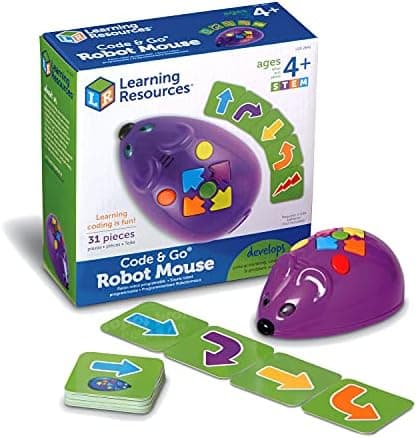
The cheapest way onto this list and a long-standing early-years and classroom favourite, the Code & Go Robot Mouse teaches the fundamentals of sequencing with no screen at all. Children press the direction buttons on its back to build a route, then hit "go" and watch it run — the same debug-and-retry logic the bigger robots teach, at a fraction of the price.
- Completely screen-free, buttons-only coding for little hands
- Teaches sequencing, distance and directional logic
- Robust, classroom-proven and endorsed by STEM.org
One honest caveat: this ASIN is the mouse on its own — the full maze and activity cards are sold separately as the Activity Set. Read our full Code & Go Robot Mouse review for the detail.
👉 Check the latest price on Amazon
7. Sphero Mini — Best for the Smallest Budget
Age range: 8–14 | Approx. price: £45–£55
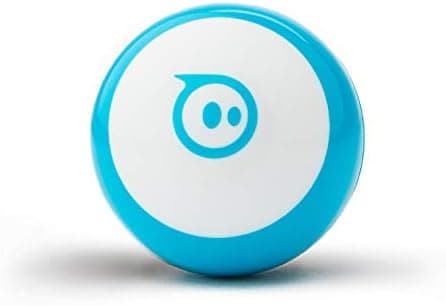
The Sphero Mini squeezes a proper coding experience into a ball the size of a ping-pong ball. It's the cheapest way into Sphero's excellent app, supporting everything from drive-by-face controls to block coding and JavaScript — no building required.
- Tiny, affordable and genuinely fun out of the box
- The full Sphero Edu coding ladder in miniature
- Great for travel and pocket-sized play
Read our full Sphero Mini review to learn more.
👉 Check the latest price on Amazon
8. Botley 2.0 — Best Screen-Free Starter
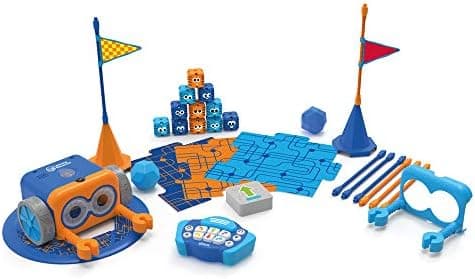
Age range: 5–9 | Approx. price: £60–£75
For younger children ready for something a bit more capable than the Robot Mouse, the screen-free Botley 2.0 is a wonderful alternative. Children program it using physical coding cards and a remote — no phone or tablet involved — making it ideal for early-years learning and for families keen to limit screen time. This Activity Set bundles everything you need to get started.
- Completely screen-free coding via cards and a remote
- Object detection, line-following and looping logic
- A gentle introduction to sequencing for little ones
Read our full Botley 2.0 review for more.
👉 Check the latest price on Amazon
How to Choose an mBot Alternative
With so many strong options, the right pick comes down to a few simple questions.
How old is your child? For ages 4–7, lean screen-free with the Code & Go Robot Mouse or Botley 2.0. For 8–12, almost everything here works — the mBot, Sphero Mini and VinciBot are all gentle entry points. For 9+ and the genuinely keen, Codey Rocky and the mBot Ranger offer the most room to grow.
Build or code first? Some children adore construction; others just want to make something move and react. If building is the draw, the Sillbird or mBot Ranger deliver hours of assembly. If coding is the point, the Sphero Mini and VinciBot get there with no building at all.
Screen or screen-free? If you'd rather avoid a tablet, the Code & Go Robot Mouse and Botley 2.0 are fully unplugged. The Makeblock, Sphero and MatataStudio robots need a device for their full coding experience.
Budget. You can start genuinely well for £30–£55 with the Code & Go Robot Mouse, Sphero Mini or Sillbird. The £100–£200 tier (Codey Rocky, mBot Ranger) buys longevity and depth rather than just more fun. Our guide to choosing a first coding robot walks through this in more detail, and our best coding robots for beginners round-up focuses on the gentlest starting points.
A Note on Budget, Batteries and Ongoing Costs
The sticker price isn't always the whole story with coding robots, so it's worth a quick reality check before you buy. Several of these robots — the Makeblock mBot and mBot Ranger among them — run on disposable AA batteries, and a robot in regular use gets through them surprisingly quickly. Budget for a set of rechargeable AAs and a charger alongside the robot itself; it's a small upfront cost that saves money and a good deal of frustration over the months that follow. Others, including the Sphero Mini, VinciBot and Sillbird kit, charge over USB, which is cheaper to run and one less thing to remember.
It's also worth holding two ideas in mind at once: the cheapest robot isn't automatically the best value, and the most expensive isn't automatically the best toy. A £45 robot that's too simple and gets abandoned within a fortnight is poorer value than a £150 one that's still being used two years later — but equally, an advanced kit handed to a child who isn't ready for it can put them off entirely. Match the robot to the child's age and genuine interest first, then let your budget narrow the shortlist. Get that order right and almost any robot on this list will earn its keep.
How we picked these
Every product here was checked against its live Amazon UK listing before publication: in stock, the listing matching the model we describe, and the price recorded at the time of writing. We read the manufacturer's own specifications for the figures quoted, and work through recent verified-purchase reviews looking for the same fault reported repeatedly rather than one-off complaints.
Picks are ordered by who each product actually suits — age, budget, and whether an app or subscription is involved — not by commission. AIToys.co.uk earns from qualifying purchases through the links on this page; that does not affect the order. The full process, including what we don't do, is on our how we choose page.
Frequently Asked Questions
What is the best overall alternative to the Makeblock mBot? For most families who want to stay in the Makeblock family, Codey Rocky is the natural upgrade — more sensors, real Python and a taste of AI. If you'd rather skip building altogether, the MatataStudio VinciBot is our favourite no-build all-rounder.
What's the cheapest robot like the mBot? The Code & Go Robot Mouse starts around £30, and the Sphero Mini and Sillbird 5-in-1 sit in the £45–£55 range. The Robot Mouse is especially good value for younger children learning the basics of sequencing.
Which alternative is best for a younger child? For ages 4–7, the Code & Go Robot Mouse is our screen-free pick; for 5–9, Botley 2.0 steps things up with coding cards and a remote — both completely screen-free.
Which of these robots teach real AI? The MatataStudio VinciBot is the standout here, with on-device vision, colour and gesture recognition, while Codey Rocky includes introductory machine-learning activities. Most of the others focus on coding and logic foundations rather than AI — which is exactly right for a first robot.
Do these robots work with Scratch? Most do in some form. The Makeblock robots use the Scratch-based mBlock, and Sphero's app uses a similar block language before stepping up to JavaScript. VinciBot's app also progresses from blocks to Python.
Are coding robots actually worth it, or just expensive toys? The good ones genuinely earn their place. Beyond the obvious coding skills, they build problem-solving, resilience and logical thinking — a child has to work out why their program didn't do what they expected, then adjust it and try again. The trick is matching the robot to the child: too hard and it gathers dust, too simple and it bores them within a week. That's exactly what this guide is designed to help you get right.
Can more than one of these robots work together? Some can. Multiple Spheros can be driven together in the same app, and several Code & Go mice can share a maze, which makes both popular for classrooms and for siblings who each have their own. The Makeblock robots are more typically used one per child, though with a little extra setup they can be made to communicate too.
The Verdict
There's no single "best" mBot alternative — only the best one for your child. To stay in the Makeblock family, Codey Rocky is the logical upgrade and the mBot Ranger is the choice for dedicated builders. If you want AI features with no building, the MatataStudio VinciBot is our top all-rounder. On a budget, the Code & Go Robot Mouse is unbeatable value for younger children, the Sphero Mini packs a full coding app into a tiny ball, the Sillbird 5-in-1 wins for construction fans, and Botley 2.0 is the screen-free pick for the very young.
Whichever you choose, you're giving a child the same gift the mBot is famous for: the moment a few lines of code make something in the real world move. Compare them against the wider field in our best coding robots under £100 and best AI robots for kids guides.
Prices are approximate and change frequently on Amazon — always check the current price before buying. Age guidance reflects each manufacturer's recommendation.
Read next
Best Coding Robots for Beginners UK 2026 — Top Picks for First-Time Buyers
The best first coding robots for kids in the UK. No experience needed — our picks are beginner-friendly, fun, and genuinely educational. Expert parent reviews.
Best STEM Kits Under £100 UK 2026 — 9 Top Picks for Every Age
Looking for the best STEM kits under £100 in the UK? Our 2026 guide covers 9 top-rated coding robots and electronics kits for ages 4–16. Real picks, real…
Best Coding Robot Kits for 8-12 Year Olds UK 2026
Top 10 coding robot kits for 8-12 year olds in the UK — VinciBot, Apitor, mBot, Codey Rocky, PYXEL and more compared by price, coding level and age.