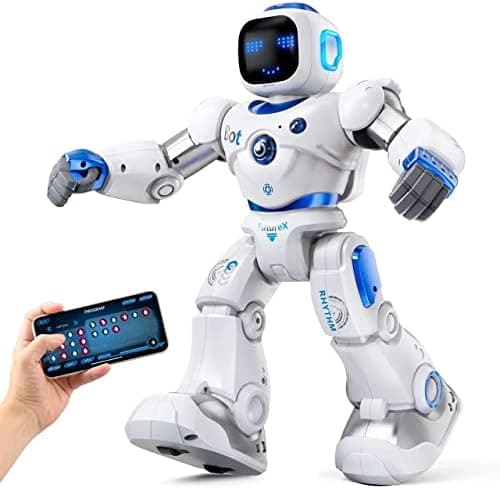
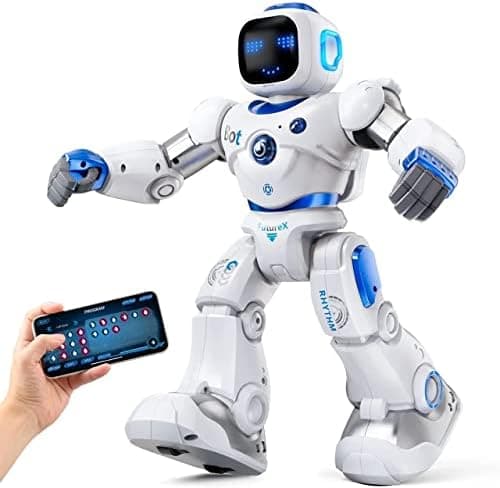
Some toys are designed to teach. Others are designed to make a child gasp when the box is opened. The Ruko 1088 is firmly in the second camp, and there is nothing wrong with that. Standing nearly 16 inches tall, with a glowing animated face, nine moving joints and a repertoire of songs and dance routines, it is the kind of robot that a five-year-old points at across a toy shop. It walks, it slides, it tells stories, it strikes gymnast poses, and it answers back when you tell it to dance.
Ruko is one of the better-known names in children's robot toys on Amazon UK, and the 1088 is its flagship: the big, showy one, as opposed to the smaller and cheaper 6088 that shares the same family. The listing leans hard on words like "STEM" and "programming", which is exactly the sort of claim we like to test rather than repeat. So the question for parents is simple: is this a genuine learning robot, a brilliant interactive playmate, or an expensive novelty that ends up in the cupboard by February?
The notes below draw on Ruko specifications and owner reports. Here is what it does well, where it falls short, and which child it really suits.
Disclosure: This article contains affiliate links. As an Amazon Associate, AIToys.co.uk earns from qualifying purchases. If you buy through our links, we may earn a small commission at no extra cost to you. It never changes the price you pay, and it never changes our verdict.
👉 Short on time? Check the latest price on AmazonAs an Amazon Associate, AIToys.co.uk earns from qualifying purchases..
Quick Verdict: Ruko 1088 Smart Robot
The Ruko 1088 is a considered pick from the specs and owner reports. As a big, characterful, interactive robot buddy it is genuinely good fun: the size alone gives it presence, the four control methods mean it suits a wide age range, and the songs, expressions and dances give it a personality that younger children fall for quickly. Where it stretches the truth is on the "STEM" and "programming" front. The app-based programming is basic sequencing rather than real coding, and there is no conversational AI or lesson content. Treat it as a premium interactive playmate rather than an educational tool and it delivers; go in expecting a coding robot and you will be disappointed. Add in a couple of quirks (a proprietary charging cable and a fairly short battery life) and you have a very likeable toy that is worth the money for the right child, but is not the learning powerhouse the box implies.
Pros
- Big and full of personality: nearly 16 inches tall, with a light-up face, songs and dances.
- Four ways to play: remote, app, gravity/tilt and voice commands suit different ages.
- Instant fun: entertaining within minutes, almost no setup.
- Simple programming: app sequencing introduces cause-and-effect and logic.
- Kid-friendly build: skin-safe ABS, rechargeable, no AA batteries.
Cons
- Light on real STEM: programming is icon-sequencing, not coding.
- Battery and cable quirks: ~100 minutes of play, and only the supplied cable charges it.
- Basic app: the cleverer features live in a slightly clunky companion app.
- Premium price: around £110 for an entertainment-first robot.
What Exactly Is the Ruko 1088?
The Ruko 1088 is a large interactive robot toy for children. Out of the box you get the robot itself (a chunky, humanoid figure standing around 15.8 inches (40cm) tall) a 2.4GHz remote control, a USB charging cable and the instructions. It is rechargeable, with a built-in battery rather than the fistful of AA cells that so many robot toys demand, and it is made from a skin-safe ABS plastic with smooth, burr-free edges designed for small hands.
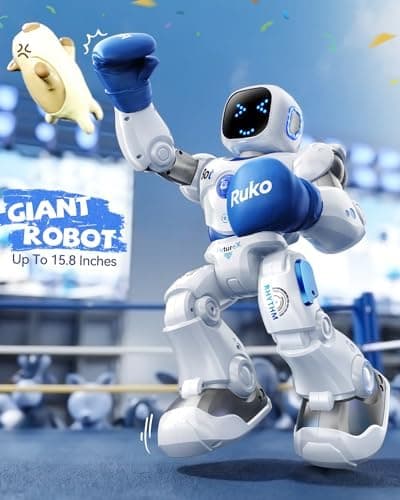
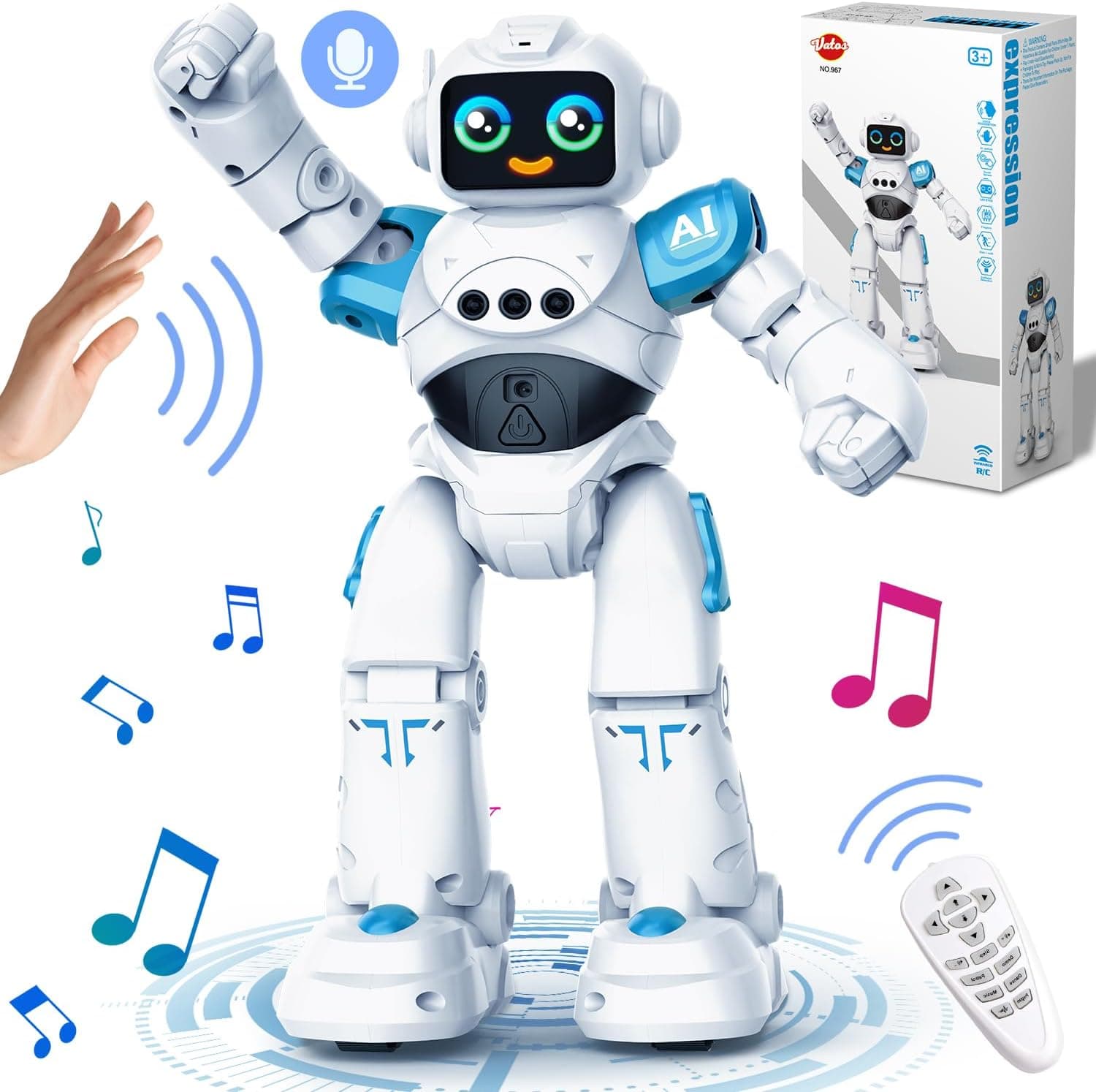
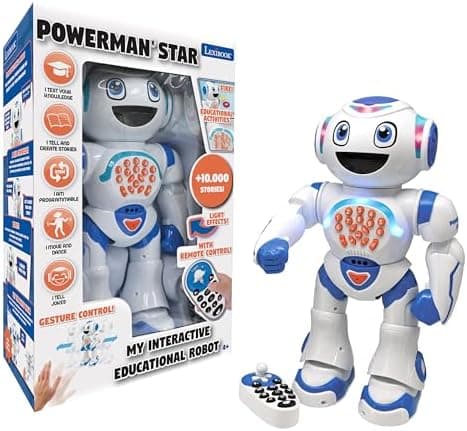
The headline features are all about presence and play. The 1088 has an animated LED face that cycles through ten expressions, nine flexible joints that let it move its arms and body, and a library of built-in songs and dance routines. It can walk, slide across smooth floors, strike gymnastics poses, tell short stories and (the party trick most children love) perform a full dance to music on command. It is very much an "interactive companion" toy in the same family as the VATOS RC Robot and the Lexibook Powerman Star, just larger and pricier than either.
What it is not is a conversational AI robot. There is no chatbot, no microphone-driven question-and-answer, and no educational curriculum. If that is what you are after, you want something like the Miko 4 instead. The 1088 is an interactive entertainer, and it is best judged as one.
Four Ways to Control It
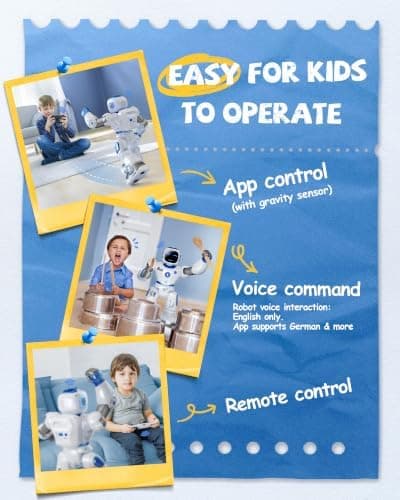
The 1088's cleverest idea is that it gives you four different ways to make it do things, which is what lets a three-year-old and a nine-year-old both enjoy the same toy.
The 2.4GHz remote control is the simplest and most reliable method, and the one the youngest children gravitate to: press a direction and the robot moves, press a button and it dances. The Carle companion app, connected over Bluetooth, unlocks the more elaborate features, including the action programming (more on that below). There is a gravity/tilt mode, where you steer the robot by tipping your phone as if it were a steering wheel, which children find intuitive and slightly hilarious. And finally there are voice commands: say something like "dance for me" and the robot responds, which is the feature that gets the biggest reaction on Christmas morning.
None of these is flawless. The voice recognition is command-based and works best in a quiet room, and the app can be a little fussy to pair. But having the choice matters: a younger child sticks with the remote, an older one dives into the app, and everyone finds a way in.
Does It Really Teach STEM and Coding?
This is where we have to be straight with you, because it is the claim the listing pushes hardest. The Ruko 1088 is described as a "STEM learning robot" that lets children "explore basic programming". In practice, the "programming" is a simple action-sequencing feature in the app: you line up icons (move forward, turn, dance, make a sound) and the robot performs them in order. It is genuinely useful for introducing the idea of a program as a sequence of steps, and for very young children that cause-and-effect lightbulb moment has real value.
But let us be clear about what it is not. There is no block coding in the Scratch sense, no logic loops, no variables, and nothing that resembles the structured coding curriculum you get from a purpose-built coding robot like the Makeblock mBot. A child will not come away from the 1088 having learned to code. They will come away having played with a fun robot that happens to include a light sequencing activity. On this AI-and-STEM site we think that distinction matters, because paying a premium expecting a coding education and receiving an entertainment toy is exactly the kind of disappointment we try to help parents avoid.
Judged honestly, then: yes, it plants the very first seed of "I can tell a machine what to do", and that is worth something for the 4-6 age group. No, it is not a coding robot, and it should not be your pick if teaching real programming is the goal.
What We Like
The sheer presence of it. Most robot toys are palm-sized. The 1088 is not. It is big enough to feel like a genuine character in the room, and that size is a huge part of its appeal to younger children. It has the "friend" quality that a tiny desk robot simply cannot match.
It is fun the moment it comes out of the box. There is no lengthy build, no complicated calibration, no firmware saga. Charge it, switch it on, pick up the remote and it is dancing within minutes. For a birthday or Christmas gift, that instant payoff is exactly what you want. No tears while a parent wrestles with setup.
The personality lands with children. The combination of ten facial expressions, nine moving joints, songs, storytelling and dance routines gives the 1088 more character than the spec sheet suggests. Children talk to it, name it and include it in their play, which is the real test of a toy like this.
The build quality is reassuring. The skin-safe ABS feels solid, the edges are smooth, and the rechargeable battery means no drawer full of AA cells. For a toy that will be dropped, carried around and generally loved hard, that matters.
What Could Be Better
We promised an honest review, so here are the caveats worth knowing before you spend £110.
The charging is the biggest gotcha. The 1088 must be charged with the specific cable supplied in the box. Ruko explicitly warns that a standard USB-C to USB-C cable will not charge it, so if that cable is lost or chewed by the family dog, you have a problem. Battery life is also modest: roughly 100 minutes of play from a 150-minute charge. That is fine for a play session, but expect to plug it in often, and keep that cable safe.
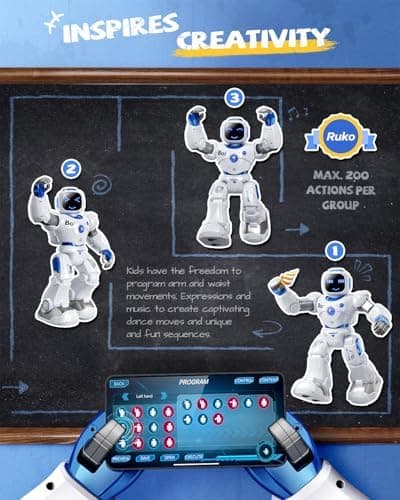
The app is where the polish runs out. The remote is dependable, but the more interesting features (programming, some voice functions) live in the Carle app, which feels basic and can be fiddly to pair. It works, but it is not the slick experience the marketing images imply.
The novelty can wear off. Because so much of the appeal is the set of songs and dances, some children exhaust the "greatest hits" within a few weeks. The programming feature extends the life a little, and the four control modes help, but this is a toy that shines brightest in its first month.
The price asks a lot for an entertainer. At around £110 at the time of writing (July 2026), the 1088 sits at the premium end of interactive robot toys. It is a lot of robot for the money in terms of size and features, but if you were hoping the price bought genuine educational depth, it does not.
The Cheaper Sibling: Ruko 6088
If the 1088's price gives you pause, it is worth knowing about its smaller sibling, the Ruko 6088, which sells for around £50: less than half the price.
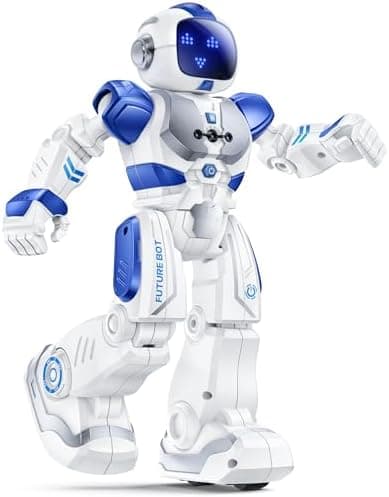
The 6088 is more compact, but it keeps most of what makes the range fun: the same four control methods (remote, app, gravity and infrared gesture sensing), nine dynamic expressions, singing and dancing, and a slightly more developed programming feature with a 200-icon editable program bar. It even adds a science-quiz app element. For a younger child, or for a family that likes the idea but cannot justify the flagship's price, the 6088 is arguably the better-value buy: you lose the wow-factor size and some of the polish, but keep the core play. You can check the current price of the Ruko 6088 on Amazon if a smaller, cheaper option suits your child better.
Who Is It For?
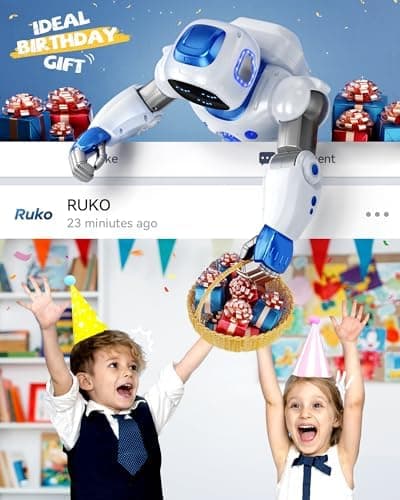
The Ruko 1088 is at its best for children roughly aged 4 to 9 who want a big, fun, interactive robot friend. The kind of standout gift that gets a genuine reaction when it is unwrapped. If your child loves the idea of a robot that dances, tells stories and responds to their voice, and if the "it's huge!" factor appeals, this is a very likeable toy. It is also a good fit for families who want something rechargeable and reasonably durable rather than a fragile, battery-hungry gadget.
It is not the right choice if you are shopping for a coding education. The programming here is a light extra, not a curriculum, so a dedicated coding robot will serve you far better. It is also not the pick if you want a conversational, tutoring "AI" companion, or if a £110 spend on an entertainment-first toy feels hard to justify, in which case the cheaper 6088 or a smaller robot like the Sphero Mini makes more sense.
How Does It Compare?
Within the interactive-robot category, the 1088 competes mostly on size and spectacle. The VATOS RC Robot offers a very similar mix of remote, app, gesture and programming play for less money, though it is smaller and less of a showpiece. The Lexibook Powerman Star is a budget talking-and-dancing robot that undercuts the Ruko significantly but feels more basic. Step across to genuine learning robots and the comparison changes entirely: the Miko 4 is a true conversational AI companion with educational content, and the Makeblock mBot is a proper coding robot. Both do something the Ruko does not, at a similar or higher price. The 1088's unique selling point is simply that none of those has its combination of size, presence and instant, four-ways-in fun. You can see how the whole field stacks up in our guide to the best AI robots for kids.
Value for Money
At around £110, the Ruko 1088 is a considered purchase rather than an impulse buy, and how good the value is depends entirely on what you want from it. As a headline gift (a big, characterful robot that produces an immediate reaction and keeps a young child entertained) it delivers, and the size and feature list are generous for the money. As an educational investment, it is poor value, because the learning content is thin. Our honest steer: buy it as a premium interactive toy for a child who will love a dancing robot friend, and it is money well spent. Buy it expecting to teach coding, and you would get far more from a cheaper, purpose-built STEM robot. And if the play matters more than the size, the £50 Ruko 6088 gives you most of the same fun for a good deal less.
Age, Safety and Setup
Setup is refreshingly simple: charge the robot fully using the supplied cable (remember, only that cable works), switch it on, and either pick up the remote or pair the app. There is nothing to assemble.
The 1088 is made from skin-safe ABS with smooth, rounded edges, and it runs on a low-voltage rechargeable battery, so there is no mains electricity involved in play and no heat. As with any toy of this type it contains small internal parts and a charging cable, so it is best kept to the manufacturer's guidance and away from children under three, and we would supervise charging as you would with any rechargeable gadget. The recommended age reflects the dexterity needed to use the remote and app rather than any particular hazard. A brief adult hand at the start (pairing the app, showing how the controls work) is all most children need before they are off playing on their own.
Frequently Asked Questions
Does the Ruko 1088 need Wi-Fi or the internet? No. The remote control works on its own, and the app connects directly to the robot over Bluetooth. There is no internet connection or account required, which is reassuring from a data-privacy point of view.
Does it actually teach coding? Only in the lightest sense. The app lets children sequence simple actions, which introduces the idea of a program as a list of steps, but there is no real coding, logic or block programming. For genuine coding, choose a dedicated coding robot.
Is it really "AI"? Not in any meaningful way. It responds to preset voice commands and follows programmed sequences, but there is no conversational intelligence or learning. It is an interactive entertainment robot, not an AI tutor.
How long does the battery last? Roughly 100 minutes of play from a full charge, which takes about 150 minutes. It must be charged with the cable supplied in the box: a standard USB-C to USB-C lead will not charge it.
What age is it best for? Around 4 to 9 works best. Younger children love the remote and the dancing; older ones get more from the app and programming. Under-threes should not use it unsupervised.
Should I buy the 1088 or the cheaper 6088? Buy the 1088 if the big size and extra polish matter and the budget allows. Buy the 6088 (around £50) if you want most of the same fun (the four control modes, dancing, expressions and a bigger programming bar) in a smaller, far cheaper package.
The Verdict
The Ruko 1088 is a genuinely fun, big-hearted interactive robot that knows how to make a child smile. Its size gives it presence, its four control methods make it accessible across a wide age range, and its songs, expressions and dances give it a personality that younger children fall for fast. As a standout birthday or Christmas gift for a robot-mad four-to-nine-year-old, it does exactly what you would hope.
Where it asks for honesty is on the label. This is not a STEM education or a coding robot, whatever the listing says. The programming is a light sequencing activity, not a curriculum, and there is no real AI. Factor in the proprietary charging cable, the fairly short battery life and the basic app, and you have a very likeable toy that is priced as a premium product but plays as an entertainer. Match your expectations to that reality (and consider the cheaper 6088 if budget matters) and the 1088 is worth its place under the tree.
It is a considered pick from the specs and owner reports: a delightful interactive robot, held back only by claims it cannot quite live up to. See how it lines up against the rest in our roundup of the best AI robots for kids, or browse more ideas in our best AI toys for 6-8 year olds.
👉 Ready to meet the robot? Check the latest price on Amazon.
As an Amazon Associate, AIToys.co.uk earns from qualifying purchases. Prices and availability are accurate as of the date of publication but can change. We only ever recommend products we believe will genuinely help UK families.