Disclosure: This article contains affiliate links. As an Amazon Associate, AIToys.co.uk earns from qualifying purchases. If you buy through our links, we may earn a small commission at no extra cost to you. It never changes the price you pay, and it never changes our verdict.
ELEGOO Smart Robot Car Kit Review: The Build-It-Yourself Robot That Teaches Real Coding
Most "coding robots" arrive fully built. You charge them, pair an app, and start dragging blocks around a screen. They are brilliant for getting started, but there is a whole layer of the story they quietly skip: the wiring, the sensors, the little motor that actually turns a wheel, and the rather magical moment when a child realises that they connected all of it together. The ELEGOO Smart Robot Car Kit puts that missing layer front and centre. It is a flat-pack robot you assemble from an Arduino-compatible board, a motor driver, four motors and a generous handful of sensors, and then bring to life with your own code.
It is also remarkably affordable for what is in the box, which is a big part of why it has become one of the most popular STEM kits on Amazon UK, with a 4.4-star rating across hundreds of reviews. But "build it yourself" cuts both ways: the same hands-on depth that makes this kit special also makes it more demanding than a ready-to-roll robot like the Makeblock mBot. Here is our honest take on who it suits, what it does brilliantly, and where you will need a little patience.
👉 Short on time? Check the latest price on AmazonAs an Amazon Associate, AIToys.co.uk earns from qualifying purchases..
Quick Verdict: ELEGOO Smart Robot Car Kit
The ELEGOO Smart Robot Car Kit earns a solid 4.4 out of 5. For around £63 you get a genuinely complete robotics platform: an Arduino UNO R3-compatible brain, ultrasonic obstacle avoidance, a line-tracking module, an infrared remote, WiFi app control and even a first-person-view camera. Very little else at this price teaches real electronics and programming so thoroughly. It loses half a star only because the experience asks more of the family than a pre-built robot does. Assembly takes time, the deeper coding needs a computer, and battery provision has varied between versions. None of that is truly a flaw; it is simply the nature of a proper build kit, and for the right child it is the whole point.
Pros
- Brilliant hands-on value: a complete build-and-code robot for around £63.
- Teaches the real thing: genuine electronics and Arduino programming, not only blocks.
- No soldering: plug-and-play XH2.54 connectors cut down wiring mistakes.
- Room to grow: start with the friendly app, progress to Arduino C/C++.
- Loaded with sensors: obstacle avoidance, line tracking, IR remote, WiFi app and an FPV camera.
Cons
- Patience required: assembly is involved, and younger children will need help.
- Needs a computer: the full coding experience runs through the Arduino IDE on a PC or Mac.
- Check the batteries: what cells and charger are included has changed between versions.
- Age is optimistic: listed as 8+, but independent building really suits 10-12 and up.
Key Features
The heart of the kit is an ELEGOO UNO R3 board, which is fully compatible with the Arduino IDE. If you have read our Arduino Starter Kit review, you will already know how central that little board is to the maker world. It is the same microcontroller that powers countless school and hobby projects. Here, instead of blinking a single LED on a breadboard, your child wires it into a moving, sensing robot.
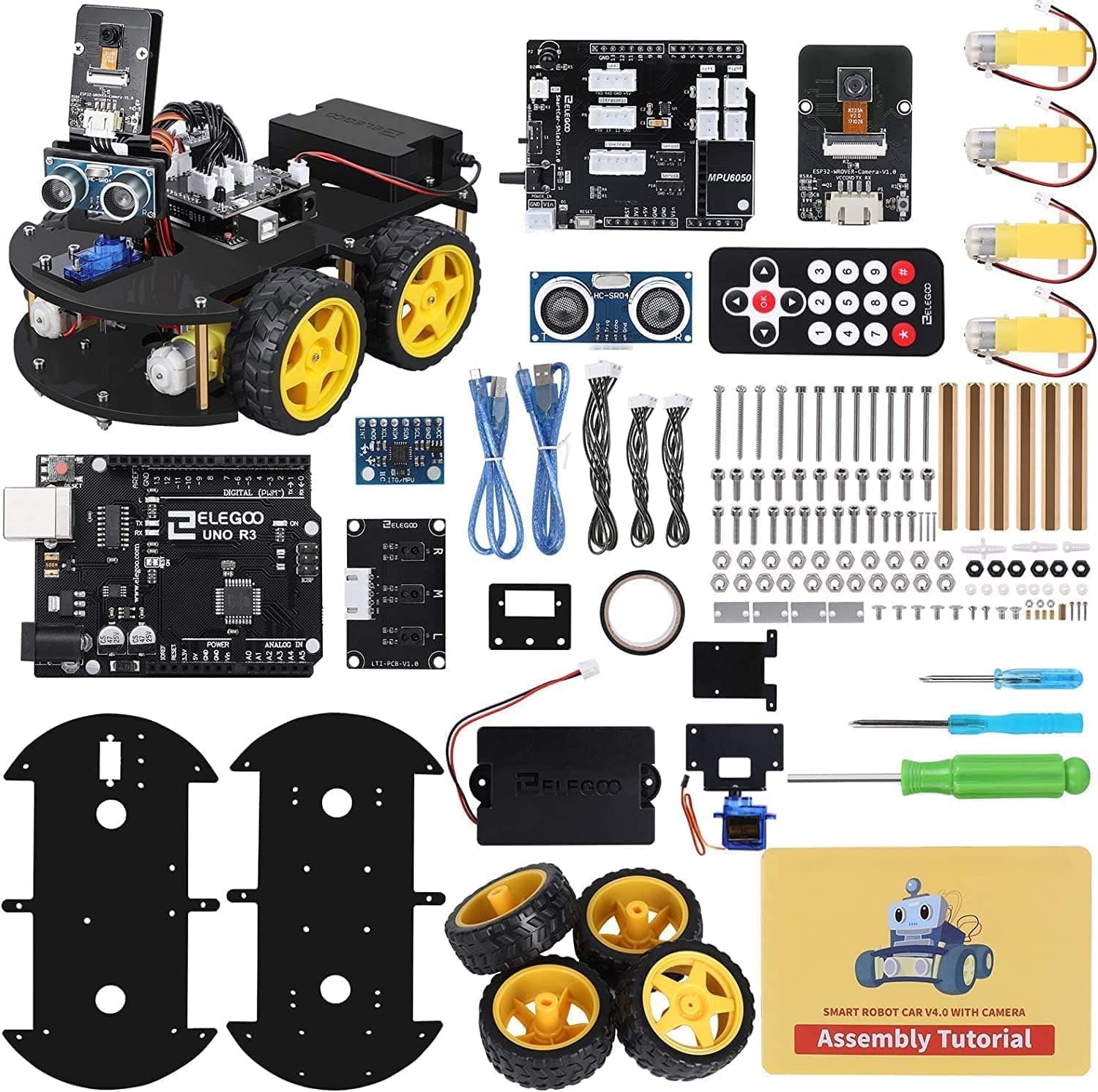
ELEGOO describes the kit as containing 24 kinds of module parts, and the headline components are worth spelling out:
- Ultrasonic obstacle avoidance: a sensor on the front measures distance so the robot can detect walls and furniture and steer around them.
- Line-tracking module: infrared sensors underneath let the car follow a dark line on the floor: the classic first robotics challenge, and a brilliant way to teach cause and effect.
- Infrared remote control: drive the car around the living room straight out of the box.
- WiFi app control: install the free ELEGOO app on an Android or iOS phone or tablet, connect over WiFi, and steer the robot from your screen.
- First-person-view (FPV) camera: the built-in camera streams a live view to the app, so children can pilot the robot from its own point of view: genuinely the feature that makes jaws drop.
- Four DC motors, a motor-driver board and an acrylic chassis: the mechanical backbone that turns code into movement.
Crucially, ELEGOO has modified all of the module interfaces to use XH2.54 plug-and-play ports. In plain English, the connectors only fit where they are meant to, so there is no soldering and far less chance of a frustrating wiring error. The kit also ships with an HD illustrated tutorial and all the necessary example code, so you are never left guessing what connects where. The robot runs on rechargeable batteries, giving a good stretch of play between charges, though, as we explain below, exactly which cells and charger are bundled has varied between versions and regions, so it is worth checking the current listing.
What We Like
The single best thing about this kit is that it teaches the real thing. A child does not just command a finished robot; they build the robot, then command it. Along the way they meet sensors, motors, a microcontroller and the idea that code is a set of precise instructions a machine will follow literally. That is a far richer mental model than a purely app-driven toy can offer, and it sticks.
We also love the progression on offer. Beginners can start with the app's friendly, approachable controls and the supplied example programs, getting the car following a line or dodging obstacles within an afternoon. When that is mastered, the same hardware opens straight into the Arduino IDE, where children (and curious grown-ups) can read, tweak and eventually write their own C/C++ code. It is the same "starts simple, never gets outgrown" philosophy we praised in the Makeblock mBot2, but here it leans even further towards proper text-based programming.
The plug-and-play connectors deserve a special mention. Anyone who remembers fiddly jumper wires popping out at the worst moment will appreciate how much friction ELEGOO has removed. It makes the build approachable for families without an electronics background, and it keeps the focus on learning rather than troubleshooting.
Then there is the FPV camera, which is the closest this kit comes to pure showmanship, and we mean that as a compliment. Driving a robot you built around the house while watching its live camera feed on a tablet is the kind of moment that turns a one-afternoon project into a long-running hobby. Reviewers consistently praise the build quality and durability of the parts, too, and ELEGOO's large community of tutorials, forums and project videos means help is rarely more than a search away.
What Could Be Better
Honesty matters more than enthusiasm, so here is where you should temper expectations.
First, assembly takes real time and care. This is a feature, not a bug (building it is the point) but it is worth setting expectations. Plan for a couple of focused sessions rather than a five-minute unboxing, and expect younger children to need an adult sitting alongside them, especially for the steps that involve the chassis and motor wiring.
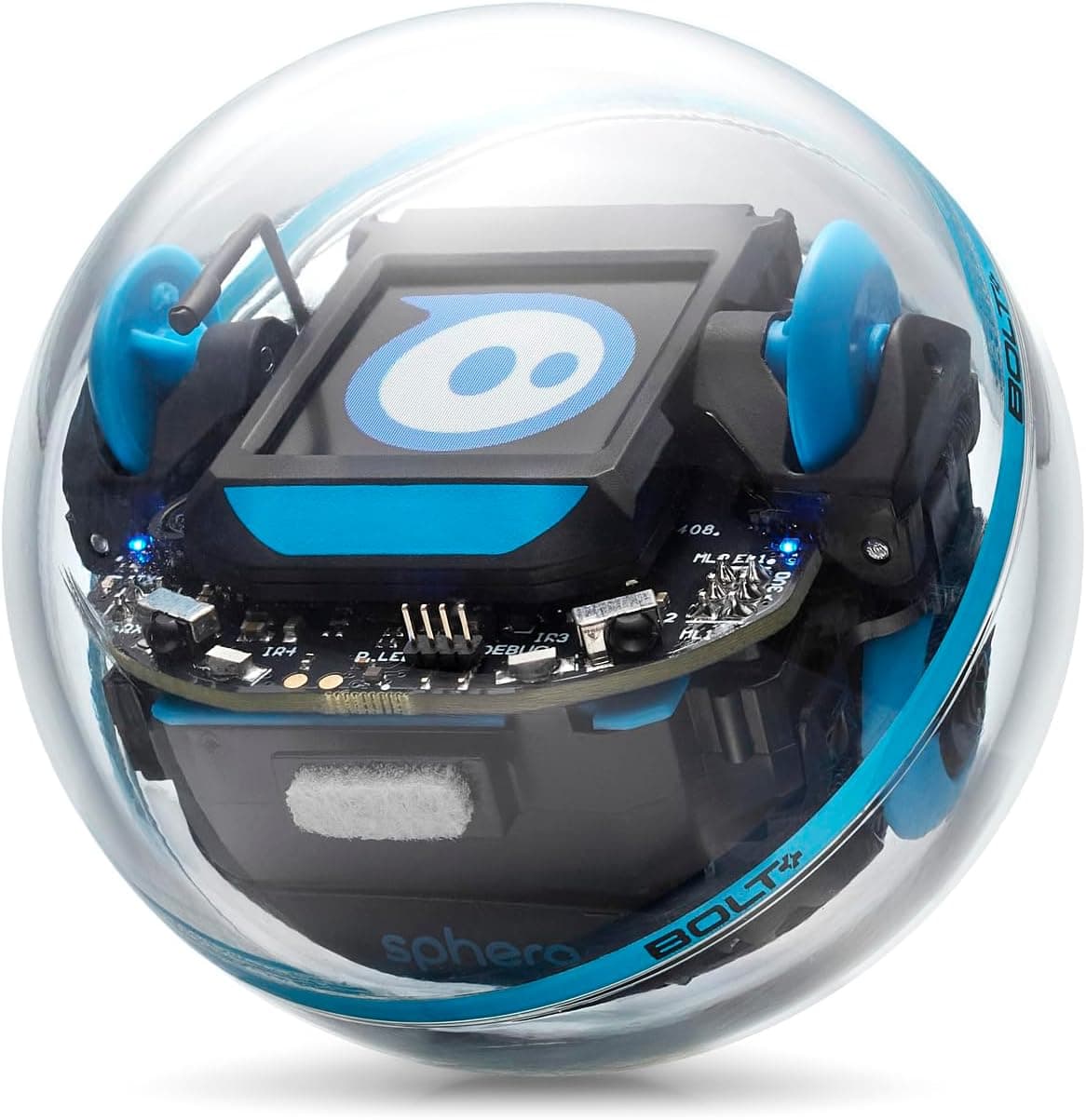
Second, the deeper coding needs a computer. The app and remote get you driving quickly, but the heart of the experience (editing and uploading Arduino sketches) runs through the Arduino IDE on a Windows PC or Mac. If your household is tablet-only, you can still enjoy the app side, but you will not reach the full programming depth that makes this kit special. It is a different setup from a self-contained robot such as the Sphero BOLT, which does everything from a tablet.
Third, check the battery and charger details on the current listing before you buy. ELEGOO's own materials say the kit includes rechargeable cells, but exactly what ships (and whether a separate charger is in the box) has changed across versions and marketplaces. It is an easy thing to confirm at checkout, and a spare set of compatible rechargeable batteries is never a bad idea for a robot that will get plenty of use.
Finally, a word on age. The Amazon UK listing says 8+, and an enthusiastic, well-supported eight-year-old can absolutely enjoy this with a parent. But the manufacturer's wider guidance and most independent reviewers lean towards older children for independent work (roughly ages 10-12 and up) simply because the build and the Arduino side reward a bit of reading stamina and patience. For a fully screen-light, younger-child starting point, a micro:bit project (see our BBC micro:bit V2 review) or a pre-built robot is the gentler on-ramp.
Who Is It For?
This kit is at its best for the child who has outgrown drag-and-drop-only robots and wants to know how the magic actually works. If your son or daughter has enjoyed a block-coding toy and keeps asking "but how does it do that?", the ELEGOO answers the question by handing them the components.
It is an excellent fit for:
- Budding engineers aged 10-12 and up who like building as much as coding.
- Families who want genuine STEM depth (electronics, mechanics and text-based programming) rather than a closed app experience.
- Confident eight- and nine-year-olds working with a parent, where the build becomes a shared project.
- Teenagers and adults dipping a toe into Arduino, for whom the robot is a fun, motivating first project.
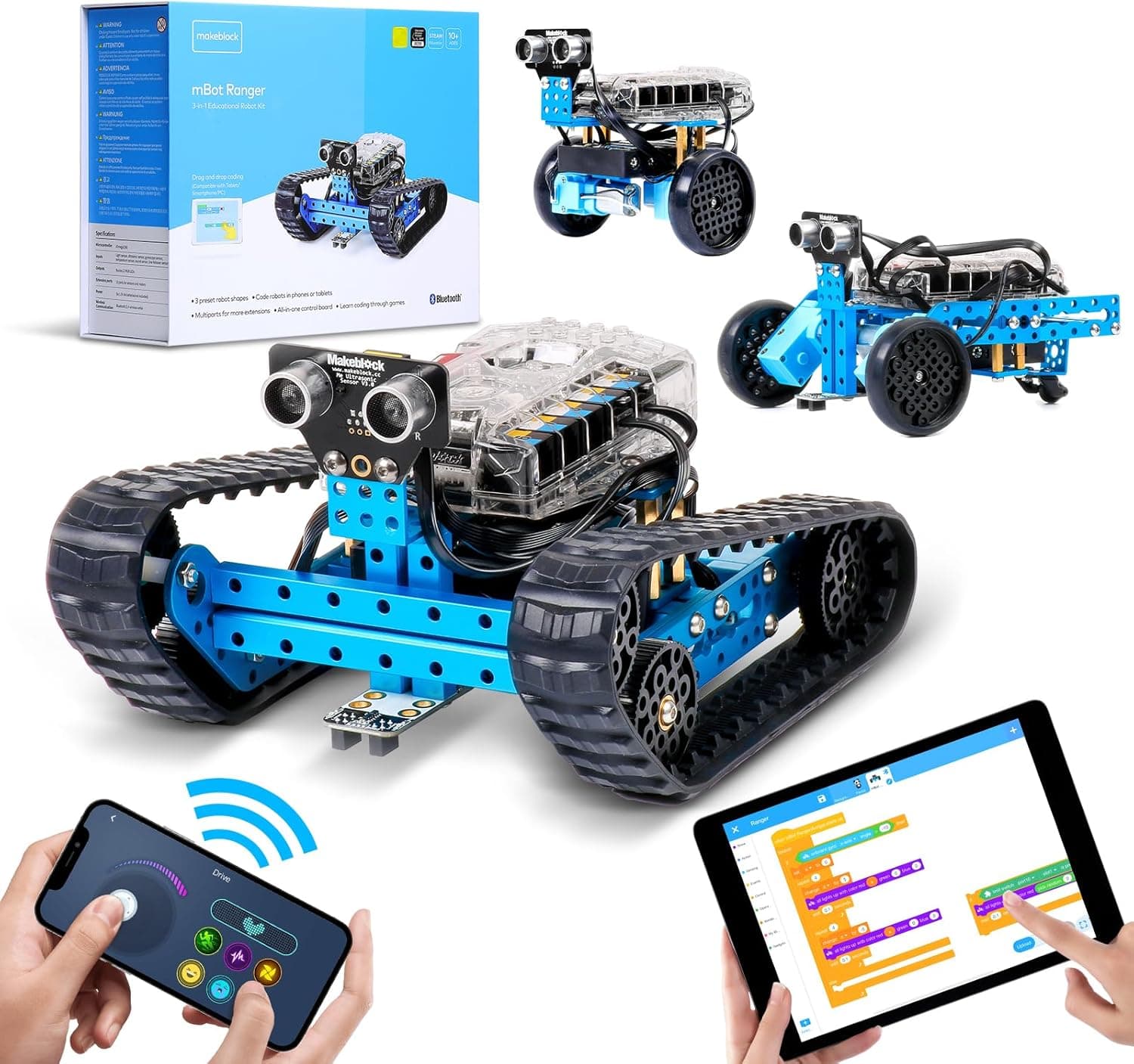
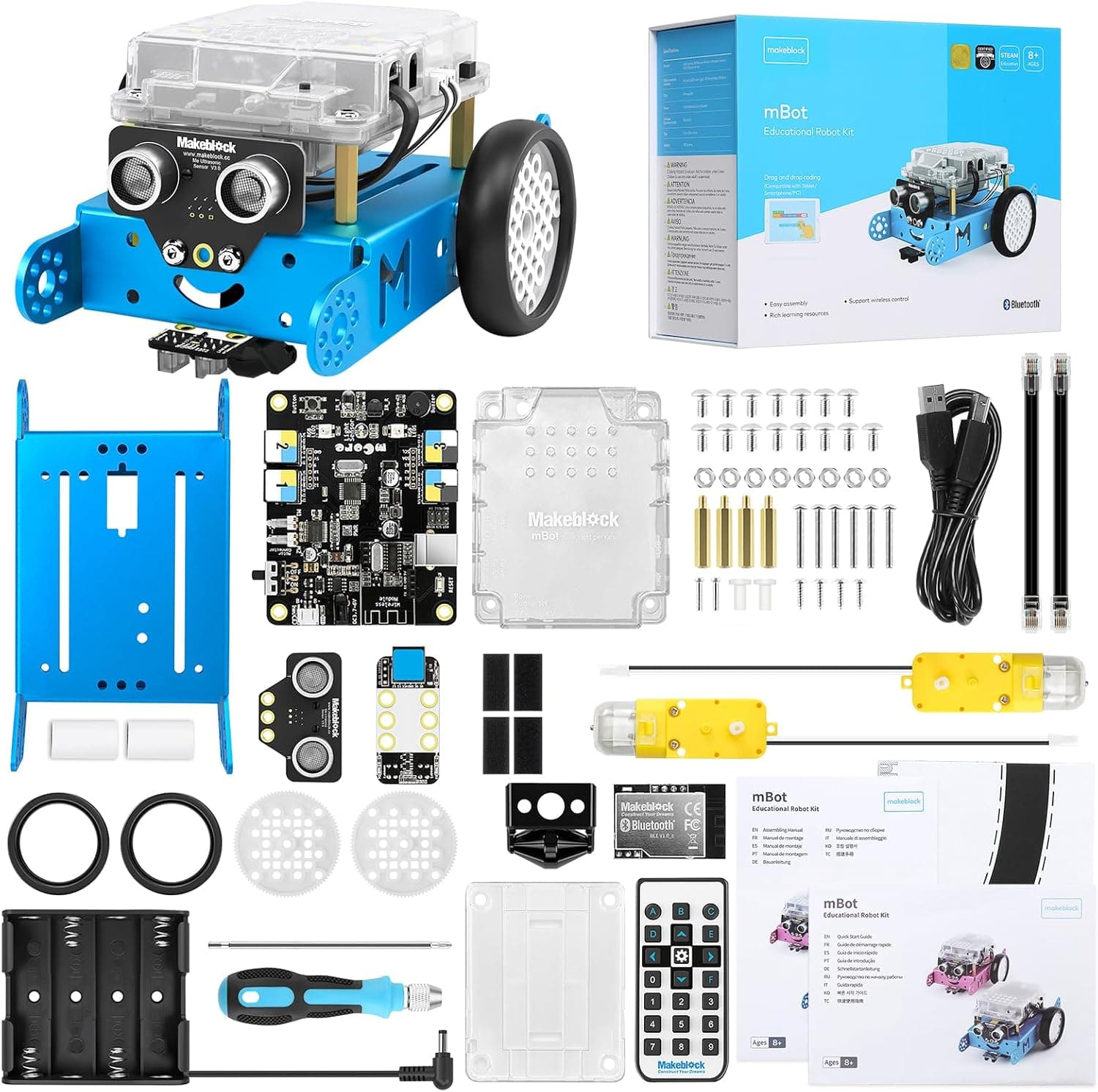
It is less ideal for very young children, for households without access to a computer for the coding side, or for anyone wanting a charge-and-go robot with zero setup. In those cases, a ready-built option like the Makeblock mBot will deliver smiles faster.
Value for Money
At around £63 at the time of writing, the ELEGOO Smart Robot Car Kit is, frankly, a lot of robot for the money. Consider what is inside: an Arduino-compatible controller, a motor-driver board, four motors, an ultrasonic sensor, a line-tracking array, an infrared remote, a WiFi module and a camera, plus the chassis and fixings to hold it all together. Buying those parts individually would comfortably exceed the price of the complete kit, and you would still have to work out how they fit together. We always avoid claims about "the cheapest" or "the best price" (Amazon pricing moves around, and you should check it for yourself) but on sheer educational value per pound, this kit is hard to beat.
It is worth remembering that the real return here is learning, not just play. A pre-built robot entertains; a build kit like this teaches transferable skills (circuits, logic, debugging, perseverance) that map directly onto schoolwork and, later, careers. Set against the cost of a single coding club term, a kit that can occupy a curious child for months looks like genuine value.
👉 Check the latest price on Amazon to see where it sits today.
Verdict
The ELEGOO Smart Robot Car Kit is one of the most rewarding STEM purchases you can make for a curious child, and it earns its 4.4 out of 5. It does the thing so many "coding robots" skip (it makes a child build the machine before they command it) and it does so with a thoughtful, no-soldering design, a generous spread of sensors, and a price that feels almost too good for the contents. The trade-offs are real and worth knowing: it takes patience to assemble, the full coding experience needs a computer, and you should confirm the battery details before buying. But for the right child (broadly ages 10-12 and up, or a younger enthusiast building alongside a parent) none of that dampens the achievement of watching a robot you made yourself trundle across the floor, following your code.
If you want maximum depth and your child loves building, this is an easy recommendation. If you would rather a faster, fuss-free start, read our Makeblock mBot review for the gentler alternative, and our Arduino Starter Kit review if the electronics side is what really excites them.
👉 Ready to start building? Check the latest price on Amazon.
Age guidance: manufacturer-listed as suitable for ages 8 and over; in our view best suited to ages 10-12 and up for independent building, with adult help recommended for younger children. Always supervise young children with small parts and batteries.