Disclosure: As an Amazon Associate, AIToys.co.uk earns from qualifying purchases. This article contains affiliate links. If you buy through our links, we may earn a small commission at no extra cost to you.
Clementoni Mio Robot 2.0 Review: Build It, Then Teach It
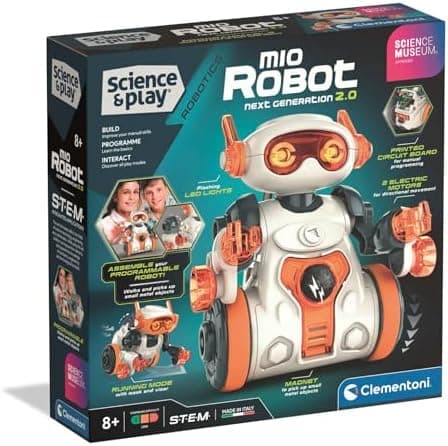
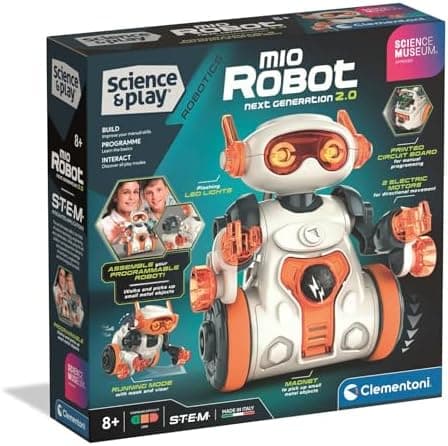
Most coding robots for children arrive ready to roll. The Clementoni Science Museum Mio Robot 2.0 does not. It comes as a kit: a circuit board, motors, wheels, wiring and body panels that your child assembles before writing a single command. Once Mio is built, it can be programmed with the arrow buttons on its back, steered or coded through a free app, set to follow a hand, avoid obstacles, react to claps, draw with a pen or hunt for paper clips with a magnet.
It is part of Clementoni's Science and Play range, produced under licence from the Science Museum, with Clementoni saying every purchase supports the museum. The age guidance is 8+, and Clementoni says the robot was conceived, designed and developed in Italy.
AIToys.co.uk selects and researches products from manufacturer information, the live Amazon UK listing, the app store listings and repeated owner and parent reviews. This page is a buying guide, not a first-hand test. When we checked Amazon UK on 8 October 2026, the Mio Robot 2.0 (ASIN B0FD45KK4N) was £27.13 and in stock, sold by Amazon. Prices change, so check the listing before you buy.
Check the Mio Robot 2.0 price on Amazon UKAs an Amazon Associate, AIToys.co.uk earns from qualifying purchases.
Key Features at a Glance
| Feature | Detail |
| Amazon UK price (8 Oct 2026) | £27.13, ASIN B0FD45KK4N, in stock, sold by Amazon |
| Age guidance | 8+ (not suitable for children under 36 months: small parts) |
| Build | Self-assembly: circuit board, motors, wiring, wheels and body |
| Screen-free coding | Arrow-button panel on Mio's back to programme a route |
| App | Free Mio app for iOS and Android: Coding (block-based) and Real Time modes |
| How the app connects | High-frequency sound picked up by Mio's microphone, no Bluetooth |
| Sensors | Two infrared sensors, plus a microphone |
| Play modes | Obstacle avoidance, follow your hand, clap control, drawing, magnet search |
| Accessories | Marker holder, magnet holder and interchangeable arms |
| Power | 4 x AAA batteries, not included |
| Licence | Science Museum (SCMG Enterprises) |
What We Like
1. Children build the robot, not just the program
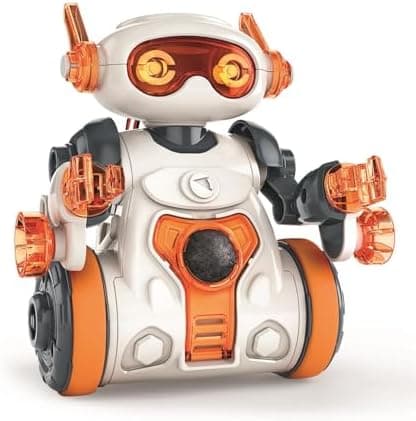
The build is the point. Children fit the motors, wheels, head, arms and battery box, then connect the cables to the circuit board. Parent reviews describe step-by-step instructions with photos and short notes on circuits, sensors and coding basics, so the build doubles as a simple electronics lesson.
Parent reviews describe the assembly as manageable for an 8-year-old with occasional adult help. The head and arms need a firm push to click in, and telling the microphone cable from the light cable can be confusing. The build is long enough to feel like a project and short enough to finish in one afternoon.
2. Screen-free coding through the buttons
Once Mio is built, the arrow buttons on its back become its first programming tool. Children press a sequence of forward, back, left and right commands, then a centre button to run it. One parent reviewer reports sequences of up to 50 steps. That is a direct introduction to sequencing, debugging and estimating distances, without a tablet in sight.
For families who want coding without extra screen time, this is the strongest reason to choose Mio. It suits the same learning stage as our screen-free vs screen-based coding toys guide describes, but with a robot the child has built themselves.
3. Plenty of play modes for the price
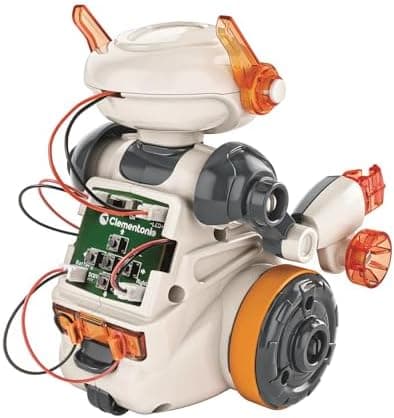
Clementoni lists several ways to play beyond button coding:
- Obstacle avoidance and follow me: two infrared sensors let Mio steer around objects or follow a hand.
- Clap control: the microphone picks up claps and Mio responds with movement.
- Drawing: a marker holder lets Mio trace its route on paper. Parents note that pen height takes some trial and error, and broad-tipped pens work better than fine ones.
- Magnet search: a magnet holder lets Mio pick up light metal items such as paper clips or small coins.
That variety keeps the robot useful after the build is done, which is where many cheap kits fall down.
4. A free app with block coding and no pairing
The free Mio app has two sections. Real Time works like a remote control for movement, sounds and lights. Coding lets children arrange commands into sequences and add simple conditions, which introduces block-based programming.
The app does not use Bluetooth or wifi. It plays high-frequency sounds that Mio's microphone decodes into commands. There is no pairing step, and parent reviews say any phone or tablet with a working speaker will do.
5. Hard to beat on price
At £27.13 on the 8 October 2026 check, Mio costs less than many ready-built screen-free robots. Its main rivals in our best coding robots under £50 shortlist rarely include a self-assembly build at this price.
What Could Be Better
1. Sound-based app control is hit and miss
The sound link is clever, but it is also the most common complaint. The device volume needs to be high, background noise can interfere, and the app's own background music is best muted. Parent reviews put app sequences at around 10 commands. Some Google Play reviewers report the app failing to connect at all, while others say it works well once the volume is turned up. Treat the app as a bonus and the buttons as the main event.
2. Exposed wiring at the back
By design, some of Mio's cables remain visible at the back of the robot. That is part of the learning, and not a fault, but it means Mio is not a robot to throw in a toy box. Younger siblings should play with it under supervision.
3. A few build snags
One parent reviewer found Mio veered off course until small plastic burrs on the wheels were smoothed, as the instructions advise. The same reviewer had spare screws left over and needed Clementoni's customer service to confirm where they went. Keep the instruction booklet safe, because you will want it again.
4. Batteries and floors
Mio runs on four AAA batteries, which are not included. Rechargeable AAAs make sense for regular use. Parents also report the sensors and drive working best on hard floors, with thick carpet reducing performance.
5. Short coding ceiling
Mio teaches sequencing well, but it stops there. There is no route to Scratch, Python or Arduino. A confident 10 or 11-year-old will outgrow it fast, and should look at the Makeblock mBot instead.
Safety, Age and Supervision
- Age: Clementoni rates Mio for 8+. It is not suitable for children under 36 months because it contains small parts that are a choking hazard.
- Conformity: Clementoni states the product complies with the EU Toy Safety Directive (2009/48/EC). Follow the safety information on the box.
- Batteries: An adult should fit the AAA batteries, and batteries should be removed if the robot will not be used for a while.
- Screen time: The core play needs no screen. The app is optional.
- Data: The app talks to the robot through sound rather than Bluetooth or wifi. Check the current app store privacy details before installing, as with any children's app.
- Supervision: Most 8-year-olds will need an adult for parts of the build, especially the cable connections.
Who Is It For?
The Mio Robot 2.0 suits:
- Children aged 8 to 10 who enjoy building things and are new to coding.
- Families who want screen-free coding with an optional app later.
- Gift buyers on a budget who want something more substantial than a plug-and-play toy.
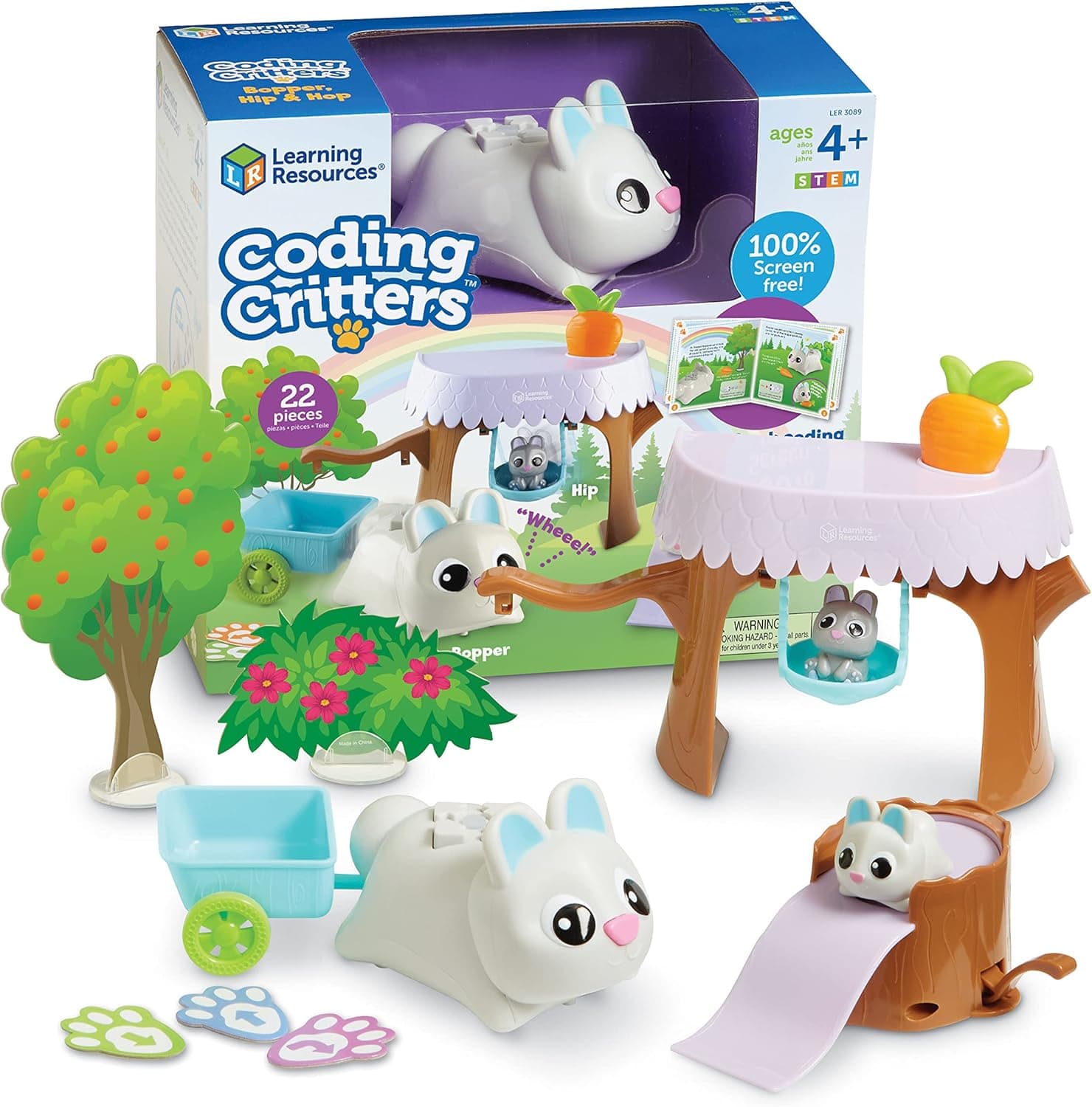
- Children moving on from early-years robots such as the Code and Go Robot Mouse.
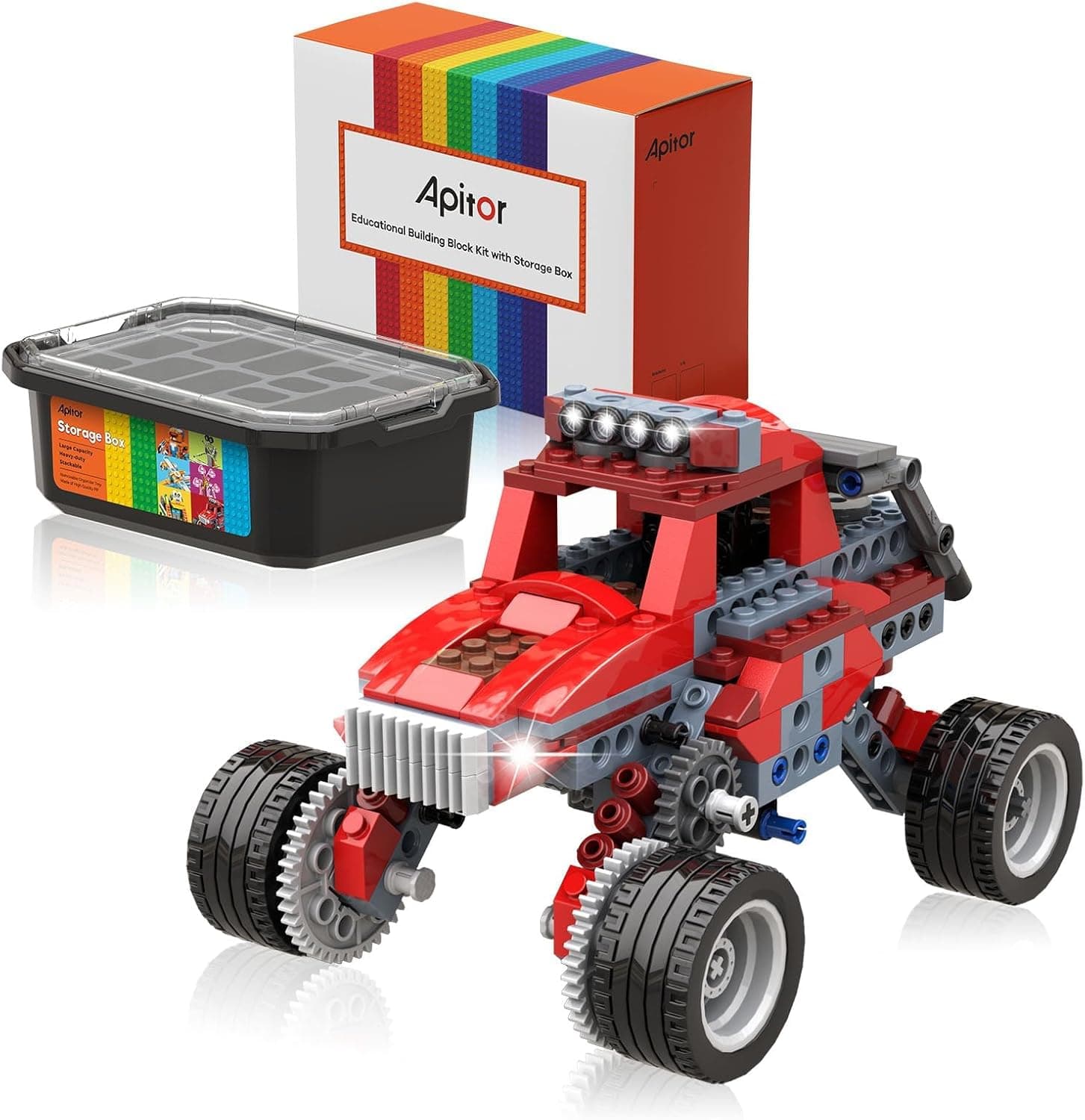
It is less suited to children who already code in Scratch, to anyone who needs a robot that connects reliably over Bluetooth, or to very young children who would treat it roughly. If your child loves long builds more than coding, the Sillbird 5-in-1 STEM Robot offers a far bigger construction project.
FAQ
What age is the Clementoni Mio Robot 2.0 for? Clementoni recommends it for ages 8 and up. Younger children can enjoy it with an adult, but it contains small parts.
Does Mio need an app or a tablet? No. Children can programme a route with the buttons on Mio's back and use the sensor and clap modes without any device. The free app is optional.
How does the Mio app connect? The app plays high-frequency sounds that Mio's microphone decodes. There is no Bluetooth pairing. Turn the device volume up and keep the room quiet for the best results.
What batteries does Mio need? Four AAA batteries, which are not included.
How long does the build take? Parent reviews suggest an afternoon, with adult help for some of the cable connections and the parts that need a firm push to click in.
Is Mio the same as the Clementoni Evolution Robot? No. Evolution Robot is a separate, more technical Clementoni kit. Mio is the simpler, more playful option.
Verdict
The Clementoni Mio Robot 2.0 does something few robots do at this price. It asks children to build their robot before they programme it, and it rewards them with a good range of play modes once it is running. The button coding is genuinely useful, and the Science Museum link gives parents some reassurance about its educational intent.
The sound-based app is the weak link, and the coding ceiling is low, so set expectations accordingly. This page gives it an editorial 4.1/5, based on our research into Clementoni's specifications, app store information and parent reviews rather than a test of our own. As a first build-and-code robot for an 8 to 10-year-old, it is strong value.
Check the Mio Robot 2.0 price on Amazon UK
More coding robot reading: our guide on how to choose a first coding robot, the best coding robots under £50, our best STEM toys under £50 and the Makeblock mBot review.