Best Kids' Learning Tablets UK 2026: 10 Top Picks for Every Age and Budget
The best kids' learning tablets in the UK for 2026: Fire HD 10 Kids, Samsung Galaxy Tab A11, Lenovo Tab M11, iPad and budget picks for every age and budget.
Affiliate disclosure: As an Amazon Associate, AIToys.co.uk earns from qualifying purchases. When you buy through links on our site, we may earn a commission at no extra cost to you. All opinions are our own.
A tablet is, for most children, their first proper piece of personal technology, and that makes choosing one a surprisingly big decision. Get it right and you hand your child a genuine learning tool: a way to read hundreds of books, practise their phonics and times tables, learn to code, draw, make music and video-call grandma. Get it wrong and you have spent a small fortune on an expensive way to watch unskippable adverts and burn through a battery before lunchtime.
The good news is that the UK market in 2026 is in genuinely good shape, and there is a sensible choice for every age and every budget. From a £40 first tablet for a three-year-old to a £410 iPad that will still be useful when your child is doing their GCSEs. The slightly confusing news is that the options pull in very different directions. Amazon's Fire Kids range dominates the category for good reason: brilliant parental controls, a chunky kid-proof case, a worry-free replacement guarantee and a year of the excellent Amazon Kids+ content library. But Fire tablets use Amazon's own Appstore rather than Google Play, which matters if your child wants specific apps. Samsung and Lenovo give you "proper" Android with the full Google Play store and Google's own Family Link controls. An Apple iPad is the most powerful and longest-lived option of all. And at the very bottom of the market, budget tablets do a job, as long as you go in with your eyes open.
We have researched every kids' tablet currently available on Amazon UK and re-checked every pick below against its live listing on 2 August 2026: in stock, the listing matching the model we describe, and the price recorded on the day. We weighed them on the things that actually matter: parental controls, durability, screen quality, the strength of the learning content, battery life and honest value for money. A tablet should supplement hands-on play and real-world learning rather than replace it, so it is worth pairing any of these with plenty of screen-free coding toys and time away from the screen, but used well, the right tablet is one of the best-value educational purchases you can make. Here are our ten favourites.
Quick Comparison Table
| Tablet | Best For | OS / App Store | Ages | Approx. Price |
|---|---|---|---|---|
| Amazon Fire HD 10 Kids | Best overall for young children | Fire OS / Amazon Appstore | 3-7 | ~£200 |
| Amazon Fire HD 10 Kids Pro | Best for ages 6-12 | Fire OS / Amazon Appstore | 6-12 | ~£200 |
| Samsung Galaxy Tab A11 | Best value "proper Android" | Android / Google Play | 6+ | ~£108 |
| Samsung Galaxy Tab A9+ | Best big-screen Android | Android / Google Play | 8+ | ~£260 |
| Lenovo Tab M9 | Best compact starter Android | Android / Google Play | 6+ | ~£160 |
| Lenovo Tab M11 | Best big screen on a budget | Android / Google Play | 8+ | ~£174 |
| Apple iPad (A16, 11in) | Best long-term investment | iPadOS / App Store | 8+ | ~£410 |
| Amazon Fire HD 8 | Best budget all-rounder | Fire OS / Amazon Appstore | 6+ | ~£100 |
| Amazon Fire Max 11 | Best for older kids and sharing | Fire OS / Amazon Appstore | 10+ | ~£290 |
| PRITOM 7in Kids Tablet | Best ultra-budget first tablet | Android / Google Play | 3-7 | ~£40 |
Prices correct as of 2 August 2026 and subject to change. Always check the live Amazon UK price before buying: we never guarantee a specific price.
Our Top Picks
1. Amazon Fire HD 10 Kids Tablet: Best Overall for Young Children
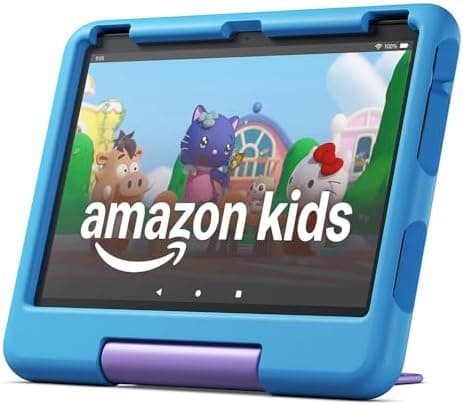
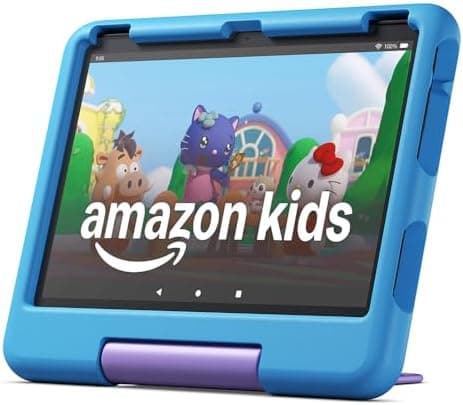
If you want one tablet that simply gets everything right for a primary-school child, the Fire HD 10 Kids is the one to buy. It pairs a genuinely lovely 10.1-inch Full HD screen (bright, sharp and big enough to share a story on) with the most polished parental-control system in the business. The whole thing arrives wrapped in a thick, drop-tested foam case with a built-in stand, and Amazon's two-year "worry-free" guarantee means that if your child breaks it, you send it back and they replace it, no questions asked. For a device that will be dropped down the stairs at least once, that peace of mind is worth a great deal.
What makes it a learning tablet rather than just a tablet is the included year of Amazon Kids+, a vast, genuinely good library of thousands of ad-free books, educational apps, games, audiobooks and videos curated for different ages. You set daily screen-time limits, reward reading over games with "learn first" goals, and review exactly what your child has been doing: all from your phone.
Key features:
- 10.1-inch 1080p Full HD display, 13-hour battery life
- Kid-proof case with stand, two-year worry-free guarantee
- One year of Amazon Kids+ included (thousands of books, apps and videos)
- Granular parental controls, web filtering and screen-time limits via the parent app
Why we recommend it: It is the most complete package for the money: the case, the guarantee, the content library and the controls all just work, and the big screen suits everything from picture books to drawing. The only real catch is Amazon's Appstore, which lacks a few mainstream apps, but for under-8s the curated Kids+ library more than fills the gap.
Best for: Children aged 3-7 and parents who want a fuss-free, hard-wearing tablet with excellent built-in learning content.
Around £199.99 at the time of writing.
Check price on AmazonAs an Amazon Associate, AIToys.co.uk earns from qualifying purchases.
2. Amazon Fire HD 10 Kids Pro Tablet: Best for Ages 6-12
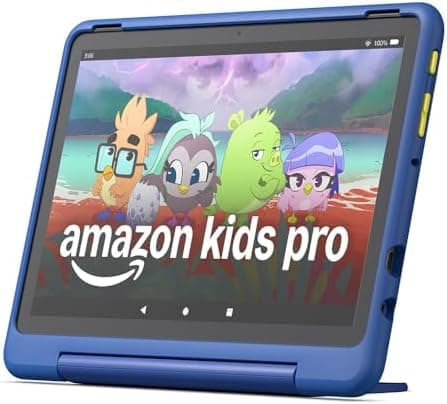
The Fire HD 10 Kids Pro is the same excellent hardware as our top pick, repackaged for older children who would be mortified to be seen with a chunky toddler case. The "Pro" version swaps the foam bumper for a slimmer, more grown-up case in designs aimed at 6-12s, and the software grows up too: there is a digital "store" where your child can request apps that you then approve from your phone, plus a web browser with parental filters, so they get a taste of independence without the open internet.
Crucially, it keeps the things that make a Fire Kids tablet such good value: the two-year worry-free guarantee and a year of Amazon Kids+, which at this age leans more towards homework helpers, coding apps, longer-form books and creativity tools. It is the natural next step for a child who has outgrown the under-7 experience but is not quite ready for an unrestricted device.
Key features:
- Slimmer "grown-up" case designed for ages 6-12
- Child-friendly web browser plus app-request and approval system
- One year of Amazon Kids+ with age-appropriate content
- Two-year worry-free replacement guarantee
Why we recommend it: It bridges the awkward gap between a locked-down infant tablet and a teenager's device better than anything else, giving tweens a sense of ownership while you keep a firm hand on the controls. If your child also loves robots, it pairs beautifully with an AI learning companion like the Miko 4.
Best for: Tweens aged 6-12 who want something that feels more grown-up but still needs parental guard-rails.
Around £199.99 at the time of writing.
3. Samsung Galaxy Tab A11: Best Value "Proper Android" Tablet
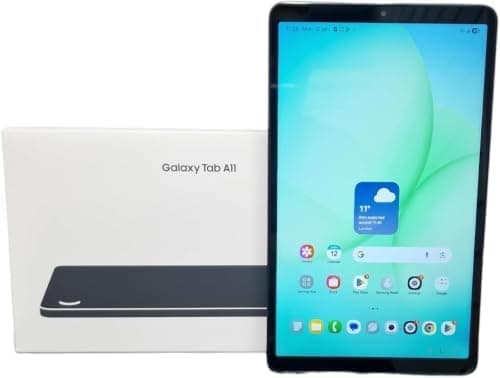
If you would rather have a "real" Android tablet with the full Google Play store, the Samsung Galaxy Tab A11 is the one we recommend most often, and it is the direct successor to the much-loved Galaxy Tab A9, which has now largely sold through in the UK. Its 8.7-inch screen is a genuinely good size for younger children's hands and for travelling, it adds a smoother 90Hz refresh rate over the outgoing A9, and because it runs standard Android you get every app your child's school or clubs might ask for. Google Classroom, specific reading schemes, Duolingo, Scratch Jr and the rest.
For parental controls you use Google's free Family Link alongside Samsung Kids, a colourful walled-garden mode with its own apps, drawing tools and time limits. It is not quite as seamless as Amazon's system, but it is flexible and, importantly, it grows with your child rather than boxing them in. Add a cheap rugged case (Samsung's own and third-party options are plentiful) and you have a tough, future-proof tablet, and at a little over £100 it is the best value on this list by some margin.
Key features:
- Compact 8.7-inch 90Hz display, ideal for smaller hands and travel
- Full Android with Google Play and Google Family Link controls
- Samsung Kids mode with curated apps and time limits
- Octa-core 6nm processor, expandable storage via microSD and all-day battery
Why we recommend it: It is the sweet spot of price, quality and flexibility for parents who want Google Play rather than a walled garden, and the compact size is genuinely better for little hands than a 10-inch slab.
Best for: Families who want a proper Android tablet with full app support, in a kid-friendly size, from a brand you can trust.
Around £107.80 at the time of writing.
4. Samsung Galaxy Tab A9+: Best Big-Screen Android for Learning
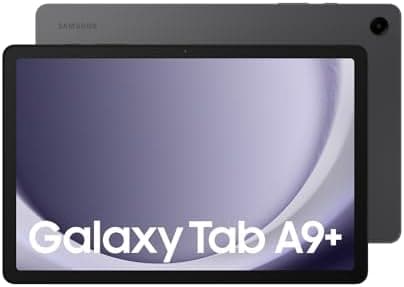
For older children who use a tablet for proper schoolwork, reading and video as well as play, the larger Galaxy Tab A9+ is well worth the step up. The 11-inch Full HD screen is lovely for split-screen homework, the quad speakers are a cut above (which matters more than you would think for language apps, audiobooks and music), and the faster Snapdragon processor keeps everything smooth even with a dozen tabs and apps on the go. This 128GB version has plenty of room for offline books, films and school files, and it is comfortably the most capable Android tablet on this list without straying into iPad money.
As with its smaller sibling it runs full Android with Google Play and supports both Family Link and Samsung Kids, so your controls and your child's content carry over seamlessly if you upgrade. With a keyboard case it even doubles as a light homework laptop for secondary-school-aged children.
Key features:
- 11-inch Full HD display with quad Dolby Atmos speakers
- Snapdragon processor: noticeably faster for multitasking
- 128GB storage plus microSD expansion, and 6GB of RAM
- Full Android, Google Play, Family Link and Samsung Kids
Why we recommend it: It is the best Android tablet here for children who have outgrown "kids' apps" and need a capable all-rounder for homework, reading and creativity. Pair it with our best AI toys for 9-12 year olds for screen-and-physical balance.
Best for: Children aged 8 and up who need a bigger, faster screen for schoolwork and media.
Around £259.99 at the time of writing.
5. Lenovo Tab M9: Best Compact Starter Android
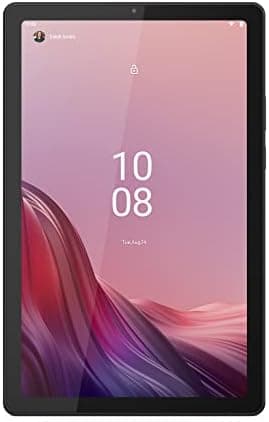
The Lenovo Tab M9 is a tidy little starter tablet that arrives ready to hand over. You get a 9-inch HD screen, a metal-backed body that feels far better than its price suggests, and (unusually) a clear protective case and screen film included in the box, so there is no separate accessory order and no week of nervous unprotected use. It runs standard Android with Google Play and Family Link, and Lenovo's Google Kids Space gives you a ready-made children's home screen full of vetted books, apps and games.
We should be straight with you about value: at around £160 it is no longer the bargain it once was, and the Galaxy Tab A11 above undercuts it substantially with a newer, smoother screen. Buy the M9 if you want the bundled case and film, prefer Lenovo's Kids Space to Samsung Kids, or find it discounted: otherwise the A11 is the better buy. On its own merits it is still a well-built, comfortably sized tablet that handles reading, learning apps, YouTube Kids and casual games without fuss.
Key features:
- 9-inch HD screen with a premium-feeling metal build
- Full Android with Google Play, Family Link and Google Kids Space
- Clear case and screen protector included in the box
- 64GB storage, 4GB RAM and all-day battery life
Why we recommend it: It is the most "ready to give to a child" Android tablet here: case and screen film in the box, a proper Google Play experience, and Kids Space set up in minutes.
Best for: Parents who want real Android with the protection included, for children aged 6 and up. Particularly at a discount.
Around £159.99 at the time of writing.
6. Lenovo Tab M11: Best Big Screen on a Budget
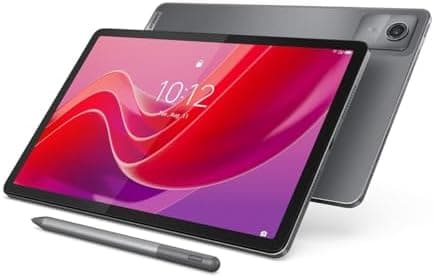
If your child needs a big screen for homework but an iPad or a Galaxy Tab A9+ is out of reach, the Lenovo Tab M11 is the obvious answer. For a little over £170 you get an 11-inch 1920x1200 display (the same size class as tablets costing twice as much) driven by a MediaTek Helio G88 octa-core processor with 64GB of storage. Split-screen a reading scheme alongside a worksheet, or prop it up for a video lesson, and the extra real estate over a 9-inch tablet makes a real difference.
It runs full Android with Google Play, so Family Link, Google Kids Space, Google Classroom and every school app work exactly as they should. An ambient light sensor and Lenovo's eye-care mode help with long reading sessions, and there is a microSD slot for offline films on long journeys. It is not as quick as the Samsung, and the speakers are only average, but as the cheapest genuinely large, genuinely usable Android tablet here it earns its place.
Key features:
- 11-inch 1920x1200 display: big-tablet feel at a mid-range price
- MediaTek Helio G88 octa-core processor, 4GB RAM, 64GB storage
- Full Android with Google Play, Family Link and Google Kids Space
- Ambient light sensor and eye-care mode for longer reading sessions
Why we recommend it: It is the cheapest way to get a proper 11-inch homework screen with the full Google Play store: ideal once a child starts getting set work online.
Best for: Children aged 8 and up doing schoolwork on a tablet, where screen size matters more than raw speed.
Around £173.63 at the time of writing.
7. Apple iPad (A16, 11-inch): Best Long-Term Investment
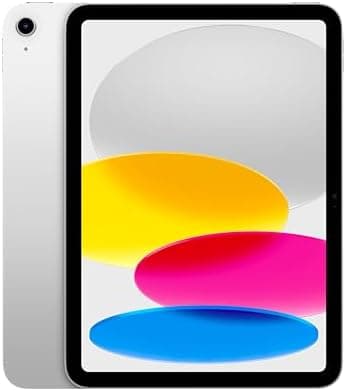
If your budget stretches to it, the standard Apple iPad is the tablet your child is least likely to outgrow. The A16 chip is enormously powerful for the price, the 11-inch Liquid Retina display is gorgeous, and the App Store has the deepest catalogue of high-quality educational and creative apps anywhere: from Swift Playgrounds (which teaches real coding) to GarageBand, Procreate and every reading scheme going. Apple's Screen Time parental controls are excellent and built right into the operating system, letting you set app limits, downtime and content restrictions from your own iPhone.
It is by far the most expensive option here and it does not come with a case or a child's content subscription, so budget for a rugged case on top. But it is also the longest-lived: iPads receive software updates for many years, hold their value, and will happily carry a child from Year 3 through to secondary school. It is brilliant with tactile add-ons, too: an Osmo coding starter kit turns the screen into a hands-on learning game, and a Merge Cube brings augmented-reality science to life.
Key features:
- Powerful A16 chip, 128GB storage and an 11-inch Liquid Retina display
- The best app ecosystem for learning, coding, art and music
- Built-in Screen Time parental controls and Apple Pencil support
- Years of software updates and strong resale value
Why we recommend it: It is the best tablet full stop, and the one that will still be genuinely useful in five years. Buy a tough case, and it is an investment rather than a toy.
Best for: Children aged 8 and up (and families happy to share), where longevity and app quality matter more than the upfront price.
Around £409.98 at the time of writing.
8. Amazon Fire HD 8 Tablet: Best Budget All-Rounder
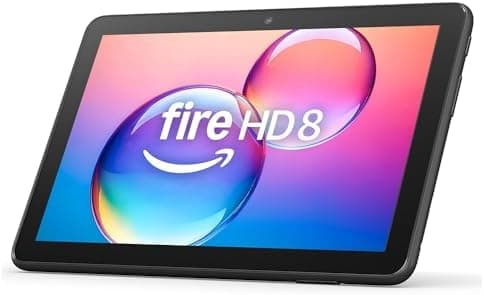
You do not have to buy the "Kids" edition to get a great children's tablet from Amazon. The standard Fire HD 8 costs around £100, runs the very same Fire OS with the same robust parental controls and free child profiles, and supports Amazon Kids+: you simply add a kids' case yourself and skip the bundled subscription and extended guarantee. For a second tablet, a travel tablet, or a sensible first device for a careful older child, it is superb value.
The 8-inch HD screen is perfectly good for reading, apps and streaming, this newest generation has 4GB of memory and 64GB of storage, battery life stretches to around 13 hours, and creating a locked-down child profile takes two minutes. It is not as fast as the pricier models and the Appstore caveat applies, but pound for pound it is one of the most cost-effective ways to put a capable, controllable tablet in a child's hands.
Key features:
- 8-inch HD screen, around 13 hours of battery life
- 4GB memory and 64GB storage, expandable via microSD
- Full Fire OS parental controls and free child profiles
- Amazon Kids+ ready (subscription optional)
Why we recommend it: It gives you most of the Fire Kids experience for half the money. Just add a £15 case. An unbeatable budget all-rounder and a brilliant second tablet.
Best for: Budget-minded families, second tablets, and sensible older children who do not need the chunky case.
Around £99.99 at the time of writing.
9. Amazon Fire Max 11: Best for Older Kids and Family Sharing
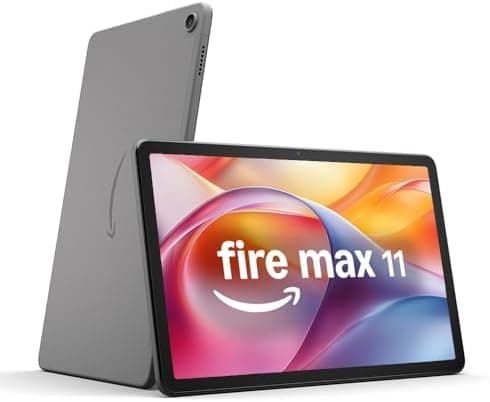
The Fire Max 11 is Amazon's most powerful and most grown-up tablet, and it makes a brilliant shared family device or a tablet for an older child edging towards secondary school. The 11-inch 2000x1200 display is crisp and roomy, the aluminium body feels genuinely premium, and the octa-core processor handles multitasking, streaming and heavier apps without complaint. Optional accessories (a keyboard case and stylus) turn it into a capable little workstation for homework and note-taking.
It still runs Fire OS with the same excellent parental controls and free child profiles, so you can hand it to a younger sibling in a fully locked-down Kids mode and then reclaim it as a normal tablet yourself. That dual personality is what makes it such a sensible family buy: one device, properly controlled, that suits a ten-year-old's homework and a five-year-old's bedtime story alike.
Key features:
- 11-inch 2000x1200 display in a premium aluminium body
- Fast octa-core processor for multitasking and heavier apps
- Optional keyboard and stylus for homework and notes
- Full Fire OS parental controls with switchable child profiles
Why we recommend it: It is the most capable Fire tablet and a superb shared family device: grown-up enough for a tween, locked-down enough for a toddler, all on one screen.
Best for: Older children aged 10 and up, and families wanting one powerful tablet to share across different ages.
Around £289.99 at the time of writing.
10. PRITOM 7-inch Kids Tablet: Best Ultra-Budget First Tablet
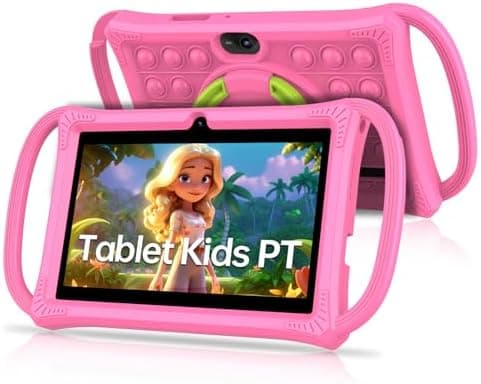
If you simply want the most budget-friendly way to find out whether your three-year-old will treasure a tablet or abandon it in a week, the PRITOM 7-inch Kids Tablet does the job for around £40. It comes in a soft, grippy bumper case with a built-in stand, runs Android with the Google Play store, and includes a pre-loaded kids' launcher with parental controls and a bundle of children's apps to get going straight away. There is 32GB of storage, dual cameras and a microSD slot, and PRITOM is one of the more established budget names on Amazon UK.
Let us be honest about what £40 buys you: the screen is low-resolution, the processor is slow, the cameras are basic and the battery is modest. This is a first tablet for very young children and a sacrificial travel device, not a long-term learning tool. But for the price of a couple of soft toys, it is a low-risk way to dip a toe in, and far better value than an old, unsupported hand-me-down phone.
Key features:
- 7-inch screen in a soft, kid-proof bumper case with stand
- Android with Google Play plus a pre-loaded kids' mode
- 32GB storage, dual cameras and microSD expansion
- Parental controls and bundled children's apps included
Why we recommend it: As an ultra-cheap first tablet for a toddler, it is honest value. Just go in knowing it is a starter device, not a forever one.
Best for: Very young children (3-7), travel and holidays, and parents who want the lowest-risk way to try a tablet.
Around £39.99 at the time of writing.
How to Choose a Kids' Learning Tablet: A Buying Guide
Start with the operating system, because it shapes everything else. A Fire tablet (Amazon) is the easiest and best value for younger children (superb parental controls, the kid-proof case and the Amazon Kids+ library) but it uses Amazon's Appstore, which is missing a handful of mainstream apps. Android (Samsung, Lenovo) gives you the full Google Play store and Google Family Link, which matters once a child needs specific school or club apps. An iPad offers the deepest catalogue of high-quality learning apps and the longest useful life, at the highest price. Decide which of these three worlds suits your family before you compare individual models.
Parental controls are non-negotiable. Every tablet here lets you set screen-time limits, filter content and create a child profile, but the systems differ. Amazon's is the most polished out of the box; Google Family Link is flexible and works across Android and Chromebooks; Apple's Screen Time is powerful and deeply integrated. Whichever you choose, set it up properly on day one, before your child ever holds the device.
Durability and screen matter more than spec sheets. Children drop things, so a rugged case is essential. It is included with the Fire Kids editions, the Lenovo Tab M9 and the PRITOM, and a £15 add-on for the rest. For screen, a 1080p (Full HD) display is worth paying for if your child will read and watch a lot; budget tablets with lower-resolution screens are fine for apps but tiring for text.
Think about content, storage and battery. A subscription such as Amazon Kids+ transforms a tablet into a learning device with thousands of ad-free books and apps, but it is an ongoing cost: factor it in or plan to curate free apps yourself. Look for at least 32GB of storage (expandable via microSD on the Android and Fire models) and around 10+ hours of battery for real-world use.
Match the tablet to the age and budget. Under-7s are best served by a Fire HD 10 Kids or a cheap starter tablet; 6-12s do well with the Kids Pro, a Galaxy Tab A11 or a Lenovo M9; and from 8 upwards a Lenovo Tab M11, an iPad or a Fire Max 11 will last for years. And remember a tablet works best as part of a balanced mix: plenty of STEM toys and offline play alongside the screen.
How we picked these
Every product here was checked against its live Amazon UK listing before publication: in stock, the listing matching the model we describe, and the price recorded at the time of writing. We read the manufacturer's own specifications for the figures quoted, and work through recent verified-purchase reviews looking for the same fault reported repeatedly rather than one-off complaints.
Picks are ordered by who each product actually suits: age, budget, and whether an app or subscription is involved. Not by commission. AIToys.co.uk earns from qualifying purchases through the links on this page; that does not affect the order. The full process, including what we don't do, is on our how we choose page.
Frequently Asked Questions
What age should a child get their first tablet?
There is no single right answer, but most families introduce a shared, heavily controlled tablet somewhere between three and five, and a child's "own" tablet around six or seven. For toddlers, a cheap, rugged device in a fully locked-down mode (such as the Fire HD 10 Kids or the PRITOM) is sensible. You control everything and there is little to break or lose. The most important factor is not age but supervision: set screen-time limits, keep early use to shared spaces, and treat the tablet as one activity among many rather than a default.
Fire, iPad or Android: which should I choose?
Choose a Fire tablet if you want the best value and the simplest, most robust parental controls for a younger child, and you are happy with Amazon's app store. Choose Android (Samsung or Lenovo) if you need the full Google Play store (for specific school apps, for example) and want a device that grows with your child. Choose an iPad if budget allows and you want the best app quality, the most powerful hardware and the longest useful life. All three can be locked down safely; the difference is cost, app availability and longevity.
Are kids' tablets actually good for learning, or just games?
They are as educational as you set them up to be. A tablet with a curated library such as Amazon Kids+, or a thoughtfully chosen set of apps, genuinely supports reading, phonics, maths, languages, coding and creativity, and tactile add-ons like an Osmo kit blur the line between screen and hands-on play. Left unsupervised with open YouTube and random games, any tablet becomes a distraction. The hardware is only half the story; the controls and the content you choose are what make it a learning tool.
How do I limit screen time and keep my child safe?
Use the built-in controls and set them up before handing the tablet over. Amazon's parent dashboard, Google Family Link and Apple Screen Time all let you set daily time limits, schedule "downtime", approve or block individual apps, and filter web content. Many parents also use "learn first" goals (the child must read or use educational apps before games unlock), keep tablets out of bedrooms overnight, and agree clear family rules. Pairing screen time with plenty of offline play (building, drawing, reading and outdoor activity) keeps the balance healthy.
Do I have to pay for a subscription like Amazon Kids+?
No. Amazon Kids+ is included free for a year with the Fire Kids and Kids Pro tablets and is optional on the standard Fire tablets; after the free year it is a monthly cost you can cancel at any time. It is excellent value if you want a large, ad-free, curated library without hunting for apps yourself. On Android and iPad you can avoid subscriptions entirely by choosing free educational apps and library e-book services, though it takes a little more effort to curate good content.
What happened to the Samsung Galaxy Tab A9?
Samsung has replaced the 8.7-inch Galaxy Tab A9 with the Galaxy Tab A11 for 2026, and UK stock of the older model has largely dried up. Most remaining A9 listings are refurbished units or single leftovers at inflated prices. The A11 is the direct replacement, adds a 90Hz screen and a newer processor, and currently costs less than the A9 did, so there is no reason to hunt down the old model. If you already own an A9, it remains a perfectly good tablet and will keep receiving Samsung's security updates.
The Verdict
The kids' tablet market in 2026 is genuinely strong, and there is a clear winner for every situation.
Best overall: The Amazon Fire HD 10 Kids at around £200 is the one most families should buy: a lovely big screen, the best parental controls, a kid-proof case, a two-year guarantee and a year of genuinely good learning content, all in one box.
Best value: For Google Play on a budget the Samsung Galaxy Tab A11 (around £108) is our pick of the whole list, and the standard Amazon Fire HD 8 (around £100) gives you most of the Fire Kids magic for less.
Best long-term investment: The Apple iPad (around £410) is the tablet your child is least likely to outgrow, with the best apps and years of updates.
Best big screen for homework: The Lenovo Tab M11 (around £174) gives you an 11-inch Full HD Android tablet for well under £200, while the Samsung Galaxy Tab A9+ (around £260) is the faster, better-sounding step up.
Best ultra-budget pick: The PRITOM 7-inch Kids Tablet (around £40) is the lowest-risk way to try a first tablet for a toddler.
Whichever you choose, set up the parental controls before your child ever switches it on, add a rugged case if one is not included, and treat the tablet as one tool in a rich mix of reading, building, coding and outdoor play. Used that way, the right tablet is one of the best-value learning purchases you can make.
All prices checked on Amazon UK on 2 August 2026 and subject to change.
Related reading: Best AI Toys for 6-8 Year Olds UK 2026 · Best AI Toys for 9-12 Year Olds UK 2026 · Best Screen-Free Coding Toys UK 2026 · Best STEM Toys UK 2026 · Osmo Coding Starter Kit review · Miko 4 review
Read next
Amazon Fire HD 10 Kids Pro Tablet Review UK 2026: The Best Tablet for 6-12s?
Our independent Amazon Fire HD 10 Kids Pro review for UK parents: parental controls, Amazon Kids+, battery and the Fire OS catch: plus who it's really for.
Best Screen-Free Audio Players for Kids UK 2026
Compare Yoto, Toniebox and FABA for UK kids in 2026, plus three in-stock Tonies to buy next. Age, price and content notes. Updated September 2026.
Best Kids' Cameras UK 2026-12 Top Picks for Little Photographers
The best kids' cameras in the UK for 2026. Compare instant-print, waterproof, video and AI-editing cameras for children by age, features and price.