Disclosure: This article contains affiliate links. As an Amazon Associate, AIToys.co.uk earns from qualifying purchases. If you buy through our links, we may earn a small commission at no extra cost to you. It never changes the price you pay, and it never changes our verdict.
Most learning apps ask a child to sit and tap a screen. The Osmo Genius Starter Kit does something far more interesting: it uses your iPad's own camera to watch the real table in front of it, so when your child arranges physical number tiles, letter pieces or tangram shapes, the game responds instantly to what they've actually built with their hands. It is augmented reality used for something genuinely useful (turning tactile, real-world play into live, on-screen learning) and that clever camera trick is the thread running through this whole review.
Osmo has been a fixture of the educational-tech world for years, and the Genius Starter Kit is its flagship bundle for primary-age children. We've already reviewed the brand's Osmo Coding Starter Kit, which uses the same magic for programming. The Genius Kit is the broader, more academic sibling: five classic learning games plus Pizza Co., spanning maths, spelling, spatial reasoning, physics and creativity. Here is our honest, hands-on take on whether it deserves a place on your shelf in 2026.
👉 Short on time? Check the latest price on AmazonAs an Amazon Associate, AIToys.co.uk earns from qualifying purchases..
Quick Verdict: Osmo Genius Starter Kit
The Genius Starter Kit earns a strong 4.5 out of 5. As a piece of educational design it is hard to fault: the augmented-reality hook is genuinely magical to a six-year-old, the breadth of learning is excellent, and the play is far more hands-on than any tablet app. It loses half a point not because of how it performs, but because of what it asks of you: a compatible iPad you're happy to dock without a case, decent lighting, and a willingness to treat it as an ongoing investment rather than a one-off toy. Set against those caveats, it remains one of the most worthwhile learning systems you can buy for a primary-school child.
Pros
- AR that earns its keep: real pieces come alive through the camera; no Wi-Fi needed to play.
- Broad curriculum: maths, spelling, tangram, physics and drawing in a single box.
- Hands-on: children handle physical tiles, not just glass.
- Grows with the child: games self-level and a parent app tracks progress.
- Lovely to live with: tidy stackable storage and near-instant setup once docked.
Cons
- iPad required: you supply the tablet, and it can't be in a case while docked.
- Ongoing cost: kit, tablet and optional add-on games all mount up.
- Ceiling for older kids: assured 10-12s can outgrow the five classic games.
- Fussy about light: glare and dim rooms can upset the camera and reflector.
What's in the Box
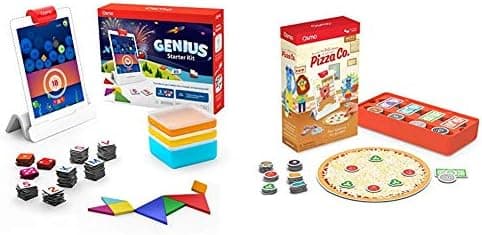
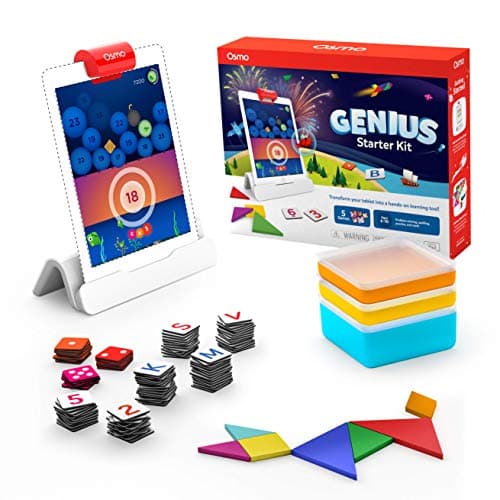
The version covered here is the current "New Version" Genius Starter Kit for iPad, and it is reassuringly complete. You get the Osmo Base for iPad (the little stand your tablet sits in) and the all-important reflector, a clever mirrored clip that folds down over the iPad's front camera and redirects its view downward onto the table. Alongside the hardware you get the physical game pieces (tangram tiles, number tiles and letter tiles plus the Pizza Co. pizza board, toppings and money tiles) and a set of stackable storage boxes so each game has its own tidy home.
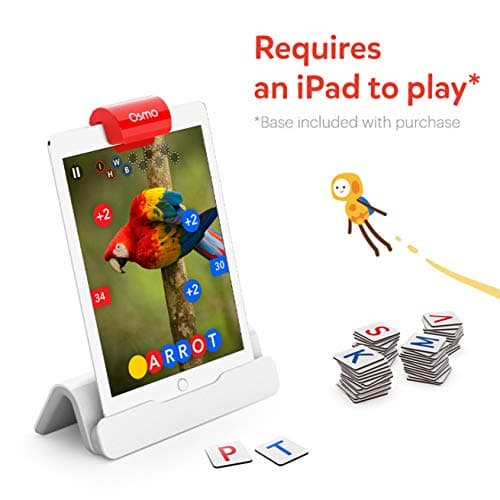
Crucially, all the game apps are free downloads from the App Store, and once installed the games themselves work offline: no Wi-Fi is required for everyday play, which is a genuine relief for car journeys and grandparents' houses. You will need an Apple ID to download the apps initially, and a free Osmo parent account if you want to track progress across multiple children.
The Six Games: What Your Child Actually Learns
The Genius Kit's strength is its range. Rather than drilling one skill, it covers a surprisingly wide slice of the primary curriculum:
- Numbers: children lay out physical number tiles and dots to add, count and multiply, popping bubbles and guiding fish. It makes early arithmetic feel like a puzzle rather than a worksheet.
- Words: a picture appears on screen and children race to spell it using letter tiles, building vocabulary and phonics. It can be played co-operatively or as a friendly head-to-head.
- Tangram: the classic shape puzzle, brought to life: arrange the wooden-style pieces to match on-screen silhouettes, developing spatial reasoning and patience.
- Newton: children draw lines on paper, or place any real object in front of the iPad, to bounce falling balls towards targets. It is a brilliant, open-ended introduction to early physics and problem-solving.
- Masterpiece: turns any picture into a guided drawing your child can trace, quietly building confidence and fine-motor control.
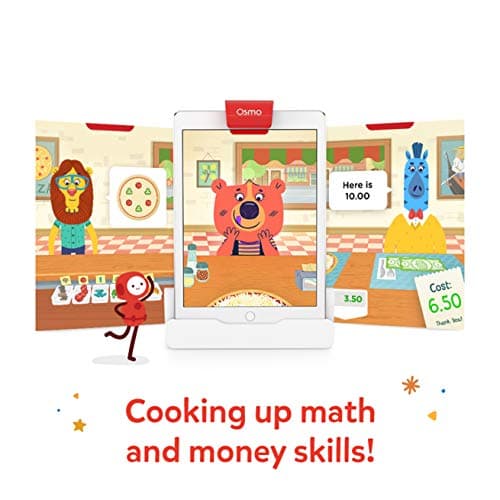
- Pizza Co.: the standout for slightly older children: run a pizza shop, take orders, make change with money tiles and learn how a small business turns a profit. It sneaks in mental maths, fractions and customer service without ever feeling like a lesson.
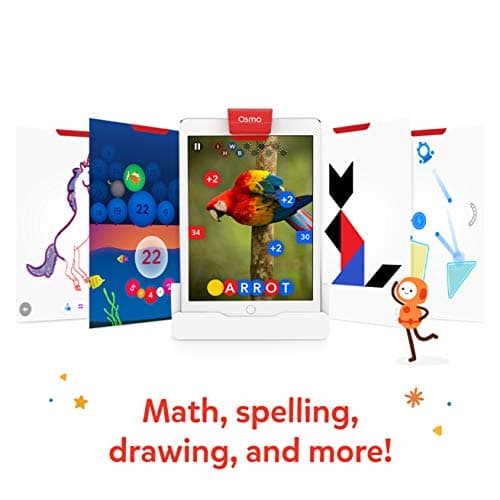
That spread is what justifies the price for many families: you are effectively buying six well-built educational games, not one.
How the AR "Magic" Actually Works
Because this is an AI-and-tech toys site, it is worth explaining what is really happening, because it is cleverer than it first looks. The reflector sits over the iPad's front-facing camera and bends its field of view down onto the table. Computer-vision software then watches the play area in real time, recognising each tile, drawing or object your child places and feeding it straight into the game. There is no Bluetooth pairing and no electronics in the pieces themselves: the tiles are simply printed card and plastic. All the intelligence lives in the camera and the app.
It is a lovely example of AR doing something purposeful rather than gimmicky. The pay-off is play that is physical and social: children sit at a table moving real objects with their hands, glancing up at the screen for feedback, rather than hunching over a tablet in isolation. The trade-off, which we'll come to, is that the camera needs reasonable lighting and a clear, glare-free table to read everything reliably.
What We Like
The breadth genuinely is excellent. Few single purchases cover counting, spelling, spatial reasoning, physics and creativity at once. For a parent trying to make screen time count, having maths and reading and drawing in one tidy box is a real win, and the variety keeps children coming back rather than tiring of a single mechanic.
It is far more tactile than an app. This is the heart of Osmo's appeal. Children handle real pieces, which suits the way younger primary kids actually learn, and it keeps little hands busy and away from endless tapping. The screen becomes a responsive partner to physical play rather than the whole experience.
It scales with ability. The games adjust difficulty as a child improves, and the free parent app lets you set up profiles and follow progress for more than one child. That self-levelling means a five-year-old and an eight-year-old can each be challenged by the same box.
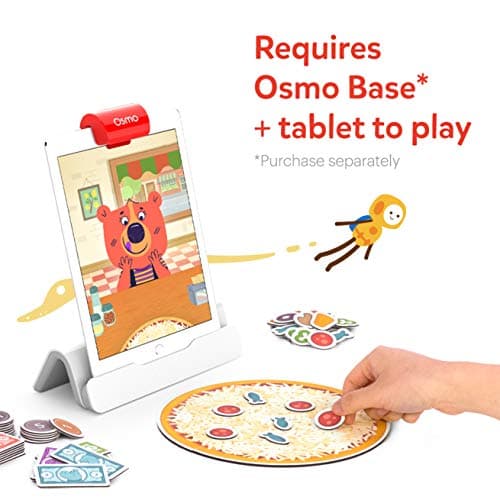
Setup is quick once you're up and running. Slot the iPad into the base, fold the reflector over the camera, open a game and play. There is no account wall in front of everyday use, and the offline play is genuinely freeing.
What Could Be Better
We promised an honest review, so here are the real catches.
You have to provide a compatible iPad, and case it carefully. The Genius Kit is the iPad edition, so you need an Apple tablet that Osmo supports (broadly iPad 5th to 9th generation, iPad mini 4th to 6th, iPad Air 2nd to 5th, and the common iPad Pro sizes). Just as importantly, the iPad cannot be in a bulky case while it sits in the base, because the reflector has to line up precisely over the camera. If you've protected your child's iPad in a chunky rubber case, you'll be taking it off each time: a small but real friction. (If you own a Fire tablet instead, Osmo sells a separate Fire-compatible version of this kit.)
It is an ongoing cost, not a one-off. At around £111 the kit itself is reasonable for six games, but the true cost includes the iPad and, over time, the temptation of Osmo's many add-on games (Pizza Co. aside, titles like Coding, Detective Agency and Genius Words packs are sold separately). Budget for the system, not just the box.
Lighting and glare matter. The camera-and-reflector approach is brilliant when conditions are good and temperamental when they aren't. A direct desk lamp or bright window behind the play area can create glare that stops pieces being detected, and you'll occasionally need to recalibrate. Most families settle into a reliable spot quickly, but it isn't quite "works anywhere".
Confident older children can outgrow the classics. The five original games are pitched at roughly six to ten. Assured 10-12s often find Numbers, Words and Tangram a little easy within the first few sessions; Pizza Co. and Newton last longer, and Osmo's separately sold coding and word-master games push the ceiling higher. If your child is at the top of that age band and already strong academically, weigh that up.
It still involves a screen. Osmo is screen-light and far more active than a typical app, but the iPad is central to every game. If you are specifically after a fully screen-free toy, a robot like the MatataStudio Tale-Bot Pro or a non-screen AR globe is a better fit for that particular goal.
Who It's For
The Genius Starter Kit is at its very best for children aged roughly 6 to 10, with Pizza Co. comfortably stretching towards 11-12 and willing fives joining in with a little help. It suits families who already own a compatible iPad, want their screen time to be genuinely educational, and like the idea of hands-on play that keeps a child at the table rather than slumped on the sofa. It makes an excellent shared gift for siblings of different ages thanks to the self-levelling games and multi-child profiles.
A note on safety and supervision. The kit contains small parts: number tiles, letter tiles, tangram pieces and Pizza Co. toppings and coins, so it is not suitable for children under three, and younger siblings should be kept away from the pieces. There are no batteries in the kit itself; it draws everything from the docked iPad. As with any screen-based activity, set sensible time limits, and because the iPad's camera is in use during play, it's worth a quick word with your child about keeping play to the table in front of them. The pieces and base carry the usual CE/UKCA conformity marks.
How It Compares
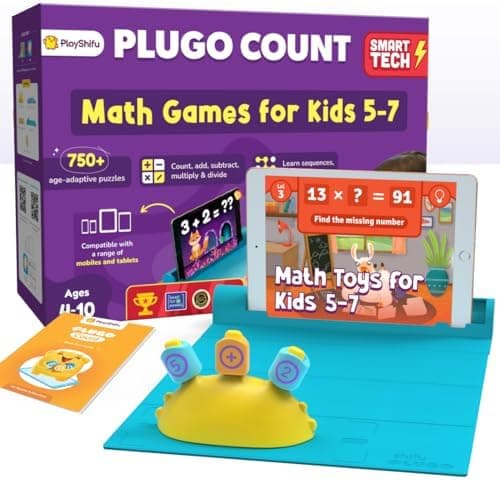
Within Osmo's own range, the Genius Kit is the academic all-rounder; the Osmo Coding Starter Kit is the one to choose if your priority is specifically learning to code. If you like the augmented-reality idea but want a single subject, AR products such as the Merge Cube (3D science and exploration) or the PlayShifu Plugo Count (focused AR maths) are narrower, often cheaper alternatives. The Genius Kit wins on sheer breadth (and on the quality and polish of its games) but it asks the most of your hardware. For a wider look at the field, our roundup of the best STEM toys in the UK for 2026 places it in context.
Related reading
Frequently Asked Questions
Do I need an iPad to use the Osmo Genius Starter Kit? Yes. This is the iPad edition, so you need a compatible Apple tablet (broadly iPad 5th-9th gen, iPad mini 4th-6th, iPad Air 2nd-5th, and common iPad Pro sizes). Osmo sells a separate version for Amazon Fire tablets if that's what you own.
Does it need Wi-Fi or the internet to play? You'll need internet once to download the free game apps, but after that the games run offline. No Wi-Fi is required for day-to-day play.
What ages is it best for? The five classic games are pitched at about 6 to 10, while Pizza Co. stretches towards 11-12. Fives can enjoy it with a bit of help; very confident older children may find the classics easy before long.
Can the iPad stay in its case? No. The reflector has to sit precisely over the front camera, so you'll need to remove any bulky case while the tablet is in the base.
Are there extra costs after I buy it? The kit includes six games. Osmo sells many other games (coding, detective, advanced words and so on) separately, so there's scope to keep adding, but you can get plenty from the box as supplied.
The Verdict
The Osmo Genius Starter Kit is one of the most genuinely educational toys you can put in front of a primary-school child in 2026. Its augmented-reality camera trick still feels like magic, the spread of learning across maths, words, shapes, physics and creativity is outstanding, and the hands-on, table-based play is exactly what tired parents want from screen time. It is beautifully made and quick to live with once you've found its spot.
Its limitations are honest and entirely about context rather than quality: you need a compatible, case-free iPad, decent lighting and a budget that accounts for ongoing extras, and the very top of the age range can outgrow the classic games. None of that undermines what it does so well. For the right child, in the right setup, it is a superb, long-lasting learning system.
It earns a confident 4.5 out of 5 and a firm place on our shortlist of the best AR learning kits for primary-age children.
👉 Ready to get started? Check the latest price on Amazon.
As an Amazon Associate, AIToys.co.uk earns from qualifying purchases. Prices and availability are accurate as of the date of publication but can change. We only ever recommend products we believe will genuinely help UK families.