Disclosure: This article contains affiliate links. As an Amazon Associate, AIToys.co.uk earns from qualifying purchases. If you buy through our links, we may earn a small commission at no extra cost to you.
Bambu Lab P1S Review: The Enclosed CoreXY That Redefined Mid-Range 3D Printing
When Bambu Lab burst onto the scene with the X1 Carbon in 2022, enthusiasts realised that 3D printing no longer had to be a fiddly, frustrating hobby. The Bambu Lab P1S brings roughly ninety per cent of that flagship experience at a fraction of the cost, and it has quietly become one of the most recommended desktop 3D printers in the UK for 2026. It's the machine that finally makes enclosed, high-speed, multi-material printing feel like a plug-and-play appliance.
If you've outgrown your open-frame beginner printer and you're serious about printing functional parts in ABS, ASA, or PETG (or you simply want a printer that behaves itself overnight) this is the machine we keep coming back to.
Check the latest price on Amazon UK →As an Amazon Associate, AIToys.co.uk earns from qualifying purchases.
Quick Verdict
| Rating | ⭐⭐⭐⭐¾ 4.7/5 |
| Best for | Hobbyists and small-studio makers wanting enclosed, fast, reliable printing |
| Build volume | 256×256×256mm |
| Max speed | 500mm/s |
| Acceleration | 20,000mm/s² |
| Kinematic | CoreXY |
| Chamber | Fully enclosed (glass front, acrylic side, metal frame) |
| Price range | ~£600-£900 (P1S standalone / Combo with AMS) |
| Verdict | The default recommendation for anyone stepping up from a beginner 3D printer in 2026. |
Design and Build Quality
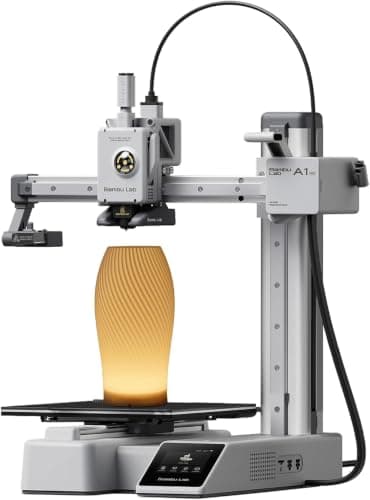
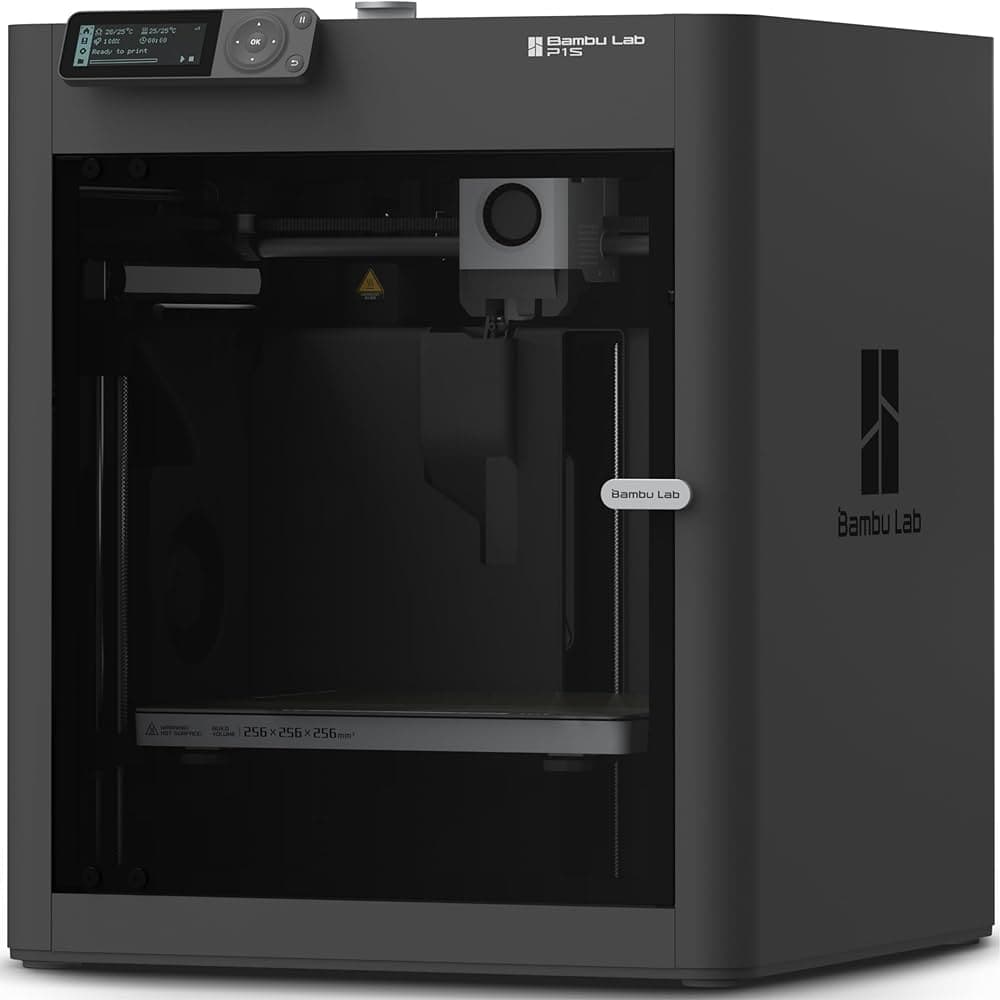
The P1S is built around a welded steel chassis wrapped in tempered glass and acrylic panels, creating a fully enclosed print chamber. That enclosure is the single biggest reason to choose the P1S over its open-frame sibling, the A1: it stabilises the chamber temperature, which in turn allows you to print warp-prone engineering filaments that the A1 simply cannot handle reliably.
Video: FauxHammer - useful review (not filmed by AIToys).
Visually, the P1S is purposeful rather than flashy: matte black panels, a small monochrome LCD, and a glass door that slots into place with a satisfying click. It sits neatly on a workbench, occupies a footprint of roughly 39×39cm, and looks entirely at home in a home office or converted garage-workshop. The overall impression is of a machine designed by engineers who actually care about how the thing ages over a couple of thousand hours of use.
Compared with budget enclosed printers from Creality or Anycubic, the P1S feels a class above. Cables are tidy, the wiring loom is routed professionally, and the included toolkit, spare nozzle, and spare hot-end parts signal long-term serviceability rather than disposable consumer hardware.
Print Speed and CoreXY Motion
At the heart of the P1S is a CoreXY motion system: a layout in which the print head moves on both the X and Y axes while the build plate moves only in Z. This is the same kinematic philosophy used by industrial machines like the Voron and Bambu's own X1 Carbon, and it enables the kind of speeds that older bed-slinger designs (Ender 3, Prusa MK3) simply cannot reach without ghosting and ringing artefacts.
In practice, the P1S can happily run at 300-500mm/s with sensible acceleration. A standard 3DBenchy (the unofficial benchmark of the hobby) finishes in around 17 minutes at high-speed settings with quality that embarrasses printers five times older. For real-world prints, expect job times roughly two to three times faster than a traditional FDM printer of the previous generation.
Speed is nothing without stability, and the P1S's combination of active input shaping, a rigid steel frame, and AI-led vibration compensation means the output quality does not meaningfully degrade at speed. That is the real revolution here. Not that it's fast, but that it's fast and consistently accurate.
AI Calibration and Smart Features
Like the Bambu Lab A1 Mini, the P1S automates almost every setup ritual that traditionally made 3D printing intimidating. Before each print the machine runs an automatic bed-levelling mesh probe, vibration compensation pass, and flow calibration: all without user intervention. The result is a first layer that simply succeeds, print after print.
There is no LiDAR first-layer scanner (that feature is reserved for the flagship X1 Carbon), but by most accounts the mesh probe and AI flow-rate routines are more than enough for reliable day-to-day printing. If you've come from manually levelling a bed with a sheet of paper before every print, the contrast is genuinely striking.
Remote monitoring is handled through the Bambu Handy mobile app, which streams the built-in camera feed, shows live progress, and will send you a push notification if something goes wrong. Time-lapse recordings are generated automatically for each print, which, we'll admit, is one of those small pleasures that makes the hobby feel modern.
Check the latest price on Amazon UK →
Multi-Colour Printing With the AMS
The P1S becomes a different beast when you pair it with the Automatic Material System (AMS). The AMS is a sealed, climate-controlled filament cabinet that holds four spools and feeds them to the printer on demand. Chain up to four AMS units together and you can print in up to sixteen colours on a single job.
Filament swaps happen automatically mid-print, with a small priming tower and purge block handling the colour transition. For figurines, signage, colour-coded engineering parts, or children's toys with distinct features, the AMS transforms what the printer can produce. The AMS also keeps filament dry. A hidden superpower for anyone who has fought PETG or nylon in a damp British garage over winter.
We'd recommend most buyers opt for the P1S Combo (P1S plus AMS) from day one. Adding the AMS later is more expensive, and the multi-material capability is genuinely transformative.
Filament Compatibility and the Enclosure Advantage
The fully enclosed chamber is the P1S's defining technical advantage over the A1 range. ABS and ASA (the filaments used for functional engineering parts, automotive components, and anything that needs UV resistance) require a warm, stable chamber to print without warping or delamination. The P1S handles them comfortably.
The machine also prints:
- PLA: the standard hobby filament, gorgeous results at speed
- PETG: tougher than PLA, food-safe grades available, great for functional parts
- TPU: flexible filaments for phone cases, gaskets, and soft toys
- ABS / ASA: engineering-grade materials for durable parts
- PC (Polycarbonate): with appropriate settings, for seriously tough components
- PA (Nylon) and PA-CF: carbon-fibre-reinforced nylon, with a hardened nozzle upgrade
Two cooling fans (an auxiliary part-cooling fan and a chamber regulator fan) manage airflow to suit each filament. Combined with the HEPA and activated carbon filtration built into the enclosure, the P1S is the first 3D printer we'd genuinely recommend placing in a shared living space.
Bambu Studio and the Wider Ecosystem
Bambu Studio (a free slicer based on PrusaSlicer) handles every aspect of preparing a print. It's arguably the most polished slicer in consumer 3D printing right now: sensible defaults for every material, an intuitive multi-plate workflow, and one-click integration with Makerworld, Bambu's huge online library of printable models.
Makerworld deserves a specific mention. The library is enormous, well-curated, and models come with pre-tuned print profiles so you can send a design to your printer with two clicks. For newcomers it shortens the "first thing I actually print" moment from a weekend of tinkering to an evening of browsing.
If you are using 3D printing as part of a wider tinkering hobby: building things with an Arduino Starter Kit or prototyping enclosures for projects on a Raspberry Pi 4 starter kit: the P1S slots into the workflow beautifully. It's also the printer we'd recommend for parents teaching older children physical computing alongside a BBC micro:bit V2, because you can print custom enclosures, robot chassis, and bespoke parts quickly enough to keep a curious child engaged.
Noise, Workshop Footprint and Daily Living
The P1S is the loudest Bambu printer in the P1/A1 range. At full tilt it hums along at roughly 50-55dB: similar in volume to a busy office or a robot vacuum running nearby. It's perfectly liveable in a converted garage or utility room, and reasonable in a spare office, but we wouldn't put it in a bedroom. The enclosure does a good job of damping the high-frequency components of the sound, but the CoreXY motors still generate a confident hum when they're pushing 20,000mm/s².
Power consumption is modest: around 150W for typical prints, spiking to 1,000W briefly when the heated bed warms up. Running the P1S for a couple of hours a day has a near-trivial impact on a UK household's electricity bill at 2026 prices.
Value for Money
Street pricing in the UK currently sits roughly between £599 for the P1S standalone and £829-£899 for the P1S Combo with AMS. That's a significant outlay, but the comparison that matters is the X1 Carbon at close to £1,400: the P1S delivers perhaps ninety per cent of the experience at around half the price. Measured against a comparable enclosed CoreXY from Creality, Anycubic, or QIDI, the Bambu commands a modest premium that is, in our view, entirely justified by the software ecosystem, the reliability, and the resale value.
For educational institutions and small businesses, the cost-per-print economics are compelling. A P1S with AMS can run unattended overnight and produce parts that would previously have required an X1 Carbon or an outsourced print service.
Who Should Buy the Bambu Lab P1S?
Perfect for:
- Hobbyists stepping up from a beginner printer (Ender 3, A1 Mini, Mini+)
- Makers, cosplayers and model builders who want multi-colour as standard
- Small businesses producing functional parts in ABS/ASA
- Schools and educational settings wanting a reliable, safe enclosed printer
- Parents wanting to prototype and print toys, games, and learning aids for projects built on platforms like the Makeblock mBot2
Consider alternatives if:
- You're completely new to 3D printing and want the lowest-risk start: the Bambu Lab A1 Mini is cheaper and simpler
- You need the absolute best print quality and LiDAR-class first-layer scanning: the X1 Carbon is the step up
- You want a fully open-source, tinkerable platform: a Voron or Prusa MK4 will suit you better
- You only ever print PLA and don't care about enclosure or speed: a modern open-frame printer will save you money
Related reading
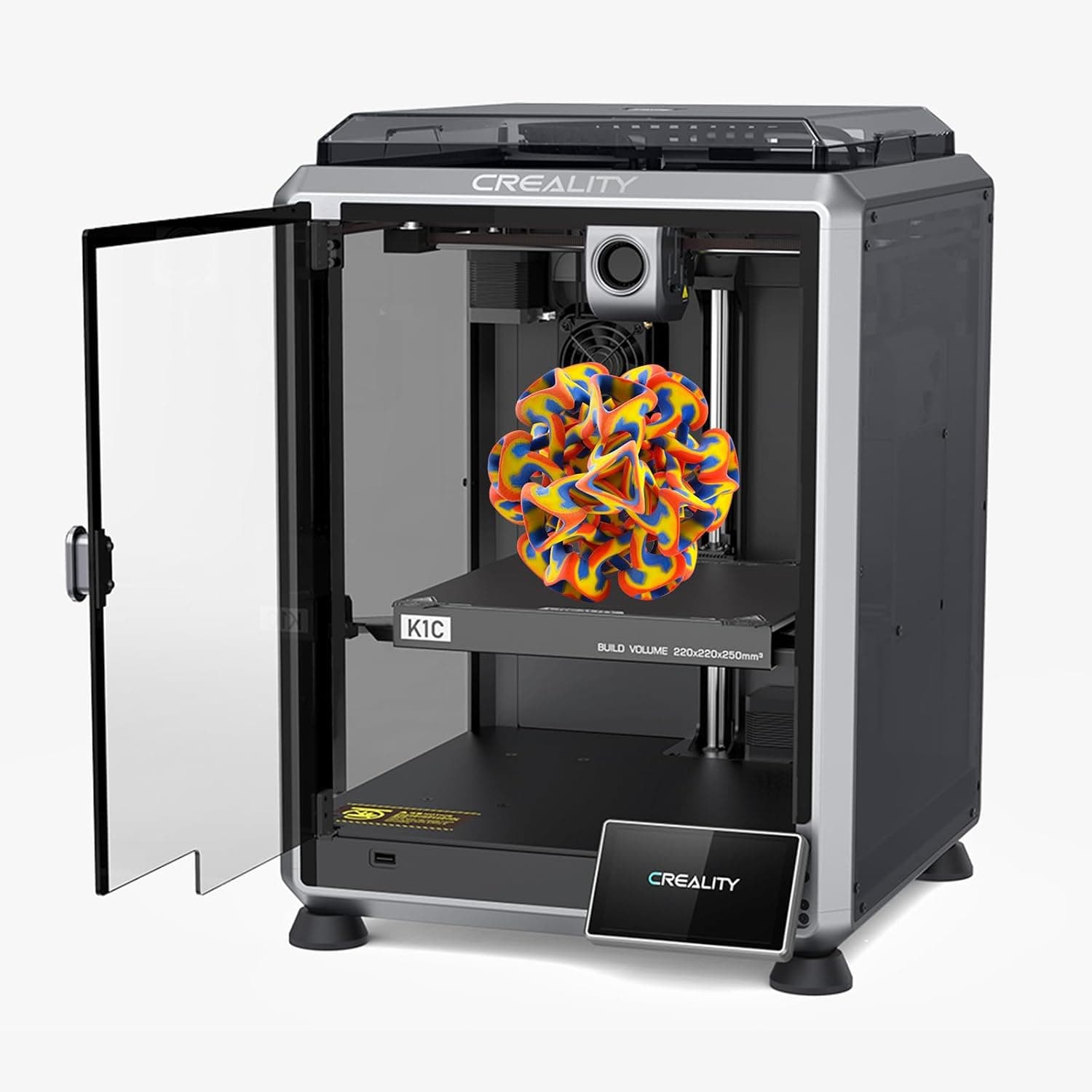
- Creality K1C Review UK 2026: The AI 3D Printer That Tames Carbon Fibre
- Best 3D Printers Under £500 UK 2026
Final Verdict
The Bambu Lab P1S is, quite simply, the default mid-range 3D printer recommendation for 2026. It is fast, quiet enough, reliable over thousands of print hours, and its combination of enclosed chamber and AMS multi-material support makes it flexible enough to justify the outlay for anyone with serious hobby ambitions. For UK adults who have outgrown a beginner printer (or who want to skip the beginner tier entirely) we can't think of a better choice at this price.
Rating: 4.7/5: An enclosed CoreXY printer that feels like a finished product, not a project.