Best 3D Printers Under £500 UK 2026
Expert UK guide to the best 3D printers under £500 in 2026. Compare FDM & resin printers for beginners, hobbyists and makers.
As an Amazon Associate, AIToys.co.uk earns from qualifying purchases.
There has never been a better time to get into 3D printing. What was once the preserve of engineers and enthusiasts with deep pockets has become an accessible, rewarding hobby for anyone willing to learn. Printers that would have cost well over £1,000 just a few years ago now sit comfortably below the £500 mark, and they are faster, quieter, and more reliable than their predecessors ever were.
Whether you want to print replacement parts for your home, craft custom gifts, produce tabletop miniatures, or simply explore a new creative outlet, there is a 3D printer in this guide to suit your needs and your budget. We have researched the most popular models currently available on Amazon UK, covering both FDM (filament) and resin technologies so you can make an informed choice.
In this roundup, we compare eleven of the best 3D printers you can buy for under £500 in the UK right now, and we have checked that every single one is in stock as we publish. We have included options for complete beginners, experienced makers, and everyone in between, with a mix of budget, mid-range, and premium picks to suit every wallet. If you are also exploring other tech hobbies, you might enjoy our guide to the best camera drones for adults.
If you are new to 3D printing, do not worry: our buying guide section further down explains everything you need to know before making your purchase. Prices below are approximate and were correct at the time of writing (June 2026); they change frequently, so always check the live price on Amazon.
Quick Comparison Table
| Printer | Type | Price | Our Rating | Best For |
|---|---|---|---|---|
| Flashforge Adventurer 5M | FDM | Around £209 | ★★★★★ | Best for beginners |
| Creality Ender-3 V3 SE | FDM | Around £169 | ★★★★☆ | Best budget option |
| Elegoo Neptune 4 Pro | FDM | Around £240 | ★★★★★ | Best all-round workhorse |
| Anycubic Kobra X | FDM | Around £260 | ★★★★☆ | Best multi-colour for beginners |
| Creality K1C | FDM | Around £329 | ★★★★★ | Best for carbon fibre |
| Creality K2 SE Combo | FDM | Around £379 | ★★★★★ | Best value multi-colour |
| Anycubic Kobra S1 Combo | FDM | Around £400 | ★★★★☆ | Best enclosed printer |
| Anycubic Photon Mono 4 | Resin | Around £150 | ★★★★☆ | Best budget resin |
| Elegoo Mars 5 Ultra | Resin | Around £250 | ★★★★★ | Best value resin |
| Anycubic Photon Mono M7 | Resin | Around £285 | ★★★★★ | Best resin detail |
| Elegoo Saturn 4 Ultra | Resin | Around £360 | ★★★★☆ | Best large-format resin |
Our Top Picks
1. Flashforge Adventurer 5M: Best for Beginners
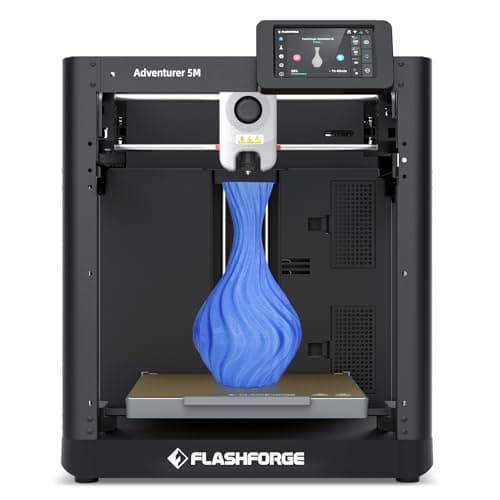
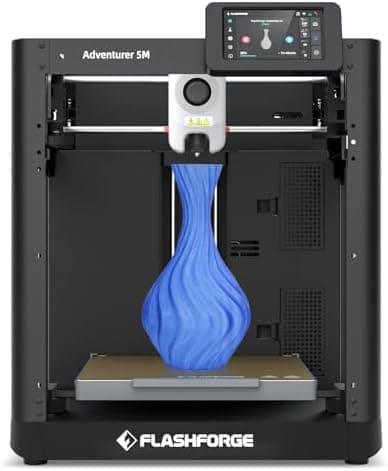
The Flashforge Adventurer 5M is the closest thing to genuine plug-and-play 3D printing you will find under £500, which is exactly why it tops our list for newcomers. It arrives almost fully assembled, levels its own bed automatically, and produces clean prints from the very first attempt with no fiddly calibration rituals to learn first.
Key features:
- Fully automatic bed levelling: no manual adjustment
- CoreXY all-metal structure for speed and stability
- 600mm/s maximum print speed
- Quick-change nozzle system (swap in seconds)
- 220 x 220 x 220mm build volume
What makes the 5M such a confident first purchase is how little can go wrong. The auto-levelling is reliable, the Flashprint and Orca slicer support is mature, and the quick-release nozzle means a clog is a two-minute fix rather than an afternoon lost. It is quiet enough for a home office and popular in schools and libraries where a printer simply has to work.
Who it is best for: Complete beginners, families, and anyone who wants reliable results without tinkering.
Around £209. Check price on Amazon UK →As an Amazon Associate, AIToys.co.uk earns from qualifying purchases.
2. Creality Ender-3 V3 SE: Best Budget Option
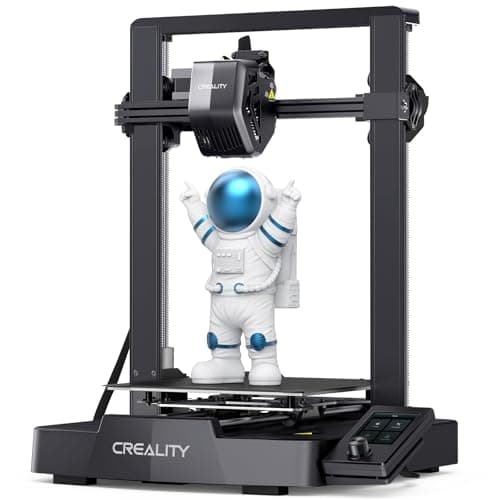
The Creality Ender-3 V3 SE is the spiritual successor to the printer that made 3D printing mainstream. At around £169 it is the most affordable machine in this roundup, yet it still includes automatic bed levelling, a direct-drive extruder, and print speeds of up to 250mm/s: features that cost hundreds more only a couple of years ago.
Key features:
- Auto bed levelling with CR Touch sensor
- Sprite direct-drive extruder for reliable filament feeding
- Print speed up to 250mm/s
- 220 x 220 x 250mm build volume
- Enormous online community with thousands of tutorials
The Ender-3 line has the largest user base of any 3D printer in the world. Whatever problem you hit, somebody has already solved it and posted a guide, which makes this an outstanding learning platform if you enjoy understanding how things work. It asks a little more of you than the Adventurer 5M, but the rock-bottom price and bottomless support make it the budget pick to beat.
Who it is best for: Budget-conscious buyers, tinkerers who enjoy learning, and educators setting up print labs.
Around £169. Check price on Amazon UK →
3. Elegoo Neptune 4 Pro: Best All-Round Workhorse
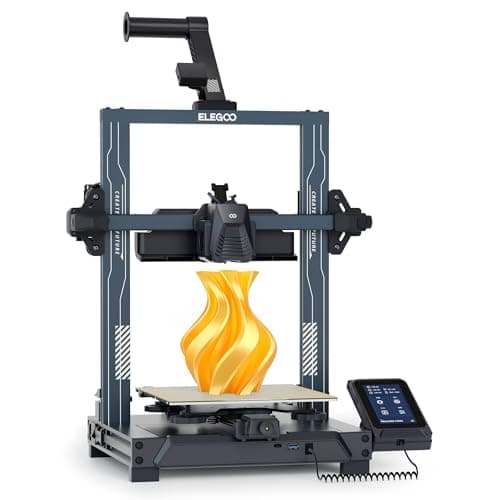
If you want one machine that does almost everything well, the Elegoo Neptune 4 Pro is our pick. Powered by Klipper firmware, it reaches 500mm/s while keeping print quality respectable, and its segmented heatbed and all-metal guide rails give it a rigidity that punches above its £240 price.
Key features:
- 500mm/s printing with Klipper firmware
- Segmented heatbed for faster, more even warm-up
- All-metal guide rails for smoother, more accurate motion
- Auto bed levelling with a dual-gear direct extruder
- 225 x 225 x 265mm build volume
The Neptune 4 Pro hits a sweet spot between the bargain Ender-3 V3 SE and the pricier enclosed machines further down this list. It handles PLA, PETG, and TPU happily, the build volume is slightly more generous than the usual 220mm bed, and Elegoo's community support is second only to Creality's. For most makers, this is the printer that will still be earning its keep in three years.
Who it is best for: Hobbyists who want a dependable daily driver, and anyone upgrading from a first budget printer.
Around £240. Check price on Amazon UK →
4. Anycubic Kobra X: Best Multi-Colour for Beginners
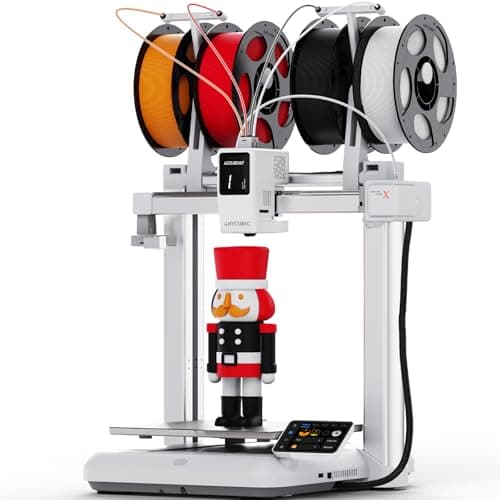
Multi-colour printing used to mean spending Bambu Lab money, but the Anycubic Kobra X brings four-to-eight colour printing within reach of a beginner's budget. It pairs a fast 600mm/s CoreXY motion system with Anycubic's ACE colour module, and it is explicitly pitched at kids and first-timers as well as experienced makers.
Key features:
- 600mm/s high-speed CoreXY printing
- Multi-colour printing via the Anycubic ACE system
- Fully automatic levelling and easy first-layer calibration
- Wi-Fi connectivity and app monitoring
- Beginner-friendly guided setup
The Kobra X makes colourful models (name plaques, board-game pieces, toys, decorations) genuinely approachable without a steep learning curve. Bear in mind that multi-colour printing is slower and uses more filament because the nozzle purges between colour changes, but for the wow factor it delivers at this price, that is an easy trade to accept.
Who it is best for: Families, beginners who want colour from day one, and anyone making gifts and decorative pieces.
Around £260. Check price on Amazon UK →
5. Creality K1C: Best for Carbon Fibre
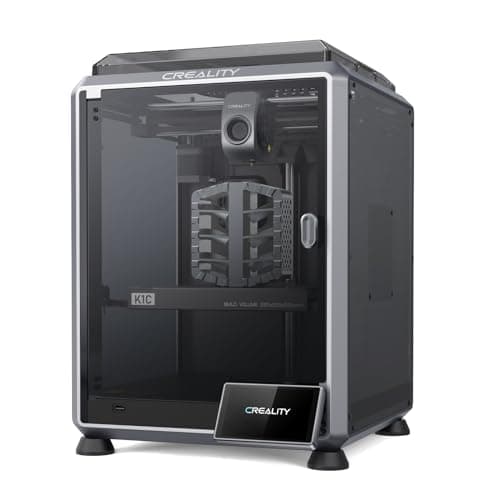
The Creality K1C is built for speed and durability. Its clog-free all-metal extruder with a hardened steel nozzle lets you print carbon-fibre-reinforced filaments without wearing the nozzle out. Something that would destroy a standard brass tip in hours. As a fully enclosed CoreXY machine, it also keeps temperatures stable for engineering materials.
Key features:
- 600mm/s maximum print speed with input shaping
- Clog-free all-metal extruder with hardened nozzle
- Built-in AI camera for monitoring and time-lapses
- Fully enclosed CoreXY design for temperature stability
- 220 x 220 x 250mm build volume
The K1C is a favourite in education and among makers who print functional parts, thanks to its robust construction and ability to handle carbon-fibre PLA, PETG, and ABS. The AI camera is genuinely useful. It can spot a failed "spaghetti" print and alert you, saving both filament and time. If you want our hands-on take, read our full Creality K1C review.
Who it is best for: Makers printing functional and engineering parts, educators, and anyone who values speed and an enclosure.
Around £329. Check price on Amazon UK →
6. Creality K2 SE Combo: Best Value Multi-Colour
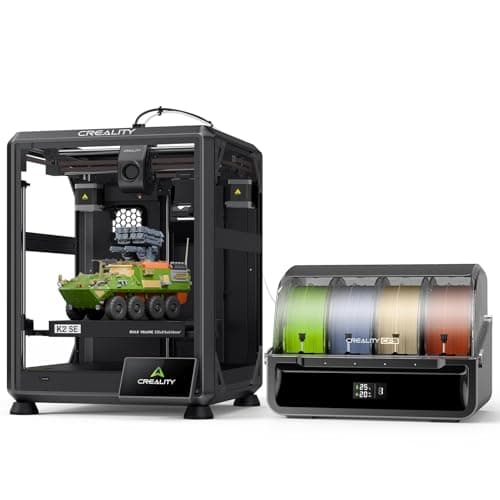
The Creality K2 SE Combo is a remarkable achievement in value for money. The Combo bundles the printer with Creality's CFS (Colour Filament System), giving you genuine multi-colour printing at a price that undercuts the obvious big-brand rival significantly. It arrives fully assembled on a solid metal frame: simply unbox, load filament, and start printing.
Key features:
- 500mm/s high-speed printing with vibration compensation
- Smart auto-levelling for consistent first layers
- Solid metal frame, fully assembled out of the box
- Included CFS module for multi-colour printing
- 220 x 215 x 245mm build volume
If multi-colour printing is your goal but you would rather not pay premium prices, the K2 SE Combo is the clear winner. The printer itself is well-built and reliable, and the bundled CFS means you are ready for four-colour prints from the moment it is set up. It is the machine we point people towards when they want colour capability without compromise on build quality.
Who it is best for: Anyone wanting multi-colour capability on a sensible budget, and makers who value a solid, pre-assembled machine.
Around £379. Check price on Amazon UK →
7. Anycubic Kobra S1 Combo: Best Enclosed Printer
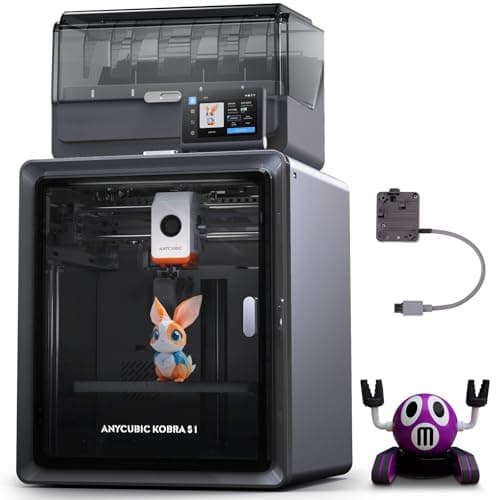
The Anycubic Kobra S1 Combo wraps fast multi-colour printing inside a fully enclosed chamber, making it our pick if you want to print engineering materials cleanly and quietly. The enclosure keeps the chamber warm for ABS and ASA, contains fumes and noise, and the included ACE module handles multi-colour work, plus it actively dries filament as it prints.
Key features:
- Fully enclosed chamber for advanced materials
- Multi-colour printing via the included ACE system
- Integrated filament drying during printing
- 600mm/s high-speed CoreXY motion
- Auto-levelling with app and Wi-Fi control
The enclosure is the headline here. If you plan to move beyond PLA into ABS, ASA, or nylon, a heated, contained chamber makes a real difference to both print quality and safety. Combine that with multi-colour capability and integrated drying (damp filament is a common cause of failed prints) and the Kobra S1 Combo is a lot of capable hardware for around £400.
Who it is best for: Makers who want an enclosure for advanced filaments plus the convenience of multi-colour printing.
Around £400. Check price on Amazon UK →
8. Anycubic Photon Mono 4: Best Budget Resin
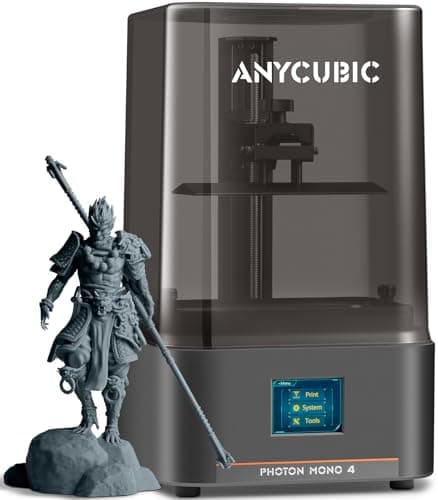
If you want to dip into resin printing without spending much, the Anycubic Photon Mono 4 is the easiest way in. Its 7-inch 10K monochrome LCD produces crisp, finely detailed prints that put any FDM machine to shame on small, intricate models, and at around £150 it costs less than several of the filament printers above.
Key features:
- 7-inch 10K monochrome LCD for sharp detail
- High pixel density for smooth, accurate miniatures
- Fast layer curing for a resin printer
- Compact footprint that suits a desk or shelf
- Straightforward levelling and setup
Resin printing asks more of you than FDM (you will want a well-ventilated space, nitrile gloves, isopropyl alcohol for washing, and a UV curing station) but the detail is in another league. For tabletop miniatures, jewellery prototypes, and display models, the Photon Mono 4 delivers results that genuinely surprise first-timers, making it the ideal low-risk entry into resin.
Who it is best for: Miniature painters on a budget, and FDM owners curious to try resin without a big outlay.
Around £150. Check price on Amazon UK →
9. Elegoo Mars 5 Ultra: Best Value Resin
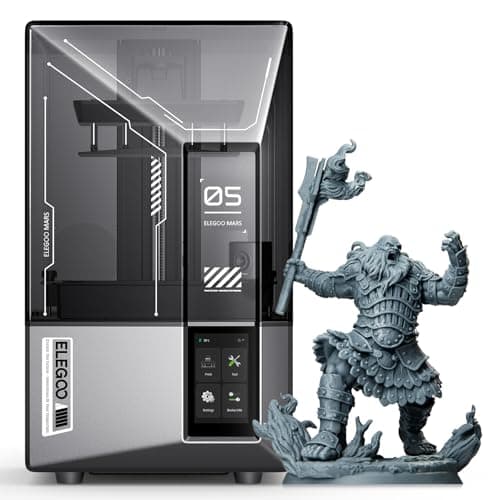
The Elegoo Mars 5 Ultra is the resin printer we recommend to most people, balancing fine detail, smart convenience features, and a fair price. Its 9K monochrome screen resolves detail beautifully, and Elegoo has packed in quality-of-life touches (including an AI camera and intelligent levelling) that take some of the fuss out of resin printing.
Key features:
- High-resolution 9K monochrome LCD
- Up to 150mm/h print speed
- Built-in AI camera for remote monitoring
- Intelligent levelling and release-force detection
- Compact, well-built desktop chassis
The Mars range is the best-selling resin family for good reason, and the 5 Ultra refines the formula. The detail rivals far pricier machines, while the smart features reduce the trial-and-error that puts some beginners off resin. If the Photon Mono 4 is the budget toe-in-the-water, the Mars 5 Ultra is the printer you keep once you are hooked.
Who it is best for: Miniature and model makers who want excellent detail with modern convenience features.
Around £250. Check price on Amazon UK →
10. Anycubic Photon Mono M7: Best Resin Detail
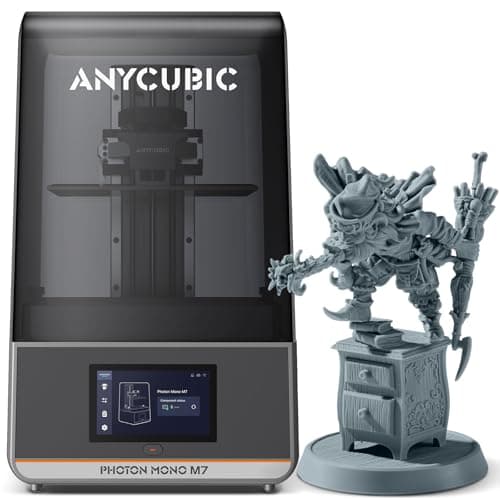
When detail is the entire point (display miniatures, jewellery masters, dental and prototype models) the Anycubic Photon Mono M7 is our top choice. Its high-resolution 14K monochrome display produces layer lines so fine you can barely see them with the naked eye, and it pairs that resolution with genuinely quick curing.
Key features:
- High-resolution 14K monochrome LCD
- Up to 150mm/h high-speed printing
- Intelligent resin management
- Anti-aliasing for ultra-smooth surfaces
- Generous build area for a detail-focused printer
The M7 is aimed at people who care about surface finish above all else. You will still need the usual resin kit (gloves, ventilation, a wash-and-cure station) but the output justifies the extra care. For painters chasing crisp facial features on a 32mm figure, or designers proofing fine detail, this is the printer that removes the technology as a limiting factor.
Who it is best for: Serious miniature painters, jewellery designers, and anyone who demands the finest possible detail.
Around £285. Check price on Amazon UK →
11. Elegoo Saturn 4 Ultra: Best Large-Format Resin
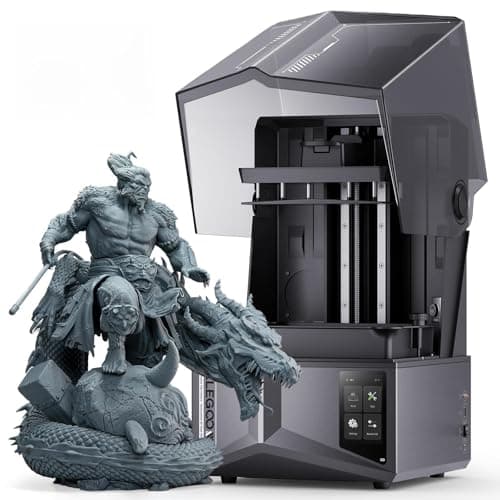
The Elegoo Saturn 4 Ultra takes resin printing to a larger scale with its 10-inch 12K monochrome display. If you want to print bigger resin models (or batch-print a whole tray of miniatures in a single run) the Saturn's larger plate turns one overnight print into a dozen finished pieces.
Key features:
- 10-inch 12K monochrome LCD for high resolution at scale
- Large build volume for bigger models and batch printing
- Quick-release build platform and resin tank
- High-speed curing with an upgraded light source
- Wi-Fi connectivity for remote monitoring
The Saturn 4 Ultra is especially popular with people who sell what they print: small businesses producing miniatures, cosplay accessories, and prototype parts. The bigger plate means more models per run, which translates directly into time and cost savings. If you have outgrown a smaller resin printer, this is the natural next step without leaving the under-£500 bracket.
Who it is best for: Small businesses, prolific miniature printers, and anyone batch-printing or working on larger resin models.
Around £360. Check price on Amazon UK →
What to Look for When Buying a 3D Printer Under £500
Choosing your first (or next) 3D printer can feel overwhelming with so many options available. Here are the key factors to weigh up before you buy.
FDM vs Resin: Which Technology Is Right for You?
FDM (Fused Deposition Modelling) printers melt plastic filament and lay it down layer by layer. They are the most popular type for home use because they are cheap to run, relatively safe, and can print usefully large objects. Filament costs around £15-25 per kilogram, and a typical print might use 10-50 grams, making each print remarkably inexpensive.
Resin (MSLA) printers cure liquid resin with a UV light source, layer by layer. They produce far finer detail than FDM, which makes them ideal for miniatures, jewellery, and highly detailed models. However, resin costs more per litre, the chemicals need careful handling with gloves and ventilation, and you will need a separate wash-and-cure station.
For most beginners we recommend starting with an FDM printer such as the Flashforge Adventurer 5M. If you specifically need ultra-fine detail or know you want to print miniatures, go straight to a resin machine like the Elegoo Mars 5 Ultra.
Build Volume
Build volume determines the largest object you can print in one piece. A standard 220 x 220 x 250mm bed handles the vast majority of practical prints: replacement parts, phone stands, organisers, toys, and decorative items. Only pay for a larger build volume if you have a specific need, as bigger printers take up more space and cost more. If you regularly print big, the larger-format machines from Elegoo (Neptune Max) and Anycubic (Kobra Max) are worth a look beyond this list.
Print Speed
Modern printers advertise 500mm/s or more, but real-world speeds are typically lower. A printer rated at 600mm/s might average 200-300mm/s during an actual print, which is still far quicker than older machines that ran at 50-100mm/s. Speed is nice to have, but it should not be your primary deciding factor unless you print in volume.
Ease of Use
Automatic bed levelling, filament runout detection, and Wi-Fi connectivity make a real difference day to day. If you would rather not spend time calibrating and troubleshooting, prioritise strong auto-calibration: the Flashforge Adventurer 5M and Elegoo Neptune 4 Pro are standouts here. While you are exploring maker hobbies, you might also like our roundup of the best STEM kits under £100, several of which pair brilliantly with a 3D printer for young makers.
A Note on Bambu Lab
You will see the Bambu Lab A1 Mini recommended everywhere, and it is an excellent beginner machine. We have left it off this list for one practical reason: Bambu sells mostly through its own store, and on Amazon UK it tends to appear only as pricier bundles that push past our £500 ceiling or with patchy stock. Rather than send you to an out-of-budget or out-of-stock listing, we have featured printers we can confirm are in stock and under £500 today. If you are set on Bambu, it is worth checking their official store directly.
Total Cost of Ownership and Safety
The purchase price is only part of the picture. Factor in filament or resin, replacement nozzles, build surfaces, and accessories. FDM printing with PLA is cheapest: expect roughly £0.15-£1.25 per print. Resin costs more once you add the resin itself plus FEP films, isopropyl alcohol, and gloves.
On safety: FDM printers are generally fine for home use, though the heated bed and nozzle get hot enough to burn, so keep them away from young children. Resin needs more care. Uncured resin is a skin irritant and the fumes are unpleasant, so nitrile gloves and good ventilation are essential. Enclosed printers like the Creality K1C and Anycubic Kobra S1 Combo are the safer choice if you plan to print ABS or other fume-producing materials.
How we picked these
Every product here was checked against its live Amazon UK listing before publication: in stock, the listing matching the model we describe, and the price recorded at the time of writing. We read the manufacturer's own specifications for the figures quoted, and work through recent verified-purchase reviews looking for the same fault reported repeatedly rather than one-off complaints.
Picks are ordered by who each product actually suits: age, budget, and whether an app or subscription is involved. Not by commission. AIToys.co.uk earns from qualifying purchases through the links on this page; that does not affect the order. The full process, including what we don't do, is on our how we choose page.
Frequently Asked Questions
Is 3D printing expensive to run?
Not at all. PLA filament costs around £15-25 per kilogram, and most prints use a small amount of material: a typical small print might cost 15-50p in filament. Electricity is modest too, roughly 5-15p per hour of printing. The biggest ongoing investment is your time learning and refining your skills, but that is part of the enjoyment.
Can I make money with a 3D printer under £500?
Many people run successful small businesses selling custom miniatures, replacement parts, personalised gifts, and prototype components using sub-£500 printers. The Elegoo Saturn 4 Ultra is popular for small-batch miniature production, while FDM machines are brilliant for custom household items and personalised products. 3D printing pairs well with other tech hobbies too: see our best robot vacuums roundup if you enjoy letting technology do the work around the home.
Do I need any accessories beyond the printer itself?
For FDM printing you will need filament (usually a starter spool is included), and we recommend flush cutters, a scraper, and some isopropyl alcohol for cleaning the bed. For resin printing you will additionally need a wash-and-cure station (around £50-80), nitrile gloves, and good ventilation.
Which file format do 3D printers use?
Most 3D printers accept G-code generated by slicer software such as Orca Slicer, Bambu Studio, Cura, or Creality Print. You download ready-to-print STL files from sites like Printables, Thingiverse, and MyMiniFactory (many models are free) and the slicer converts the STL into instructions your specific printer can follow.
How noisy are 3D printers?
Modern printers are far quieter than older models. Enclosed machines such as the Creality K1C and Anycubic Kobra S1 Combo dampen noise effectively, and most of the FDM printers here are comfortable to run in the same room while you work. Resin printers are generally quiet in operation, though their cooling fans run during printing and curing.
Our Verdict
Best overall: The Flashforge Adventurer 5M is the printer we would put in front of any newcomer. It is fast, reliable, genuinely plug-and-play, and keenly priced at around £209.
Best value: The Creality K2 SE Combo delivers multi-colour printing and solid build quality at a price that is hard to argue with.
Best for detail: If miniatures or jewellery are your focus, the Anycubic Photon Mono M7 resolves detail that FDM printers simply cannot match.
Whatever you choose, 3D printing in 2026 is more accessible, affordable, and rewarding than ever. Prices move around, so always confirm the current figure on Amazon before you buy. For more tech recommendations, browse our robot lawnmowers guide or our roundup of the best smart health monitors. Happy printing.
Read next
Creality K1C Review UK 2026: The AI 3D Printer That Tames Carbon Fibre
Creality K1C review UK: 600mm/s speed, AI camera failure detection, all-metal hotend for carbon fibre. The best mid-range 3D printer for UK makers in 2026?
Bambu Lab P1S Review UK 2026: The Enclosed 3D Printer That Sets The Standard
Bambu Lab P1S review UK 2026: AI calibration, 500mm/s speeds, fully enclosed CoreXY design, multi-colour AMS printing. Is it the best mid-range 3D printer?
Bambu Lab A1 Mini Review UK 2026: Beginner Printer + LED Lamp Kit
UK Bambu Lab A1 mini + LED Lamp Kit review: in stock at £169 as of 19 September 2026. Auto calibration, MakerWorld and Handy app from specs and owner reports.