Disclosure: This article contains affiliate links. As an Amazon Associate, AIToys.co.uk earns from qualifying purchases. If you buy through our links, we may earn a small commission at no extra cost to you. It never changes the price you pay, and it never changes our verdict.
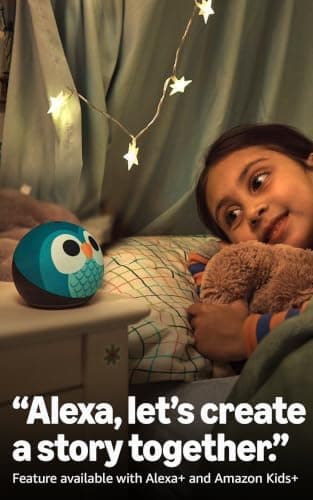
The standard Amazon Echo Dot 5th Gen has been a smart-home staple for years, but Amazon has always sold a separate, child-specific version alongside it: the Echo Dot Kids. For 2026, that kids' edition has been quietly upgraded with Alexa+, Amazon's more conversational AI assistant, arriving as an early-access feature on the same familiar hardware. That's a bigger shift than it sounds: it moves the Echo Dot Kids from "smart speaker with a cute case" towards something that can actually hold a conversation, invent a story on the spot, or explain how volcanoes work in a follow-up question.
We selected the Owl listing and researched Amazon's parental controls, the bundled Amazon Kids+ content and the new Alexa+ conversational features to see whether this is a smart addition to a child's room or one more subscription and one more always-on microphone than most families need. Here's our honest take.
👉 Short on time? Check the latest price on AmazonAs an Amazon Associate, AIToys.co.uk earns from qualifying purchases..
Quick Verdict: Amazon Echo Dot Kids (5th Gen)
The Echo Dot Kids earns a solid 4.3 out of 5. As hardware, it's the same well-regarded Echo Dot 5th Gen speaker Amazon has refined over several generations, wrapped in a genuinely child-friendly design with proper parental oversight built in. The new Alexa+ conversational features are the most interesting change in years. Kids can chase a question with another question and get something closer to a real answer than the old "sorry, I don't know that one." The trade-offs are honest ones: a subscription that auto-renews after year one, and a permanently connected microphone in a child's room that some parents will be entirely comfortable with and others will not.
Pros
- Real conversation, not just commands: Alexa+ lets children ask follow-up questions and co-create stories.
- A year of content included: Amazon Kids+ brings audiobooks, games and skills from day one.
- Proper parental controls: a physical mute button and a remote Parent Dashboard.
- Built for kids, looks like it: the Owl and Dragon designs are unmistakably a children's device.
- Handles the daily basics well: alarms, routines, music and bedtime sounds all just work.
Cons
- Subscription creep: Kids+ renews automatically at around £4.99/month after year one.
- Always listening: a microphone in a bedroom is a genuine consideration, not a footnote.
- AI features gated: the best of Alexa+ needs an active Kids+ subscription.
- Needs Wi-Fi and an account: there's no simple offline mode.
Key Features
Under the friendly shell, the Echo Dot Kids is the same well-tuned 5th generation Echo Dot hardware that Amazon sells to adults, so sound quality and smart home performance are a known quantity rather than a gamble on a cut-down "toy" version. What makes it a genuinely different product is everything wrapped around that hardware:
Video: Geekanoids - useful review (not filmed by AIToys).
- Alexa+ conversational AI (early access), which lets children ask open-ended questions, get follow-ups answered in context, and co-create original stories by describing characters and themes they want included.
- One year of Amazon Kids+ included, a subscription built for ages 3-12 with age-appropriate audiobooks, educational Alexa skills, interactive games and content from brands like Disney and Numberblocks.
- A physical microphone-off button that electronically disconnects the mic: not a software toggle, an actual hardware cut-off.
- The Amazon Parent Dashboard, letting parents review activity, set time limits, filter explicit music lyrics, and manage what the child can access remotely from their own phone.
- Music streaming from Amazon Music, Apple Music or Spotify (subscriptions permitting), with Amazon Kids' explicit-lyric filtering applied automatically on supported services.
- Routines and alarms that support morning schedules, homework reminders and calming bedtime soundscapes.
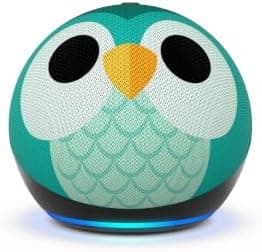
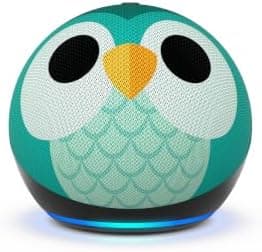
- A child-specific design: Amazon sells an Owl edition with a soft-touch case and matching stand; a Dragon design is also listed.
What Alexa+ actually changes
It's worth being precise about what's new here, because "AI speaker" gets used loosely. The previous generation of Echo Dot Kids used the standard Alexa assistant: ask a question, get an answer, and if you ask a follow-up, it often had no memory of what you'd just discussed. Alexa+ is built to hold context across a conversation. In practice, that means a child can ask "what's the biggest dinosaur?", get an answer, then ask "did it eat meat?" and Alexa understands "it" refers to the dinosaur just mentioned. The storytelling mode goes further, prompting a child for a character name, a setting and a problem to solve, then building a short story around their answers in real time. It's genuinely more engaging than static pre-recorded content, and it's the clearest example yet of AI assistants growing up alongside the kids using them.
What We Like
The conversational upgrade is real, not marketing spin. Alexa+ is built for genuinely open-ended, slightly odd questions of the kind a curious seven-year-old actually asks: jumping topics, asking "why" three times in a row, changing their mind mid-story. Owners consistently report it keeping up far better than the previous Alexa generation, with the story co-creation mode in particular holding a child's attention for a sustained stretch.

The parental controls are properly considered, not an afterthought. The physical microphone-off button is the standout feature. It's a hardware disconnect, not a setting buried three menus deep, and it gives a visible, tactile reassurance that many purely software-based "privacy modes" on other devices don't offer. Layered on top, the Parent Dashboard lets you see what's actually being asked and played, which turns a black box into something you can audit.
A year of content removes the "now what?" problem. Plenty of connected toys arrive brilliant on day one and forgotten within a month once the novelty wears off. Bundling a full year of Amazon Kids+ (audiobooks, skills, games) means there's a genuine reason to keep coming back to it, rather than the device becoming an expensive alarm clock by February.
It's still a genuinely good speaker. Because this is built on the same hardware as the well-regarded standard Echo Dot 5th Gen, sound quality punches above its size for spoken word and casual music listening, and smart home integration (if you use it) works exactly as reliably as the adult version.
What Could Be Better
We promised an honest review, so here's what gave us pause.
The subscription auto-renews, and it's easy to forget. The first year of Amazon Kids+ is included, which is a genuinely good deal, but it renews automatically at roughly £4.99 a month afterwards unless you actively cancel through the Parent Dashboard. Put a reminder in your calendar for eleven months' time; it's the single most common regret we'd expect parents to have with this device.

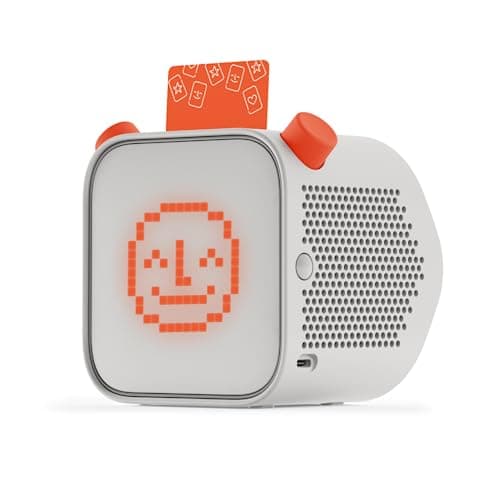
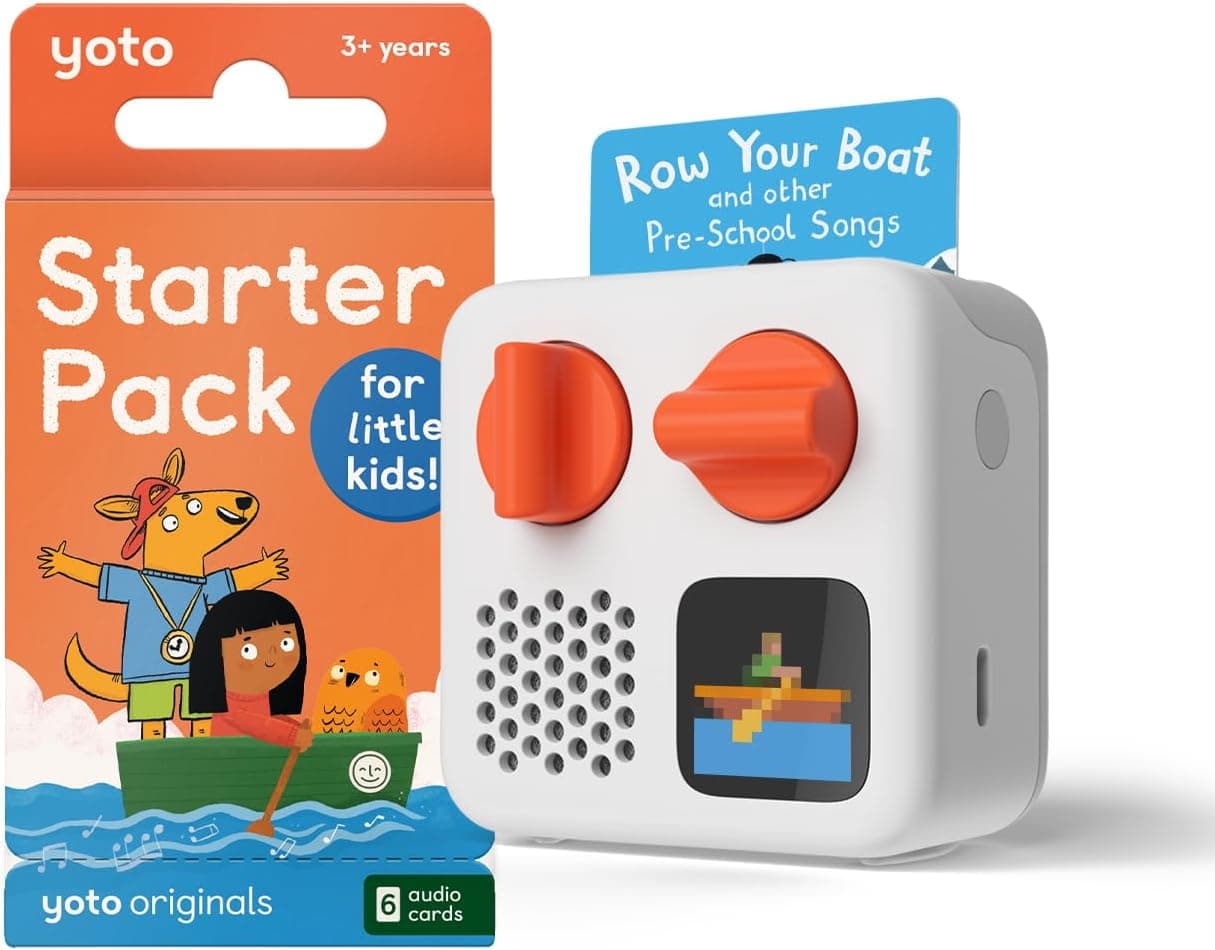
An always-listening microphone in a bedroom is a genuine decision, not a technicality. Amazon's privacy controls here are some of the best in the category (the hardware mute button in particular is a meaningful safeguard) but no amount of engineering changes the basic fact that this is a connected, cloud-processing microphone in a child's room. Some families will be entirely comfortable with that, especially with the mute button used consistently; others will prefer a genuinely screen-free, cloud-free alternative like the Toniebox 2 or Yoto Mini. That's a values decision for your household, and we'd rather flag it plainly than gloss over it.
The richest AI features need the subscription to shine. The hardware works without Kids+, but Alexa+'s more advanced conversational and story-creation modes lean on it. Budget for the ongoing cost if the AI features are the main reason you're buying.
Voice recognition still isn't perfect with young or unclear speech. Younger children, or those with speech that's still developing, will sometimes get misheard or ignored. Mildly frustrating precisely because this age group is who the device is built for.
Who Is It For?
The Echo Dot Kids suits families who are already comfortable with Alexa in their home and want a device that's genuinely built for a child's room rather than a hand-me-down adult speaker. It's a strong pick for parents who want visible, hands-on parental controls: the physical mute button and Parent Dashboard genuinely reassure in a way that many competing "smart" kids' devices don't manage. If your child is curious and talkative and you like the idea of a conversational AI that can answer their endless "but why?" questions, Alexa+ makes a real difference here.
It's not the right choice for households that have decided against any always-listening microphone in a child's bedroom on principle. For that, a screen-free, non-connected alternative like the Toniebox 2 or Yoto Mini is the better fit, and both are worth reading about via our screen-free vs screen-based coding toys guide for the wider thinking behind that choice. It's also worth pairing this review with our smart toy privacy guide before you buy, regardless of which way you lean: it covers exactly the trade-offs raised above in more depth.
How Does It Compare?
Against the Toniebox 2 and Yoto Mini, the comparison isn't really about which is "better". It's about a fundamentally different approach. Toniebox and Yoto are screen-free, figurine or card-based players with no microphone and no cloud AI; a child presses play and listens, full stop. The Echo Dot Kids does far more (it talks back, answers questions, streams music on demand and controls smart home devices) but it does all of that by being an always-connected, always-listening device. If you want the simplest, most private option, Toniebox or Yoto win outright. If you want an AI companion that grows more capable over time, the Echo Dot Kids is the clear pick.
Against the standard Amazon Echo Dot 5th Gen built for adults, the hardware is near-identical, but the kids' edition adds the year of Kids+ content, the child-specific design, and (critically) the parental controls layer that the adult version lacks entirely. Don't be tempted to save a few pounds by buying the standard Echo Dot for a child's room instead; you'd lose the mic-off button, the Parent Dashboard and the content filtering that make this version genuinely fit for purpose. If you want a screen alongside the voice assistant, our Amazon Fire HD 10 Kids Pro review covers Amazon's tablet-based alternative, and for a broader shortlist of the category, our best smart speakers and AI displays roundup sets it in context.
Value for Money
At its current price point, the Echo Dot Kids sits comfortably in the mid-range of connected kids' devices: pricier upfront than a screen-free audio player, but with a full year of paid content included in that price, which changes the maths considerably. Prices on Amazon move around, so we never quote a fixed figure or promise a particular saving; check the live price before you decide.
Judged on what's included rather than a specific number, this represents fair value in year one: genuinely good hardware, a proper content subscription, and parental controls that would be expensive to replicate with third-party add-ons elsewhere. The honest caveat is the same one throughout this review: factor in the renewing subscription cost from year two onwards, and decide upfront whether you'll keep it or cancel before the renewal date.
👉 Check the latest price on Amazon before you decide.
Safety, Privacy and Screen Time
Amazon recommends the Echo Dot Kids for children aged 3 to 12, though the youngest end of that range will mostly enjoy music and simple requests rather than the more advanced conversational features. As with any connected device, set it up using a proper child profile through Amazon's Parent Dashboard rather than a shared adult account. This is what unlocks the content filtering and time limits that make the device age-appropriate.
On the privacy question specifically: Amazon states that Echo Dot Kids recordings are handled under its children's privacy programme, with the physical mic-off button giving a hardware-level guarantee when it's pressed. We'd still encourage parents to read Amazon's current children's privacy policy directly before buying, as these details can change, and to make a considered decision about whether an always-listening device belongs in a bedroom in your household specifically. There's no universally "right" answer here. On screen time, this is a genuine screen-free device in the sense that there's no display to stare at, though it is very much a connected, cloud-dependent one, which is a different consideration to weigh than screen time alone.
Frequently Asked Questions
What age is the Echo Dot Kids for? Amazon recommends ages 3 to 12. Younger children will mostly use it for music, alarms and simple requests; older children get more from the conversational Alexa+ features.
Do I need a subscription for it to work at all? No, the speaker functions without Amazon Kids+, but the richest Alexa+ conversational and storytelling features, plus the curated content library, rely on an active subscription.
How much does Amazon Kids+ cost after the free year? It renews automatically at roughly £4.99 a month unless cancelled beforehand through the Parent Dashboard. Check the current price on Amazon before buying, as subscription pricing can change.
Can I turn the microphone off? Yes. There's a physical mute button on top of the device that electronically disconnects the microphones: a hardware-level cut-off, not just a software setting.
Is it really screen-free? There's no display on the device itself, so in that narrow sense yes, but it is a fully connected, cloud-processing smart speaker rather than a standalone, offline player like a Toniebox or Yoto.
The Verdict
The Amazon Echo Dot Kids (5th Gen) is one of the more genuinely useful applications of conversational AI in a children's product we've seen. Alexa+ turns a device that used to just answer set questions into one that can hold a real, if simple, conversation with a curious child. Combined with a full year of Amazon Kids+ content and parental controls that are properly built for the job (that physical mute button matters), it's an easy device to recommend to families already comfortable with Alexa in their home.
Its limits are honest ones rather than dealbreakers: budget for the subscription renewing after year one, and go in with eyes open about what an always-listening microphone in a bedroom means for your household specifically. For families who've made peace with that trade-off, this is a thoughtfully built, genuinely capable kids' smart speaker.
It earns a solid 4.3 out of 5 and a place on our shortlist of the best AI-powered smart toys for UK families in 2026.
👉 Ready to get started? Check the latest price on Amazon.
As an Amazon Associate, AIToys.co.uk earns from qualifying purchases. Prices and availability are accurate as of the date of publication but can change. We only ever recommend products we believe will genuinely help UK families.